Best Video Content Management Systems: 5 Solutions to Know in 2025

Managing video content at scale requires more than just storage; it demands a system built to handle the complexity of video workflows. A video content management system (video CMS) provides the infrastructure to organize, process, and deliver video efficiently, securely, and at scale.
What Is a Video Content Management System?
A Video Content Management System (Video CMS) is a specialized platform that simplifies the management, organization, and distribution of video content by providing a centralized hub for uploading, storing, transcoding, and sharing videos across channels.
These systems handle the unique challenges of video, such as large file sizes and complex formats, offering features like metadata tagging, adaptive streaming, video analytics, and robust security to improve video strategy for marketing, training, and internal communications.
Key functions of a video CMS include:
- Centralized storage and organization: Stores all video assets in a single location, making it easy to find and retrieve content.
- Video upload and transcoding: Handles the upload of various video formats and converts them into optimal formats for different devices and platforms.
- Video editing: Enables basic editing of video files, including trimming, cutting, and merging clips.
- Metadata management: Allows for tagging videos with titles, descriptions, and keywords to improve searchability.
- Content distribution: Distributes video content across multiple channels, including websites, social media, and internal networks.
- Streaming and playback: Delivers high-quality, adaptive video playback for optimal viewing on different devices and bandwidths.
- Analytics: Provides detailed data on video performance, viewer engagement, and audience behavior.
- Security: Offers advanced security features to protect sensitive content and control access to video libraries.
This is part of a series of articles about video platforms
Benefits of Using a Video CMS
A video CMS simplifies video workflows, improves content delivery, and ensures security at scale. Organizations use it to save time, improve viewer experiences, and get more value from their video libraries. Key benefits include:
- Improved efficiency: Automates tasks like transcoding, tagging, and distribution while simplifying collaboration.
- Scalability: Handles growing video libraries and user demands without performance issues.
- Consistent viewing experience: Delivers smooth playback across devices and networks with adaptive streaming.
- Stronger security and compliance: Protects sensitive content with access controls, encryption, and DRM.
- Actionable insights: Provides analytics on engagement, reach, and effectiveness.
- Integration with existing systems: Connects with learning, marketing, or enterprise platforms to fit into existing workflows.
Key Functions of a Video CMS
Centralized Storage and Organization
A video CMS consolidates video files into a single repository, eliminating the sprawl of content across local drives, cloud folders, and external devices. It provides structured libraries, tagging, and categorization, making it easier to locate, reuse, and maintain videos. This reduces duplication and ensures teams always access the most current version.
Video Upload and Transcoding
A video CMS simplifies the process of ingesting video content by supporting drag-and-drop uploads and bulk file imports from local or cloud storage. Once uploaded, videos are automatically transcoded into multiple resolutions and formats to ensure compatibility across devices and platforms. This process includes creating adaptive bitrate streams for smooth playback and generating thumbnails and preview clips for easier content management. Some systems also support custom transcoding presets and automated workflows.
Video Editing
A video CMS often includes basic editing tools that allow users to trim, cut, or merge clips directly within the platform. Some systems also support adding transitions, overlays, or simple effects without requiring external software. This reduces the need to download and re-upload large files, speeding up workflows. Advanced integrations with professional editing tools may also be available, enabling teams to maintain a seamless pipeline from raw footage to final output.
Enrichment and Metadata Management
Metadata management is central to how a video CMS organizes and retrieves content. Users can add titles, descriptions, tags, categories, and custom fields that make videos easier to search and filter. Some platforms enrich metadata automatically by extracting technical details like resolution, duration, and codec, or by using AI to generate transcripts, captions, and even object recognition data. Rich metadata not only improves discoverability but also supports compliance, accessibility, and personalized content recommendations.
Content Distribution
A video CMS manages how content is delivered across channels, whether through embedded players, internal portals, or external websites. Many systems integrate with content delivery networks (CDNs) to optimize delivery performance and reduce buffering, ensuring smooth playback for viewers regardless of location.
Streaming and Playback
Built-in streaming capabilities allow a video CMS to serve video content efficiently in adaptive bitrates, adjusting quality automatically to match network conditions. It also provides customizable players with features like captions, playback speed controls, and branding options.
Analytics
Video CMS platforms collect performance data, such as views, watch time, audience engagement, and geographic reach. These analytics help teams understand how videos are performing, what content resonates, and where improvements are needed. In enterprise settings, detailed reports also support compliance and training validation.
Security
A video CMS includes access controls, encryption, and digital rights management (DRM) to protect content from unauthorized use. Administrators can define user roles, restrict sharing, and apply watermarks. For sensitive or internal content, secure delivery methods such as single sign-on (SSO) and IP restrictions are often supported.
Notable Video Content Management Systems
1. Kaltura

Kaltura provides a video content management system with media management and streaming capabilities to organize, enhance, and distribute media and videos anywhere. It’s built with flexibility in mind, offering media management tools and APIs that can be adjusted to fit specific needs.
Kaltura is trusted by top teams from various sectors, including technology, financial & business services, healthcare & pharma, IT & professional services, retail & manufacturing, education & public sector, and media & telecom organizations. It is also known for its compatibility, or playing well with others, as its tools will fit right in with platforms already in use, allowing for continued growth without changing existing systems.
Key features include:
- Upload & Store: Ingest and package media assets of any size or format from any source.
- Search & Enrich: Make content accessible and intuitive to find for everyone.
- Edit & Rework: Offers easy-to-use editing tools for tasks ranging from video trimming to image transformation.
- Secure & Direct: Manage user types and admin permissions to prevent content from being compromised.
- Embed & Publish: Simplifies viewing over native applications like those running on iOS and Android.
- Syndicate & Distribute: Allows publishing or scheduling content on all distribution partners and syndicates with a single click.
- Optimal Bitrate: Ensures media and videos are available whenever and wherever by using on-the-fly video packaging for an optimal bitrate.
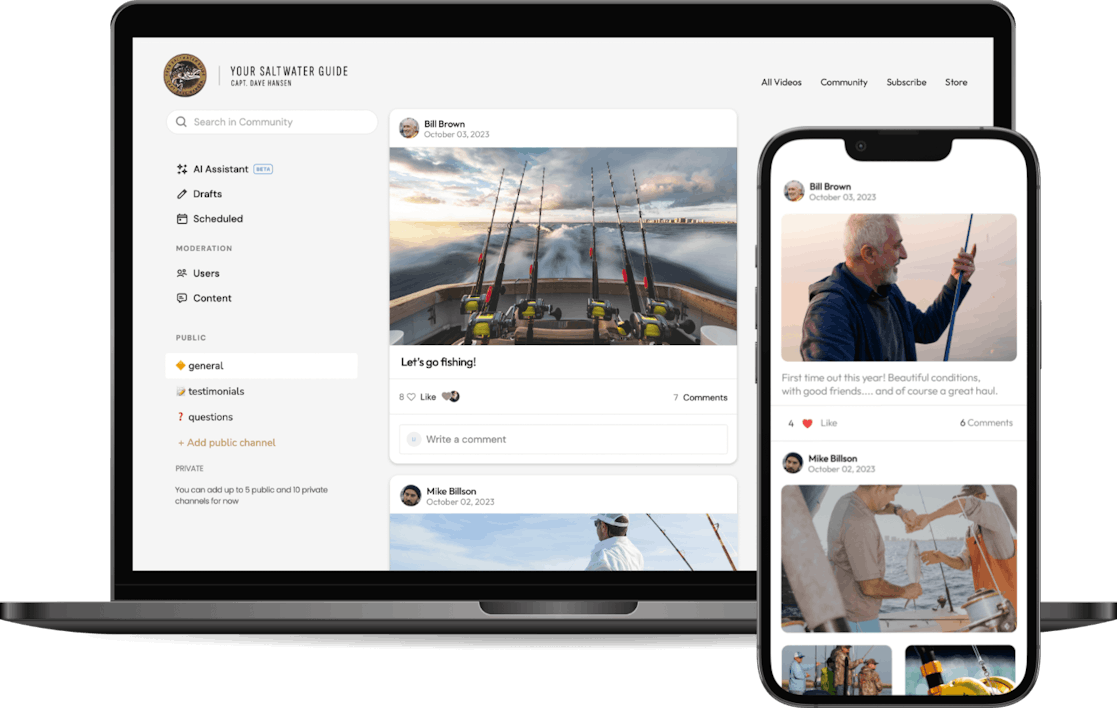
2. Uscreen

Uscreen is a cloud-based video content management system for creators and organizations looking to monetize and manage their video libraries. It provides a toolkit for hosting, organizing, delivering, and selling video content online.
Key features include:
- Flexible monetization: Support for memberships, pay-per-view, bundles, and video rentals, with integrated payment gateways including Stripe, PayPal, and more
- Branded websites and apps: Launch custom website and OTT apps (iOS, Android, Roku, Apple TV, etc.) to reach audiences across devices
- Adaptive video delivery: Automatic encoding and transcoding ensure optimal video playback on any screen or connection speed
- Catalog tools: Organize videos using tags, categories, and playlists for a Netflix-style browsing experience
- Custom video player: Brandable HTML5 player with support for captions, CTAs, and interactive features

Source: Uscreen
Wistia

Wistia is a video platform to help teams manage, produce, host, and analyze video content from a single interface. It’s designed for marketers and businesses that want to simplify their video workflows while gaining actionable insights. Wistia supports webinars and screen recordings as well as full-scale video libraries, giving teams the tools to create quality video content.
Key features include:
- Video hosting and management: Ad-free, customizable video player with embedding, folder-based organization, tagging, and filtering for large content libraries
- Webinar hosting: Branded, interactive webinars with marketing tool integrations; webinar recordings can be reused as evergreen content
- Recording and editing: Screen and webcam recording features with AI-powered editing, no need for external software or production teams
- Custom branding: Control over the look and feel of video players and webinar environments to match the brand identity
- Analytics and insights: Viewer-level engagement data helps track watch behavior and drop-off points; data can be synced directly with a CRM or marketing tools

Source: Wistia
Brightcove

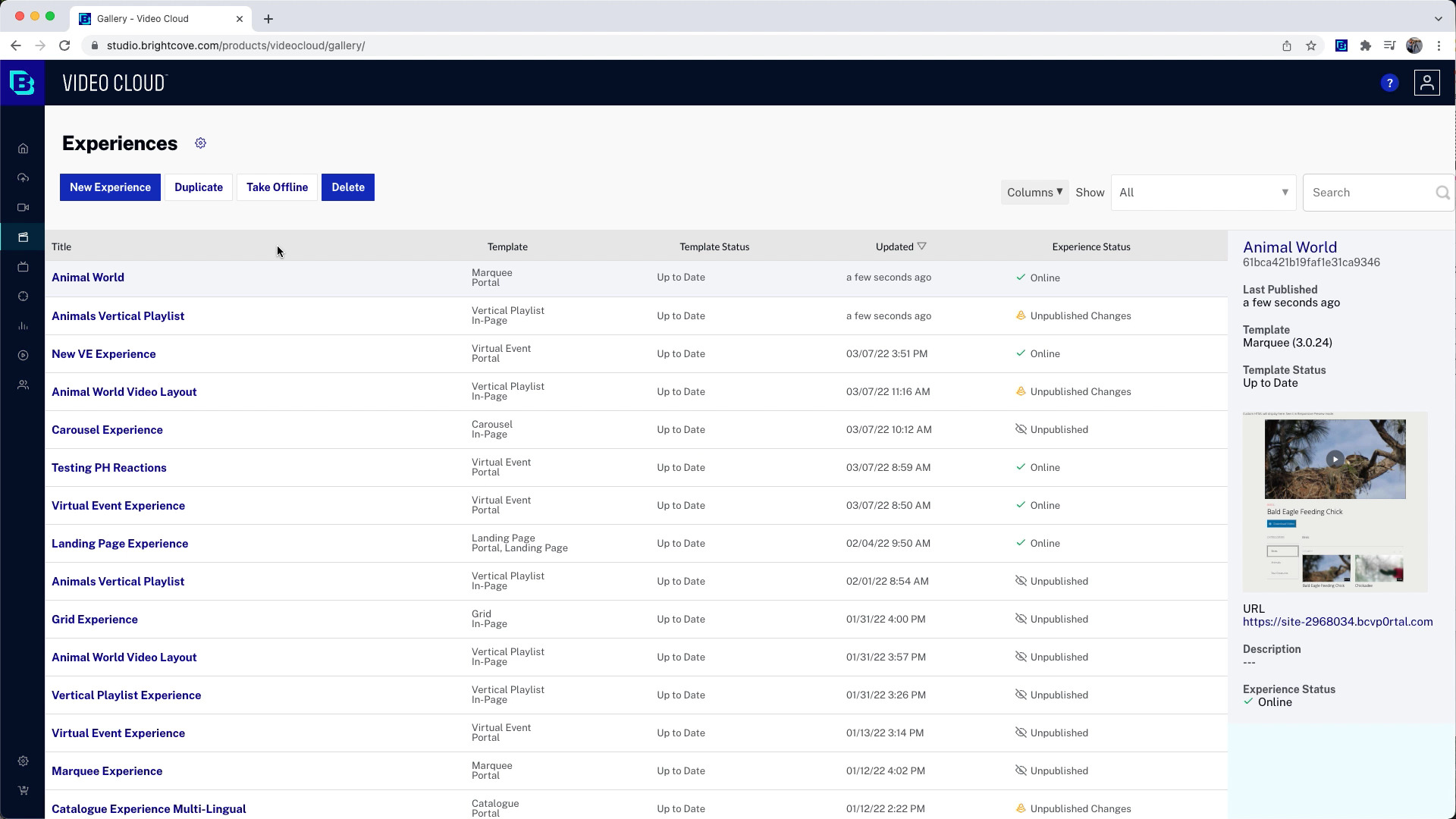
Brightcove is an enterprise-grade video platform to power live and on-demand video strategies at scale. Through its Communications Studio, built on the Brightcove Video Cloud, the platform enables organizations to manage, secure, and measure their corporate video content from one centralized environment.
Key features include:
- Unified video management: Stream live and on-demand content through a single platform, with seamless organization and discoverability via Brightcove Gallery
- Live streaming and VOD: Broadcast live video with enterprise reliability, and convert streams into on-demand assets to extend their value
- Web-based editing tools: Edit and publish video content without advanced skills; add annotations to boost interactivity and viewer engagement
- Enterprise-grade security: SSO support, role-based access controls, and compliance with ISO 27001, DPP, and CSA STAR Level 1 certifications
- Governance and workflow controls: Manage content from multiple sources like Google Drive or Dropbox and enforce publishing workflows across teams

Source: Brightcove
Vidyard

Vidyard is a business-focused video platform that combines video creation, hosting, and analytics. It aims to make it easy to record personalized videos, embed them across digital channels, and track performance at a granular level. It offers AI-powered tools for scale and user-focused options for quick video messages.
Key features include:
- Video recording tools: Record screen, webcam, or both using browser extensions, desktop, or mobile apps
- AI-powered video creation: Generate personalized sales videos at scale using AI avatars and script generation for tailored outreach
- Video playlists: Combine multiple videos into a single, cohesive viewing experience for onboarding, product tours, or training
- Email and CRM integration: Embed videos directly into Gmail, Outlook, and popular sales engagement platforms without attachments
- Branded sharing pages: Customize video landing pages with company branding to ensure a professional and consistent experience

Source: Vidyard
Related content: Read our guide to video content management tools
Conclusion
A video CMS enables organizations to take control of their video assets with systems built for efficiency, scale, and security. By centralizing video management and automating key workflows, teams can simplify production, enhance delivery, and generate actionable insights, unlocking the full value of their video content.
Was this post useful?
Thank you for your feedback!