Best AI Video Management for Virtual Classrooms: Top 5 in 2026

What is AI Video Management?
AI video management for virtual classrooms uses artificial intelligence to automate tasks, enhance engagement, personalize learning, and provide actionable analytics for both educators and students. These solutions streamline the video learning lifecycle from content creation to assessment.
AI video management tools integrate several functionalities into existing learning management systems (LMS) or function as standalone platforms.
- Automated content creation and management: AI can generate video summaries, transcripts, and subtitles automatically, significantly reducing administrative workload and improving accessibility.
- Enhanced accessibility: Features like AI-powered closed captions, transcription, and translation services in multiple languages ensure content is available to a wider audience, meeting accessibility standards.
- Personalized learning paths: By analyzing student engagement data and performance patterns, AI can recommend personalized content, adjust learning pace, and suggest tailored interventions, adapting to individual learning styles.
- Engagement tracking and analytics: Educators can track detailed metrics such as watch times, interaction rates, and quiz results to understand student behavior and identify those who may be struggling.
- Interactive elements: AI facilitates the addition of in-video quizzes, polls, discussion prompts, and clickable hotspots, transforming passive video watching into active learning experiences.
- AI teaching assistants: Virtual AI assistants can answer frequently asked questions, monitor participation, and provide real-time feedback to students, freeing up teachers to focus on higher-order teaching.
- Security and compliance: Robust platforms include enterprise-grade security features like single sign-on (SSO), data encryption, and compliance with educational data protection regulations (e.g., FERPA, GDPR).
In the following section, we’ll explore these capabilities in more detail.
This is part os a series of articles about video platforms
Key Features of AI Video Management for Virtual Classrooms
Automated Content Creation and Management
AI-powered video management systems automate many tedious aspects of content handling. These platforms can auto-generate transcripts and captions, classify video segments by topic, and recommend relevant resources based on context. By using natural language processing and computer vision, AI can identify and tag key concepts, faces, or objects within videos. This saves significant time for teachers and IT support staff, reducing the risk of human error during content organization and preparation.
Instructors can deliver video-rich lessons more efficiently and keep their libraries relevant without constant manual editing. Updates, new recordings, and supplementary materials can be incorporated seamlessly. For large-scale virtual classrooms or institutions managing thousands of hours of footage, these automation tools are crucial in maintaining a high-quality, searchable video repository that evolves along with educational needs.
Enhanced Accessibility
Accessibility is a critical area where AI video management excels. Automated captioning and subtitle generation make lecture videos immediately usable for students who are deaf or hard of hearing. AI algorithms can also create audio descriptions for visually impaired users, improving inclusivity and compliance with accessibility standards. Additionally, language translation features can swiftly convert video content into other languages, widening access for non-native speakers and multicultural classrooms.
This commitment to accessibility decreases the digital divide and ensures that all learners—regardless of disabilities or language barriers—benefit from video-rich instruction. Schools and universities can reach more diverse student populations while minimizing the administrative burden of manual accommodation. As regulations around digital accessibility continue to tighten, AI-based tools can help institutions stay compliant and provide equitable learning opportunities.
Personalized Learning Paths
AI video management systems can analyze user engagement and learning behaviors to tailor content recommendations or learning sequences for individual students. By tracking which videos or modules a student watches, where they pause or rewind, and which quizzes they excel at, the system can automatically suggest targeted review materials or advanced content. This fosters more effective, self-paced learning, particularly in asynchronous virtual classroom setups.
Personalization also helps identify students who may be struggling, allowing instructors or AI teaching assistants to intervene early. Adaptive playlists and dynamically generated study guides can adjust to each learner’s pace and preferences, promoting better outcomes and higher student satisfaction. The use of AI in personalizing education enhances both the efficiency and quality of the virtual learning experience.
Engagement Tracking and Analytics
One of the central benefits of AI video management is robust engagement tracking and analytics. Systems can monitor how students interact with video materials: how long they watch, where they drop off, which segments are replayed, and what questions they ask. This data is processed in real time to provide actionable insights to educators, allowing them to refine lesson plans or provide targeted support.
Granular analytics make it possible to correlate student engagement with performance, highlight which videos are most effective, and detect content gaps or confusion points. Continuous feedback through these analytics helps improve the quality and relevance of video materials and supports data-driven decisions about curriculum development and teaching strategies.
Interactive Elements
AI video management tools can insert interactive elements directly into video lessons, such as quizzes, polls, clickable timelines, or branching scenarios. These features help engage learners and assess comprehension in real time. Interactive elements powered by AI can dynamically adapt to student responses, offering hints or redirecting to alternative explanations when learners struggle.
This level of interactivity transforms passive video watching into an active learning process. Students are more likely to retain information, participate, and remain attentive throughout the lesson. For instructors, integrated interaction data provides a richer understanding of class dynamics and individual progress, aiding in both assessment and instructional adaptation.
AI Teaching Assistants
Virtual classrooms increasingly benefit from AI-driven teaching assistants embedded within video management systems. These assistants can answer student questions during or after a video lesson, provide clarifications, and suggest supplementary resources—all without waiting for human intervention. Natural language processing allows these AI agents to understand context and deliver relevant, concise support.
AI teaching assistants can manage routine student inquiries, freeing educators to focus on higher-value tasks or direct mentorship. They also offer scalable support for large online classes, ensuring that every learner gets timely feedback. Over time, these AI bots learn from interactions and continuously improve the accuracy and breadth of their assistance.
Security and Compliance
Security and data privacy remain paramount in educational environments, especially when handling video materials that may contain sensitive personal information. AI video management tools offer advanced security features such as automatic facial blurring, real-time activity monitoring, and secure access controls based on user roles. These features reduce unauthorized access and ensure recordings do not compromise student privacy.
Compliance with educational and data protection regulations (such as FERPA or GDPR) is often automated, minimizing the risk of accidental breaches. AI can also help in auditing content usage, generating compliance reports, and managing retention policies. With regulatory requirements continuing to evolve, leveraging AI-based compliance and security tools is increasingly necessary for educational institutions of all sizes.
Notable AI Video Management Tools for Virtual Classrooms
1. Kaltura

Kaltura is a video experience cloud that supports live and on-demand virtual classes, webinars, and campus-wide video portals, with options to embed video across learning management systems and websites for consistent branded experiences.
Kaltura also provides AI Class Genie, an AI assistant that helps instructional teams transform existing video libraries into structured, interactive learning experiences for virtual classrooms. It focuses on repurposing lectures and recordings into modular, searchable, and assessment-ready content without requiring educators to start from scratch
Key features include:
- AI content repurposing: Automatically turns long-form lecture videos into shorter learning segments, with titles, descriptions, and suggested tags that make it easier to organize courses and align content with learning objectives.
- Smart learning activities: Generates quizzes, discussion prompts, and reflection questions directly from lesson transcripts, enabling instructors to quickly add checks for understanding and foster deeper student engagement.
- Auto-generated resources: Produces lesson summaries, topic outlines, and suggested next steps so students can review key takeaways and follow a guided learning path after each video-based session.
- Classroom-ready workflows: Supports typical educator workflows such as planning, assigning, and updating video-based lessons, helping teachers adjust materials on the fly based on student performance and feedback.
- Scalable for teams and institutions: Designed to be used by individual instructors as well as larger academic teams, standardizing how video content is structured and reused across courses, programs, and departments.
2. Panopto Virtual Classroom Software

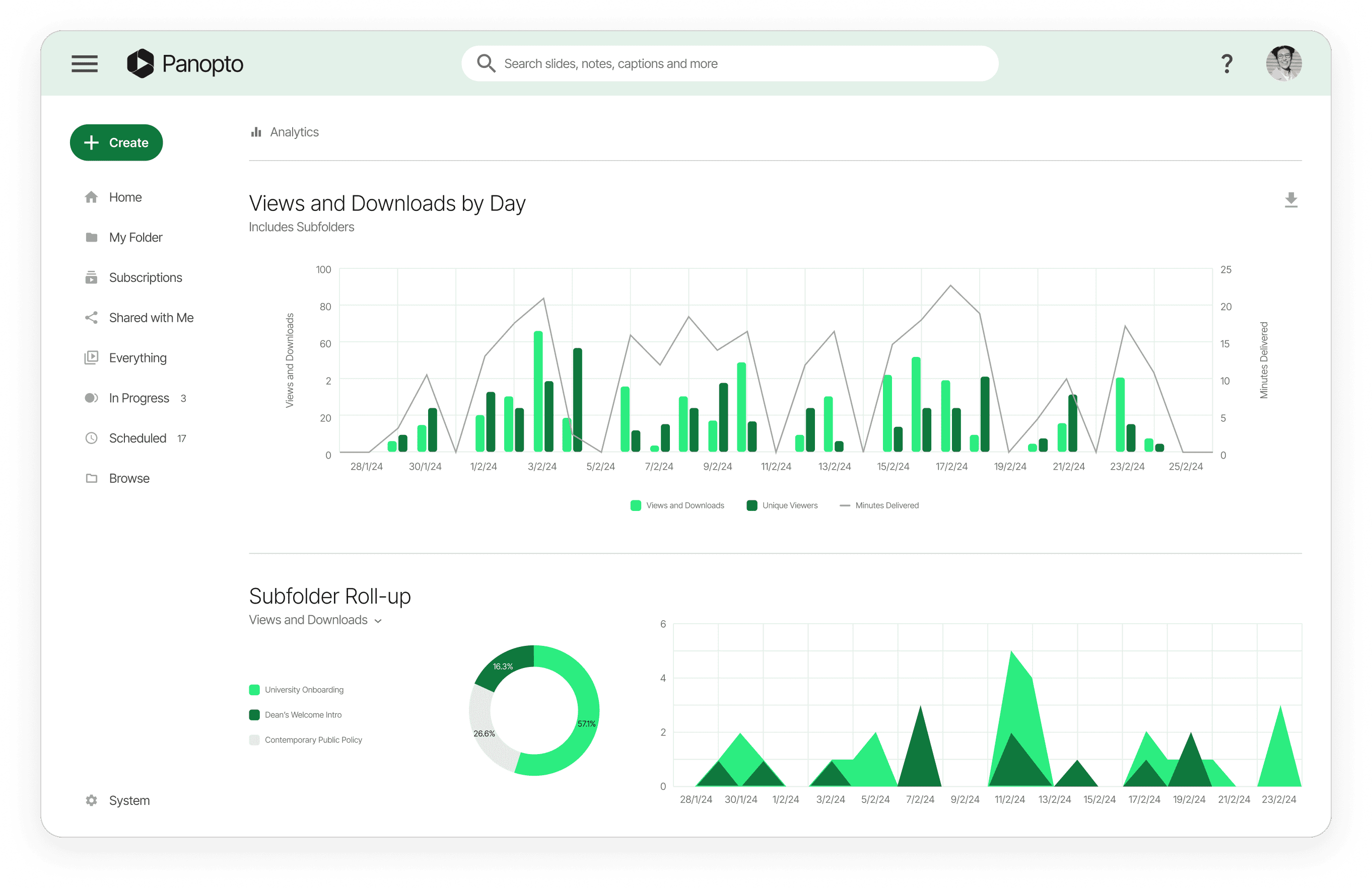
Panopto provides virtual classroom software for recording, managing, and delivering instructional video, with features including content creation, a video CMS, publishing, audience engagement, and integrations with education systems.
Key features include:
- Create content: Captures instructional video and presentations and supports content creation workflows for virtual classes, organizing new recordings alongside existing media for later access through the platform’s interface.
- Text-to-video and avatars: Converts notes, scripts, and presentations into videos using Elai, including lifelike avatars mirroring a presenter’s image and voice; supports interactive playback and translation for varied audiences.
- Smart camera tracking: Follows speakers during recordings to keep subjects in focus during dynamic lectures and events, while enhancing resolution and clarity to improve visual quality in classroom or team environments.
- Video library: Provides a dedicated library for browsing and retrieving class videos, supporting persistent access to past sessions and recorded materials as a catalog of educational content.
- Real-time captioning: Delivers AI-generated captions for 20+ languages to improve accessibility and comprehension for diverse audiences consuming instructional content across global deployments in education and enterprise settings.

Source: Panopto
3. Lessonspace

Lessonspace provides an online tutoring environment with WebRTC-based video, chat, and screen sharing, plus controls for guiding sessions, administrative dashboards, integrations, and developer apis to embed and manage spaces.
Key features include:
- AI-generated lesson summaries: Automatically produces concise summaries from real lesson interactions, capturing what was discussed during sessions and preserving key points for later review without manual note-taking.
- Personalised suggested next steps: Generates tailored follow-up suggestions derived from lesson context, guiding what to practice or revisit next to maintain momentum between sessions and structure upcoming activities.
- Machine learning noise cancelling: Reduces background noise on calls using a built-in machine learning filter, improving speech clarity during tutoring sessions without requiring external apps or separate installation.
- Developer API: Offers a launch API to create custom, branded spaces programmatically and embed them within external applications while configuring functionality through integration endpoints.
- Integrations: Lists numerous third-party connections and provides an integrations catalog to fit existing stacks.

Source: Lessonspace
4. Wise

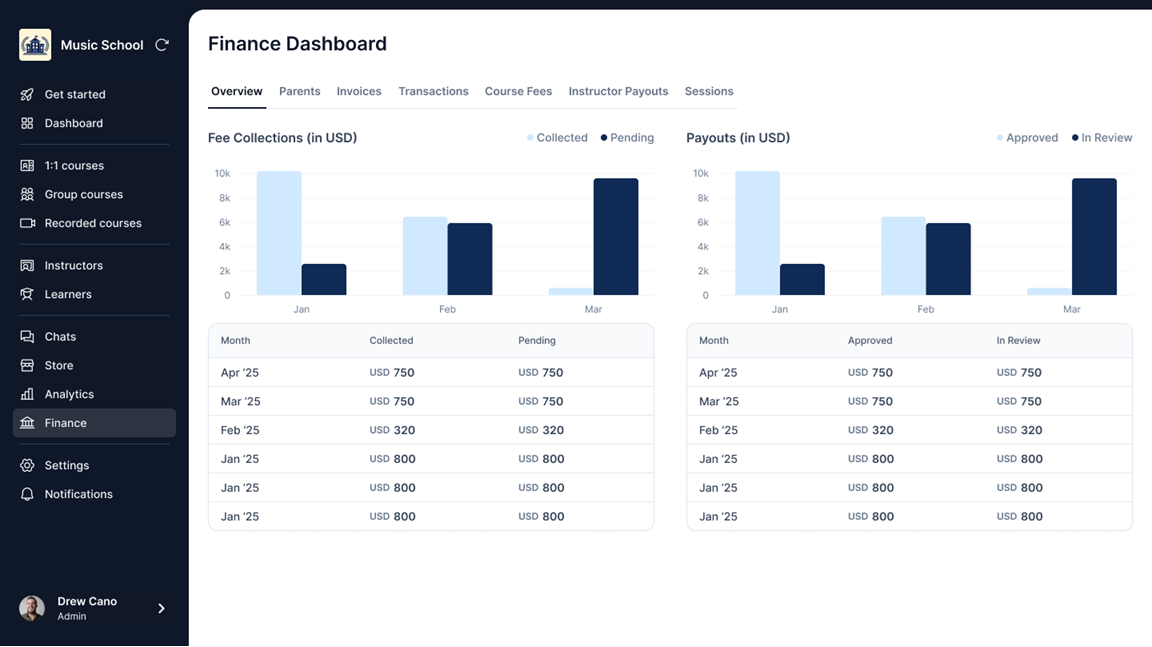
Wise is tutor management software and an online teaching app that handles scheduling, invoicing, engagement, and class delivery for individual tutors, tutoring centers, edtech startups, and larger education businesses.
Key features include:
- Scheduling and payments: Automates scheduling and payment workflows to reduce time spent on routine administration.
- Lesson formats: Supports one-on-one tutoring, small group classes, live sessions, and self-paced modules, organizing different delivery modes from a single dashboard.
- AI-powered performance reports: Generates student progress reports using platform session data.
- Engagement tools: Includes options such as gamification and hosting for educational content that aim to maintain learner activity and structure course materials within the application.
- Communication integrations: Integrates with communication channels like WhatsApp and SMS to coordinate class notifications and learner outreach.

Source: WISE
5. LearnWorlds

LearnWorlds is an online learning platform featuring live sessions, an assessment builder, and a broad catalog of integrations spanning video, credentials, payments, and eCommerce tools.
Key features include:
- AI course planner: Generates course outlines from a topic, with preferred learning models and activities; builds structured sections and can repackage or enhance existing course content automatically.
- Feedback generator: Evaluates learner responses and delivers personalized, instant feedback; explains results through an interactive chat that offers guidance and resource suggestions to support improvement.
- Auto-generated quizzes: Creates quiz items from video material as part of the interactive video workflow, enabling immediate knowledge checks tied to specific moments without separate authoring work.
- iVideos with AI: Makes videos interactive by generating subtitles and translations, producing summaries, inserting multiple-choice or open-ended prompts, reflective questions, and building video tables of contents automatically.
- Payments and commerce: Supports financial and eCommerce integrations, including Stripe and Shopify, enabling organizations to monetize educational resources.

Source: LearnWorlds
Related content: Read our guide to video content management tools
Considerations for Choosing AI Video Management Solutions for Virtual Classrooms
Selecting the right AI video management solution requires more than just comparing feature lists. Virtual classrooms vary widely in scale, instructional goals, and user needs, so institutions should align tool capabilities with practical teaching and learning scenarios. Below are some key considerations when evaluating AI video management platforms:
- Integration with existing systems: Ensure compatibility with current learning management systems (LMS), video conferencing platforms, content libraries, and authentication providers. Smooth integration reduces administrative overhead and allows educators and students to work within familiar environments.
- Scalability and performance: Choose solutions that can handle both small pilot programs and institution-wide rollouts. The system should manage large volumes of video data without performance degradation, supporting concurrent users, real-time processing, and high-quality streaming.
- Data ownership and portability: Review policies on content ownership and access. Institutions should retain control over their video assets, with options to export data or migrate content if needed, especially when transitioning between platforms or vendors.
- Customization and configurability: Look for tools that allow customization of workflows, user roles, content tagging, and accessibility settings. This ensures the platform aligns with institutional policies and instructional design preferences rather than enforcing rigid defaults.
- AI transparency and control: Understand how AI decisions, such as content recommendations, captioning, or moderation, are made. Platforms should offer educators control over automated processes and allow manual overrides or review where appropriate.
- Privacy and compliance readiness: Verify adherence to privacy laws such as FERPA, GDPR, or local equivalents. The solution should provide audit logs, role-based access, and consent mechanisms, especially when storing student data or video content with identifiable individuals.
- Support and training: Consider the availability of onboarding resources, user training, technical support, and documentation. A strong support ecosystem can significantly affect adoption rates and user satisfaction, particularly for less tech-savvy educators.
- Total cost of ownership: Evaluate all costs, including licensing, storage, bandwidth, support, and potential integration expenses. Budget predictability and transparent pricing models help avoid hidden fees and support long-term planning.
Conclusion
Well-designed AI video management systems like Kaltura streamline how virtual classrooms create, deliver, and refine video-based instruction by automating captioning, tagging, and summarization, adding adaptive and interactive elements, and providing detailed analytics on learner behavior. These tools strengthen accessibility, support large classes through AI assistants, and maintain security and compliance for sensitive content.
Was this post useful?
Thank you for your feedback!