16 AI Video Software Tools to Know in 2026

AI video software has rapidly evolved from a niche novelty to a core part of how content is created, localized, and distributed. In 2026, it’s reshaping video production across industries by automating tedious editing tasks, generating footage from text, and enabling scalable personalization at unprecedented speed.
What is AI video software?
AI video software uses artificial intelligence to generate, edit, and enhance video content, automating complex tasks for both beginners and professionals. This broad category of tools includes AI video generators that create new videos from text prompts and AI video editors that add powerful features to existing footage.
These tools are now common in marketing, training, education, and entertainment. For example, teams use them to auto-generate training videos in multiple languages, marketers produce short-form social clips from long recordings, and creators generate entirely new footage from a text prompt. By combining automation with creative flexibility, AI video software helps individuals and businesses create more content in less time, while maintaining professional quality.
This is part of a series of articles about video platforms
Editor’s note: Updated the article to cover recent market trends, updated product information to reflect features and capabilities in 2026.
AI video software market trends
The AI video market is valued at USD 3.86 billion today and expected to grow to as much as USD 42.29 billion by 2033. The rapid growth is driven by advances in machine learning and computer vision, which continue to improve the capabilities of AI video tools.
Demand for high-quality and engaging video content is a major factor behind market growth. Businesses and creators are under pressure to produce more content for digital platforms, social media, and virtual environments. AI tools help meet this demand by automating production, improving personalization, and reducing manual effort.
AI video tools are evolving quickly, with improvements in automated editing, visual effects, and synthetic media. Advances in generative AI are pushing realism further. Real-time processing features, like live enhancements and virtual backgrounds, are also becoming standard.
AI-powered video analysis is another major trend. These systems can detect patterns, track objects, and generate insights from video data, helping businesses improve decision-making and content performance.
From a user perspective, enterprise (B2B) adoption leads the market, as companies rely on AI video for analytics, security, and automation. However, consumer (B2C) usage is increasing due to accessible mobile apps and social media demand.
Key types of AI video software
1. AI-powered video editors
AI-powered video editors use machine learning to remove much of the manual work involved in video editing. Instead of trimming clips, adding subtitles, or balancing audio by hand, users can rely on AI to handle these repetitive tasks automatically. Many of these editors also integrate with transcription, so a video can be cut by editing text rather than scrubbing through timelines.
Typical applications include turning raw meeting recordings into polished highlight reels, quickly producing marketing assets for multiple platforms, and cleaning up audio for podcasts or webinars. For creators without editing expertise, AI-powered editors make it possible to produce professional-grade content with minimal training. For experienced editors, they provide speed and efficiency by automating tedious steps.
2. Text-to-video generators
Text-to-video generators allow users to produce entirely new video content from written prompts. Instead of filming footage or sourcing stock clips, users describe what they want to see, and the AI synthesizes a sequence that matches the description. Modern systems can capture camera angles, scene transitions, and motion, creating clips that look planned and directed.
These tools are most useful for rapid prototyping, storyboarding, or producing content that would otherwise be too costly to film. Marketing teams can test creative concepts, educators can illustrate abstract topics, and creators can generate animations or stylized clips without production equipment. While outputs are not yet perfect for full-length professional film, they are advancing quickly and are already widely used for short-form media.
3. AI avatars and presenter platforms
AI avatars and presenter platforms create videos where a digital character delivers scripted content, often with a realistic voice and lip-sync. Instead of appearing on camera, a user can select an avatar—or generate one based on their own likeness—to narrate scripts in different languages and styles.
These platforms are most often used in corporate training, e-learning, customer communication, and global marketing. They eliminate the need for hiring presenters, recording voiceovers, or reshooting content for localization. A single video can be instantly adapted into multiple languages, with synced speech and natural facial expressions. This makes them especially valuable for organizations that need to deliver consistent messaging at scale across international teams.
4. AI-powered video knowledge management systems
AI-powered video knowledge management systems help organizations organize, search, and extract insights from large video libraries. They use speech recognition, natural language processing, and computer vision to transcribe spoken content, identify speakers, tag key topics, and detect visuals such as slides or text on screen.
These tools are especially valuable for teams managing internal training videos, recorded meetings, webinars, or support tutorials. Instead of manually tagging or watching entire recordings, users can search by keyword, jump to specific moments, or generate summaries. Advanced platforms also surface trends, highlight frequently asked questions, or flag duplicate content. This allows companies to transform passive video archives into searchable, actionable knowledge bases that support learning, onboarding, and decision-making.
5. AI-powered video repurposing
AI-powered video repurposing tools take existing video content and automatically adapt it for new formats, audiences, or platforms. They use models trained to identify highlights, reformat aspect ratios, adjust pacing, and generate new titles or subtitles. Some tools even auto-select social-friendly snippets or rewrite copy to match platform tone.
This is especially useful for content teams managing long-form videos like webinars, interviews, or podcasts. Instead of editing manually for each platform, AI can generate short clips for TikTok, Instagram, YouTube Shorts, or LinkedIn. It can also localize content by translating and re-voicing it for different regions. By automating the editing and adaptation process, repurposing tools allow creators to maximize the value of each video without significantly increasing production time or cost.
Related content: Read our guide to AI video tools
Notable AI Video Software
AI avatars and presenter platforms
Kaltura

Kaltura Agentic Avatars are enterprise-grade conversational AI agents that combine realistic digital humans with trusted enterprise knowledge. Unlike traditional AI presenter tools that simply deliver scripted videos, Kaltura’s avatars engage users in real-time conversations, answer follow-up questions, understand context, and guide users through complex tasks using only approved organizational knowledge. They are designed for customer engagement, employee support, learning, sales, and other enterprise use cases where interactive, personalized conversations deliver greater value than static video.
Key features include:
- Conversational AI avatars: Deploy lifelike avatars that engage in natural, real-time conversations, understand user intent, answer follow-up questions, and adapt responses based on the flow of the interaction.
- Enterprise knowledge integration: Connect avatars to approved internal knowledge sources, ensuring accurate, trustworthy answers while preventing AI hallucinations through closed-circuit knowledge retrieval.
- Multilingual interactions: Deliver personalized conversations in more than 30 languages with natural speech, enabling organizations to support global audiences from a single deployment.
- Screen-aware guidance: Enable avatars to understand what’s happening on screen, guide users through applications or workflows, and provide contextual assistance during live interactions.
- Enterprise security and governance: Built with enterprise-grade security, governance controls, analytics, and seamless integrations to support regulated industries and large-scale deployments.
Synthesia

Synthesia is an AI video generation platform that enables users to turn written content into studio-quality videos using realistic AI avatars and voiceovers. Designed to simplify corporate communication, training, marketing, and content localization, it reduces video production time and costs.
Key features include:
- AI avatars: Choose from a library of human-like avatars or create a custom one that speaks with natural expression and lip-syncs in 140 languages.
- AI video assistant: Automatically turn documents, links, or notes into full-length videos tailored to your brand’s look and tone.
- 1-click translation: Translate videos into 140 languages with synced lip movement and voice, eliminating the need for re-recordings.
- Collaboration tools: Collaborate with teammates in real time; comment, edit, and approve videos within a shared workspace.
- AI screen recorder: Record and edit clean screen walkthroughs with instant transcription and no filler words.
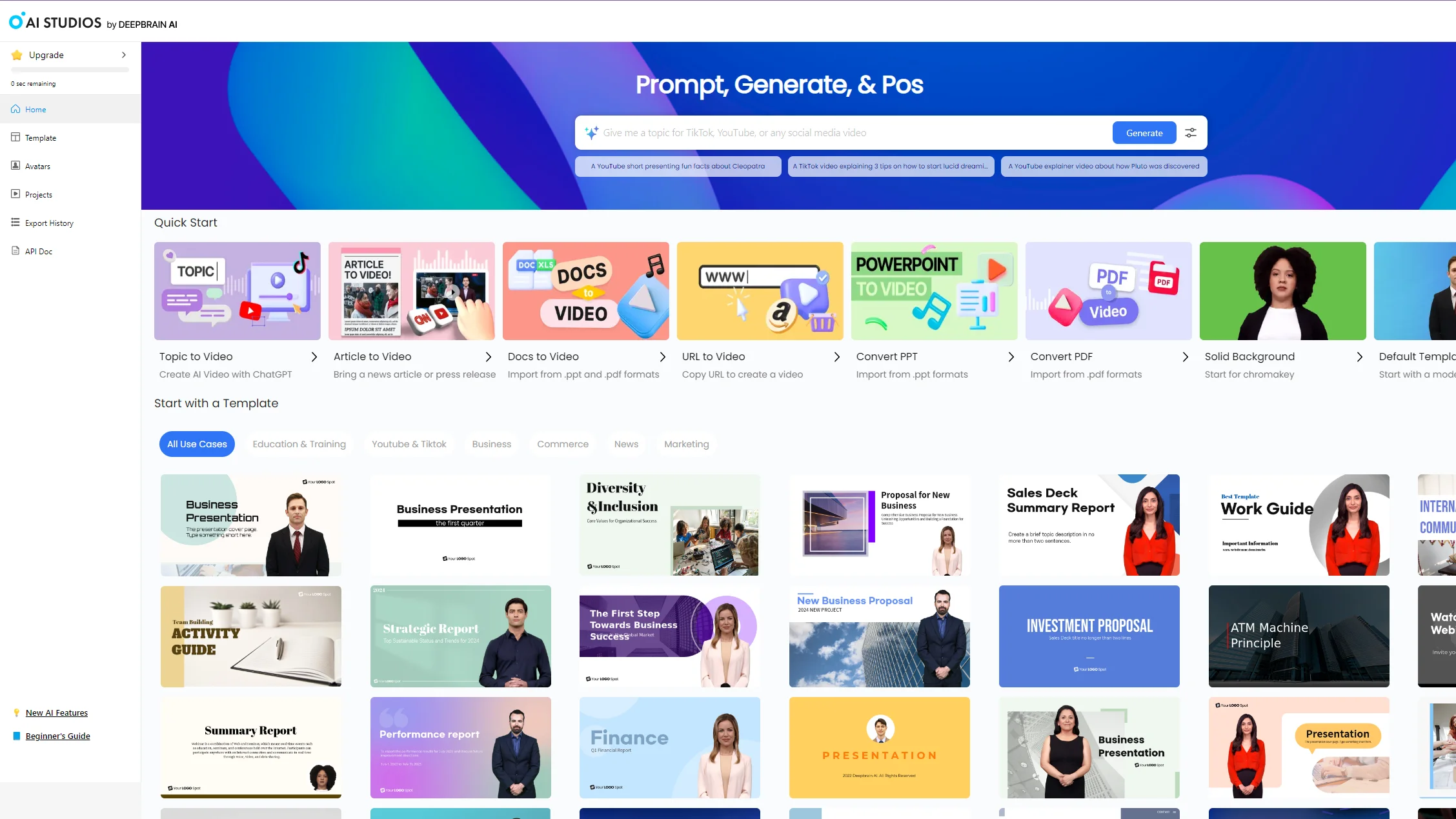
AI Studios

AI Studios is an AI video generation platform that transforms text, images, or documents into studio-quality videos using lifelike avatars and multilingual voiceovers. Developed by DeepBrain, AI Studios is designed for speed, scale, and ease of use, making it possible to create professional-grade video content without traditional production costs or time.
Key features include:
- Text-to-video generation: Convert scripts, PDFs, PowerPoints, or even URLs into videos in minutes using prompt-based workflows.
- AI avatars: Choose from a library of 2,000 avatars or create your own custom, photo-based, or full-body avatar tailored to the brand.
- Multilingual voiceovers: Generate voiceovers in over 150 languages with natural speech, tone matching, and precise lip-sync.
- AI dubbing: Translate existing videos into multiple languages with voice cloning and seamless lip movement for global reach.
- Brand-ready templates: Access over 7,000 templates optimized for use cases like news, product videos, education, and social media content.

Source: AI Studios
AVATAi

AVATAi is a platform for 3D avatar creation and interactive digital identity, powered by Spatial AI. From one photo, users can generate lifelike, rigged 3D avatars, no scanning or manual modeling required. Built on a GPU-accelerated cloud infrastructure, AVATAi offers an end-to-end ecosystem that includes avatar creation, AI interaction, scalable storage, messaging, and APIs.
Key features include:
- One-photo 3D avatar creation: Generate high-quality, full-body avatars from a single image using Spatial AI technology.
- AI-powered 3D assistant: Interact with your personalized avatar using voice-synthesized responses backed by customizable LLMs for context-aware conversations.
- Immersive presentations: Turn static slides into intelligent, interactive knowledge hubs with avatars that can answer follow-up questions.
- 3D messaging: Convert text messages into 3D avatar videos with synthesized voice, combining personalization with expressive digital communication.
- Mobile app: Create, animate, and personalize avatars on the go, complete with visual effects, soundtracks, and AR features.
AI-Powered Video Editors
Renderforest

Renderforest is a web-based design suite that includes AI tools for video generation, animation, and text-to-video creation. It also offers extensive template libraries across explainer videos, intros, logo reveals, and social content.
Key features include:
- AI video generator: Create videos from prompts or scripts, select a visual style, and generate complete clips directly in the browser within minutes.
- AI animation generator: Produce and customize 2D, 3D, and whiteboard animations using ready-made scenes and toolkits, then adjust elements without manual keyframing.
- Text to video: Turn written text into videos across multiple predefined styles, enabling script-based editing and rapid generation without timeline-based assembly.
- Template library: Access thematic templates for explainers, intros, logo reveals, typography, and social posts to assemble consistent projects with minimal configuration.
- Web-based design suite: Combine video tools with logos, mockups, presentations, graphics, and an AI website builder, consolidating design workflows under one subscription.

Source: Renderforest
Descript

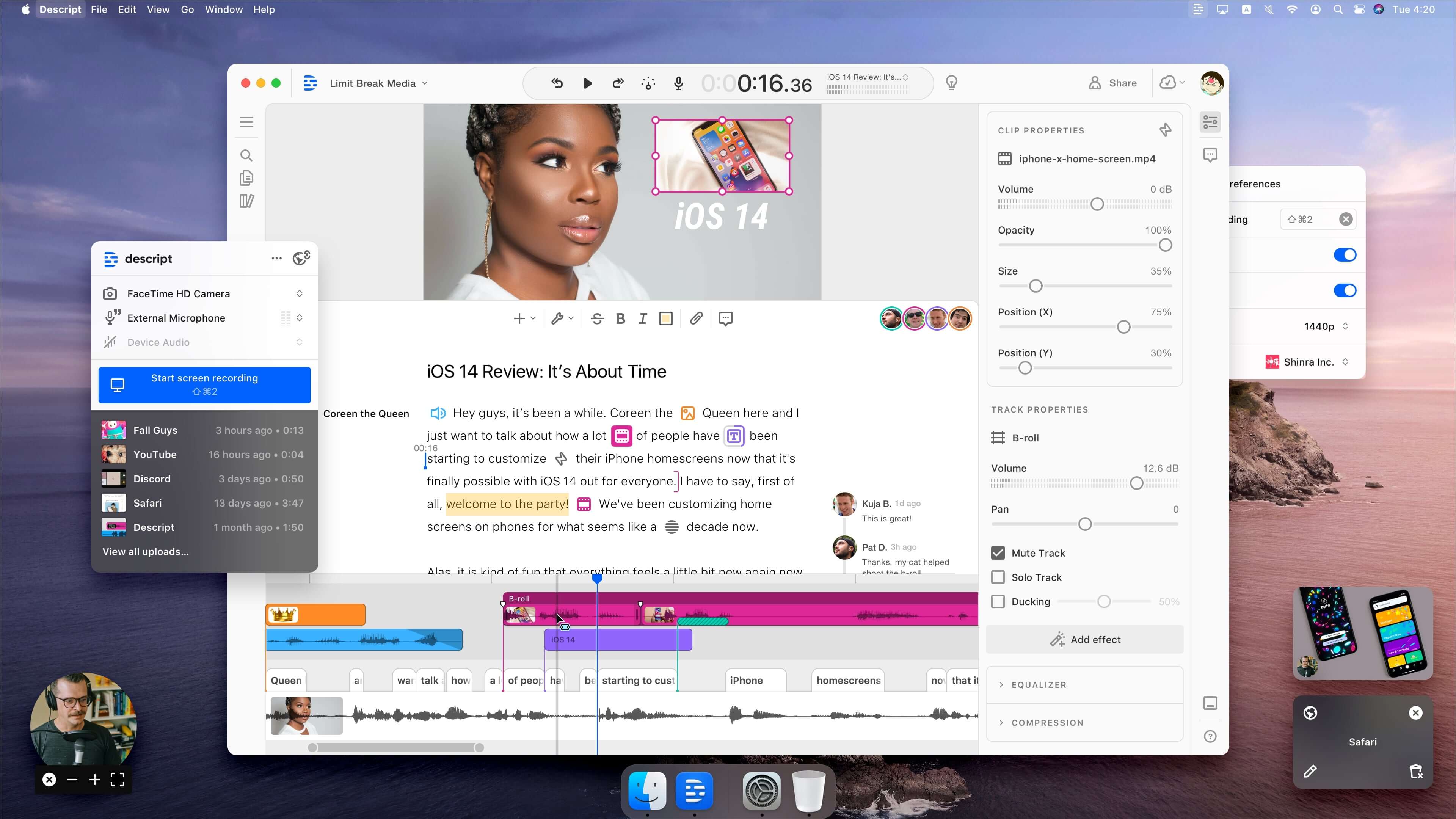
Descript is an AI-powered video editing platform that simplifies the video creation process from scripting to final output. It combines text-based editing with a range of automated features to reduce manual effort and accelerate production. Users can edit video by editing the transcript, or give commands to an AI co-editor, “Underlord,” which can write scripts.
Key features include:
- Text-based editing: Edit video and audio simply by editing the transcript.
- AI script generation: Use Underlord to write, revise, and format scripts automatically.
- Quick design tools: Automatically apply layouts, transitions, and B-roll with a single click.
- Avatars: Generate talking avatars to replace on-camera narration.
- Studio sound: Enhance audio quality with automatic noise removal and voice optimization.

Source: Descript
Veed.io

Veed.io is an AI-powered video creation platform for speed, scale, and simplicity. It enables users to produce professional-quality content in the browser without complex software or editing experience required.
Key features include:
- AI-powered editing: Generate videos from text, correct eye contact, remove backgrounds, and clean up audio with one-click AI tools.
- Text-to-video & AI avatars: Turn scripts into videos using avatars or clone yourself to create talking head content in seconds.
- Auto subtitles & translation: Add accurate subtitles automatically and translate them into over 50 languages.
- AI clips: Automatically cut long videos into short, shareable clips optimized for social media.
- Filler word removal: Eliminate “ums,” “uhs,” and other filler words to improve flow and clarity.

Source: Veed
Text-to-Video Generators
Pictory

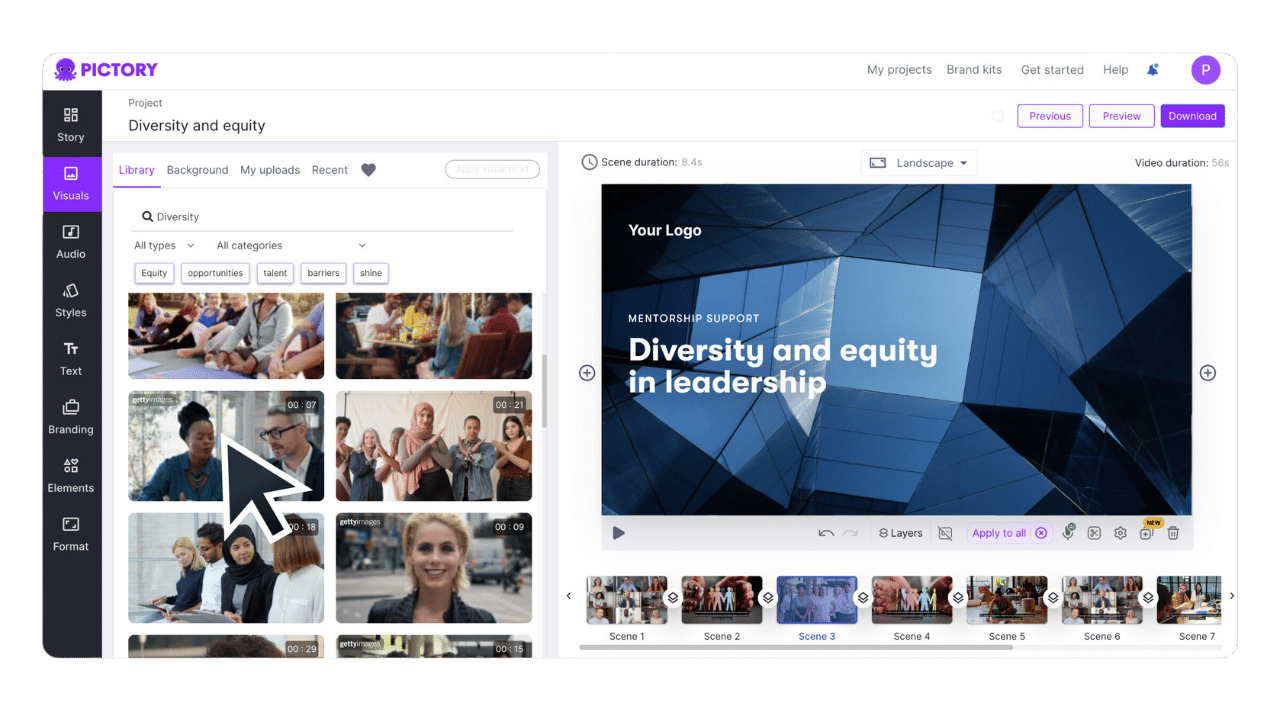
Pictory is an AI video generation platform that converts text, scripts, articles, presentations, and other written content into structured videos. It combines text-to-video generation, AI-created visuals, voiceovers, captions, and editing tools in a single workflow, allowing users to create and refine videos without timeline-based editing.
Key features include:
- Text-to-video generation: Convert prompts, scripts, articles, blog posts, and other text into videos with automatically generated scenes.
- AI visual generation: Generate visuals for individual scenes using text-to-image and prompt-based image generation models.
- AI voiceovers: Add natural-sounding narration with multilingual voice options, then edit or replace voiceovers as needed.
- Scene-based editing: Modify generated drafts by regenerating scenes, rewriting sections, adjusting pacing, or updating captions within the editor.
- Brand styling and export: Apply custom fonts, colors, and layouts for consistent branding, then export HD videos optimized for platforms such as YouTube, TikTok, Instagram, and LinkedIn.

Source: Pictory
Google Veo 3

Veo 3 is Google’s latest AI-powered text-to-video model, designed to generate 8-second videos directly from written prompts. Available through the Google AI Pro and Ultra plans, Veo 3 supports native audio generation alongside detailed visuals, allowing users to create cinematic, animated, or whimsical scenes with minimal input.
Key features include:
- Text-to-video generation: Produces 8-second clips from detailed user prompts with control over visual style, characters, and scene composition.
- Native audio generation: Automatically generates ambient sound, character voices, music, and sound effects based on the scene’s context.
- Realistic & stylized outputs: Supports a wide range of visual styles, from photorealistic to highly stylized or animated.
- Multi-character scenes: Animate multiple characters with interactions, dialogue, and synchronized soundscapes.
- Cinematic detail: Handles camera angles, lighting effects, and realistic textures to produce professional-quality visuals.
Kling AI

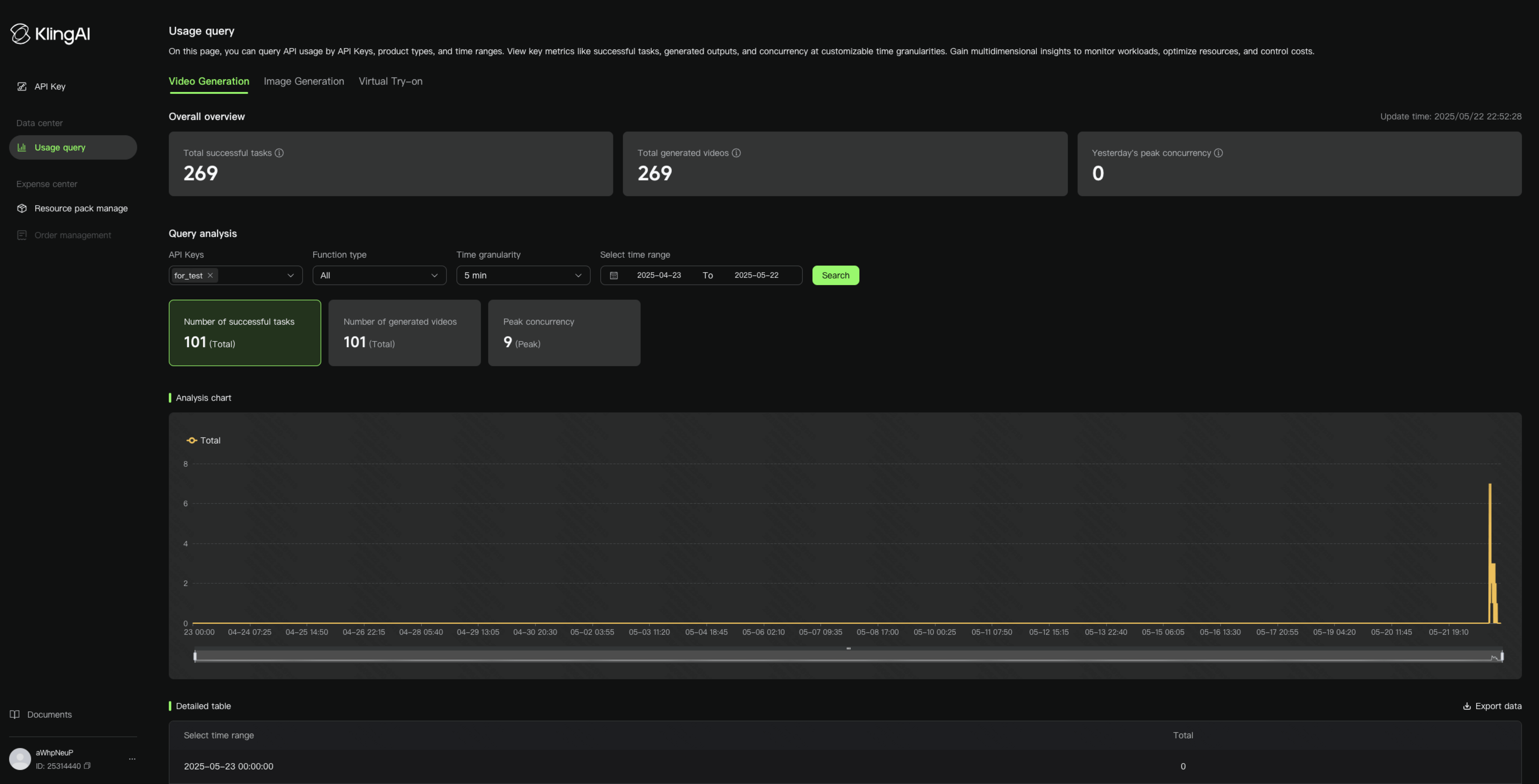
Kling AI is a text-to-video generation model developed by Kuaishou, a short-form video platform. Positioned as a competitor to OpenAI’s Sora and other generative video tools, Kling AI can generate 1080p videos up to several minutes long from text prompts.
Key features include:
- High-resolution video generation: Generates HD (1080p) videos that are longer and more coherent than many existing models.
- Realistic motion & physics: Accurately captures complex physical movements like running, dancing, or interacting with objects, preserving motion continuity across frames.
- Multi-angle cinematics: Supports dynamic camera angles and smooth transitions, making the outputs feel professionally directed and edited.
- Photorealistic characters: Produces detailed human figures with nuanced expressions, shadows, reflections, and lighting effects.
- Text-to-video engine: Users describe a scene in natural language, and Kling AI synthesizes the visual content from scratch using deep generative models.

Source: Kling AI
AI-powered video knowledge management systems
Kaltura AI Work Genie

Kaltura AI Work Genie is an adaptive, AI-powered agent designed to transform your organization’s internal knowledge base into instant, personalized intelligence in video clips or other formats. It functions as a personal assistant for employees, customers, and partners, delivering real-time, AI-driven insights and learning experiences tailored to individual needs and backed by user engagement data. Crucially, it only taps into your organization’s trusted content, ensuring that every asset is accurate, relevant, and aligned with users, while preventing AI hallucinations by only using verified information.
Key features include:
- Internal multi-source search engine: Provides instant, clear, and well-rounded answers to every query by drawing from all relevant sources within your database, video or non-video.
- Interactive learning experiences: Engages users and improves retention with video snippets, flashcards, personalized quizzes, and image grabs.
- Accelerated onboarding: Reduces time-to-productivity with personalized mini-courses and custom learning paths for upskilling and transitions.
- Enterprise-grade peace of mind: Ensures robust security, never shares your data, and never trains its underlying LLM models on your proprietary content.
Moments Lab

Moments Lab is a video discovery platform that uses multimodal AI to describe, index, and organize large libraries. It centralizes storage, simplifies search, and supports sharing and commercialization for internal teams and external partners.
Key features include:
- Multimodal AI (MXT-2): Describes video content like a human, indexing footage at scale, identifying key moments, and generating structured insights for faster retrieval.
- Plain-language search: Allows any user to find specific moments using simple text queries, avoiding manual logging and eliminating time spent scrubbing through files.
- Centralized access and sharing: Stores content in one workspace and enables secure access for teams, partners, and buyers through user accounts or secure shareable links.
- Commercialization tools: Lets rights holders invite external buyers to search, preview, and request purchases, with seller review and approval before transactions proceed.
- Professional services and integrations: Supports archive migration, taxonomy setup, AI fine-tuning, onboarding, and integrations with editing and storage systems to fit existing workflows.

Source: Moments Lab
ThinkAnalytics

ThinkAnalytics provides AI-driven content discovery, viewer insights, and targeted advertising for media and entertainment providers. Its platform personalizes experiences, analyzes audience behavior, and builds addressable audiences using first-party data.
Key features include:
- Content discovery and personalization: Delivers personalized search and recommendations across platforms to increase engagement and reduce churn for media and entertainment services.
- Viewer insights and analytics: Transforms viewer behavior into actionable intelligence using A/B testing and reporting to improve on-demand consumption and time spent watching.
- Targeted advertising: Builds real-time audience segments from first-party data to support addressable campaigns and increase effectiveness across connected TV and digital.
- Scale and performance: Operates at large scale with high volumes of viewer events and recommendations processed daily across global deployments in production environments.
- AI and metadata innovations: Applies generative and machine learning approaches, including agentic metadata and unified AI platforms, to improve discovery, monetization, and advertising workflows.
AI-powered video repurposing
Kaltura Content Lab
Kaltura Content Lab is an AI agent focused on content repurposing, transforming long-form videos into interactive, bite-sized experiences, such as clips, quizzes, and summaries. It helps increase content reach and audience engagement by generating new high-value assets from your existing library without requiring manual editing, significantly cutting down on production time and costs. The platform operates in a closed-circuit system that exclusively uses your content library, ensuring the resulting assets are 100% reliable and true to the source.
Key features include:
- Highlight Clips: AI automatically detects and extracts the most impactful moments from your content, based on high engagement points and speaker cues, and converts them into shareable clips.
- Contextual Quizzes: Enhances interactivity and knowledge retention by generating quizzes that align with your core messages and appear at contextually appropriate moments.
- Summaries and Chapters: Makes lengthy content instantly scannable by generating summaries and structured chapters, which improves navigation and facilitates seamless knowledge transfer.
- Metadata Enrichment: Boosts content discoverability and engagement by automatically generating relevant titles, descriptions, and contextual tags.
OpusClip

OpusClip is an AI video repurposing tool that converts long videos into short, platform-ready clips. It includes AI models for clipping, reframing, captions, B-roll, and audio enhancement, plus automation, templates, and team collaboration.
Key features include:
- AI clipping: Automatically extracts highlight moments from long videos and turns them into short, platform-ready clips using the ClipAnything model in one click.
- AI reframing and resizing: Resizes footage for different platforms with ReframeAnything, tracking subjects to keep them centered, with optional manual tracking for precise control.
- Captions, B-roll, and audio: Generates captions, inserts AI B-roll, enhances audio, and adds voice-over to produce polished shorts without switching between multiple editing tools.
- Workflow automation and publishing: Automates creation and publishing through a web app and API, connecting with CMS and social platforms to reduce repetitive steps.
- Teams and brand templates: Offers team workspaces for collaboration and reusable brand templates covering fonts, colors, logos, intros, and outros to enforce consistency.

Source: OpusClip
Vizard

Vizard is an AI repurposing platform that transforms long-form videos into dozens of short clips. It combines one-click clipping with text-based editing, subtitle translation, brand templates, and team collaboration for social publishing.
Key features include:
- AI clipping: Generates thirty or more social-ready clips from long videos, optimized for platforms like TikTok, Instagram, and YouTube Shorts.
- Text-based editing: Edits by transcript so users trim video by deleting text, with timeline controls available for precise, second-level adjustments when needed.
- Subtitles and translation: Creates automatic captions, supports emoji styling, and translates subtitles into over one hundred languages to reach broader audiences globally.
- Aspect ratios and templates: Resizes videos for different platforms in one click and provides brand templates to maintain consistent styling across teams and projects.
- Publishing and collaboration: Shares drafts via links, supports direct publishing, and offers a team workspace for collaboration, review, and centralized project management.

Source: Vizard
Conclusion
AI video software is no longer just a productivity booster; it’s a strategic advantage. By automating production, enabling multilingual scalability, and unlocking value from video archives, these tools empower teams to create smarter, faster, and more personalized content. As video continues to dominate digital communication, AI will remain central to how we produce, manage, and interact with visual information.
Was this post useful?
Thank you for your feedback!