

16 AI video tools for generating, editing & hosting video in 2026
AI video tools use machine learning to automate video editing, motion tracking, and create content from scripts or natural language—boosting efficiency.

As video becomes the dominant format across marketing, education, and communication, the demand for faster, smarter, and scalable video production is growing. We’ll review amazing AI-based video tools that can not only edit and improve video content, and even create high quality video footage from scratch. This is part of a series of articles about Video Platforms.
What are AI video tools?
AI video tools are software applications that use artificial intelligence to automate, enhance, generate, or deliver video content. These tools leverage machine learning, deep learning, and computer vision to perform tasks that traditionally required human effort, such as editing, motion tracking, and creation of fresh video footage based on scripts or natural language instructions.
By analyzing video data, AI can improve quality, streamline workflows, and enable new creative possibilities. These tools are widely used in the following industries to produce high-quality videos quickly and efficiently. Common use cases include:
- Marketing
- Entertainment
- eLearning
- Social media
From automating repetitive editing tasks to generating entirely new video content, AI is reshaping how videos are created and consumed in the digital economy.
AI video market and trends
One of the main factors driving the AI video market is the growing demand for high-quality and engaging video content across digital platforms. Social media, streaming services, and online marketing all rely heavily on video, creating pressure for faster and more scalable content production.
AI-powered tools help meet this demand by automating tasks such as editing, scene generation, and content personalization. These capabilities allow creators and businesses to produce more content while maintaining consistent quality.
Several technology segments are shaping the AI video market:
- Video analysis AI currently holds the largest share, as organizations use machine learning and computer vision to detect objects, identify patterns, and analyze large volumes of video data. These capabilities are widely used in video content analysis and customer behavior analysis.
- Creative AI video generators automate content creation tasks such as script generation, scene composition, and visual effects. As algorithms improve, they are producing increasingly realistic and customizable videos for marketers, educators, and social media creators.
- Cloud-based platforms are also central to the market. In 2024, they accounted for over 50% of global revenue. Cloud infrastructure allows companies to process large volumes of video data without significant upfront hardware investment, while also enabling collaboration and continuous software updates.
Key types of AI video tools
1. Text-to-video generators
Text-to-video generators convert written text or natural language instructions into video content using AI. These tools can create animations, add stock footage, and generate voiceovers based on the provided script. Some models use generative AI to produce realistic scenes with minimal human input, making video creation accessible to users without design or editing expertise.
These tools are useful for content creators who need to produce videos at scale, such as marketing teams, educators, and news agencies. Businesses use them for explainer videos, social media ads, and training content, reducing production time while maintaining quality and consistency. Some platforms allow real-time script changes, instantly updating the generated video without extensive re-editing.
2. Video editing enhancements
AI-powered video editing tools automate complex editing tasks such as scene detection, color correction, background removal, and audio enhancement. These tools use traditional computer vision algorithms and generative AI to analyze footage and suggest or apply edits that improve video quality.
Some AI editors offer features like automatic subtitle generation, object removal, intelligent cropping for different aspect ratios, and style transfer, where footage is edited to match a particular visual aesthetic. AI can also improve old or low-quality videos by sharpening details, upscaling resolution, and reducing noise.
3. AI avatars and synthetic actors
AI avatars and synthetic actors are virtual characters, typically generated using motion synthesis techniques and neural networks. These avatars can mimic human expressions, gestures, and speech, making them useful for virtual assistants, training videos, and interactive media. Some systems use deepfake technology to create hyper-realistic digital humans, based on real people, for entertainment and marketing purposes.
Some tools allow users to customize avatars by selecting facial features, voices, and emotions, making it possible to create personalized virtual presenters. AI avatars are becoming widely used in corporate training, customer service, eLearning, and even as virtual influencers. As the technology evolves, these avatars are becoming more lifelike, providing an alternative to human actors and instructors.
4. AI-powered video hosting platforms
AI-powered video hosting solutions use machine learning to optimize how videos are stored, delivered, and consumed. These platforms can automatically generate metadata, thumbnails, and transcripts to enhance discoverability and accessibility. Some also apply predictive analytics to recommend ideal publishing times, detect low-performing content, and make intelligent content recommendations for viewers.
Advanced hosting solutions integrate real-time analytics and personalization engines to adapt playback experiences for each viewer. Features like adaptive streaming, automated content tagging, and viewer behavior analysis help content creators track performance and tailor future videos more effectively. These tools are widely used in eLearning, marketing, and internal communications to manage large video libraries efficiently.
5. AI-based summarizing tools
AI summarizing tools automatically generate concise video summaries by identifying and extracting key moments from longer footage. Using natural language processing and computer vision, these tools can detect important scenes, highlight transitions, and distill content into short, digestible formats. They are commonly used for news clips, sports highlights, meeting recaps, and educational content.
These tools often provide customization options, such as setting summary length or prioritizing specified keywords or speaker segments. By reducing video length without losing essential information, AI summarizers help increase viewer engagement and make content easier to consume across platforms like social media or mobile apps.
6. AI-based content repurposing tools
AI content repurposing tools take existing videos and reformat them for different platforms, audiences, or formats. These tools can automatically trim long-form videos into short clips, resize content for different aspect ratios (e.g., YouTube to Instagram Reels), and add or adjust subtitles for various languages.
Some also use AI to rewrite scripts, change voiceovers, or generate visual variants to match new branding or audience preferences. These tools are especially useful for marketers and educators who need to maximize the value of a single piece of content across multiple channels.
7. AI-based tagging and search
AI tagging and search tools use computer vision and speech recognition to analyze video content and assign metadata tags automatically. These tags can include objects, people, locations, speech topics, and actions, enabling more accurate and detailed indexing. Advanced tools also detect sentiment, speaker identity, and scene context.
This metadata allows users to search within video libraries using natural language queries, making content easier to organize, retrieve, and reuse. These tools are especially valuable for media archives, education platforms, and video-heavy workflows where manual tagging would be too time-consuming or inconsistent.
8. AI-based content recommendation and personalization
AI recommendation systems analyze viewer behavior, preferences, and engagement patterns to suggest personalized video content. By using algorithms that learn from user data, these tools can tailor video playlists, recommend similar topics, or surface trending content likely to appeal to individual users.
These systems are widely used in streaming platforms, eLearning environments, and marketing campaigns to boost retention and conversion rates. Personalization increases viewer satisfaction and time spent on the platform, while also helping creators deliver the right content to the right audience at the right time.
Related content: Read our guide to video content management system
Key features of AI video tools
While AI-powered video is an emerging field, AI video tools typically offer one or more of the following capabilities.
1. Automated video generation
AI-powered video generation automates the creation of videos from text, images, or minimal input. These tools use machine learning to assemble footage, animations, and transitions based on predefined styles or templates. By analyzing the script or input data, AI selects appropriate visuals, synchronizes them with background music, and generates a polished video without requiring manual editing.
This feature is useful for organizations and content creators looking to scale video production. It allows for rapid creation of marketing videos, news summaries, training materials, and social media clips with minimal effort.
2. Style transfer and visual effects
Style transfer and visual effects in AI video tools apply artistic or cinematic transformations to footage. These tools can mimic famous artistic styles, adjust lighting and color grading, or add motion effects using deep learning models. AI can also improve video realism by applying advanced rendering techniques, making low-quality or synthetic content appear more natural.
Common applications include improving movie scenes, creating stylized animations, and adapting video aesthetics to match branding. AI-driven visual effects also enable the integration of CGI elements into real-world footage, expanding creative possibilities for filmmakers and digital artists.
3. Voiceover and speech synthesis
AI-powered voiceover and speech synthesis generate human-like narration for videos without the need for recording sessions. These tools use deep learning to create realistic speech patterns, intonation, and emotions. Users can choose from multiple voices, languages, and accents to match their brand or audience preferences.
This feature is widely used in explainer videos, training modules, and accessibility improvements. Some AI voice tools also offer real-time script adjustments, allowing instant updates to voiceovers without requiring a re-recording. Advanced models can even clone a specific person’s voice for personalized content creation.
4. Template libraries
AI video tools often include extensive template libraries, providing pre-designed video structures that users can customize. These templates include animations, transitions, text overlays, and layouts optimized for different use cases, such as promotional videos, tutorials, and presentations.
By leveraging AI, templates can adapt dynamically based on content input, ensuring professional-quality results without manual adjustments. This feature is especially beneficial for non-designers who need to create engaging videos quickly while maintaining a polished and consistent look.
5. Multilingual support
AI-driven multilingual support enables video content to be translated and localized automatically. These tools use speech recognition, natural language processing, and text-to-speech synthesis to convert scripts, generate subtitles, and dub voices in multiple languages.
This capability allows organizations and content creators to reach global audiences without hiring translators or voice actors. Some AI models even preserve the original speaker’s tone and emotion, making translations more natural. Multilingual AI video tools are widely used in eLearning, marketing, and international news production to break language barriers efficiently.
Applications of AI video tools
1. Corporate training and education
AI video tools simplify corporate training and educational content creation by automating video production, generating realistic AI avatars for presentations, and adding real-time subtitles or translations. These tools help organizations develop engaging training materials, onboarding videos, and eLearning courses without requiring professional video editing expertise.
AI-powered speech synthesis and voiceovers enable companies to produce multilingual training videos, making content accessible to a global workforce. Additionally, interactive AI avatars can simulate real-life training scenarios, improving employee engagement and knowledge retention. Educators and trainers use these tools to create dynamic, personalized learning experiences at scale.
2. Marketing and advertising
AI video tools are widely used in marketing and advertising to produce high-quality promotional content quickly. Businesses leverage AI-generated videos for social media campaigns, product showcases, and personalized ads. AI can analyze audience data to tailor video content for specific demographics, optimizing engagement and conversion rates.
Automated video generation allows marketers to create multiple variations of an ad with different messaging, visuals, or languages without additional production costs. AI-powered style transfer and visual effects improve branding, while AI voiceovers provide professional narration. These tools help brands stay competitive by producing engaging content at scale.
3. Entertainment and media production
In entertainment and media, AI video tools assist with editing, special effects, and even content generation. Filmmakers use AI to automate tedious editing tasks, improve video quality, and create CGI-driven visual effects. AI avatars and deepfake technology enable the production of realistic digital characters for movies, TV shows, and virtual influencers.
News organizations use AI to generate automated video reports, transforming text-based news into engaging video summaries. Streaming platforms leverage AI-driven personalization to recommend and even auto-generate content tailored to viewers’ preferences.
Disadvantages of video tools
While AI video tools offer efficiency and scalability, they also come with notable downsides. These limitations can affect content quality, user trust, and long-term sustainability. Key concerns include:
- Data privacy and ownership issues: Many AI video tools require users to upload video, audio, or text data for processing. In some cases, this data may be used to train models without explicit user consent. This raises concerns about intellectual property rights, data sharing for machine learning purposes, and the lack of transparency in how content is used.
- The need for human oversight: AI-generated videos often require human review to ensure factual accuracy, brand alignment, and cultural sensitivity. Without this step, automated content can undermine quality and viewer trust.
- Dependence on generic output: AI-generated content can often feel formulaic or repetitive. Because these tools rely on patterns learned from existing datasets, they may produce videos that lack originality, emotional nuance, or cultural relevance.
- Limited creative control: While AI automates video creation, it can restrict customization beyond preset templates and styles. This can be a drawback for creators who need fine-tuned adjustments or have specific creative visions.
- Inaccuracy and context errors: AI tools can misinterpret content, especially in summarizing or repurposing videos. Misidentified scenes, inappropriate transitions, or mistranslations can reduce content accuracy and professionalism.
- Ethical concerns with synthetic media: The use of AI avatars and deepfake technology poses ethical challenges, particularly around consent, impersonation, and misinformation. Misuse can damage brand credibility or lead to legal complications.
Notable AI video generation and editing tools
Let’s review some popular platforms you can use to automatically generate, edit, and repurpose video content.
1. Kaltura

AI-powered video suite built for the enterprise
Kaltura offers a robust AI-driven video platform tailored for enterprise use, transforming how organizations create, manage, and deliver video content. The platform features AI-powered tools that streamline video production, monitor audience engagement, enhance learning experiences, effortlessly repurpose existing content, and personalize content discovery.
Key features include:
- Genie – agentic AI for learning: Connects to your organization’s knowledge base to deliver personalized video snippets, flashcards, and quizzes based on user queries.
- Content Lab: Transforms long-form content into short clips, summaries, and interactive elements like quizzes to boost engagement and cross-channel distribution.
- AI-generated highlight reels & quizzes: Automatically identifies key moments, compiles recaps, and enriches viewer interaction.
- Trimming, editing & chaptering: Smart tools for quickly refining videos and improving navigation.
- Smarter event management: AI tools help orchestrate events with real-time audience analytics, sentiment analysis, and automated communications.
- Accessibility enhancements: Includes AI-generated captions and translations in 30+ languages, plus OCR for extracting and indexing on-screen text.
- Enterprise-ready: Built with enterprise-grade security, privacy compliance, and a commitment to responsible AI.

2. Synthesia

Synthesia is an AI video generation platform to help organizations create videos using AI avatars and automated voiceovers. It enables users to transform scripts, documents, or ideas into video content without cameras, microphones, or recording studios. The platform supports multilingual video production, collaborative editing, and integration with learning management systems, making it suitable for training, marketing, and internal communications.
Key features include:
- AI avatar video creation: Generate videos using customizable AI avatars that can present scripted content.
- Multilingual video production: Supports video creation and translation in more than 160 languages with synchronized lip movements.
- AI video assistant: Converts documents, links, and written ideas into AI-generated videos automatically.
- Real-time collaboration: Allows teams to create, comment on, and review video projects together within the platform.
- Brand customization tools: Supports logos, colors, and style settings to maintain consistent brand identity across videos.
- LMS integration and version control: Enables SCORM exports for learning platforms and automatically syncs updated video versions.

Source: Synthesia
3. Google Veo

Google Veo is a video generation model that can create high-quality videos from text or image prompts. It focuses on producing realistic motion, consistent scenes, and synchronized audio, while offering controls for format, style, and output. The model supports both fast iteration and higher-quality generation, making it suitable for use cases ranging from social media content to more advanced production workflows.
Key features include:
- Text and image-to-video generation: Creates videos from prompts or reference images with configurable parameters
- Native audio generation: Produces audio that aligns with the generated video context
- High-resolution output: Supports up to 4K video with configurable aspect ratios such as 16:9 and 9:16
- Improved realism and physics: Generates scenes with consistent lighting, motion, and real-world behavior
- Creative control mechanisms: Allows use of reference images and controls for style and character consistency
- Video extension and transitions: Supports extending clips and generating smooth transitions between scenes

Source: Google
4. SeeDance

SeeDance is a web-based AI platform for generating and editing visual content, including videos, using multiple underlying models. It combines text, image, and video generation capabilities with collaborative and community-driven features, allowing users to create, modify, and share AI-generated media within a unified environment.
Key features include:
- Multimodal video generation: Supports text-to-video, image-to-video, and video-to-video transformations
- Integrated video editing tools: Includes built-in editing and enhancement features for generated videos
- Style transfer capabilities: Applies artistic styles and visual transformations to video content
- Model ecosystem support: Provides access to multiple video generation models within a single platform
- Collaborative creation features: Enables shared projects, chat-based collaboration, and community interaction
- Web-based interface: Allows users to generate and edit content directly in the browser without local setup

Source: OpenAI
5. InVideo AI

InVideo AI is a video creation platform that allows users to generate videos from ideas or text prompts. The system automates many aspects of video production by assembling visuals, voiceovers, and effects based on user input. It supports a range of use cases such as advertising, educational content, and social media storytelling, and provides tools that simplify editing through natural language instructions.
Key features include:
- AI-driven video generation: Converts ideas or text prompts into complete videos automatically.
- Prompt-based editing: Allows users to modify video elements by describing the desired changes.
- Extensive media resources: Provides access to stock footage, audio tracks, and visual assets for video creation.
- Voiceover and caption tools: Supports AI-generated narration and automatic subtitle generation.
- Creative templates and effects: Includes prebuilt styles, cinematic effects, and visual templates for different types of content.

Source: InVideo
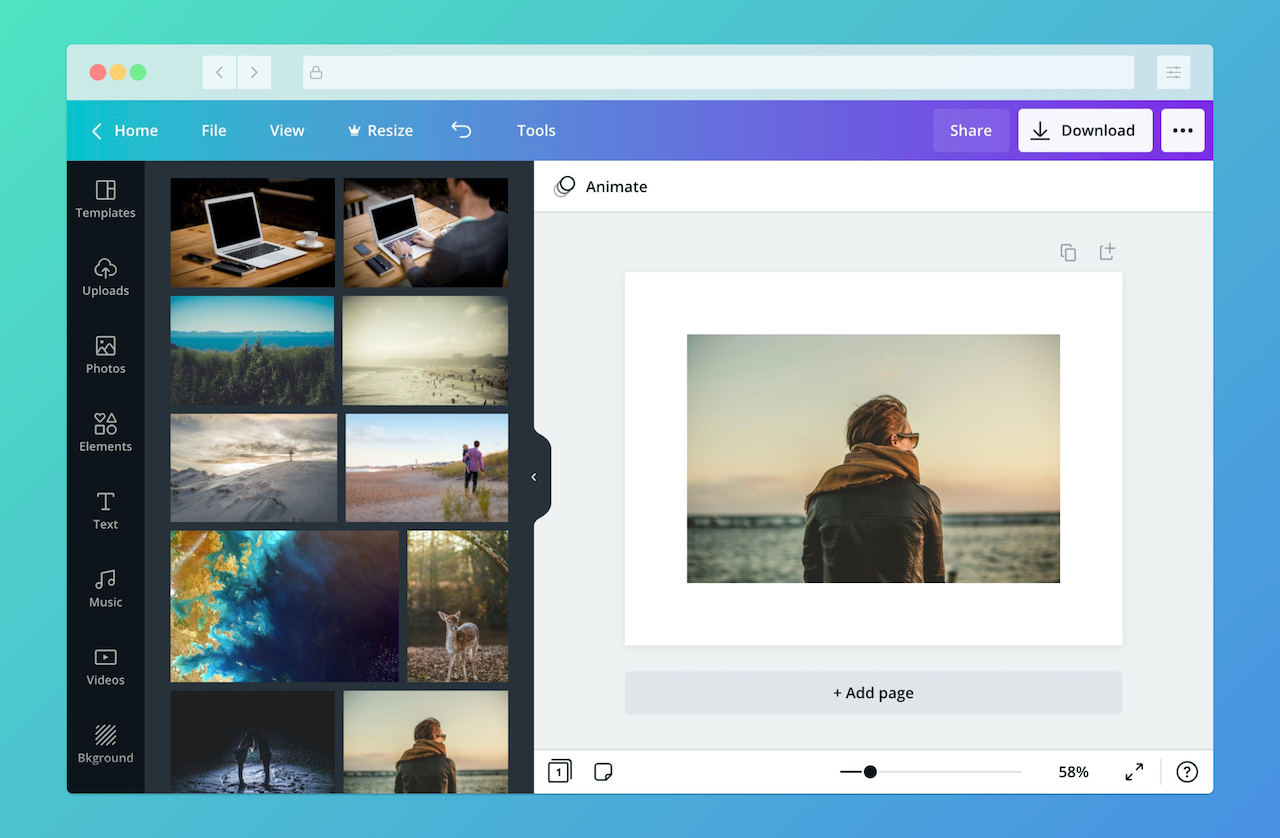
6. Canva

Canva is a visual design platform that combines templates, collaboration tools, and AI-powered creative features to help users produce digital content. In addition to graphic design and presentations, the platform includes AI capabilities for creating and editing video content. These tools allow individuals and teams to generate media, customize templates, and collaborate within a single design environment.
Key features include:
- AI-powered visual suite: Provides tools for generating and editing videos, presentations, social media graphics, and other content.
- Magic Studio AI tools: Enables AI-assisted generation of text, images, and design layouts.
- Extensive template ecosystem: Offers prebuilt templates for marketing, presentations, and multimedia projects.
- Integrated media assets: Includes libraries of stock photos, videos, and audio elements for creative projects.
- Collaboration and workflow tools: Supports team collaboration and shared editing within a unified design platform.

Source: Canva
7. Veed

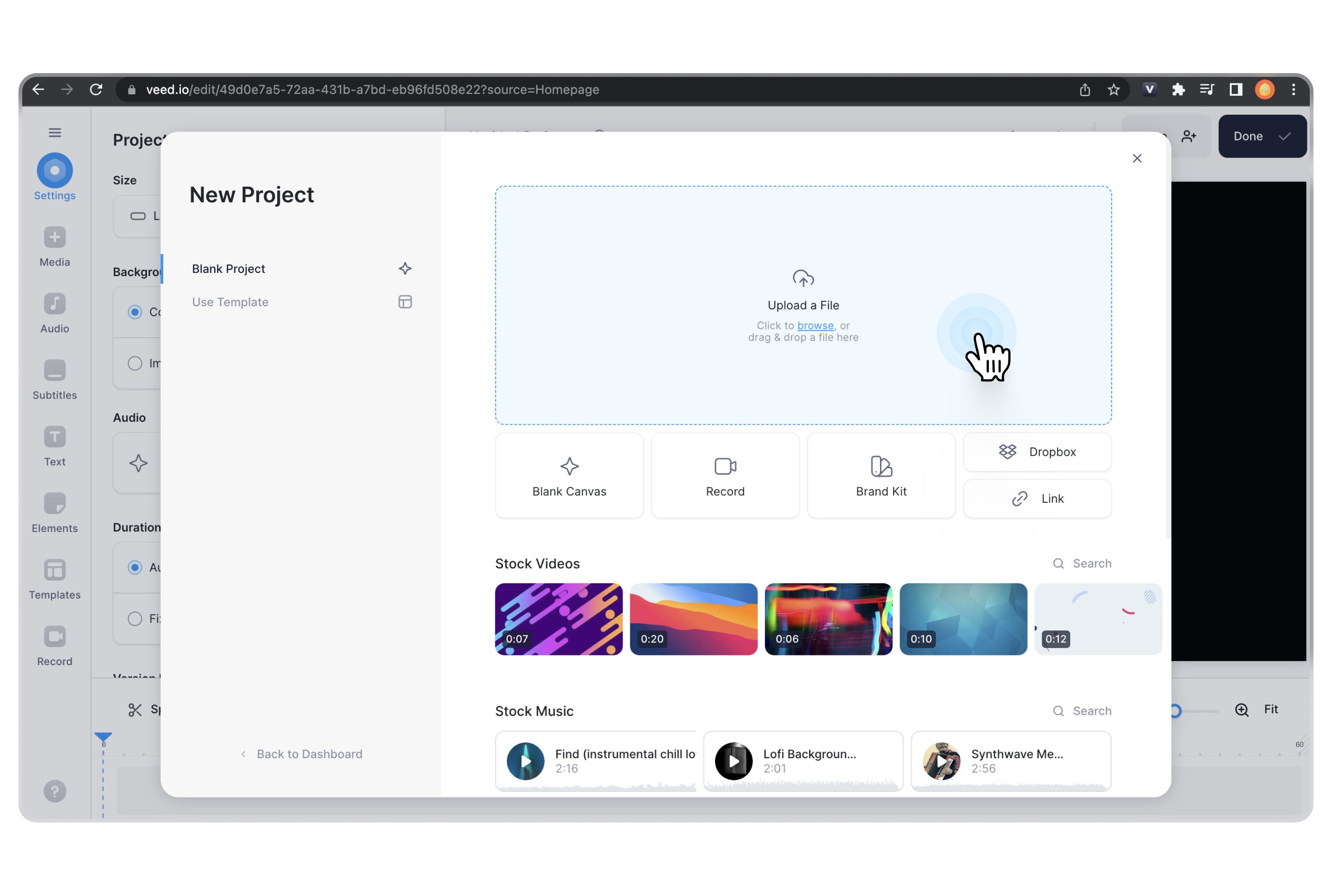
Veed is a browser-based video creation and editing platform that combines traditional editing tools with AI-powered automation features. It allows individuals and teams to record, edit, and publish videos from a web interface. The platform includes AI-driven editing, subtitle generation, avatars, and collaboration tools that simplify video production for marketing, training, and communication.
Key features include:
- AI-powered editing tools: Provides features such as Magic Cut, background removal, and eye contact correction.
- Automatic subtitles and dubbing: Generates captions automatically and supports AI-driven translation and voice dubbing.
- Text-to-video generation: Converts written scripts into videos using automated visuals and narration.
- AI avatars and voice cloning: Enables users to create talking-head style videos with digital avatars and synthetic voices.
- Screen and camera recording: Supports direct recording for tutorials, demonstrations, and presentations.

Source: Veed
8. Capsule

Capsule is an enterprise-focused video editing platform that enables teams to produce branded videos without advanced editing expertise. The platform integrates motion graphics templates and automated editing tools that simplify video creation while maintaining visual consistency. By converting professional motion graphics assets into reusable templates, Capsule allows non-design teams to generate videos efficiently.
Key features include:
- Template-based video production: Converts motion graphics and design assets into reusable templates for non-experts.
- Automated editing workflows: Simplifies editing tasks so teams can produce videos quickly without specialized tools.
- Brand consistency systems: Ensures videos follow approved motion design standards and visual guidelines.
- Self-service video creation: Allows employees outside creative teams to generate on-brand videos independently.
- Scalable video production: Enables organizations to create multiple variations of videos from a single template.

Screenshot
Source: Capsule
9. Peech

Peech provides AI-driven tools for transforming text content into spoken audio formats. The platform converts documents, articles, and other written materials into narrated audio using natural-sounding voices. It supports multiple languages and voice styles, allowing users to generate audio content for accessibility, productivity, and educational use cases.
Key features include:
- Text-to-speech conversion: Converts written content such as PDFs, emails, and web articles into narrated audio.
- Multi-voice narration presets: Uses different voice styles to represent headings, quotes, or structural elements.
- Wide language support: Provides natural voices in more than 60 languages with automatic language detection.
- Document and OCR support: Imports content from scanned documents, handwritten notes, and various digital formats.
- Adjustable playback controls: Allows users to change narration speed and follow synchronized text highlighting.

Source: Peech
10. Hailuo AI

Hailuo AI is a generative media platform that enables users to create video and image content using AI models. The platform focuses on simplifying the creative process by allowing users to generate visual media through prompts and predefined templates. It provides tools for producing short AI-generated videos and other creative assets for marketing and digital storytelling.
Key features include:
- Prompt-based video generation: Allows users to generate videos from written descriptions or prompts.
- Template-based creative assets: Provides predefined styles and templates for different visual outputs.
- AI-driven visual effects: Supports automated enhancements and creative visual transformations.
- Creative media packs: Offers collections of assets and templates for generating themed content.
- Web-based generation interface: Enables users to generate video and image content directly within the platform.
11. Descript

Descript is an AI-powered video and audio editing platform that simplifies content creation through text-based editing workflows. Instead of editing on a traditional timeline, users modify the transcript of a recording to change the underlying audio or video. The platform combines transcription, generative AI, voice editing, and collaboration tools to streamline production of videos, podcasts, and social media clips.
Key features include:
- Text-based editing: Edit audio and video content by modifying the automatically generated transcript.
- AI co-editor automation: Use AI tools to generate scripts, edit footage, and apply design elements automatically.
- Automatic transcription and captions: Generates transcripts and captions for uploaded or recorded media.
- Audio enhancement tools: Includes features such as noise removal and voice enhancement with Studio Sound.
- AI visual editing tools: Provides background replacement, eye contact correction, and generative B-roll creation.

Source: Descript
Notable AI-powered video hosting tools
Next, let’s review a few video hosting platforms that provide useful AI features, enabling automated management and optimization of video content.
12. Kaltura
We listed Kaltura above as a solution for video generation and editing. However, Kaltura also offers an enterprise-grade video hosting solution with advanced AI capabilities, built to meet the needs of complex organizations. Kaltura Video Portal empowers teams to create centralized, branded content hubs that drive collaboration, engagement, and discoverability at scale.
Key features:
- Modular content hubs: Build fully customizable portals with flexible layouts, branding, and navigation to match organizational needs.
- AI-enhanced content management: Automate workflows, apply advanced filtering and search, and ensure content discoverability across departments.
- Creation tools included: From self-recording and screen capture to in-platform video editing, captions, and quizzes—Kaltura makes content creation seamless and accessible.
- Granular analytics dashboards: Track engagement across platforms and refine strategies with AI-powered insights into viewer behavior and content performance.
- Zero-trust security model: Enforce enterprise-grade access control and compliance, ensuring secure video delivery at scale.
- Community-building features: Enable social tools within your portal to encourage collaboration, feedback, and cross-team learning.

13. Vimeo

Vimeo is a business-focused video hosting platform that allows organizations to upload, manage, and distribute high-quality video content. The platform includes AI-powered tools that assist with editing, localization, and content organization. These capabilities help teams simplify video workflows, improve accessibility, and make video libraries easier to search and manage.
Key features include:
- AI-generated video metadata: Automatically creates titles, tags, chapters, and summaries to improve organization and discovery.
- AI question answering in player: Allows viewers to ask questions within the video player and receive answers generated from the video content.
- Automated highlight creation: Generates short highlight reels from longer videos to summarize key moments.
- AI-powered translation: Translates video audio and captions into multiple languages to support global audiences.
- Text-based editing workflows: Enables users to edit video by modifying the transcript, simplifying content updates.

Source: Vimeo
14. Qumu

Qumu is an enterprise video management platform to help organizations create, manage, deliver, and analyze video content securely. The platform supports large-scale video operations such as live streaming, internal communications, and training. It also includes AI-powered tools that automate content creation tasks and enhance video accessibility.
Key features include:
- Live event broadcasting: Enables organizations to stream live or recorded video securely to large audiences across networks and devices.
- Interactive video creation: Allows users to add chapters, subtitles, calls to action, and quizzes to increase engagement.
- Video governance and security: Provides workflow management, access controls, and network-level permissions for video distribution.
- Centralized searchable portals: Organizes videos into customizable portals with search capabilities for easier access.
- Analytics and performance insights: Tracks viewer engagement and network performance to help improve video strategies.

Source: Qumu
15. Panopto

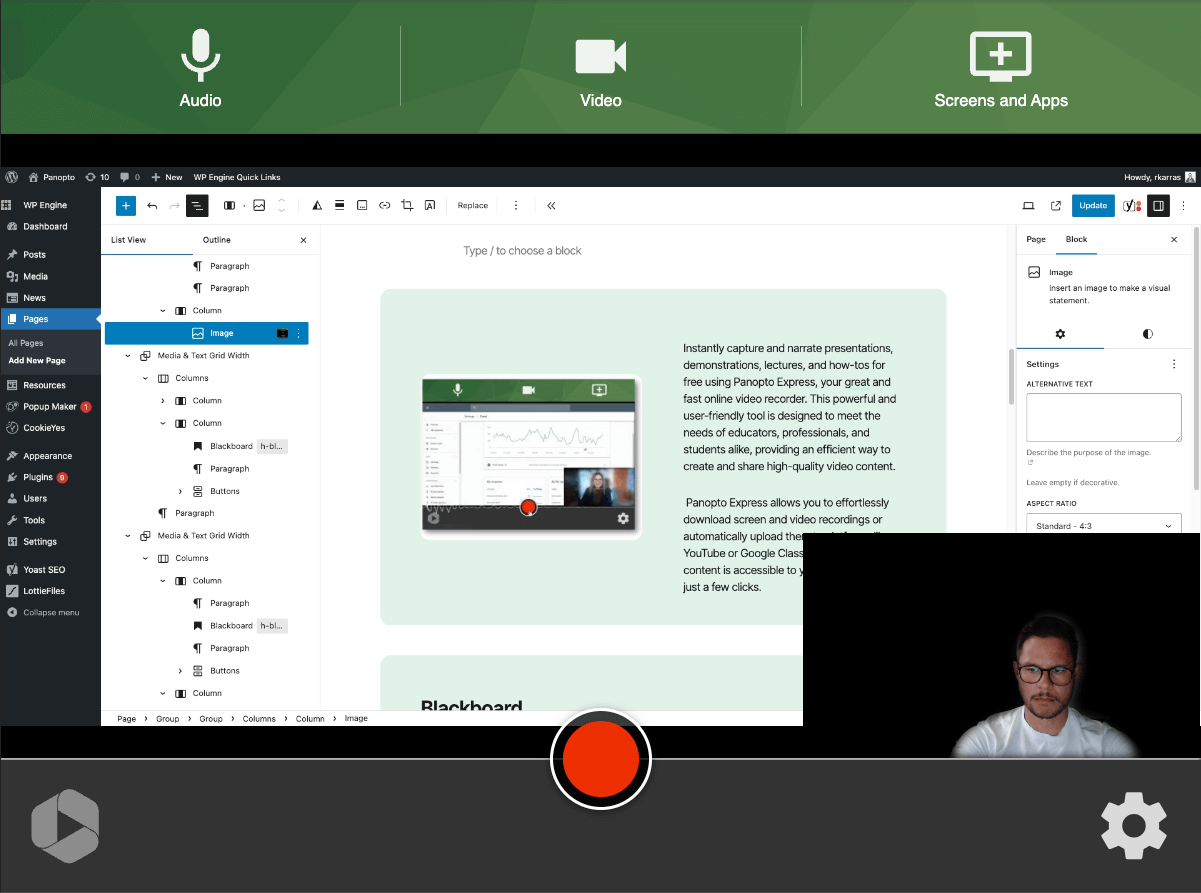
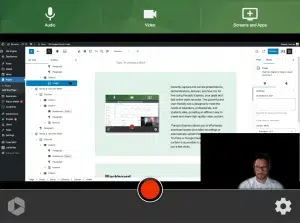
Panopto is a video learning platform for corporate training and higher education environments. It combines video creation, hosting, and search capabilities with AI-powered tools that help organizations generate instructional content quickly. The platform also supports accessibility features and integration with learning management systems to deliver scalable training and knowledge sharing.
Key features include:
- AI-driven video creation: Generates training videos from prompts, presentations, or written notes.
- Automated video translations: Supports localization of video content into multiple languages.
- Searchable video libraries: Uses OCR and speech recognition to enable in-video search across large video collections.
- Lecture capture and recording: Allows organizations and universities to record and publish lectures or training sessions automatically.
- Accessibility tools: Provides automated captions and accessible playback features for diverse audiences.
Source: Panopto
16. Vbrick

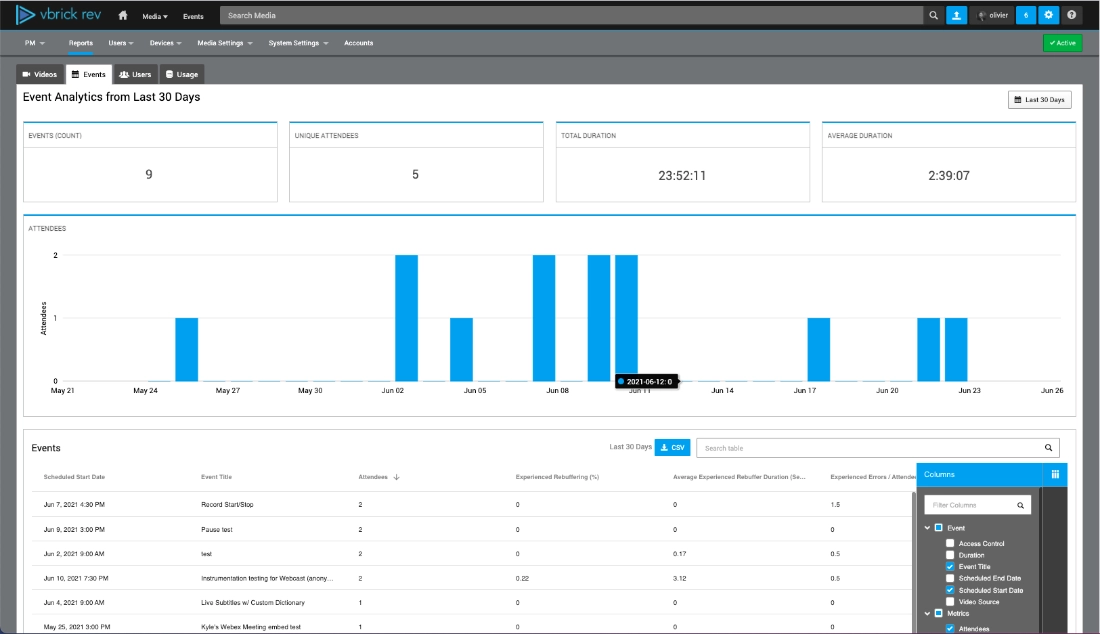
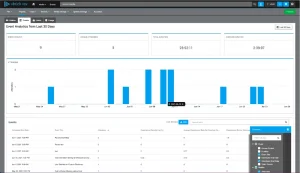
Vbrick is a cloud-native enterprise video platform to centralize video creation, management, and distribution across large organizations. It focuses on transforming video libraries into structured, searchable knowledge resources by applying AI-driven analysis and metadata generation. The platform supports secure live streaming, enterprise integrations, and scalable video delivery for global teams.
Key features include:
- AI-powered video indexing: Automatically generates titles, summaries, chapters, and tags based on video content.
- Advanced search capabilities: Identifies speakers, visual elements, and spoken topics to improve content discovery.
- Automated transcription and translation: Creates transcripts and multilingual translations for video content.
- Enterprise live streaming: Delivers large-scale live broadcasts to distributed workforces.
- Enterprise integrations: Connects with business systems such as ServiceNow, Salesforce, and Microsoft platforms.
Source: Vbrick
Conclusion
AI video tools are transforming how content is created, personalized, and delivered across industries. By automating production and enhancing capabilities with minimal manual input, they enable faster workflows, scalable outputs, and broader accessibility. As organizations and creators continue to adopt these tools, the role of AI in video will only grow—shaping the future of communication, training, and media.
Was this post useful?
Thank you for your feedback!