Employee Onboarding Software: Key Features & 10 Solutions in 2026
By Immanuel Vinikas
Share
What is employee onboarding software?
Employee onboarding software is a digital solution to automate the new hire integration process within organizations. It includes features like document management, training modules, workflow automation, and task tracking to ensure new employees have everything they need from their first day. By digitizing these processes, companies reduce manual administrative work and minimize errors or missed steps.
Modern onboarding platforms guide both HR professionals and new hires through a structured series of activities, from paperwork completion to training assignments. These tools also ensure legal compliance, facilitate introductions to company culture, and shorten time to productivity. In today’s hybrid and remote work settings, onboarding software serves as a centralized hub for resources, communication, and progress tracking, benefiting both organizations and employees.
Onboarding software brings consistency, efficiency, and visibility to the onboarding process. It reduces manual work, improves employee experiences, and helps HR teams scale onboarding across locations and departments. Key benefits include:
Faster time to productivity: Structured onboarding workflows ensure new hires receive the right training, tools, and information from day one, helping them contribute faster.
Improved compliance: Automated document collection, digital signatures, and audit trails help organizations stay compliant with labor laws and internal policies.
Centralized information access: New hires can find policies, training, and task lists in one place, reducing confusion and dependency on HR staff.
A better new hire experience: Personalized onboarding journeys, welcome messages, and seamless task management create a positive first impression and increase engagement.
Reduced administrative burden: Automation of repetitive tasks like form filling, IT provisioning, and scheduling frees up HR teams to focus on more strategic work.
Consistent process across teams: Standardized templates and workflows ensure every employee receives a uniform onboarding experience, regardless of role or location.
Data and progress tracking: HR teams gain visibility into onboarding status, task completion, and potential bottlenecks, enabling timely interventions.
Key components of a modern employee onboarding software
Centralized content repository
A centralized content repository is fundamental for maintaining organization and consistency across onboarding materials. This component allows HR teams and department leads to store and categorize all onboarding documents, such as employee handbooks, training manuals, policies, and welcome videos, in a single, accessible location. The repository should support version control to ensure new hires always access the most recent resources. Centralization reduces confusion, shortens the time spent searching for information, and ensures consistency in onboarding messaging.
A content repository also enhances security and compliance by controlling document distribution and access levels. Permission settings can restrict sensitive information to appropriate audiences, and audit trails can track content usage for reporting needs. As companies grow or change regulatory environments, updating materials in one location simplifies revision processes, ensuring every new employee receives up-to-date guidance without manual redistribution.
Video hosting and playback
Integrated video hosting and playback capabilities are critical as organizations rely increasingly on multimedia for training and orientation. Modern onboarding solutions support seamless video uploads, encoding, and streaming, ensuring new employees experience uninterrupted playback across devices and locations. This functionality eliminates the need for external hosting, reducing friction and improving accessibility while keeping proprietary training content secure within the onboarding system.
Video capabilities should include analytics to track viewer engagement, assess completion rates, and identify areas where employees drop off or need reinforcement. Support for captions, chapters, and interactive video elements further increases engagement and accommodates diverse learning preferences. Native video functionality, embedded within onboarding workflows, allows companies to scale training without added complexity or dependency on third-party platforms.
Interactive learning elements
Interactive learning elements transform static onboarding content into an engaging training experience. Features such as quizzes, knowledge checks, drag-and-drop activities, and branching scenarios reinforce knowledge retention by requiring active participation. These tools allow new hires to practice real-world skills in a controlled, risk-free environment and receive instant feedback, which accelerates understanding.
Interactivity also helps HR and managers quickly assess new employees’ comprehension and identify topics that require further attention. By integrating these elements within onboarding flows, organizations create a more immersive learning environment that caters to diverse cognitive styles and keeps employees motivated. This approach decreases the likelihood of disengagement and ensures that key policies, product knowledge, or role-specific information stick.
Personalized learning paths
Personalized learning paths tailor the onboarding journey to each employee’s role, prior knowledge, location, or learning preferences. Rather than exposing everyone to generic modules, the system dynamically assigns tasks and training based on job function, department, or even previous certifications. This ensures that new hires only engage with relevant content, reducing information overload and keeping them focused on essential materials.
Adaptive onboarding also increases efficiency for both learners and trainers by minimizing unnecessary steps. Automated branching logic and pre-assessments can further customize each experience, building a sense of value and investment in the process. Over time, this results in higher engagement, better retention, and faster ramp-up periods, particularly for organizations hiring at scale or across multiple locations.
Progress tracking and analytics
Progress tracking and analytics are essential components for both the organization and the new hire. At a glance, HR teams can see which tasks, documents, or training sessions are complete and which are outstanding, ensuring no critical steps are missed. Personalized dashboards and automated reminders keep new employees accountable for required courses, form submissions, or compliance tasks, helping them stay on pace from day one.
Analytics go beyond completion statistics. Advanced systems measure engagement, pinpoint learning bottlenecks, and identify overall onboarding effectiveness. This data enables continuous process improvement and targeted interventions for employees who are struggling or falling behind. By providing clear, actionable insights, onboarding software empowers organizations to optimize training materials and workflows, improving outcomes for all stakeholders.
Integrations with HR and productivity tools
Integration with HR systems, payroll, directory services, and productivity tools streamlines onboarding and reduces redundant data entry. Employee onboarding software that connects directly to platforms like Workday, ADP, Slack, or Google Workspace enables user provisioning, benefits enrollment, and knowledge sharing without switching between multiple systems. This automation improves accuracy and data consistency, reducing administrative errors and manual effort.
Deep integrations also enable organizations to build end-to-end onboarding journeys, pulling in job requisition data, triggering IT access requests, coordinating welcome communications, and syncing compliance documents. Employees can move from hiring to onboarding without cumbersome paperwork or duplicated inputs, resulting in a smoother and faster start. Ultimately, tight integration shortens time-to-productivity for new hires and ensures a unified HR technology ecosystem.
Related content: Read our guide to employee training program (coming soon)
Notable video-centric and LMS tools supporting employee onboarding
1. Kaltura
Kaltura is an AI-powered, video-first learning platform built to unify corporate training and onboarding at scale. It enables organizations to shift from one-time, passive onboarding sessions to continuous, personalized learning experiences that grow with each employee’s journey. Trusted by enterprises in technology, healthcare, finance, and education, Kaltura helps global teams accelerate development, close skill gaps, and demonstrate measurable business impact.
Key features include:
AI-driven personalization: Create dynamic onboarding paths guided by AI learning agents that tailor content to each employee’s role, skills, and progress.
Automated content creation: Capture live sessions and automatically transform them into searchable clips, quizzes, and summaries, or generate videos from text using lifelike AI avatars.
Interactive video experiences: Deliver engaging, interactive onboarding videos with embedded polls, chapters, and knowledge checks that increase learner retention by up to 89%.
Comprehensive analytics: Track engagement, completion, knowledge retention, and performance across roles and teams to evaluate onboarding ROI and identify skill gaps.
Integrated ecosystem: Consolidate onboarding, reskilling, and knowledge-sharing tools into a single platform, achieving up to 83% efficiency gains and 12x ROI from repurposed training content.
Automated accessibility: Ensure compliance through automated captions, translations, and accessibility workflows that scale globally without added manual work.
By combining AI, video automation, and intelligent analytics, Kaltura transforms onboarding into an active growth engine, helping organizations personalize learning, sustain engagement, and prove the impact of every training initiative.
2. Panopto
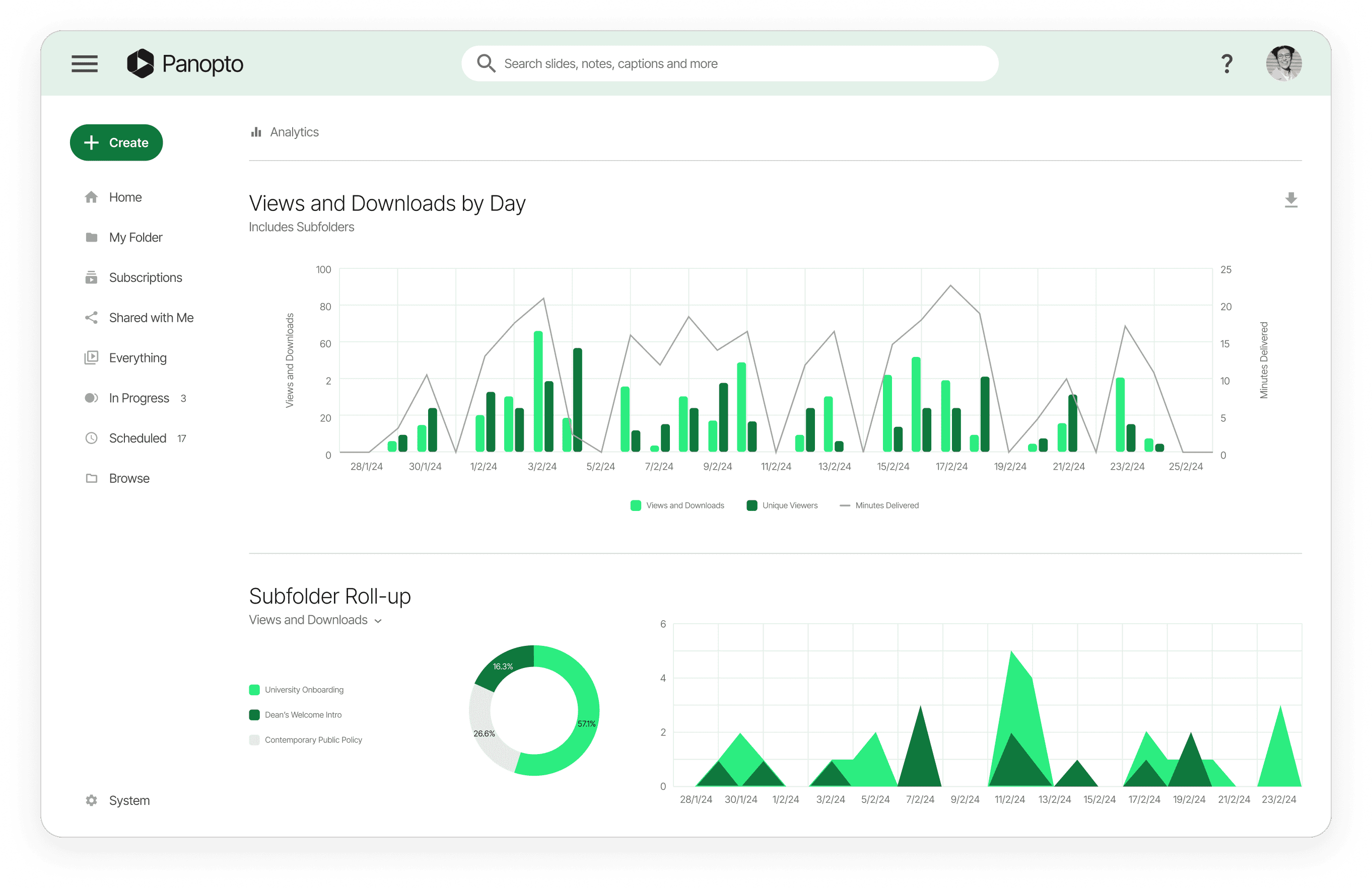
Panopto is a video-based onboarding platform for creating, managing, and distributing onboarding content that new hires can access on demand across devices. It integrates with HRIS and LMS tools for tracking and analytics.
Key features include:
On-demand training library: Record once and make searchable videos available to all new hires, reducing repeated sessions and enabling self-paced review with AI-powered video search and interactive elements.
HRIS and LMS integrations: Connect onboarding workflows to sync employee data, track who watched required modules, and monitor progress in real time without switching systems.
Mobile and multi-device access: Provide onboarding content, quizzes, and search on laptops, smartphones, and tablets to support remote and distributed teams.
Interactive video assessments: Add embedded quizzes and chapters to reinforce key concepts and improve retention during the first weeks.
Engagement analytics: Track watch behavior and engagement to identify where new hires need additional support or follow-up materials.
Templates and permissions: Use templates for consistent delivery and set viewing permissions to control access as content scales across roles.
iSpring (iSpring Learn LMS) supports onboarding with tools to launch programs, deliver interactive learning paths, automate enrollments and notifications, and track progress with real-time insights and compliance-oriented reporting.
Key features include:
Program launch and assignment: Build digital onboarding programs and assign them to new hires for structured, role-relevant training from day one.
Interactive learning paths: Deliver interactive training with personalized paths to sustain engagement and accommodate role differences during early ramp-up.
Automated enrollments and reminders: Automatically enroll new employees, assign required modules, and send notifications to keep onboarding on schedule.
Progress tracking dashboards: Monitor learner progress with real-time insights to identify bottlenecks and completion status across the onboarding journey.
Scenario support: Provide remote onboarding, role-based tracks, and swift communication tools to support distributed hiring scenarios.
4. Absorb
Absorb LMS addresses onboarding with pre-boarding content, structured learning paths, interactive modules, mobile access, automated reminders, assessments, social learning, and a resource library for ongoing reference and tracking.
Key features include:
Pre-boarding readiness: Deliver early materials before start date so new hires arrive prepared with foundational knowledge and expectations.
Role-based learning paths: Tailor structured paths to roles and responsibilities to keep training relevant and organized during onboarding.
Interactive and mobile learning: Provide interactive modules with mobile access so employees can learn and complete requirements anywhere.
Automated workflows and reminders: Use automation for reminders and notifications that sustain momentum through required steps.
Assessments and feedback: Incorporate regular assessments and feedback to validate comprehension and improve materials continuously.
Social learning tools: Facilitate forums and chats to support peer learning and quick knowledge exchange during onboarding.
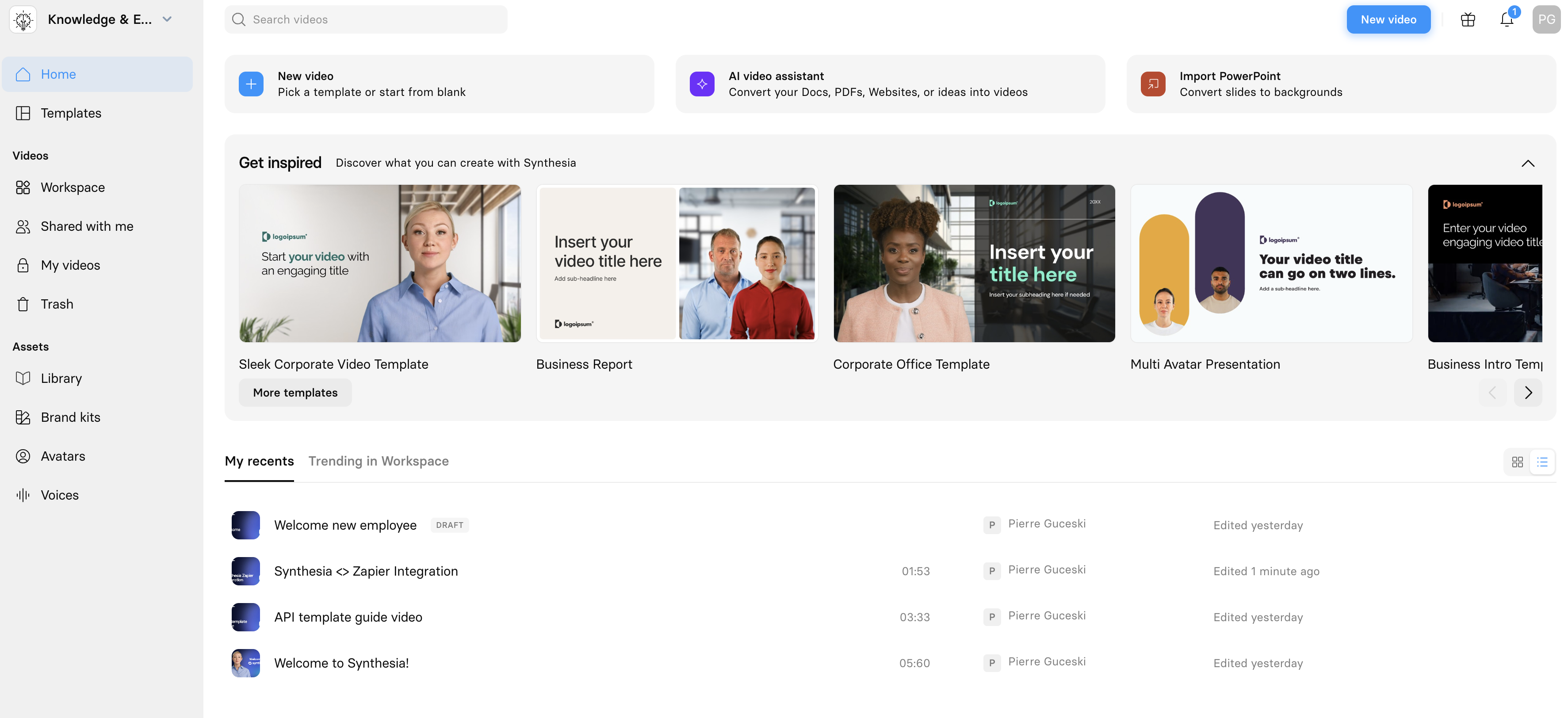
Synthesia is an AI video platform for producing onboarding videos from text, using AI avatars and voiceovers to generate professional results without cameras, actors, or editing skills.
Key features include:
Text-to-video production: Turn scripts, documents, slides, or webpages into onboarding videos with selectable avatars and voices.
Avatar and voice selection: Choose from AI avatars and voiceovers to standardize tone and presentation across onboarding modules.
Scalable video creation: Produce onboarding content at scale to support frequent updates and multi-role programs without studio resources.
Support resources: Access documentation, academy content, and product updates for building and maintaining onboarding video workflows.
BambooHR provides onboarding tools to collect e-signatures, manage new-hire packets and checklists, communicate first-day details, and automate I-9 and E-Verify with audit-friendly records.
Key features include:
E-signatures and packets: Gather signatures and build reusable packet templates to streamline document collection for each new hire.
First-day logistics: Share when and where details so new employees know essential information before arrival.
Custom tasks and checklists: Assign organization-specific tasks and track completion to maintain consistent onboarding across teams.
Signed document reporting: View reports of signed items to verify completion and address gaps quickly.
I-9 and E-Verify automation: Automate I-9 and E-Verify workflows, flag issues early, and keep records secure for audits.
7. Workable
Workable is an HR and hiring platform with onboarding and implementation support, integrations, and compliance controls. It provides rapid setup, data migration, customizable processes, and certified security.
Key features include:
Rapid system setup: Get teams operational quickly with help from product specialists during implementation.
Existing data migration: Import notes, feedback, resumes, and profiles to continue processes without starting over.
Customizable HR processes: Configure workflows to align with specific business operations and onboarding needs.
270+ integrations: Connect to existing tools and partners to centralize HR operations and data flow.
Certified security: ISO 27001/27017 and SOC 2 Type II / SOC 3 certifications for data protection.
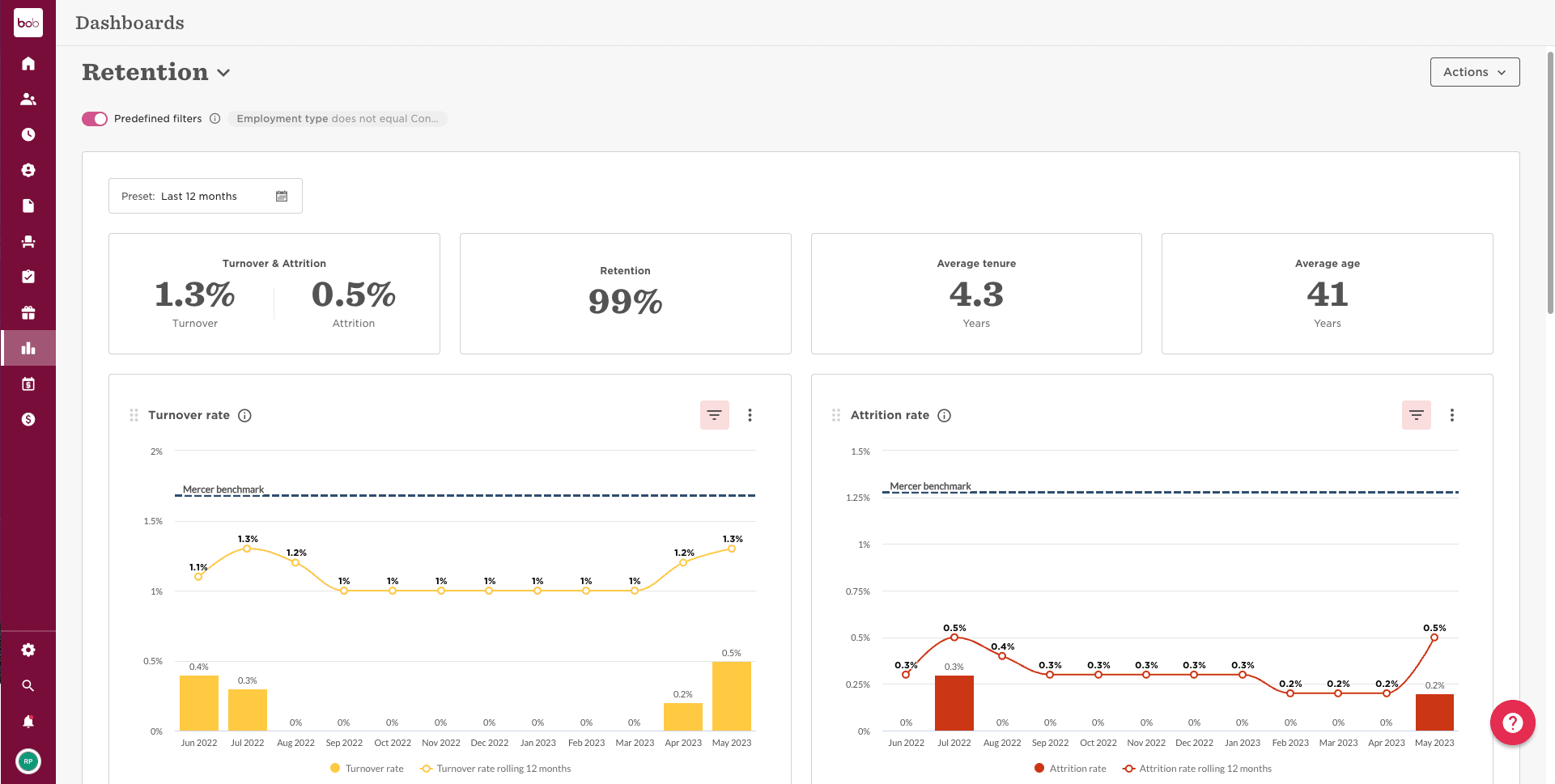
HiBob supports preboarding, personalized onboarding workflows, and task assignment across stakeholders, with communications triggered via email, calendar, Slack, or Teams.
Key features include:
Preboarding profiles: Invite new joiners to complete profiles and provide key details before their first day to reduce administrative overhead.
Personalized workflows: Tailor onboarding flows by team, department, or site for relevant experiences across different groups.
Multi-stakeholder tasking: Assign tasks to HR, IT, finance, and managers with configurable notifications and messages.
Multi-channel communications: Trigger emails, calendar invites, and Slack or Teams messages directly from configured workflows.
Rippling is an HCM platform that automates onboarding by integrating HR, IT, and compliance workflows into a unified system. It supports global and domestic employees across employment types and simplifies the employee lifecycle.
Key features include:
Automated onboarding workflows: Configure onboarding sequences that trigger tasks like provisioning devices, assigning training, and collecting documents automatically.
Integrated compliance tools: Monitor legal requirements across regions, flag compliance risks, and guide HR with alerts on changing laws.
Custom workflow builder: Create conditional logic for onboarding tasks, such as issuing referral bonuses or assigning role-specific modules, without coding.
Real-time reporting and analytics: Access unified data across the HCM suite to track onboarding progress, training completion, and workforce trends.
Global workforce support: Manage onboarding for salaried, hourly, and contract workers in over 180 countries through a single platform.
Gusto provides onboarding checklists, document issuance, benefits enrollment, and software provisioning, with dashboards for progress and built-in I-9 and E-Verify automations to maintain compliance and record integrity.
Key features include:
Onboarding checklists: Use customizable checklists to issue documents, enroll benefits, and provision software from a centralized workflow.
Centralized data storage: Keep new hire information in one location to simplify administration during early setup.
Progress visibility: Track completion with a visual progress bar and task lists to ensure readiness by day one.
I-9 and E-Verify: Automate I-9 and E-Verify steps, flag issues early, and keep records secure for audits.
Conclusion
Employee onboarding software plays a pivotal role in modern HR operations by standardizing, automating, and personalizing the new hire journey. It reduces manual tasks, enhances compliance, and accelerates time-to-productivity by delivering structured, role-specific experiences. With the increasing complexity of hybrid and global workforces, these platforms serve as a critical bridge between recruitment and employee engagement, enabling organizations to scale onboarding efficiently while maintaining a consistent and positive first impression.