Best Virtual Classroom Platforms: Top 7 in 2026

What is a virtual classroom platform?
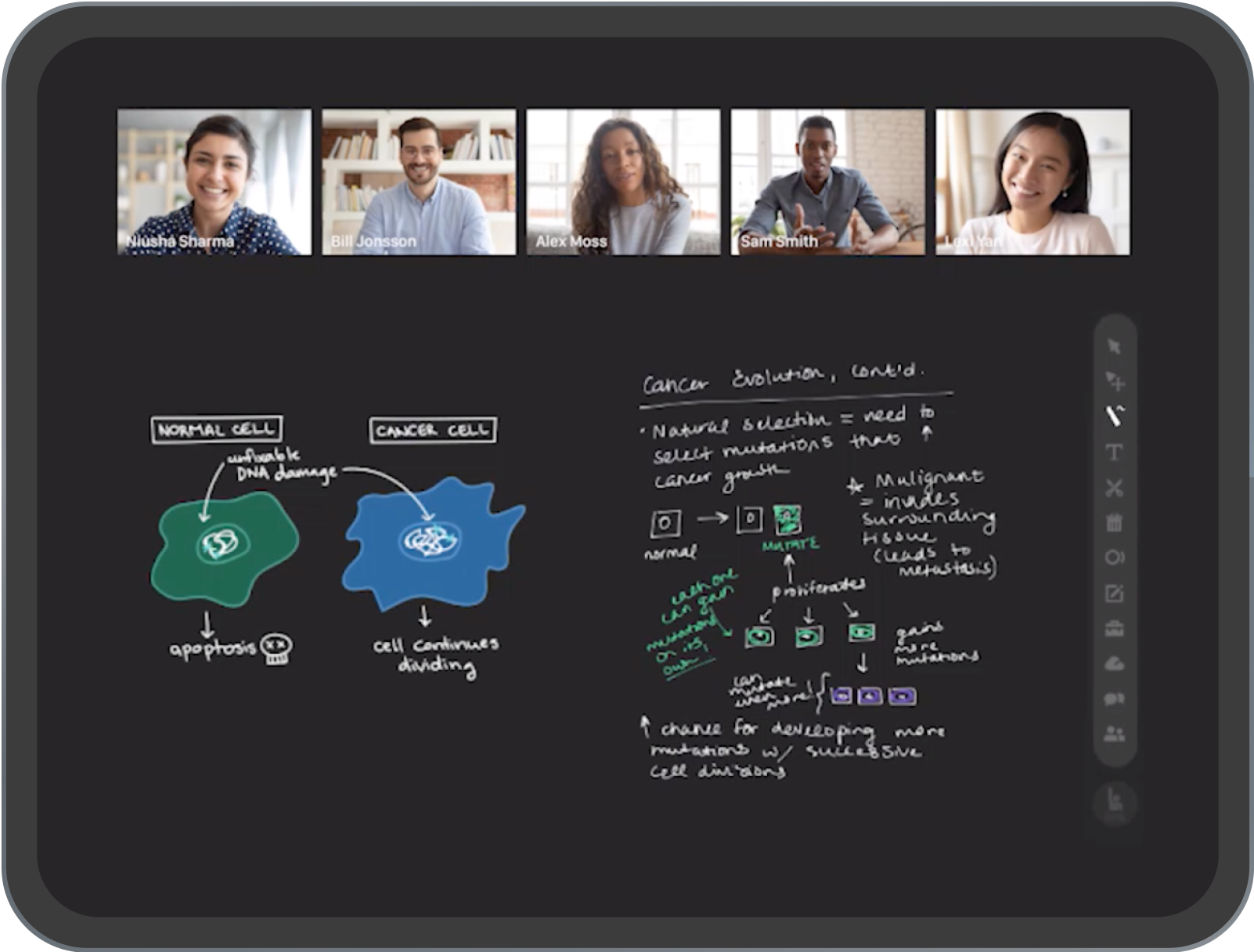
A virtual classroom platform is a software environment that enables educators and learners to interact online in real-time, simulating the experience of a physical classroom. These platforms use web-based technologies to facilitate teaching, learning, and collaboration regardless of the participants’ physical locations. By incorporating audio, video, chat, and interactive content capabilities, virtual classroom platforms bridge the gap between remote participants and provide a foundation for structured, instructor-led courses or training sessions.
These platforms are crucial in modern education and corporate training due to their ability to scale learning and offer flexible access. Virtual classrooms provide features such as live lectures, recorded sessions, content sharing, digital whiteboards, and group discussions. This enables synchronous and asynchronous learning, allowing teachers to monitor participation and adapt to various learning styles. The result is a controlled environment that supports engagement, progress tracking, and assessment—all critical for online education.
Editor’s note: Updated the article to cover recent market trends, updated product information to reflect features and capabilities in 2026, and added 2 new tools.
Core capabilities of virtual classroom platforms
Real-time interaction and collaboration
Real-time interaction is central to virtual classrooms, providing live communication through video, audio, and text chat. This enables immediate engagement between instructors and students, replicating many aspects of face-to-face instruction. Features like hand-raising, emoji reactions, and collaborative annotation on whiteboards facilitate interactive dialogue, helping maintain student attention and increasing class participation.
Collaboration tools within these platforms often include breakout rooms, where smaller groups can work privately before rejoining the main session. These breakouts foster peer-to-peer learning and provide opportunities for group-based tasks, project collaboration, and more personalized instructor feedback. Together, real-time interaction and collaboration provisions are key in creating a dynamic, engaging virtual learning environment.
Artificial intelligence
AI capabilities help automate routine tasks and improve the learning experience for both instructors and students. AI can generate live captions and transcripts during sessions, summarize discussions, and translate spoken or written content into multiple languages. These features improve accessibility, reduce administrative work, and make virtual classrooms more inclusive for participants with different language needs or accessibility requirements.
AI also supports personalized learning by analyzing student participation, assessment results, and engagement patterns. Based on this data, the platform can recommend learning resources, identify students who may need additional support, and suggest follow-up activities that match individual progress. Some platforms also provide AI-powered assistants that answer common questions, help navigate course materials, or assist instructors with creating quizzes, lesson plans, and discussion prompts.
Content delivery and management
Content delivery capabilities allow instructors to present lessons, demonstrations, and resources through screen sharing, slide presentations, file uploads, and embedded multimedia. Virtual classrooms often support multiple content formats, enabling educators to combine video lectures, interactive quizzes, and digital textbooks in one environment. This flexibility supports differentiated instruction and caters to various learning preferences.
Effective content management is also crucial in virtual classrooms. Instructors can organize and distribute course materials for easy access, set prerequisites, and structure learning paths. On-demand access to recordings and resources ensures that learners can review at their own pace, helping reinforce concepts or catch up on missed sessions. These features collectively support organized and accessible learning experiences.
Assessment and feedback
Assessment tools in virtual classroom platforms enable instructors to gauge student understanding and monitor progress. Features such as live polls, quizzes, assignments, and graded tests provide immediate insights into learner performance. Automatic grading and analytics further streamline this process, allowing educators to focus on addressing learning gaps and adapting future instruction effectively.
Timely feedback mechanisms are equally important, providing students with clear guidance on their strengths and areas for improvement. Virtual classrooms often facilitate both public and private feedback via instant messaging, annotated comments on assignments, or live discussion. This direct line of communication maintains student motivation and supports continuous improvement by making assessment an integral part of the learning experience.
Collaboration and communication tools
Collaboration in virtual classroom environments is enhanced through integrated tools such as shared document editors, discussion boards, and group chat. These allow students to work together on projects in real time or asynchronously, supporting both structured activities and informal study groups. Collaborative tools foster a sense of community, even in fully online courses, which is essential for engagement and knowledge sharing.
Effective communication tools also play a critical role in virtual classrooms. Built-in messaging, email notifications, and announcements keep students informed of deadlines, upcoming sessions, and important course updates. Scheduled office hours and one-on-one chat options provide opportunities for personalized support, ensuring that communication remains open and instructors are accessible to their learners.
Security and privacy
Security is a top priority for virtual classroom platforms to protect both instructors and students. These platforms implement features like secure login, end-to-end encryption, and user authentication to prevent unauthorized access. Additionally, permission controls allow hosts to regulate participant actions such as screen sharing, file uploads, or chat access, reducing the risk of disruptions or data leaks during live sessions.
Privacy features within virtual classrooms are guided by compliance with regulations such as FERPA or GDPR, depending on the region. Platforms may offer administrative controls over data retention, the ability to remove participants, and audit logs for user activity. Transparency about data usage and privacy policies reassures users that their information is handled securely, building trust and supporting compliance in educational settings.
Related content: Read our guide to virtual classroom software
Virtual and digital classrooms today
Virtual classroom platforms continue to evolve as schools and organizations increasingly adopt AI, hybrid learning models, and greater automation. The focus is on making online learning more personalized, flexible, and accessible while reducing administrative work for instructors. At the same time, platform providers and educational institutions need to balance these advances with concerns around academic integrity, privacy, security, and maintaining meaningful human interaction throughout the learning process:
- AI-driven personalized learning: AI increasingly adapts learning experiences to individual students by adjusting content, pacing, and recommendations based on learner progress and engagement. AI also continues to support instructors by generating learning materials, assisting with grading, and providing actionable insights into student performance.
- Hybrid and flexible learning models: Hybrid learning remains a core part of education, combining live virtual instruction with self-paced coursework. Virtual classroom platforms expand support for recorded sessions, asynchronous collaboration, and flexible scheduling while helping educators serve students across different locations, learning needs, and personal circumstances.
- Greater automation: Platforms automate more routine administrative tasks such as attendance tracking, grading objective assessments, course setup, and progress monitoring. These capabilities reduce repetitive work for instructors and allow them to spend more time on teaching, mentoring, and student support.
- Immersive learning experiences: Virtual reality (VR) and augmented reality (AR) technologies are becoming more common within virtual classrooms as hardware becomes more affordable and practical. These tools can support virtual science laboratories, historical recreations, and interactive field trips that would otherwise be difficult or impossible to deliver.
- Gamification and engagement features: Virtual classrooms increasingly incorporate gamification elements such as progress tracking, achievement badges, challenges, and automated feedback. These features encourage participation, maintain learner motivation, and help instructors engage larger groups with less manual intervention.
- Accessibility and inclusive learning: AI-powered accessibility features continue to improve online education through capabilities such as real-time speech-to-text transcription, language translation, adaptive interfaces, and intelligent tutoring systems that adjust instruction to different learning needs and abilities.
- Digital credentials: As demand grows for flexible education pathways, virtual classroom platforms are likely to integrate support for digital certificates and microcredentials. These credentials allow learners to demonstrate specific skills more quickly than traditional degree programs and can provide verifiable records of completed training.
- Privacy, security, and responsible AI: As AI and cloud-based learning become more widespread, virtual classroom platforms will place greater emphasis on protecting student data, strengthening cybersecurity, and establishing clear policies for ethical AI use. Institutions will also need tools to manage privacy, monitor AI-assisted learning, and maintain academic integrity.
Notable Virtual Classrooms Platforms
Enterprise and professional training platforms
1. Kaltura Virtual Classroom

Kaltura Virtual Classroom is a browser-based virtual classroom solution that lets organizations create polished, on-brand learning hubs for training, onboarding, and customer education at scale. It supports live and on-demand sessions, interactive tools, and deep integrations with existing learning and video workflows.
Key features include:
- Brandable experiences: Build customized landing pages or multi-classroom showcase hubs to highlight programs, events, and series in one destination, aligning every touchpoint with your organization’s visual identity.
- Advanced visual customization: Tailor backgrounds, lower thirds, and interludes for a more professional look, ensuring instructors, hosts, and moderators present a cohesive, TV-grade experience in every session.
- Effortless promotion: Publish and promote upcoming classes or live events across social media channels in just a few clicks, helping drive registrations and attendance without relying on additional marketing tools.
- Actionable analytics: Access detailed analytics and reporting to track attendance, engagement levels, and viewing patterns, giving L&D and enablement teams the insight they need to improve programs over time.
- Data-driven upskilling: Combine real-time feedback with adaptive learning strategies to continuously refine content, support instructors, and boost the impact of learning initiatives.
- Proven, award-winning platform: Benefit from a platform recognized with multiple industry awards and top placements for its digital experience capabilities, reinforcing trust for mission-critical training and education programs.
2. Adobe Connect

Adobe Connect is a virtual classroom and webinar platform built for structured training, professional learning, and large-scale online events. It gives instructors more control over the session environment than standard meeting tools by using customizable rooms, layouts, and interactive pods. This makes it suitable for training programs that require live instruction, learner participation, post-session resources, and measurable engagement data.
Key features include:
- Audience engagement: Instructors can use pods, layouts, chat, screen sharing, surveys, shared resources, and other interactive tools to create sessions that require active participation rather than passive attendance.
- Personalized virtual rooms: Hosts can design different room layouts for different training formats, teams, programs, or audiences. This supports repeatable session structures and reduces setup work for recurring classes.
- Flexible post-session access: Participants can continue using recordings, assessments, simulations, demonstrations, downloadable files, links, and transcripts after the live session. This helps extend learning beyond the scheduled class.
- AI assistance: AI features can provide contextual help to hosts during live sessions and turn recordings into structured written content, reducing some manual follow-up work.
- Brand themes: Organizations can save and apply logos, colors, and visual styles across rooms for different departments, products, or training programs.
- Training analytics: Engagement scores, attendance data, and session activity reports help teams evaluate learner participation and improve future training delivery.

Source: Adobe Connect
3. Microsoft Teams for Education

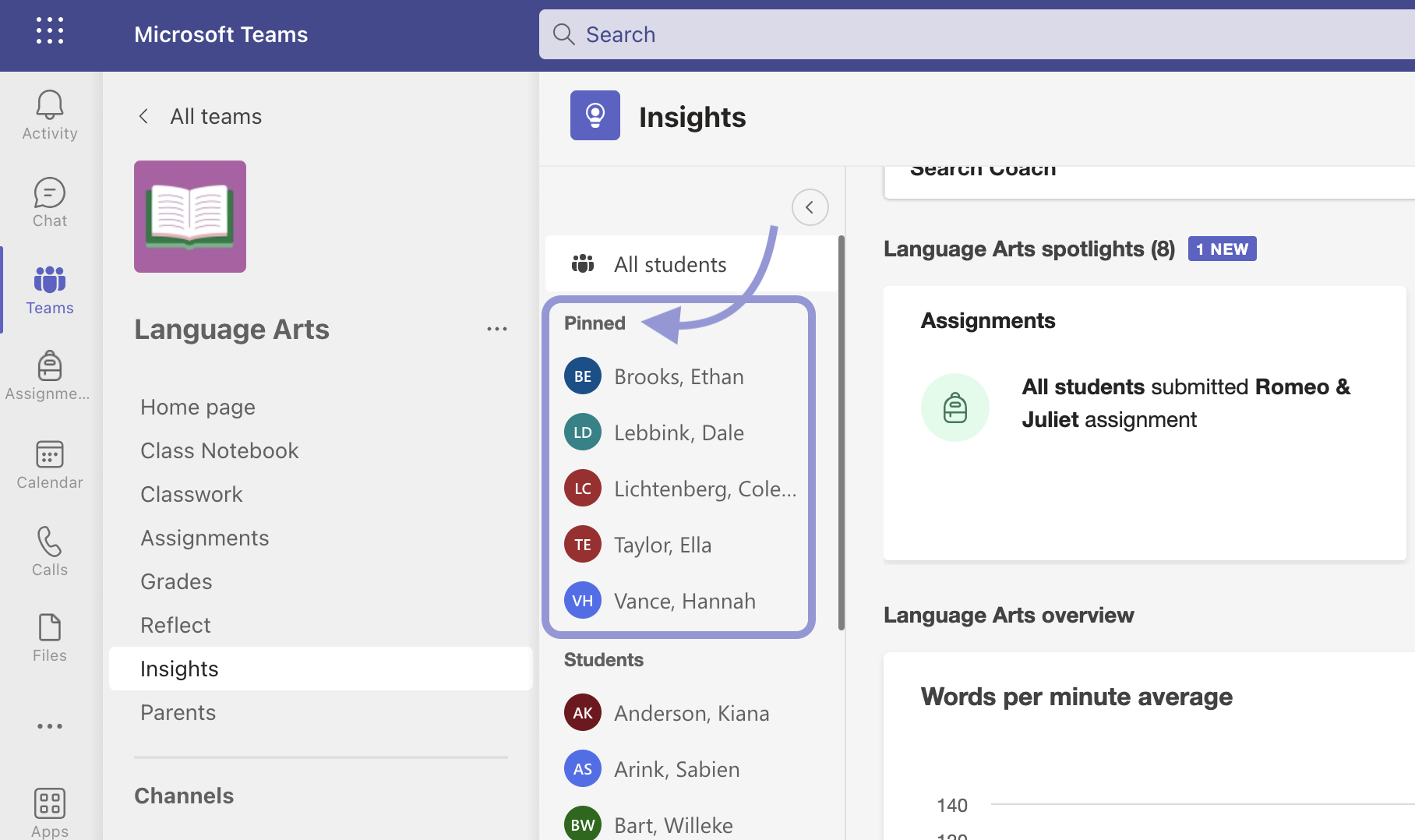
Microsoft Teams for Education is a communication and collaboration platform for schools that combines live video, chat, assignments, class materials, and notes in one shared workspace. It supports K-12 and higher education workflows by giving teachers and students a central place for instruction, discussion, resource sharing, and classroom coordination. Because it is part of Microsoft 365 Education, it can also connect with other productivity, collaboration, and AI-supported learning tools.
Key features include:
- Video collaboration: Educators can run live lessons, group discussions, office hours, and class meetings with built-in video and audio tools.
- Class communication: Chat, announcements, and shared class spaces help teachers keep students informed and support communication outside scheduled lessons.
- Assignments and materials: Teachers can distribute learning resources, manage assignments, and organize class content without moving between separate systems.
- Collaborative learning tools: Microsoft Whiteboard, polling, spotlight, and related features support group participation, visual explanation, and interactive classroom activities.
- AI-assisted teaching support: AI enhancements can help educators save time, create learning materials, and support independent student learning across grade levels.
- Social-emotional learning: Reflect in Teams gives educators a way to check in with students and support social-emotional learning within the classroom environment.

Source: Microsoft
Education-focused virtual classroom platforms
4. BigBlueButton

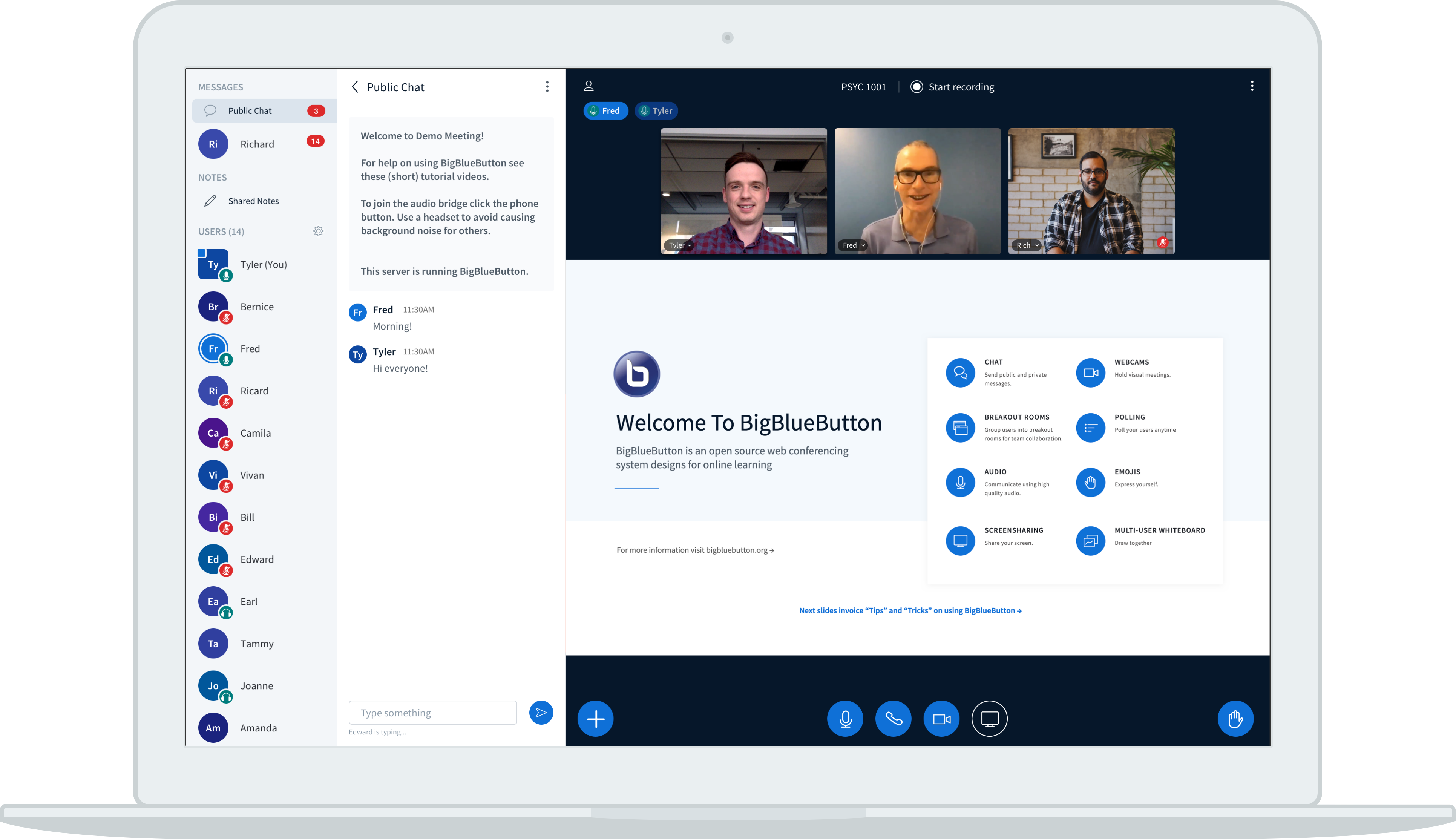
BigBlueButton is an open-source virtual classroom platform designed specifically for online teaching rather than general business meetings. Its tools are built around live instruction, student participation, and teacher visibility into learner progress. The platform is used by educators and schools that need a classroom-focused environment with options for self-hosting, customization, documentation, and commercial support.
Key features include:
- Purpose-built classroom environment: BigBlueButton is designed around teaching and learning workflows, giving educators tools for live classes rather than relying only on standard meeting functions.
- Applied learning tools: Built-in classroom features support active participation, helping students engage with lessons through practice, interaction, and shared learning activities.
- Student progress visibility: Teachers can monitor student activity and identify learners who may be struggling or excelling during the class.
- Pedagogy-focused design: The platform is built around instructional use cases, helping schools support teaching practices that depend on interaction, feedback, and learner engagement.
- Customization support: Tutorials, a knowledge base, documentation, community support, and commercial support options help institutions adapt the platform to their needs.
- Open-source deployment: Schools can set up their own BigBlueButton server or use hosting services, giving them more control over deployment and configuration.

Source: BigBlueButton
5. LearnCube

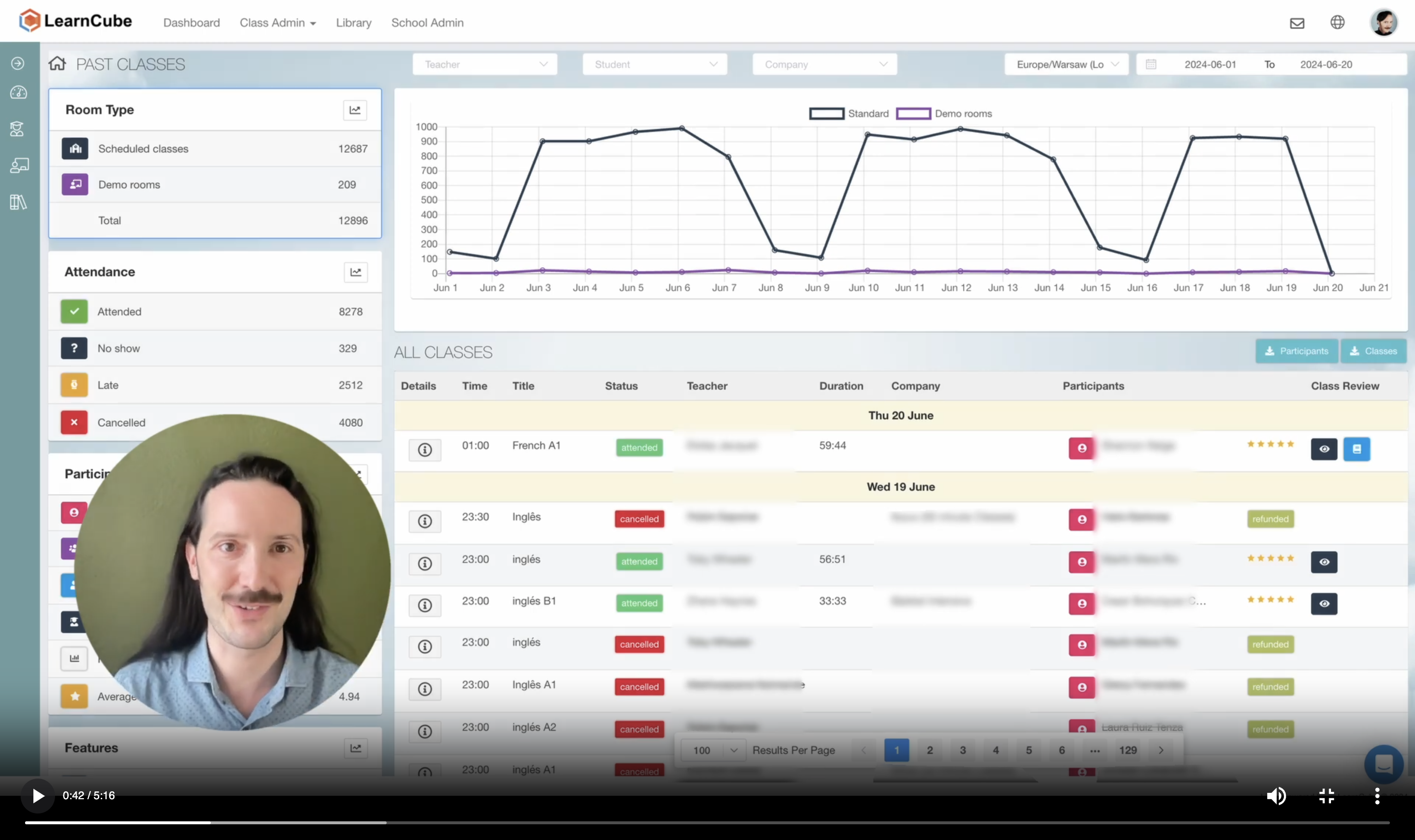
LearnCube is a browser-based virtual classroom platform for tutors, language schools, online schools, and education businesses. It combines live video and audio with an interactive whiteboard, classroom management tools, lesson materials, homework, reporting, and recordings. The platform is intended for education-specific workflows, including one-on-one tutoring, small group classes, student review, and branded online learning environments.
Key features include:
- Reliable video and audio: LearnCube supports live online classes with video and audio designed for different devices, locations, and connection conditions.
- Online whiteboard: Teachers can use drawing tools, shapes, text, annotations, and real-time collaboration to explain concepts and run interactive lessons.
- Class formats: The platform supports private one-on-one tutoring and group classes, with teacher controls and participation tools for different instructional formats.
- File and media sharing: Teachers can display and share PDFs, PowerPoint files, images, videos, audio files, and other lesson resources directly inside the classroom.
- Class recordings and review: Lessons can be recorded for student review, teacher training, and quality assurance. Post-class materials can include whiteboard annotations, files, and lesson summaries.
- Scheduling and reporting: Built-in scheduling, recurring classes, reminders, attendance tracking, lesson duration data, talk-time metrics, and class reports help teachers manage ongoing instruction.

Source: LearnCube
6. ClassIn

ClassIn is a virtual learning platform that combines live teaching tools with learning management, assessment, and classroom administration features. It supports interactive instruction through a blackboard, breakout rooms, teaching tools, resource management, attendance, communication, assignments, grading, and reporting. The platform supports both live classroom activity and learning workflows that continue before and after class.
Key features include:
- Interactive blackboard: Teachers can use a digital blackboard for live explanation, demonstrations, collaborative problem-solving, and classroom activities.
- Breakout rooms: Instructors can divide students into smaller groups for discussion, practice, peer learning, or collaborative tasks during a live session.
- Teaching tools: Education-focused tools and a resource center support different teaching methods and help instructors manage live learning activities.
- Assignments and grading: Teachers can assign homework, manage submissions, and grade student work with flexible controls.
- Learning reports: Reporting tools provide visibility into learning behavior and long-term progress, helping educators track student development over time.
- Class management: A backend management system supports class administration, personnel management, attendance, and analytics from a central place.

Source: ClassIn
7. Google Classroom

Google Classroom is a learning management platform within Google Workspace for Education that helps educators create, manage, personalize, and measure learning experiences. It supports assignment workflows, grading, class materials, analytics, AI-assisted planning, and integrations with other Google education tools. The platform helps simplify teaching tasks while giving educators and school leaders visibility into student engagement and class performance.
Key features include:
- AI tools for educators: Gemini in Classroom can help teachers move from planning ideas to instructional materials faster by supporting common lesson preparation tasks.
- Teacher-led AI experiences: Educators can enable student learning activities using tools such as NotebookLM and Gems, grounded in class materials.
- Interactive assignments: Teachers can create assignments, including activities based on existing Google Forms, that provide real-time feedback and learning resources for students.
- Classroom analytics: Educators and leaders can review assignment engagement, completion, performance, grade trends, and Classroom adoption data to provide targeted support.
- Originality support: Plagiarism detection tools help educators review student work and support academic integrity.
- Scalable class management: Administrators can manage classes at scale, distribute class templates and curricula, export Classroom logs, and gain visibility across school or district use.

Source: Google
Related content: Read our guide to virtual classroom tools
Conclusion
Virtual classroom platforms are essential for delivering structured, real-time learning experiences across education and training contexts. They combine live communication, interactive tools, and content management features to replicate and enhance traditional classroom dynamics online. As learning continues to move beyond physical boundaries, these platforms provide the infrastructure needed to support engagement, accessibility, and measurable outcomes in digital learning environments.
Was this post useful?
Thank you for your feedback!