Best Virtual Classroom Tools: Top 8 Solutions in 2026

Virtual classroom tools have become essential for modern education, enabling real-time teaching and learning beyond the limitations of physical classrooms. As remote learning, hybrid models, and global collaboration grow, these tools provide educators with the flexibility and functionality needed to deliver engaging lessons and foster meaningful student interaction.
Editors’ note: Updated the article to include recent market data and updated information for virtual classroom tools to reflect features and capabilities in 2026.
What are virtual classroom tools?
Virtual classroom tools are software platforms to create, manage, and enable real-time online learning environments. These tools simulate many aspects of a physical classroom but function entirely over the internet, allowing students and instructors to connect regardless of location. Components typically include video conferencing, real-time chat, resource sharing, and collaborative features such as shared whiteboards and group breakout rooms.
The adoption of virtual classroom tools has increased rapidly as educational institutions look for scalable, remote learning solutions. These platforms are now integral in many K-12 schools, universities, and corporate training programs. Their effectiveness depends on reliability, features, and the ability to offer communication between participants.
Virtual and digital classrooms market trends
Digital classroom market growth
According to recent market research, the digital classroom market is expanding quickly as education systems adopt technology-driven learning environments. The market was valued at USD 172.37 billion in 2025 and is expected to grow from USD 191.54 billion in 2026 to about USD 486.83 billion by 2035, representing a compound annual growth rate (CAGR) of 10.94%.
Several factors are contributing to the rapid adoption of digital and virtual classroom technologies:
- The increase in e-learning adoption, especially after the COVID-19 pandemic accelerated the transition to online and hybrid education models.
- The growing demand for personalized learning: Educational platforms now use data and adaptive systems to deliver exercises and resources tailored to each student’s learning style and progress.
- Expanding internet access and smartphone availability are improving access to digital learning, particularly in developing regions where affordable mobile devices and data services are becoming more common.
Role of artificial intelligence in digital classrooms
Artificial intelligence is becoming a core component of modern virtual classroom platforms. AI systems analyze student performance and learning patterns to deliver personalized learning paths and customized content.
AI tools also help automate tasks such as grading, assessments, and performance analysis. This reduces administrative workload for educators while providing real-time insights into student progress.
Additional AI features, such as speech-to-text and language translation, improve accessibility for students with disabilities or language barriers.
Product segments in the digital classroom market
The digital classroom market includes both hardware and software solutions. Hardware products, such as interactive whiteboards, tablets, projectors, and laptops, accounted for the largest share of the market in 2025 (42%). These tools help create interactive learning environments and support multimedia teaching methods.
However, the software segment is expected to grow the fastest. This growth is driven by the adoption of learning management systems (LMS), virtual classroom platforms, and AI-powered education software that support online and hybrid learning models.
Key features of virtual classroom tools
Intuitive navigation for both instructors and students
Teachers and students must be able to access lessons, assignments, and activities quickly without enduring a steep learning curve:
- Simple, organized interfaces reduce cognitive load, allowing instructors to focus on delivery and interaction rather than troubleshooting platforms.
- Consistent menus and logical content organization play a critical role in well-designed virtual classroom tools.
When essential functions like joining live sessions, submitting assignments, or participating in discussions are just a few clicks away, participation rates improve. Design considerations also ensure essential features are not buried or difficult to find.
Support for varying class sizes and institutional needs
Virtual classroom tools must accommodate diverse educational models, from one-on-one tutoring to large-scale lectures. Scalability ensures that the platform remains stable and responsive regardless of class size. For example, features like breakout rooms or customizable session settings allow instructors to adapt activities for small group collaboration or whole-class discussions.
These tools often provide administrative controls for enrolling large numbers of students, tracking participation, and managing different course sections efficiently. Some schools require integration with broader learning management systems, while others prioritize features like analytics or parent communication tools.
Supports embedding of videos, audio clips, and other media
Rich media integration improves the learning experience by providing multiple modes of content delivery.
- Embedding multimedia: Virtual classroom tools allow educators to embed videos, audio clips, interactive presentations, and other media directly into lessons. This approach caters to different learning styles and keeps students engaged with dynamic content rather than static text.
- External resources: Teachers can incorporate both external resources and their own media libraries to enrich curriculum delivery.
- Media playback: Effective tools should support smooth playback and be compatible with a range of student devices. The ability to embed and play videos, podcasts, or simulations allows educators to customize content and encourage interactive exploration.
Compliance with accessibility standards for diverse learners
Accessibility is critical in virtual classrooms to ensure all students—regardless of disability—have equal access to educational resources. Leading platforms follow standards such as WCAG (Web Content Accessibility Guidelines) and Section 508, offering features like:
- Keyboard navigation
- Screen reader compatibility
- Adjustable contrast
- Adjustable text size
This enables learners with visual, auditory, or mobility impairments to engage with content, participate in discussions, and complete assignments without barriers. Accessible virtual classroom tools also often support live captioning, sign language interpretation, and audio descriptions for media.
Data protection measures and user privacy controls
These platforms routinely collect and store sensitive information, including student records, grades, and potentially private communications. Data protection measures—such as end-to-end encryption, secure authentication, and granular access controls—are essential for maintaining trust and complying with privacy laws such as FERPA, GDPR, or COPPA.
Privacy controls also empower users to manage their information, determining who can see their profiles, sessions, or shared resources. The best virtual classroom tools provide clear privacy policies, transparent data handling practices, and accessible settings for both administrators and users to control their digital footprint and interactions.
Related content: Read our guide to remote learning
Notable virtual classroom tools
1. Kaltura

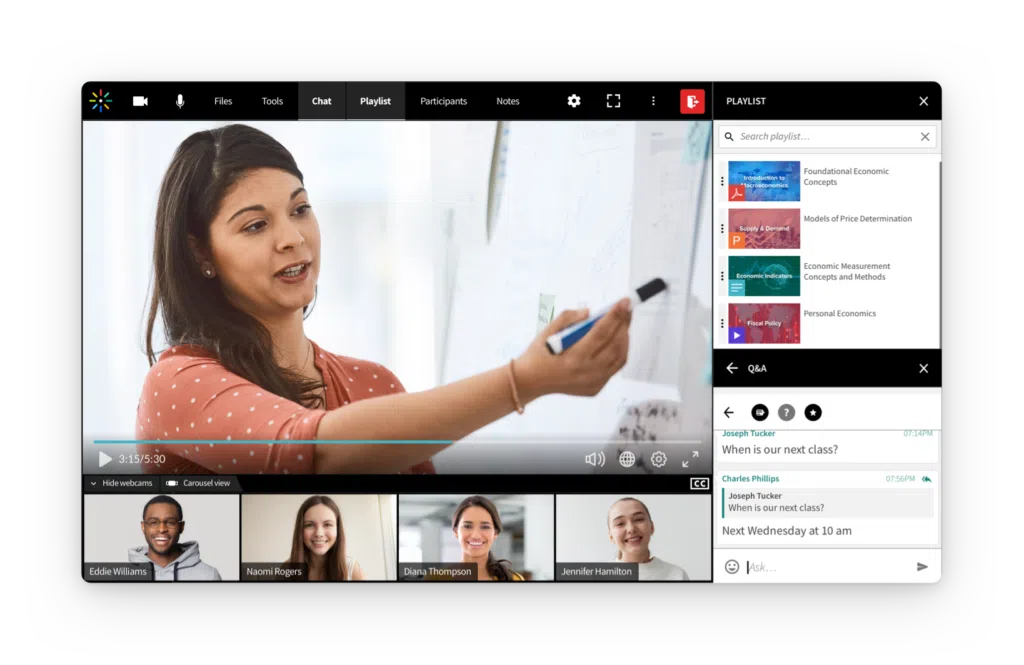
Kaltura Virtual Classroom offers an all-in-one platform for delivering branded, interactive learning experiences across industries, including education, healthcare, finance, and IT services. Kaltura empowers organizations to offer live and on-demand content within a fully customizable and continuous learning environment.
Key features include:
- Branded learning hub: Organizations can launch a complete online classroom environment with a dedicated URL, featuring session galleries, speaker profiles, course descriptions, and registration workflows—all tailored to their brand.
- Continuous classroom experience: Whiteboards, media, and session settings persist across sessions, enabling seamless pick-up-and-resume learning.
- Engagement suite: Includes group and 1:1 chat, polls, quizzes, breakout rooms, emoji reactions, and a collaborative whiteboard, designed to keep participants active and involved.
- Session management and moderation: Hosts can control participant access, share private speaker notes with an integrated teleprompter, and track focus rates through built-in attention analytics.
- Custom branding and promotion: Flexible options for customizing landing pages, backgrounds, overlays, and interludes, alongside tools for easy social media promotion.
- Analytics and learning insights: Real-time feedback, attendance tracking, and engagement reporting help organizations optimize learning programs and outcomes.
- Accessibility: Automated captioning ensures recorded classes are easy to access for diverse learner needs.
With award-winning digital experience technology backing it, Kaltura Virtual Classroom offers a uniquely robust solution for organizations looking to elevate both employee and customer learning through engaging, branded, and data-driven virtual experiences.

Source: Kaltura
2. Zoom for Education

Zoom for Education is a communication and collaboration platform to support online, hybrid, and in-person learning environments. It brings together video meetings, messaging, webinars, and collaboration tools within a single platform that can be used for teaching, campus communication, and student services. The platform also includes AI-powered capabilities that assist with lecture summarization, collaboration, and learning content management.
Key features include:
- AI-powered meeting assistance: AI Companion can generate lecture summaries, study guides, and meeting notes from live or recorded sessions.
- Virtual classroom collaboration tools: Meetings support breakout rooms, polling, annotations, and real-time interaction between instructors and students.
- Video recording and content management: Lectures and presentations can be recorded and shared through learning management system integrations or video libraries.
- Accessibility features: Provides automated captions, transcripts, and translation to support accessible learning environments.
- Unified campus communication: Includes tools such as webinars, team chat, and phone services for administrative coordination and large campus events.

Source: Zoom
3. Microsoft Teams for Education

Microsoft Teams for Education is a communication and collaboration platform for schools and universities. It combines messaging, video meetings, assignments, file sharing, and classroom resources within a single interface. The platform integrates with Microsoft 365 Education tools, allowing educators and students to collaborate, manage coursework, and access productivity applications from one environment.
Key features include:
- Unified classroom communication: Combines video meetings, chat, and collaboration tools in a single application.
- Integrated assignments and class materials: Teachers can distribute, collect, and review assignments within the same platform used for instruction.
- Microsoft 365 integration: Provides access to applications such as Word, Excel, PowerPoint, and OneNote for collaborative coursework.
- AI-assisted learning tools: Supports personalized learning and skill development through AI-powered capabilities.
- Free access for education users: Core functionality is available to students and educators with a valid school-provided email address.

Source: Microsoft
4. Vedamo

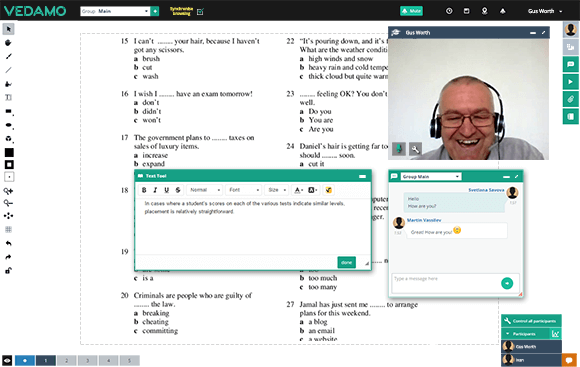
Vedamo is a virtual classroom platform that supports live online teaching and course management. It provides tools for conducting interactive lessons, managing learners, and organizing course content within a browser-based environment. The platform supports both standalone online teaching and blended learning models that combine virtual and face-to-face instruction.
Key features include:
- Live online teaching environment: Enables educators to conduct interactive classes using video conferencing and real-time communication.
- Interactive whiteboard: Supports collaborative drawing, writing, and visual explanations during lessons.
- Screen sharing tools: Allows instructors to present documents, websites, or applications directly to participants.
- Breakout rooms for group work: Divides learners into smaller groups for discussions or collaborative tasks.
- Integrated media playback: Supports audio and video playback for demonstrations, language learning, or multimedia instruction.

Source: Vedamo
5. BigBlueButton

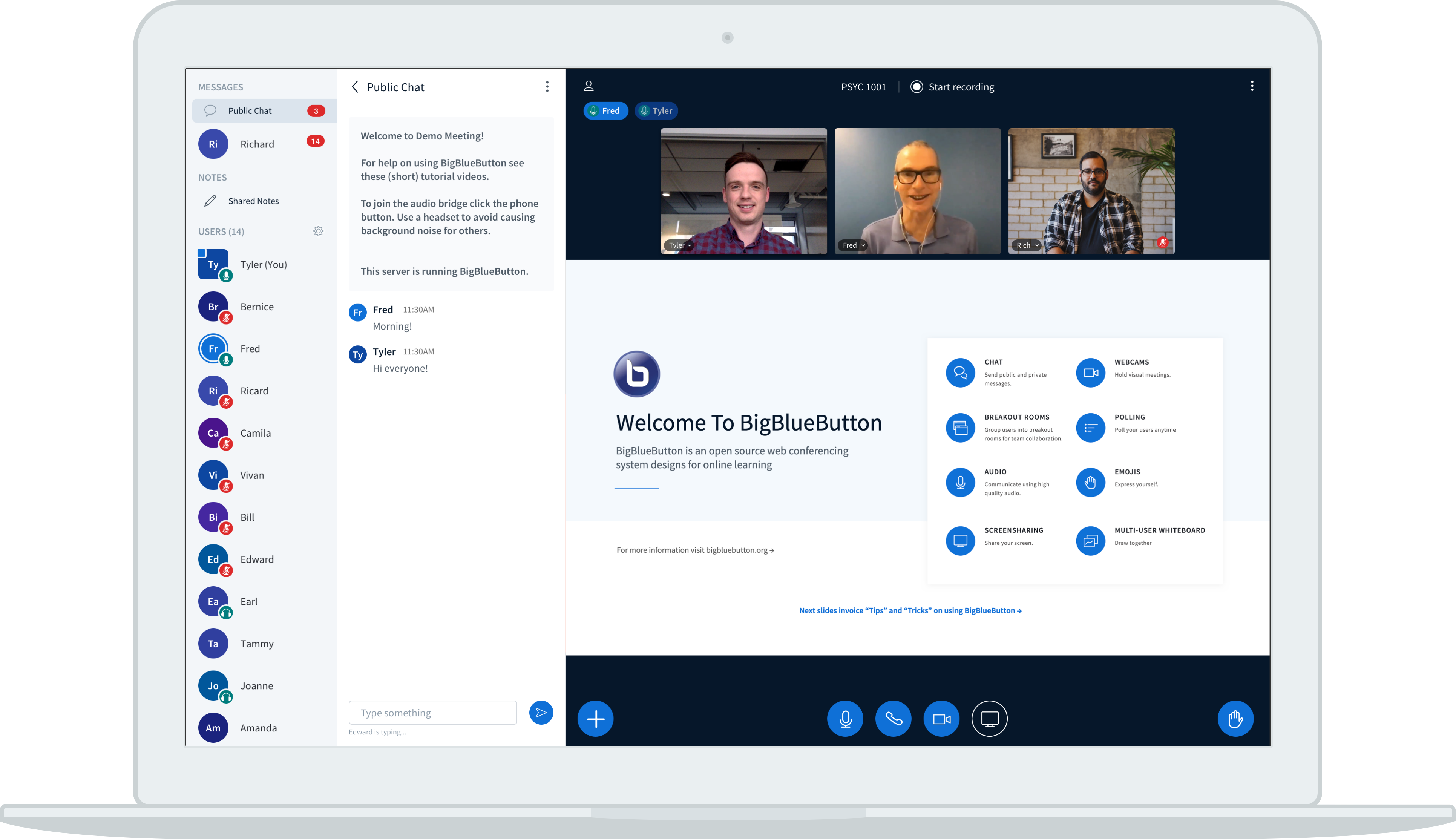
BigBlueButton is an open-source virtual classroom platform specifically for online learning. Unlike general-purpose video conferencing tools, it focuses on features that support teaching workflows and active learning. The platform includes built-in collaboration tools and integrates with learning management systems to support structured online instruction.
Key features include:
- Education-focused platform design: Built specifically for teaching and learning scenarios rather than general meetings.
- Interactive classroom tools: Provides real-time collaboration features that encourage student participation.
- Multiuser whiteboard: Allows instructors and students to write or draw simultaneously on a shared digital board.
- Learning analytics and engagement monitoring: Enables instructors to identify participation levels and support struggling students.
- Learning management system integration: Integrates with platforms such as Canvas and Moodle to support course workflows.

Source: BigBlueButton
Learning Management and Engagement Tools
6. Google Classroom

Google Classroom is a cloud-based learning management system that enables educators to create, distribute, and manage assignments in a digital environment. As part of Google Workspace for Education, it integrates with collaboration tools and analytics features that help teachers monitor student progress and organize classroom activities. The platform supports both synchronous and self-paced learning models.
Key features include:
- Assignment and coursework management: Teachers can create, distribute, and review assignments within a centralized digital classroom.
- Personalized learning tools: Supports differentiated instruction and adaptive learning experiences.
- AI-supported teaching tools: Includes AI capabilities that assist educators with lesson creation and instructional tasks.
- Classroom analytics and insights: Provides data on student engagement and assignment performance.
- Plagiarism detection tools: Scans submissions for originality to help maintain academic integrity.

Source: Google
7. Edsby

Edsby is a digital learning platform for K–12 school systems. It combines learning management, assessment tools, communication features, and student data reporting within a single environment. The platform connects teachers, students, parents, and administrators, enabling schools to manage academic activities and communication across the entire school community.
Key features include:
- Unified K–12 learning platform: Combines course management, attendance tracking, assessment, and communication in one system.
- Student learning dashboard: Provides students with access to schedules, assignments, and learning activities.
- Parent engagement tools: Enables parents to view grades, assignments, and school communications in one interface.
- Assessment and reporting capabilities: Supports gradebooks, report cards, and structured evaluation methods.
- Secure school communication environment: Provides a centralized platform for communication between educators, students, and families.

Source: Edsby
8. Wooclap

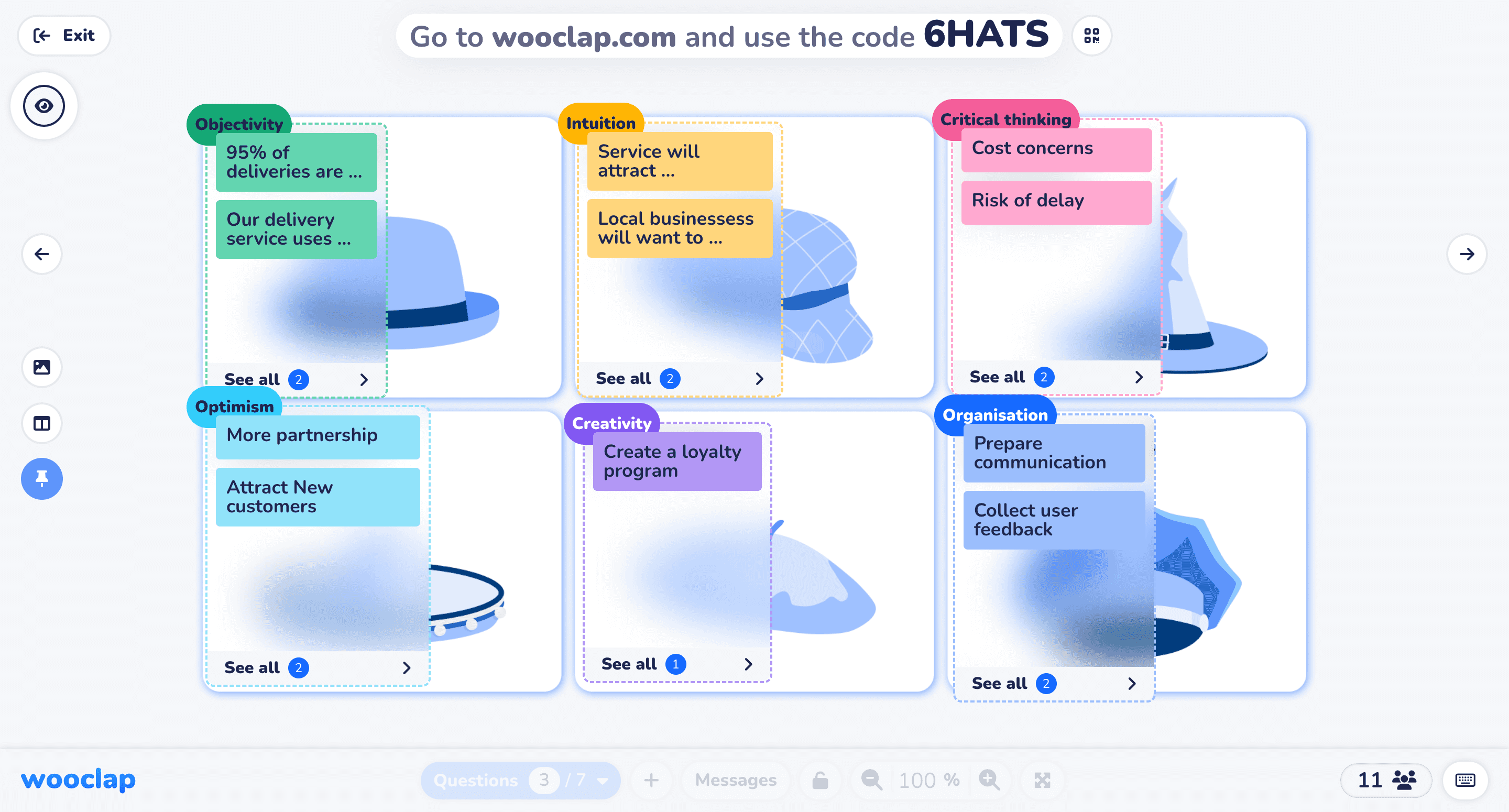
Wooclap is an interactive learning platform that enables educators to engage students through live questions and collaborative activities. It supports both in-person and remote learning environments by allowing students to participate using their own devices. The platform focuses on increasing participation and providing real-time feedback to instructors.
Key features include:
- Interactive question formats: Supports polls, quizzes, word clouds, surveys, and open-ended responses.
- Real-time participation and feedback: Displays responses instantly, allowing instructors to adapt lessons based on student understanding.
- Live and asynchronous activities: Enables both real-time classroom interaction and independent student participation outside class.
- Integration with presentation and LMS tools: Works with platforms such as PowerPoint, Google Slides, and learning management systems.
- Participation tracking and analytics: Provides insights into attendance, engagement, and student responses during activities.
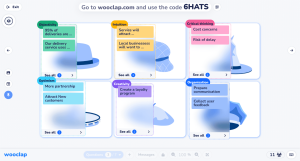
Source: Wooclap
Related content: Read our guide to virtual classroom software
Conclusion
Virtual classroom tools have redefined how educators and students interact, making learning more accessible, flexible, and inclusive. With a wide variety of platforms available—each offering specialized features—schools and organizations can choose solutions that fit their instructional goals, class sizes, and learner needs. As technology continues to advance, these tools will play an even greater role in shaping the future of education.
Was this post useful?
Thank you for your feedback!