Virtual Conference Platforms: 10 Solutions to Know in 2026
A virtual conference platform is a digital solution that enables the hosting of conferences, exhibitions, and other professional gatherings online

The shift to remote work has accelerated the need for interactive ways to host professional gatherings online. Virtual conference platforms meet this need by combining video, chat, and networking tools into one solution. Learn about the top video conference platforms you can use to deliver impactful virtual events.
What is a virtual conference platform?
A virtual conference platform is a digital solution that enables the hosting of conferences, exhibitions, and other professional gatherings online. These platforms integrate various communication tools such as video conferencing, live streaming, and interactive features to replicate in-person event experiences and improve participant experience.
Core capabilities include:
- Video conferencing for real-time interaction
- Live streaming for broad content delivery
- Interactive tools such as chat, Q&A, and polls
- Customizable templates and branding options to maintain a consistent event identity
- Tools to support audience participation and interaction
- Scalability from small meetings to large, multi-track conferences
These platforms are built to support engagement and deliver content in multiple formats, such as keynote presentations, panel discussions, and networking sessions. Some platforms also allow organizations to manage and promote online events, and repurpose video content from an event to increase exposure and return on investment.
This is part of a series of articles about virtual events.
Understanding the virtual events and conference market
According to recent market research, the virtual events market is expanding as organizations shift conferences, webinars, and exhibitions to digital formats. It is valued at USD 16.61 billion and projected to reach USD 27.65 billion by 2031, growing at a CAGR of 10.72%. Cost comparisons play a central role in this shift, as companies evaluate the total cost of ownership between physical and virtual events. Rising expenses for venues, travel, and sustainability measures make digital formats more economically viable.
Adoption is driven by structural changes in how organizations operate and communicate. Cloud-based collaboration and unified communications platforms increasingly include event-hosting capabilities, reducing the need for standalone webinar tools. At the same time, remote and hybrid work models make it harder to coordinate in-person events, increasing reliance on virtual formats for meetings, training, and company updates. Digital events also allow organizations to reach global audiences without the logistical constraints and costs associated with physical attendance.
Technology development is expanding what virtual events can deliver. Generative AI supports features such as real-time translation, automated captions, and personalized content, improving accessibility and relevance for participants. Platforms are also introducing AI-based networking and matchmaking to connect attendees and recommend sessions. In parallel, extended reality environments are emerging as a more immersive option, enabling interactive demonstrations and virtual spaces, although browser-based platforms remain dominant due to ease of access.
How virtual conference platforms work
Virtual conference platforms integrate multiple digital tools for communication, content sharing, and audience engagement. These platforms are typically cloud-based, allowing participants to join from any location with an internet connection.
The following are the key elements of a basic virtual conference experience, while many platforms provide many additional features, as described in the following section:
- Event setup and customization: Organizers configure the platform by selecting event types (webinars, breakout sessions, networking lounges) and customizing the interface with branding elements such as logos, color schemes, and event schedules. Many platforms provide templates and automation features to streamline this process.
- User access and registration: Attendees register through an online portal, where they receive unique login credentials. Depending on the platform, authentication methods such as single sign-on (SSO) or two-factor authentication (2FA) may be used for security.
- Live and pre-recorded sessions: Virtual conferences support both live and on-demand content. Live sessions use real-time video streaming, often with chat, Q&A, and polling features to engage the audience. Pre-recorded sessions allow flexibility for attendees across different time zones.
- Interactive features and networking: To increase engagement, platforms offer interactive tools such as virtual booths, breakout rooms, AI-driven matchmaking, and discussion forums. Some solutions incorporate gamification, leaderboards, or rewards to encourage participation.
- Analytics and post-event data: Organizers can track engagement metrics, attendance rates, and session popularity using built-in analytics tools. Many platforms provide post-event reports that help evaluate success and gather insights for future improvements.
Related content: Read our guide to virtual event platforms
Key features of virtual conference platforms
A virtual conference platform typically includes the following capabilities.
1. Event management and scheduling
Effective event management and scheduling are crucial for organizing a seamless virtual conference:
- Centralized dashboard for building event agendas, managing speakers, and configuring session types
- Scheduling tools that account for time zones and session overlaps
- Pre-designed templates for fast setup with customizable branding (logos, banners, colors)
- Calendar syncing and automated notifications to keep attendees informed
- Real-time schedule updates for last-minute changes
- Session reminders via email or push alerts to reduce missed events
- Waitlists and capacity limits to control attendance and avoid overbooking
2. Live streaming and on-demand content
Live streaming is a core feature of virtual conference platforms, enabling real-time presentations and interactions:
- High-quality video streaming with adaptive bitrate support for varied internet connections
- Interactive live features including chat, Q&A modules, and real-time polls
- Support for multiple presenters during live sessions (ideal for panels or co-presenting)
- Live transcription and translation for better accessibility—in modern platforms these are powered by AI
- On-demand session access through a searchable content library
- Content segmentation for breaking down sessions into shorter clips
- AI video tools for generating highlights, summaries, and key takeaways
- Options to repurpose content for marketing, training, or internal distribution
3. Audience engagement tools
Virtual conference platforms include a range of audience engagement tools designed to keep participants actively involved throughout the event:
- Live polls, chat, and Q&A sessions for real-time interaction
- Gamification elements like quizzes, scavenger hunts, and leaderboards to boost engagement
- Reaction buttons and quick feedback tools such as emoji-based responses
- Sentiment analysis and behavior tracking to assess engagement
- Moderated discussions and virtual hand-raising to manage interaction flow
- Breakout rooms and discussion boards to support collaborative learning
4. AI and automation tools
AI and automation tools improve the efficiency and personalization of virtual conference experiences:
- Chatbots for attendee assistance and navigation
- AI-driven content recommendations based on participation patterns
- Automated email reminders, schedule management, and content tagging
- AI moderation for chat sessions to maintain professionalism
- Real-time speech-to-text transcription for accessibility
- Automated session summaries and insight generation
- Simplified organizer workflow with reduced manual tasks
5. Networking and community building
Networking is a key component of any conference, and virtual platforms integrate various tools to support meaningful connections:
- AI-driven attendee matchmaking based on profiles and engagement history
- Networking lounges, breakout rooms, and one-on-one meeting capabilities
- Digital business card exchanges and themed discussion forums
- Private messaging and integration with social media for continued interaction
- Post-event discussion groups to maintain community engagement
- Interactive attendee directories to explore profiles and schedule follow-ups
- Tools to promote ongoing learning and long-term relationship building
5. Sponsorship and exhibitor opportunities
Virtual conference platforms provide a range of opportunities for sponsors and exhibitors to showcase their products and services:
- Digital booths for branding, content sharing, and live product demos
Chat and video call options for real-time attendee interaction
Banner ads and sponsored content placements for visibility - Integrated lead capture tools for post-event sales follow-up
- Gamified booth visits and rewards to increase sponsor exposure
- Real-time engagement analytics for sponsors to track performance
- Custom sponsorship packages (e.g., sponsored sessions or lounges) for added value
6. Analytics and reporting
Comprehensive analytics and reporting tools allow organizers to measure the success of their virtual events:
- Tools to monitor attendance, session duration, and engagement levels
- Real-time dashboards for live metrics and on-the-fly decision-making
- Post-event reports with data on session popularity and user interaction
- Heatmaps showing the most visited content areas
- Tools for engagement scoring and satisfaction tracking
- CRM integration for data segmentation and personalized follow-up
7. Security and compliance
Ensuring data security and regulatory compliance is essential for virtual conferences, particularly when handling attendee information and proprietary content:
- End-to-end encryption and secure login via two-factor authentication
- Role-based access control to limit sensitive data exposure
- Compliance with standards like GDPR, HIPAA, and SOC 2
- Tools to prevent unauthorized access or meeting disruptions
- Waiting rooms, verification, and real-time activity monitoring
- Secure file sharing with watermarking and download restrictions
8. Automatic recording, archiving, and repurposing features
Automatic recording ensures that all sessions, including keynotes, panel discussions, and workshops, are captured and stored for future access:
- Automatic session recording with searchable archive access
- Built-in transcription and captioning for accessibility
- AI-generated highlights, summaries, and chapter markers
- Tools to convert sessions into videos, podcasts, or blog content
- Integration with LMS or marketing platforms for broader reuse
- Long-term content storage and user-friendly content navigation
10 notable virtual conference platforms
1. Kaltura

Kaltura’s all-in-one platform powers virtual and hybrid events with a strong focus on engagement, flexibility, and brand control. It’s trusted across industries—from tech and finance to healthcare and education—thanks to its ability to deliver highly customizable, scalable experiences for any audience size. Kaltura is ideal for companies seeking deep audience engagement, measurable results, and a comprehensive and easily scalable video-first approach to events.
Key features include:
- Flexible formats: Supports a wide range of event types—live, pre-recorded, simulive, and on-demand—with seamless transitions between them. Great for everything from regional meetups to global conferences.
- Engagement-centric: Packed with interactive features like gamification, polls, quizzes, emojis, and choose-your-own-path videos. User profiles and content hubs boost long-term participation.
- AI-powered efficiency: Built-in GenAI tools for agenda creation, content repurposing, and real-time engagement insights help teams work smarter.
- Strong post-event ROI: Easily turn sessions into reusable VOD assets with centralized content management and no need for third-party tools.
- Advanced branding & accessibility: Fully brandable experiences on any device, with multilingual support, captioning, and dual-screen sign language displays.
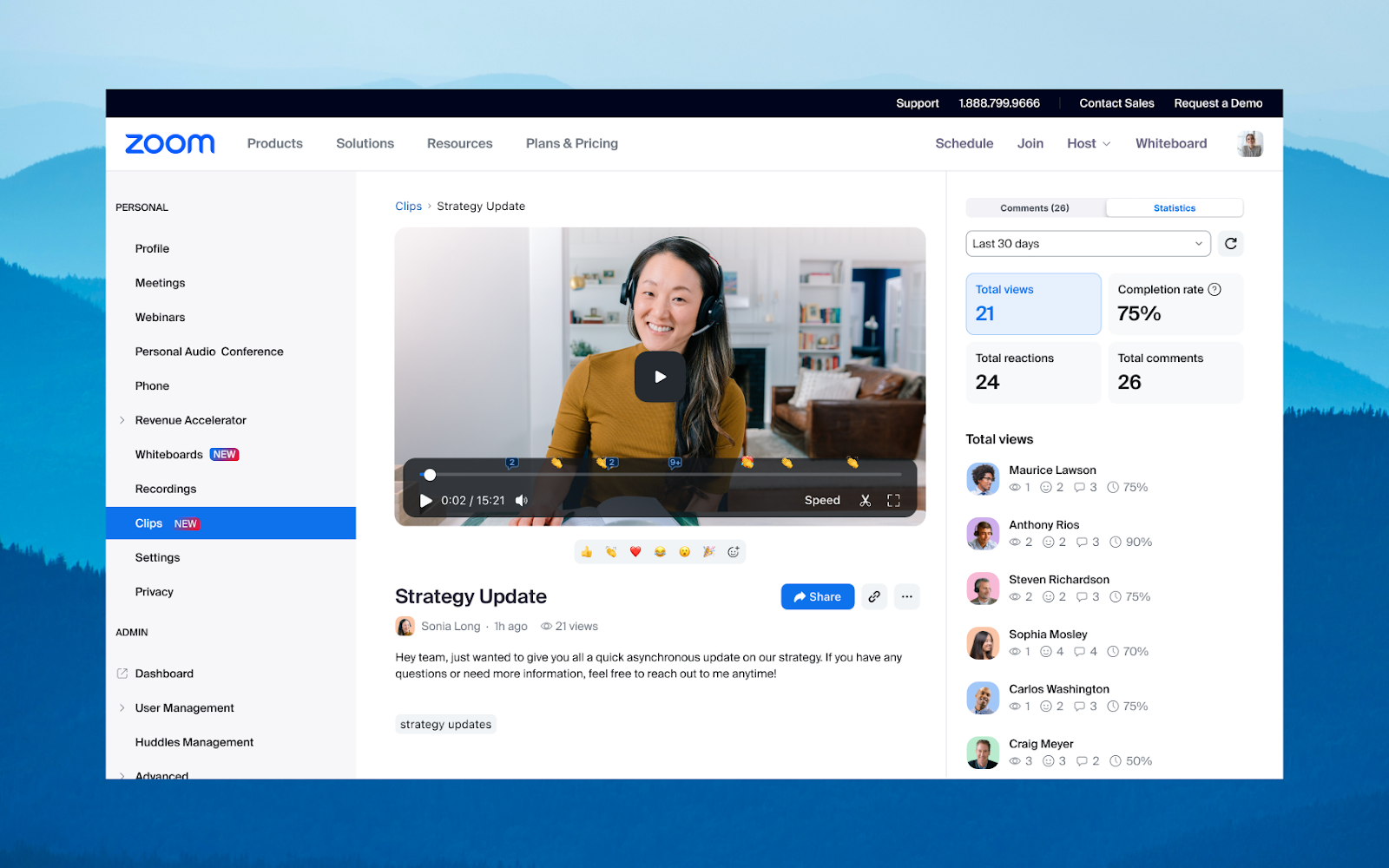
2. Zoom

Zoom is a video conferencing platform widely used for virtual meetings, webinars, and online events. It provides real-time communication tools along with collaboration and engagement features, making it suitable for both small meetings and larger virtual conference sessions.
Key features:
- Video and audio conferencing: Supports high-quality video meetings with multiple participants.
- Screen sharing and annotation: Allows presenters to share screens and collaborate with live annotations.
- Breakout rooms: Enables smaller group discussions within larger sessions.
- Engagement tools: Includes reactions, chat, and interactive features during meetings.
- Meeting recording: Supports local and cloud recording for later access.
- Automated captions: Provides real-time transcription for accessibility.
- Meeting management controls: Includes waiting rooms and host controls for participant access.

Source: Zoom
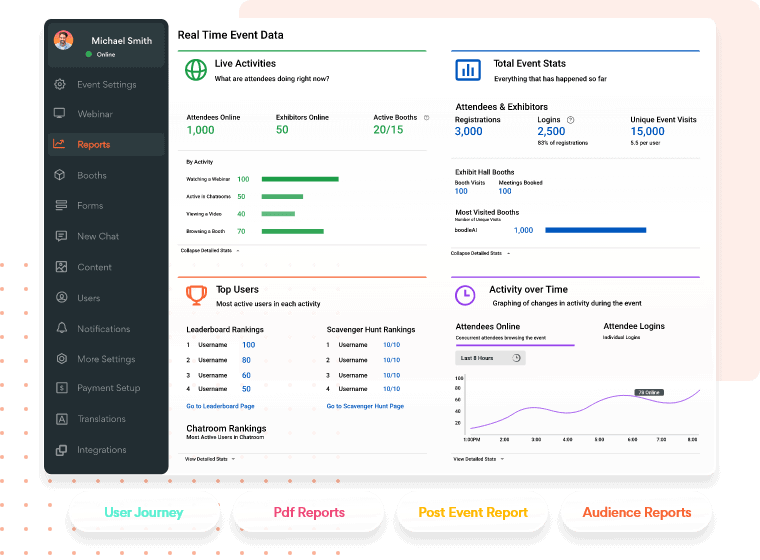
3. vFairs

vFairs is a virtual conference platform that helps support large-scale events such as conferences, trade shows, and expos. It combines event management, immersive environments, and networking tools to replicate in-person experiences in a digital format.
Key features:
- Custom event websites: Enables creation of branded registration pages with tailored forms and content.
- 2D and 3D environments: Supports virtual venues such as lobbies, exhibit halls, and auditoriums.
- Multi-track agendas: Allows attendees to navigate and schedule sessions across multiple tracks.
- Live and on-demand sessions: Supports live, semi-live, and recorded webinars with interactive features.
- Networking tools: Includes chat rooms, one-on-one meetings, and AI-based matchmaking.
- Gamification features: Encourages participation through points, rewards, and challenges.
- Analytics and reporting: Tracks engagement, attendance, and event performance metrics.

Source: vFairs
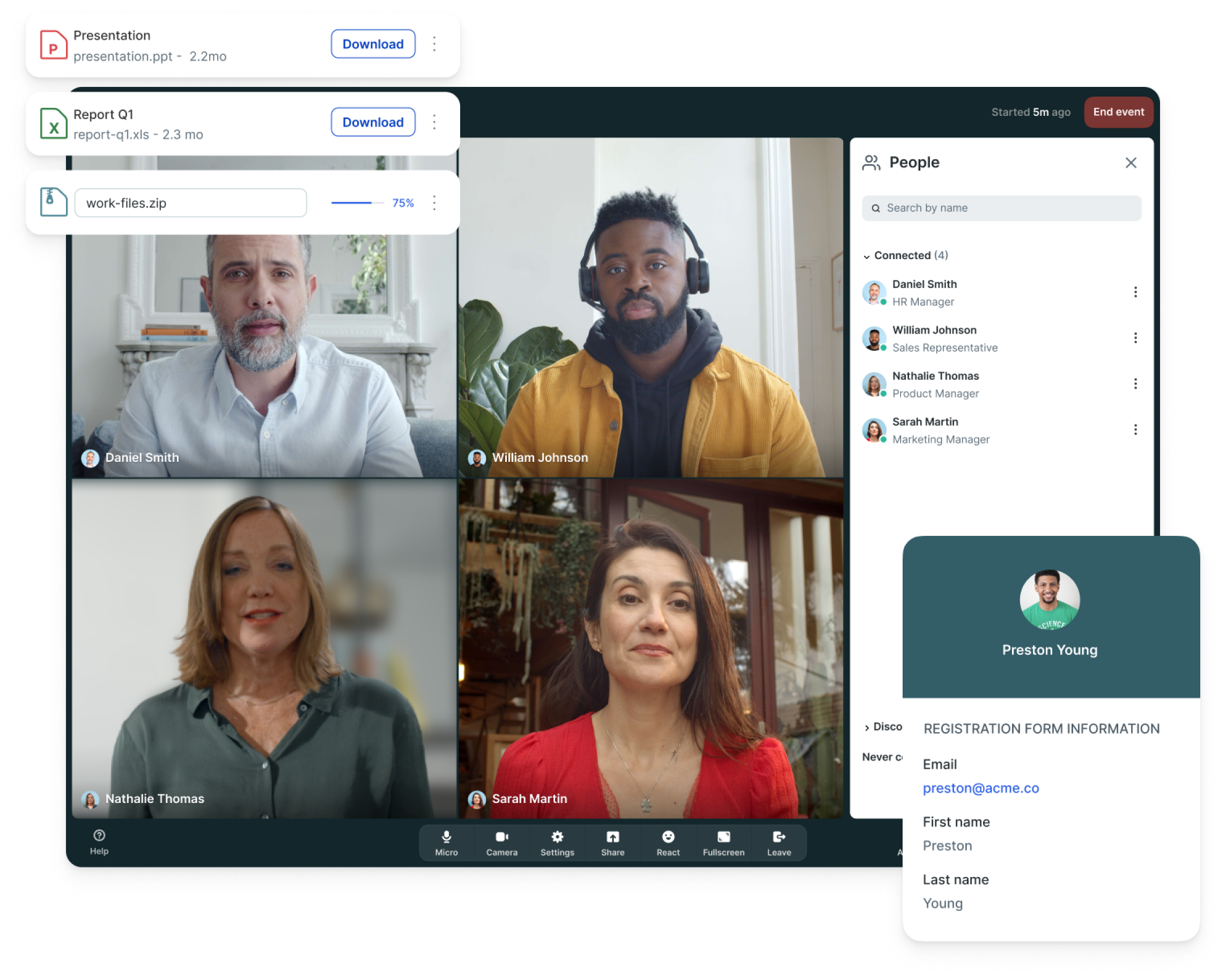
4. Livestorm

Livestorm is a browser-based virtual event platform used for webinars and online conferences. It focuses on simplifying event setup and management while providing tools for engagement, branding, and analytics.
Key features:
- Browser-based access: Allows participants to join events without installing software.
- Custom registration pages: Supports branded landing pages optimized for conversions.
- Live engagement tools: Includes Q&A, chat, and polling during sessions.
- Streaming and restreaming: Enables broadcasting to external platforms and social channels.
- Automated email workflows: Sends reminders and follow-ups to attendees.
- Analytics dashboard: Provides insights into engagement and event performance.
- CRM integrations: Syncs attendee data with marketing and sales platforms.

Source: Livestorm
5. Hublio

Hubilo is a virtual event platform focused on delivering branded and interactive experiences with strong analytics and integration capabilities. It supports end-to-end event management, from registration to post-event insights.
Key features:
- Branded event experiences: Customizes registration pages, emails, and event environments.
- High-quality streaming: Supports HD video with adaptive bitrate and multilingual captions.
- Audience engagement tools: Includes polls, Q&A, quizzes, leaderboards, and networking rooms.
- CRM integrations: Connects with platforms like Salesforce and HubSpot for lead tracking.
- Detailed analytics: Tracks attendee behavior, engagement, and conversion data.
- Production support tools: Assists with event planning, scripting, and execution workflows.

Source: Hubilo
6. Demio

Demio is a webinar platform designed for marketing and lead generation, combining engagement tools with analytics to track audience behavior and conversion outcomes. It supports live, automated, and on-demand webinars.
Key features:
- Interactive engagement tools: Includes polls, chat, Q&A, and audience participation features.
- Automated webinars: Supports scheduled and on-demand events for continuous lead generation.
- Engagement analytics: Tracks attendee actions such as clicks, downloads, and participation.
- Custom branding: Allows branded registration pages, emails, and webinar rooms.
- Lead capture and tracking: Collects attendee data and integrates with CRM systems.
- Email automation: Sends reminders and follow-ups to improve attendance and retention.

Source: Demio
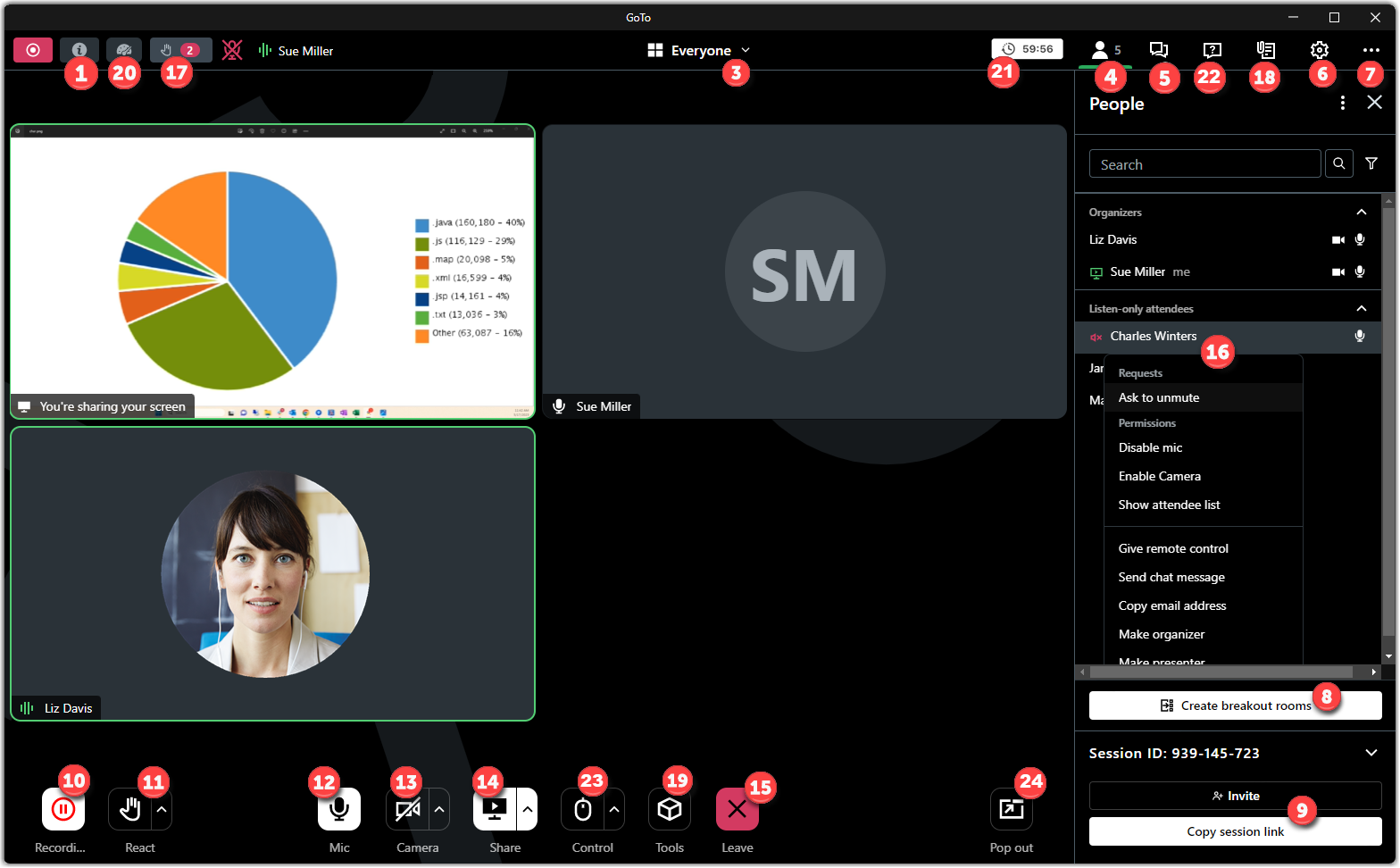
7. GoToWebinar

GoToWebinar is a web conferencing solution for hosting secure and scalable virtual events and webinars. It provides reliable video conferencing along with tools for collaboration and audience management.
Key features:
- Scalable video conferencing: Supports meetings with up to 250 participants.
- Cross-device access: Allows joining from browsers or mobile devices without installation.
- Adaptive streaming quality: Adjusts video and audio based on bandwidth conditions.
- Security controls: Includes password protection, meeting locks, and compliance features.
- Screen sharing: Displays presentations alongside participant video feeds.
- Cloud recording: Stores sessions for later playback and sharing.
- Integrations: Connects with tools like Slack, Outlook, and Google Calendar.

Source: GoToWebinar
8. WebinarJam

WebinarJam is a webinar platform focused on live presentations, automation, and audience growth. It supports large-scale events and includes tools for engagement and monetization. The platform is built to simplify webinar delivery while enabling organizations to reuse content and scale outreach through automated workflows.
Key features:
- Live webinar hosting: Supports interactive presentations with multiple participants.
- Automation tools: Enables automated replays and evergreen webinar workflows.
- Scalable infrastructure: Supports events ranging from small sessions to large audiences.
- Browser-based access: Allows attendees to join easily without complex setup.
- Engagement features: Includes interactive tools to maintain audience participation.
- Marketing tools: Supports audience growth and monetization strategies.

Source: WebinarJam
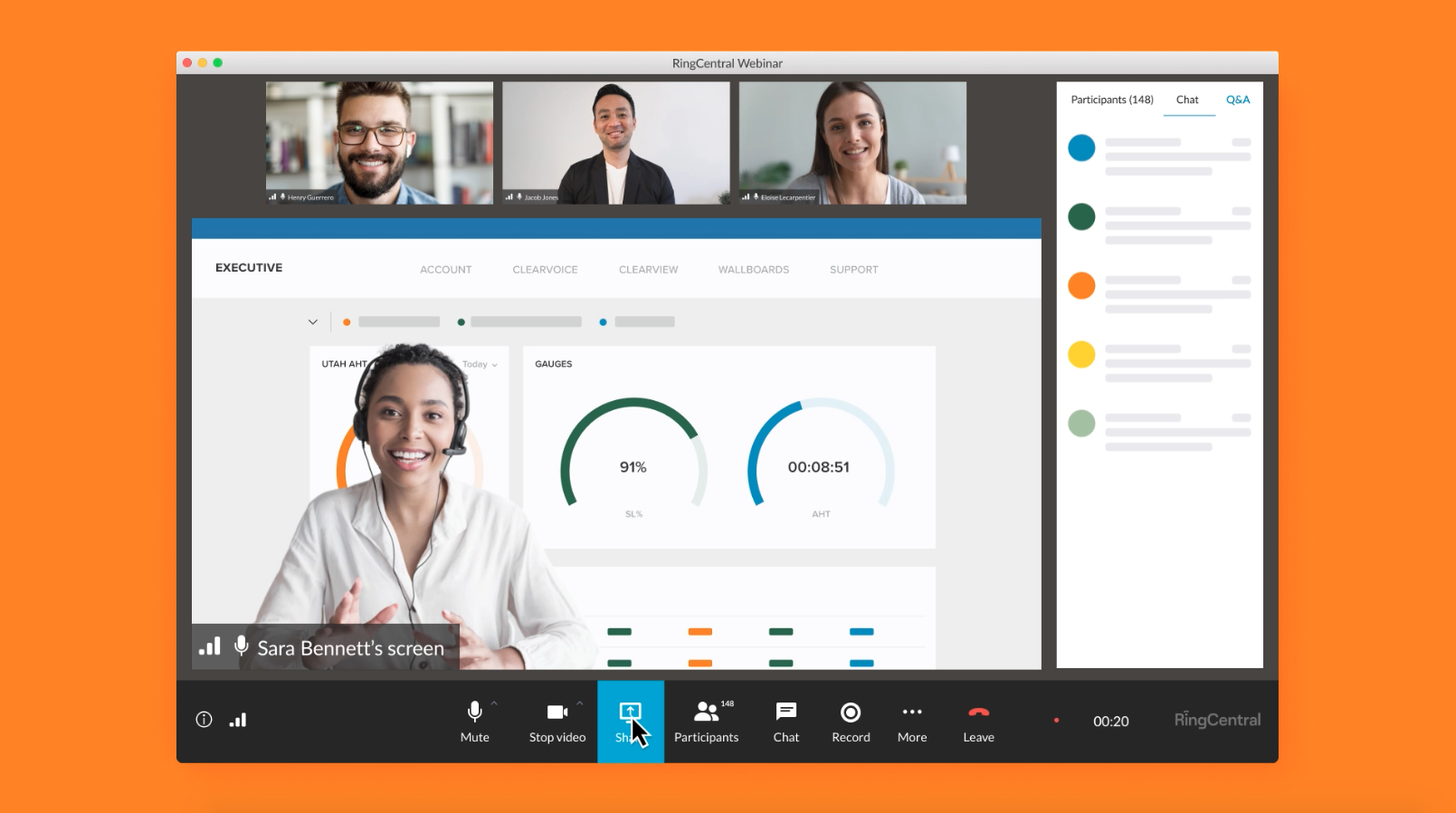
9. RingCentral Webinar

RingCentral Webinar is a platform for hosting large virtual meetings, town halls, and training sessions with integrated AI and engagement tools. It focuses on ease of setup and controlled event management. The platform also integrates AI features to streamline content creation and improve interaction during live sessions.
Key features:
- Simple event setup: Allows quick creation and management of webinars.
- Browser-based participation: Enables attendees to join without downloading software.
- Interactive engagement tools: Includes polls, Q&A, and live chat features.
- AI-powered assistance: Supports automated content generation and Q&A responses.
- Role-based controls: Manages panelists and allows attendees to join the stage.
- Analytics and reporting: Tracks attendance and engagement metrics.
- Automated communications: Sends registration confirmations and reminders.
Source: RingCentral
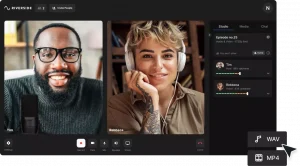
10. Riverside

Riverside is a virtual event and recording platform focused on producing video and audio content for conferences, webinars, and podcasts. It emphasizes recording quality and post-production flexibility. The platform is particularly suited for teams that need high production value and detailed control over recorded media assets.
Key features:
- High-resolution recording: Captures video up to 4K and uncompressed audio.
- Local recording: Records separate audio and video tracks for each participant.
- Live streaming and simulcasting: Broadcasts events to multiple platforms simultaneously.
- Browser-based access: Allows participants to join sessions without installation.
- Post-production control: Provides separate tracks for editing and content reuse.
- Automated uploads: Saves recordings directly to the platform for easy access.
- AI-powered tools: Includes transcription, captions, and content generation features.
Source: Riverside
Conclusion
Virtual conference platforms have transformed how organizations plan and execute events, enabling global reach, real-time collaboration, and scalable engagement from any location. Whether hosting a small webinar or a large multi-day summit, the right platform can streamline operations, boost participation, and extend the value of content long after the event ends.
Was this post useful?
Thank you for your feedback!