Best virtual event management in education: Top 6 solutions in 2026

Virtual event management in education involves planning and executing online events like webinars, virtual conferences, and online training sessions. These events use technology to deliver educational content and create engagement among attendees, regardless of their physical location. To succeed, you’ll need to choose the right platform, engage attendees, and enable effective collaboration and feedback.
There are several benefits to using virtual event management tools in the education sector, which we discuss in more detail below:
- Increased accessibility: Virtual events break down geographical barriers, allowing students and educators from different locations to participate.
- Cost-effectiveness: Virtual events can be more affordable than traditional in-person events, as they eliminate travel and venue costs.
- Flexibility and convenience: Participants can access events at their own pace and convenience, fitting them around other commitments.
- Scalability: Virtual events can be scaled to accommodate large numbers of attendees, making them suitable for large-scale conferences or training sessions.
- Data collection and analysis: Virtual event platforms can provide valuable data on attendee engagement, participation, and feedback, allowing for continuous improvement.
What are virtual event management solutions?
Virtual event management solutions are software platforms designed to plan, host, and manage events in an online or hybrid format. These solutions provide a comprehensive set of tools to enable scheduling, registration, real-time communication, engagement, analytics, and follow-up activities for digital gatherings.
Typical features include live streaming, breakout rooms, chat functions, virtual exhibitor areas, and attendee management, making them suitable for events ranging from webinars and open days to conferences and career fairs. By virtualizing event administration, these platforms simplify organizational tasks and foster consistent engagement among dispersed participants.
In the context of education, virtual event management solutions allow academic institutions to extend the reach and impact of their events beyond geographic boundaries. Schools, universities, and training providers can use these systems to deliver interactive open days, admissions consultations, classroom instruction, and professional development seminars entirely online or through a blended approach.
The integration of event management tools with learning management systems (LMS) further improves the educational experience by automating communication, tracking participation, and collecting feedback for continuous improvement.
Understanding the virtual event market trends
The global virtual events market is valued at USD 16.61 billion and is projected to reach USD 27.65 billion by 2031, growing at a 10.72% compound annual growth rate (CAGR).
Key market segments
Different segments contribute to the growth of the virtual events market. Web-based platforms dominate the sector, accounting for 48.43% of market revenue, mainly because they allow participants to join events directly through a browser without installing additional software.
By event type, webinars generated 45.75% of total revenue, making them the most common format for virtual gatherings. Conferences and summits also represent a major use case, accounting for 42.64% of applications.
Corporate organizations currently represent the largest user group with 41.52% of demand, but educational institutions are expected to grow the fastest, with an estimated 11.57% CAGR through 2031.
Technology trends shaping virtual events
New technologies are expanding what virtual events can offer. Generative AI is being integrated into platforms to enable real-time translation, automated responses to attendee questions, and personalized event schedules. These features improve accessibility and engagement for international audiences.
Beyond generative AI, a new wave of agentic AI is beginning to reshape virtual events. Unlike traditional AI tools that simply respond to prompts, AI agents can proactively assist attendees throughout the event journey. These agents can answer questions based on event content, recommend relevant sessions, connect attendees with peers or experts, surface key insights from presentations, and even perform tasks on the user’s behalf. As virtual events become more content-rich and personalized, agentic AI has the potential to transform events from passive viewing experiences into intelligent, interactive environments that adapt to each attendee’s goals and interests.
Extended reality (XR) environments are also gaining attention. Although browser-based platforms remain dominant, XR spaces are expected to grow at an 11.64% CAGR through 2031. These environments allow participants to interact with immersive 3D spaces, which can enhance demonstrations, simulations, and interactive learning experiences.
Benefits of virtual event management in education
Virtual event management solutions offer several practical advantages for educational institutions aiming to expand their digital capabilities.
1. Increased accessibility
Virtual event management solutions make it easier for students, educators, and stakeholders to participate in events regardless of physical location. This is especially valuable for reaching international students, remote learners, or participants with mobility challenges who might otherwise be excluded from in-person gatherings.
They also allow institutions to create more inclusive environments by offering features like real-time translation, closed captioning, and on-demand recordings, enabling participants with diverse needs and schedules to engage fully.
2. Cost-effectiveness
By moving events online, institutions eliminate significant expenses such as venue rental, travel, accommodation, and printed materials. This allows schools and universities to allocate budgets toward enhancing content quality or investing in better technology for a richer participant experience.
Virtual platforms also enable cost-efficient scaling for larger audiences without proportionally increasing logistical costs, making it easier to host frequent or recurring events without exceeding budget constraints.
3. Flexibility and convenience
Students and staff can join virtual events from any location using laptops or mobile devices, allowing them to balance participation with other personal or academic commitments. Recorded sessions provide additional flexibility, enabling attendees to revisit key content or catch up on sessions they missed.
For organizers, virtual tools streamline scheduling, communication, and updates, reducing administrative overhead and enabling faster adjustments to event formats or agendas as needed.
4. Scalability
Virtual events can accommodate anywhere from a handful of participants to thousands, adapting easily to different use cases such as small training workshops or large-scale conferences. Platforms are designed to handle high volumes of concurrent users without compromising performance.
This scalability allows educational institutions to expand their reach, engaging broader audiences across regions and even running multiple parallel sessions to cater to diverse interests simultaneously.
5. Data collection and analysis
Virtual event platforms automatically track participant engagement, attendance, and interactions during events. This data provides valuable insights for assessing event success and identifying areas for improvement.
Analytics dashboards allow organizers to monitor metrics like session popularity, participant feedback, and conversion rates, supporting data-driven decisions for refining future events and tailoring content to audience needs.
Key use cases for virtual event management in education
Virtual open days and campus tours
Virtual open days and campus tours allow educational institutions to showcase their facilities, programs, and community culture to a global audience. Prospective students and parents can explore virtual maps, attend live Q&A sessions, and chat with faculty or student ambassadors without leaving home. This digital approach increases engagement and provides a flexible, interactive alternative to traditional in-person events. In addition, schools and universities can personalize the virtual experience based on participant interests.
The use of pre-recorded video tours and live sessions means that each visitor can focus on departments or activities relevant to them, ensuring a more targeted experience. Event management platforms track user engagement and questions, delivering insights that help refine future virtual events and marketing strategies.
Online admissions and enrollment events
Online admissions and enrollment events enable direct interaction between prospective students, admissions officers, and academic advisors. These events simplify the application and decision-making process by allowing applicants to access requirements, attend live information sessions, and receive immediate support through chat or video calls. The virtual format also broadens access for families unable to attend in person.
Digital admissions events incorporate automated reminders, form submissions, and collaborative tools to guide participants through each step. This organized workflow minimizes manual errors, simplifies communications, and improves the applicant experience. Institutions benefit from better tracking of conversion metrics and actionable analytics, enabling effective follow-up and continuous process optimization.
Virtual classrooms and training sessions
Virtual classrooms powered by event management solutions provide a dynamic and interactive educational environment. Instructors can schedule sessions, deliver live or recorded lectures, use breakout groups for collaborative activities, and monitor attendance seamlessly within a single platform. Features such as live polls, quizzes, and chat functions improve student engagement and support real-time feedback.
In addition, virtual event management integrates with learning management systems to automate grading, distribute materials, and record participation. This integration supports personalized learning paths while ensuring compliance with data protection standards. By capturing analytics on engagement and progress, educators can adapt instructional strategies and ensure that online training is effective and inclusive.
Virtual career fairs and networking events
Virtual career fairs use event management platforms to connect students and graduates with employers, industry representatives, and alumni regardless of location. These online events feature virtual booths, company presentations, one-on-one meeting scheduling, and resume uploads, providing participants multiple channels for networking and information gathering. Interactive features such as live chat and video calls support real-time engagement.
For educational institutions, virtual career fairs are highly scalable and cost-effective. They allow for precise tracking of student participation and employer interactions, enabling schools to assess outcomes and relationships. Event platforms often offer post-event analytics that help institutions gauge which sessions drove the most interest, refine future offerings, and provide targeted follow-ups to both employers and attendees.
Hybrid and virtual conferences
Hybrid and virtual conferences blend the benefits of physical and online attendance, dramatically expanding accessibility and reducing costs. Institutions can host keynote presentations, workshops, and panel discussions with participants joining from anywhere in the world. Real-time streaming, virtual breakout sessions, and interactive Q&A make large-scale educational gatherings more inclusive and impactful.
Conference organizers use management solutions to handle scheduling, session management, attendee registration, and comprehensive analytics. The ability to archive and make event recordings available after the fact increases the reach and long-term value of these events. Feedback tools and engagement metrics also allow for continuous improvement, ensuring that both virtual and in-person participants receive a high-quality experience.
Notable virtual event management solutions for education
1. Kaltura

Kaltura is a robust virtual event management platform designed to deliver engaging, scalable, and fully branded event experiences for educational institutions. Supporting virtual, hybrid, and in-person formats, Kaltura enables schools, universities, and training providers to host a wide range of events.
General features include:
- Custom branding: Ensures a consistent school identity with personalized branding.
- Diverse session types: Supports live, pre-recorded, simulive, and on-demand sessions, suited for events of all sizes and formats.
- Engagement-first design: Maximizes attendee interaction with polls, quizzes, leaderboards, gamification, networking features, emojis, chat, Q&A, choose-your-own-path videos, and real-time reactions.
- Accessibility and inclusivity: Provides live and VOD captioning, sign language interpretation, dubbing, and multi-language support.
- AI-powered tools: Leverages generative AI for agenda creation, session summaries, engagement suggestions, and automated content repurposing to extend event value.
- Post-event content management: Allows organizers to repurpose live sessions into VOD content or bite-sized educational clips within a centralized video hub.
- Analytics and reporting: Delivers real-time, cross-event data on engagement, attendance, reactions, and polls.
Education-specific features:
- Tailored portfolios for academic events: Supports open days, admissions events, virtual classrooms, alumni gatherings, faculty training, and hybrid conferences on a single unified platform.
- Centralized content management: Manages all educational content, repurposed videos, and post-event materials from a single dashboard, integrating with learning management systems.
- Inclusive environments: Prioritizes DEI through accessibility features and multilingual capabilities essential for global education audiences.
- AI-enhanced experiences: Uses AI assistants to suggest interactive elements in real-time, helping event organizers adapt content dynamically during live sessions.
Kaltura stands out by combining deep video expertise with flexible event management features, making it especially suitable for institutions seeking to create high-impact virtual and hybrid learning and engagement experiences.

2. Cvent

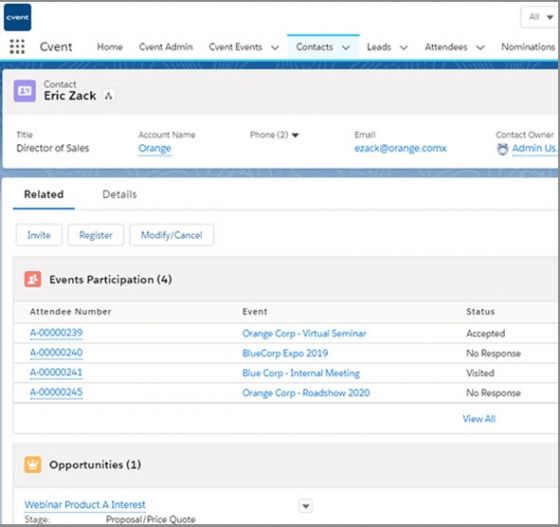
Cvent is a comprehensive event management platform that supports the full lifecycle of in-person, virtual, and hybrid events, from initial planning through post-event reporting. Used by educational institutions for campus events, conferences, and training programs, it provides tools to create, market, and manage events of varying sizes and complexity.
General features include:
- Custom-branded event websites: Enables organizers to build reusable, branded event websites and registration pages that reflect institutional identity.
- Registration and payment processing: Offers customizable registration forms with automated communication and secure payment handling.
- AI-assisted event creation: Includes built-in AI tools to help expedite event setup and enhance the attendee experience.
- Attendee engagement: Provides an Attendee Hub for virtual and hybrid events, giving attendees access to sessions, networking, and event content via web and mobile app.
- On-site event management: Simplifies day-of operations, including check-in, badge printing, and attendance tracking.
- Email marketing: Supports targeted, automated email campaigns and scheduling to promote events and manage attendee communications.
- Analytics and reporting: Delivers reporting tools to measure event impact, track registrations, and surface insights for stakeholders.
- Integrations: Connects with a wide range of third-party tools and supports an API framework for building a unified technology stack.
- Accessibility: Offers VPAT-verified features to support full participation regardless of attendee ability.
Education-specific features:
- Support for higher education events: Used by colleges and universities to manage campus events, academic conferences, faculty trainings, and public-facing programs.
- Scalable event management: Handles events ranging from small departmental sessions to large multi-day conferences without requiring separate platforms.
- Revenue and spend tracking: Allows institutions to monitor registration revenue, meeting spend, and overall event financials in one place.
- Stakeholder reporting: Enables quick reporting to department heads and institutional stakeholders on event outcomes and attendance.

Source: Cvent
3. vFairs

vFairs is an event management platform that supports virtual, hybrid, and in-person events through a unified system. It is used across education, recruitment, and corporate sectors, with tools covering registration, virtual environments, attendee engagement, onsite operations, and analytics.
General features include:
- Custom-branded registration and event websites: Supports creation of branded event pages and custom URLs, with bulk registration options for attendee groups.
- Multi-format session hosting: Accommodates live, on-demand, and semi-live webinar sessions with multi-track agenda management and personalized attendee agendas.
- Attendee engagement tools: Includes breakout rooms, polls, Q&A, chat, gamification elements such as scavenger hunts and leaderboards, and networking lounges.
- Virtual environments: Offers customizable 2D and 3D virtual venues with interactive exhibit halls, auditoriums, and networking spaces.
- Mobile event app: Provides a mobile app for personalized agendas, session check-ins, networking, and an AI-powered event assistant.
- Onsite event technology: Supports QR code and facial recognition check-in, badge printing, self-service kiosks, and lead capture.
- AI-powered tools: Includes an AI marketing assistant for email campaigns, AI content creation and repurposing, smart attendee matchmaking, and an AI reporting chatbot.
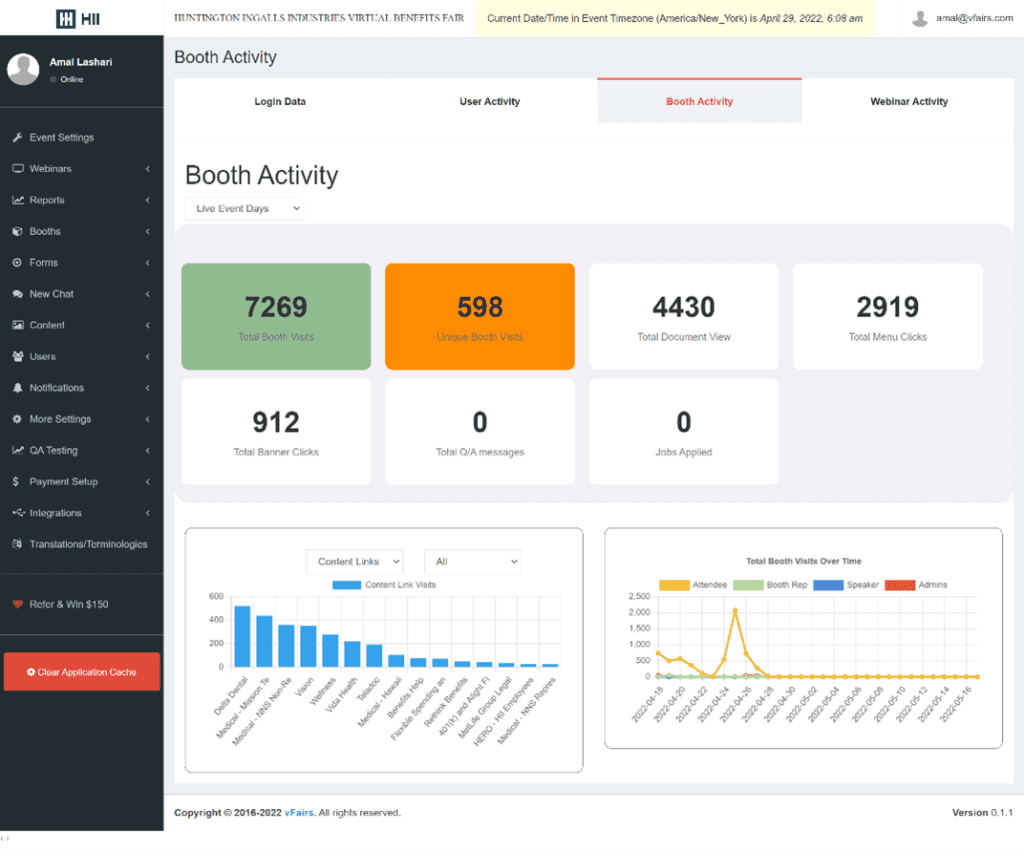
- Analytics and reporting: Delivers real-time dashboards tracking user behavior, session attendance, booth visits, and content engagement, with exportable reports.
- Accessibility and compliance: Provides WCAG and VPAT-compliant features including subtitles, live translation, video transcription, and color contrast adjustments, with GDPR, CCPA, and SOC 2 compliance.
- Integrations: Connects with CRMs, marketing platforms, video tools such as Zoom and Microsoft Teams, and over 2,000 applications via Zapier.
Education-specific features:
- University and college event support: Used for virtual career fairs, academic conferences, orientation sessions, open days, and campus recruitment events.
- Student engagement features: Includes in-event certificates, gamified participation, interactive floor maps, and 1:1 and group networking tools for student-facing events.
- Education fair hosting: Enables universities to present information to prospective students through interactive virtual booths and live chat with institution representatives.
- Abstract and paper submission management: Provides a configurable call-for-papers workflow for academic conferences, including reviewer assignment and session conversion.
- Exhibitor and sponsor portals: Offers dedicated spaces for university departments and sponsors to showcase programs and track attendee engagement.

Source: vFairs
4. Sched

Sched is an event scheduling and management platform that aims to simplify planning for conferences, professional development, and educational events. It focuses on organizing multi-track schedules and coordinating speakers, sessions, and attendees across virtual, hybrid, and in-person formats.
General features include:
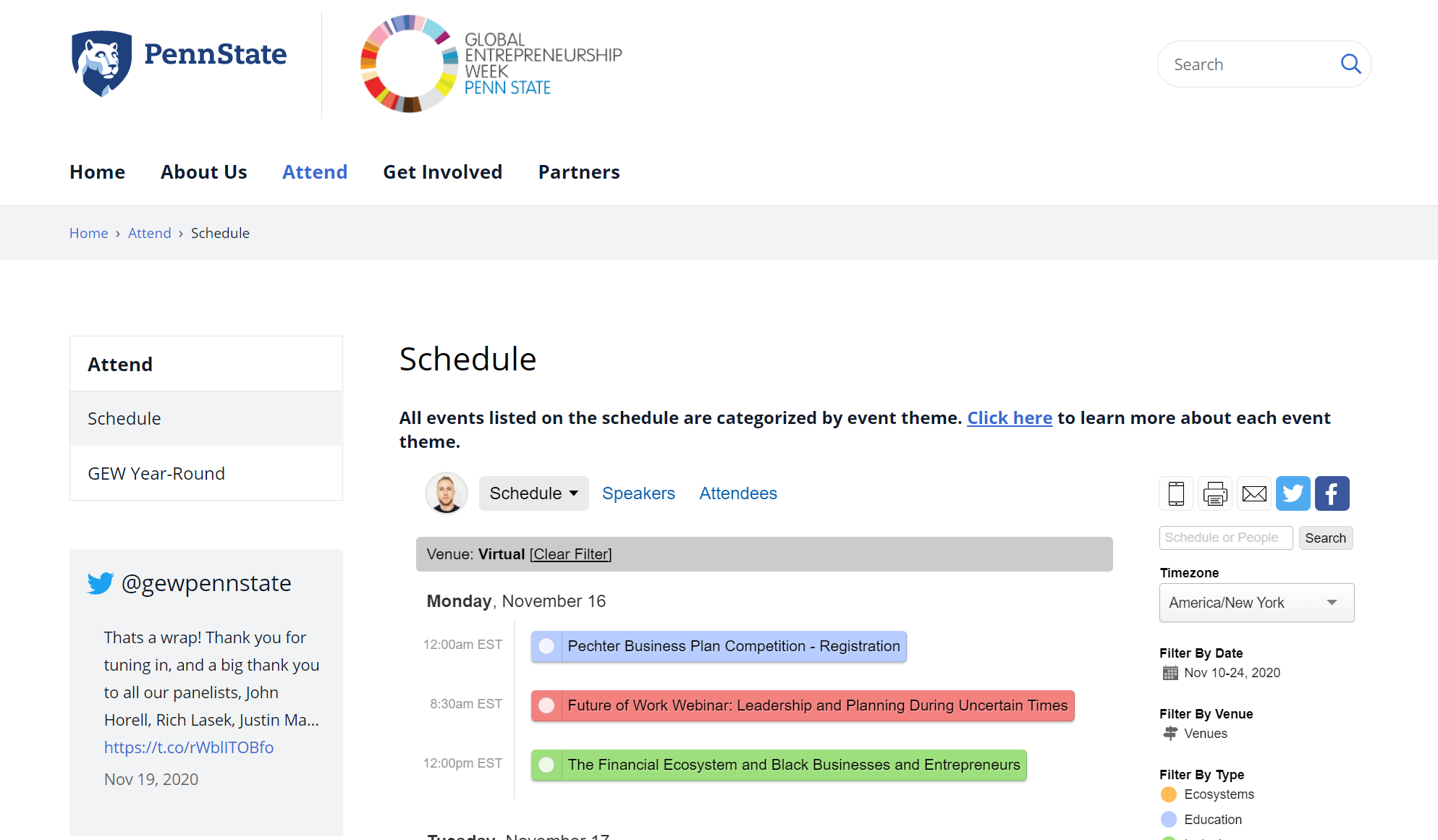
- Schedule management: Organizes sessions, tracks, and speakers in a structured event agenda.
- Event registration and ticketing: Manages attendee sign-ups and access to sessions.
- Mobile access: Provides a mobile app for personalized schedules and session tracking.
- Room and capacity management: Handles physical or virtual session allocation.
- Event analytics: Tracks attendance and engagement across sessions.
- AI event planning tools: Assists with organizing and optimizing event schedules.
Education-specific features:
- Support for schools and universities: Used for academic conferences, professional development, and continuing education.
- Multi-track session management: Enables complex academic programs with parallel sessions and workshops.
- Flexible delivery formats: Supports virtual and hybrid learning environments alongside in-person events.
- Participant coordination: Connects educators, speakers, and students within a unified schedule.

Source: Sched
5. Eventzilla

Eventzilla is a cloud-based event management platform that aims to simplify planning, registration, and attendee engagement for a range of event types including conferences, workshops, webinars, and campus events. It is used by educational institutions, healthcare organizations, and corporate event teams, with an emphasis on flexibility and ease of use.
General features include:
- Custom event websites and registration forms: Allows organizers to build branded event pages and registration forms with conditional logic, without requiring coding skills.
- Ticketing and payment management: Supports multiple ticket types, discount codes, group deals, and multiple payment options with automated waitlists and approvals.
- Multi-day and multi-track scheduling: Enables complex event agendas with color-coded session organization, speaker management, and abstract submission tools.
- Attendee engagement: Provides an Event Hub mobile app with live streaming, real-time chat, gamified networking features, and push notifications.
- Onsite management: Includes self-service kiosk check-in, QR code scanning, and badge printing for in-person events.
- Email marketing: Supports automated confirmation emails, reminders, and customizable email invitations to segmented attendee lists.
- Virtual and hybrid event support: Offers a virtual event add-on with live streaming and virtual session hubs for remote participation.
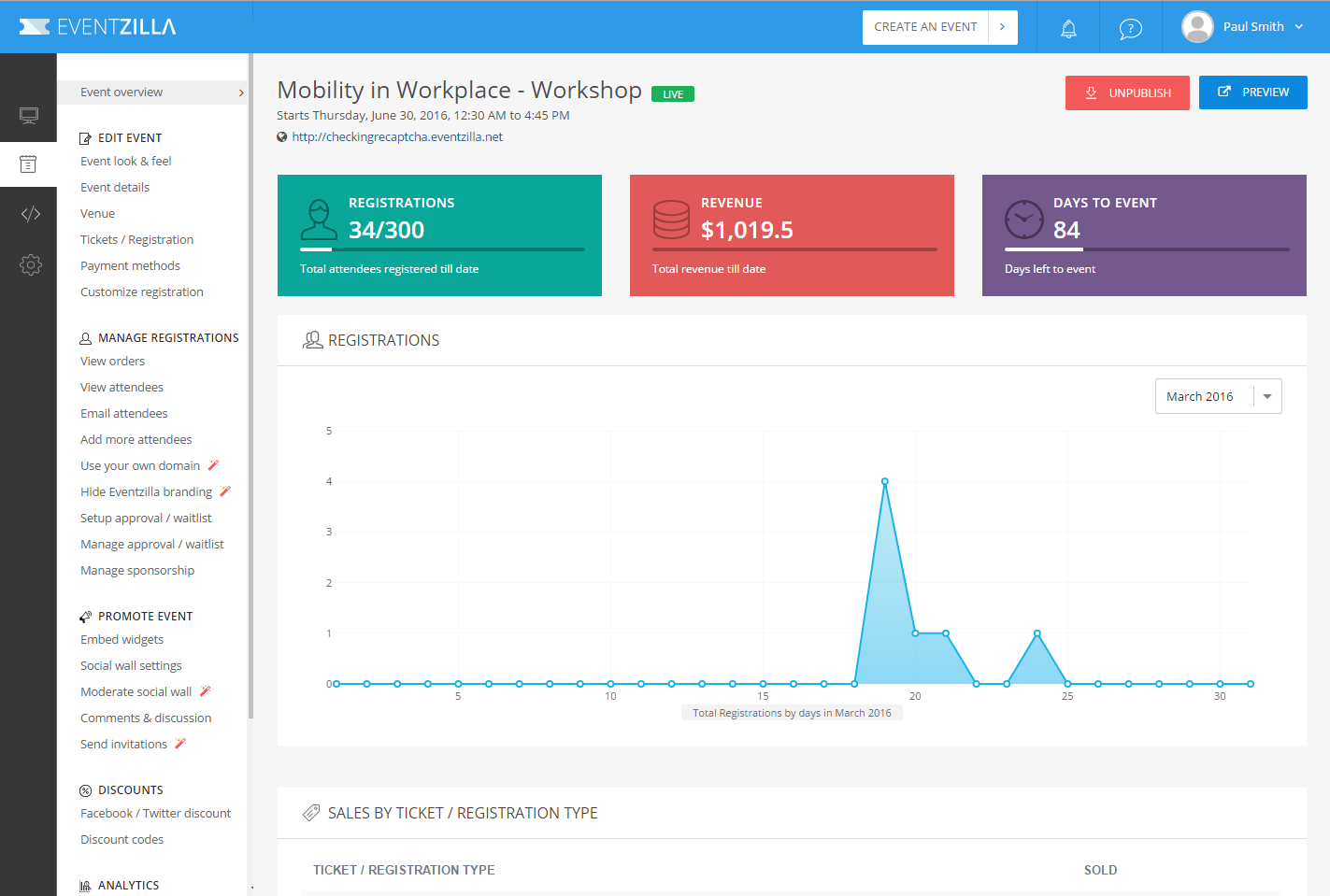
- Analytics and reporting: Provides data on registrations, attendance, conversion rates, and revenue, with export options for post-event analysis.
- Integrations: Connects with CRMs such as HubSpot and supports over 1,000 app integrations via Zapier, along with a full API.
Education-specific features:
- Support for academic event types: Used by schools and universities for conferences, orientations, guest lectures, job fairs, alumni events, and continuing education sessions.
- Flexible registration for diverse audiences: Supports customizable forms suited to students, faculty, and external attendees, with options for varying ticket access and pricing.
- Training and class management: Includes features for recurring course dates, partial payments, and completion certificates suited to training and continuing education programs.
- Integration with educational tools: Connects with systems used by schools and universities to simplify attendee data and event follow-up workflows.

Source: Eventzilla
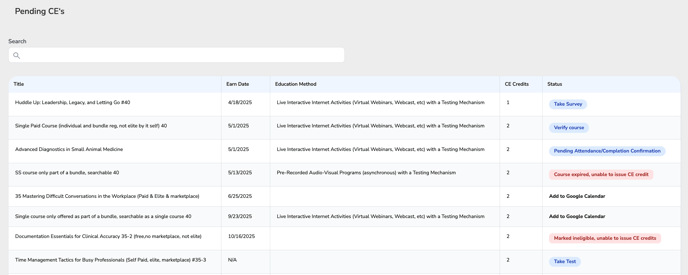
6. CE Zoom

CE Zoom is a platform that helps manage continuing education (CE) activities, combining event hosting with course delivery and tracking. It focuses on organizing, delivering, and monitoring professional education programs within a single system.
General features include:
- Course hosting: Provides access to a catalog of continuing education courses within the platform.
- Event and session management: Supports organizing and hosting educational sessions.
- Tracking and reporting: Monitors participation, completion, and compliance requirements.
- User management: Supports different roles such as professionals, presenters, and organizations.
Education-specific features:
- Continuing education focus: Designed for professional learning, certification, and license renewal programs.
- Integrated learning and event delivery: Combines course access with live or scheduled sessions.
- Compliance tracking: Helps organizations and regulating bodies monitor CE requirements.
- Centralized education management: Enables providers to manage courses, learners, and progress in one system.

Source: CE Zoom
What to look for in a virtual event management solution for education
When choosing a virtual event management solution for educational purposes, it’s important to ensure the platform aligns with the institution’s goals and offers the necessary functionality to create an effective and engaging experience. Key features to look for include:
- User-friendly interface: Easy navigation for both organizers and participants to ensure smooth interaction throughout the event.
- Customizable branding: Options to personalize the platform with school colors, logos, and event themes to maintain institutional identity.
- Scalability: The ability to accommodate both small and large events without compromising on performance or experience.
- Integration with LMS: Integration with existing learning management systems to simplify workflows and ensure easy access to educational content.
- Interactive tools: Features such as live chat, polling, Q&A, and breakout rooms to keep participants engaged and enable collaboration.
- Analytics and reporting: Tools for tracking attendance, engagement, and feedback to help measure event success and inform future planning.
- Mobile access: A mobile-friendly platform or app to ensure attendees can participate from any device.
- Security and privacy: Data protection and encryption features to ensure a safe environment for students and staff, adhering to relevant regulations like GDPR.
- Multimedia support: The ability to support video, audio, and other rich media formats to improve the presentation of materials.
- Post-event tools: Features for follow-up activities like automated emails, surveys, and easy access to recorded content for further engagement.
Conclusion
Virtual event management solutions have become essential tools for educational institutions aiming to deliver engaging, inclusive, and efficient online experiences. By enabling seamless planning, delivery, and analysis of virtual and hybrid events, these platforms help schools, universities, and training providers reach wider audiences, optimize resources, and create meaningful interactions with students and stakeholders.
Was this post useful?
Thank you for your feedback!