






Best Video Content Management Systems: Top 6 Tools in 2026

What is a video content management system?
A Video Content Management System (Video CMS) is a specialized platform for managing, organizing, and distributing video assets. It acts as a central hub for uploading, storing, editing, and sharing videos across various channels. Video CMS tools help teams categorize, retrieve, and manage video content effectively, improving workflow and collaboration. This is part of a series of articles about Video Platforms.
The core functions of a video CMS include:
- Ingest and storage: A Video CMS ingests video files, generating metadata like title, duration, and resolution automatically, while also allowing for manual metadata input. It stores these assets securely and efficiently.
- Organization and search: Video CMS platforms offer search and discovery features, enabling users to quickly find the videos they need. This includes tagging, categorizing, and organizing videos into collections or playlists.
- Distribution and playback: Video CMS solutions provide tools for sharing videos across multiple platforms, including websites, social media, and mobile devices. They often include features like adaptive bitrate streaming for optimal viewing experiences.
- Security and permissions: Many Video CMS platforms offer advanced security features, such as user authentication, access control, and encryption, to protect sensitive video content.
- Analytics and reporting: Some platforms provide tools to track viewer engagement and report on user behavior and preferences.
Editor’s note: Article updated to include recent market data, AI capabilities of video CMS, updated information about video CMS solutions to reflect features and capabilities in 2026, and added two new solutions.
Why use a video CMS?
If your business or organization relies heavily on video in any area, whether communications, marketing, or virtual events, it will likely benefit from a video content management system. A dedicated video CMS saves time, effort, and resources, while also representing a significant professional step forward for your video operation. Obviously, if content production and/or content on demand is a core component of what you do, CMS is going to be vital to your operation on almost every level.
In the case of internal and external communications, a dedicated video CMS gives you advantages in storage and streaming, particularly if you have a large content library. Likewise, marketing and outreach that heavily rely on video should incorporate a video CMS for its advanced analytics features.
Video content management market and trends
Video content management market growth
According to recent market research, the video content management market is expanding quickly as organizations look for better ways to manage growing volumes of video data. The market is estimated to reach USD 5.8 billion in 2025 and is projected to grow to USD 19.4 billion by 2035, with a compound annual growth rate (CAGR) of 12.9%. This growth reflects the increasing role of video in communication, marketing, training, and digital collaboration.
As companies produce more video content, they need platforms that can store, organize, and deliver large libraries of media. Video CMS platforms provide these capabilities, helping teams manage video assets across devices, teams, and geographic locations.
Shift toward cloud-based video CMS platforms
Cloud-based deployment has become the dominant model for video content management systems. Cloud solutions offer advantages such as remote access, scalable storage, and lower IT overhead, making them suitable for organizations with distributed teams.
The flexibility of cloud platforms allows businesses to expand storage and processing capacity as video libraries grow. Cloud-based video CMS platforms also integrate easily with other cloud services, which helps organizations manage content workflows more efficiently.
Growing role of video in enterprise communication
Enterprise communication has become the leading application for video content management systems. Organizations increasingly use video for internal announcements, training programs, collaboration, and knowledge sharing.
The rise of remote and hybrid work models has accelerated this trend. Video allows companies to maintain engagement and deliver consistent communication across teams, regardless of location. As a result, enterprise communication represents the largest application segment in the video CMS market.
Core functions and capabilities of video content management systems
Here’s a more detailed look at the main capabilities and features of a video CMS.
Video ingestion and storage
A video CMS must support a wide range of video formats and allow for both manual and automated ingestion. This includes drag-and-drop uploads, integrations with capture devices, and ingestion through APIs or batch processes. Once uploaded, videos are typically transcoded into various formats and resolutions for efficient playback across devices and networks.
Storage is optimized for video’s large file sizes, using either on-premise servers, cloud storage, or hybrid solutions. Many systems offer tiered storage options to balance performance and cost, such as keeping high-demand videos in fast-access storage and archiving older content.
Metadata organization and searchability
Effective metadata tagging is critical to organizing and finding video content. A robust video CMS allows users to assign metadata manually (e.g., title, description, tags) or automatically extract it through AI features like speech-to-text, facial recognition, and scene detection.
Searchability depends on this metadata. A good CMS offers advanced search tools such as keyword search, filters, and facets based on categories, upload date, contributors, and more. Some systems also support full-text search within captions or transcripts, making large video libraries easier to navigate.
Distribution and playback
Smooth and adaptive playback is central to a video CMS. Systems typically use content delivery networks (CDNs) to stream video efficiently to viewers worldwide, adjusting quality based on the user’s bandwidth in real-time.
They also provide embeddable players that are mobile-responsive and customizable to match branding. Additional features like chaptering, closed captions, and language selection improve user experience and accessibility, making content easier to consume and interact with.
Security and permissions
Access control permissions define who can view, edit, or manage each video asset. Video CMS platforms typically include role-based permissions, user authentication, and integration with single sign-on (SSO) systems. This ensures that only authorized users can access sensitive content.
Additional security features often include encryption (in transit and at rest), watermarking, and digital rights management (DRM). These help prevent unauthorized distribution and protect intellectual property, especially in environments with compliance requirements or proprietary content.
Analytics and reporting
Analytics tools track viewer engagement and system performance. This includes metrics like view counts, watch time, drop-off points, and geographic data. These insights help content creators understand what resonates with audiences and guide future production.
More advanced systems integrate with marketing platforms or learning management systems (LMS), offering detailed reports on individual user behavior. This data supports decision-making in areas like content optimization, audience targeting, and ROI evaluation.
AI-powered video content organization
AI capabilities are transforming how video content is organized and accessed. Modern video CMS platforms use machine learning models to automate tasks such as speech-to-text transcription, facial recognition, object detection, and scene segmentation. These tools extract meaningful metadata without manual input, making large volumes of content easier to categorize and retrieve. For example, AI can automatically tag a video based on people shown, words spoken, or topics discussed, enabling faster search and smarter content discovery.
These features significantly improve the efficiency of managing large video libraries. Instead of relying on manual tagging or remembering filenames, users can search using natural language queries or filter by AI-generated metadata. Some systems even use semantic analysis to surface related content or recommend clips based on context. As video collections grow, AI-powered organization becomes essential for scaling content workflows and ensuring that assets remain accessible and actionable over time.
Top 7 video content management systems
What are some of the best video CMS to use right now? Here are our picks. While there are other contenders in the field, for the benefit of those just exploring the topic, we’re highlighting known brands with recognized track records.
Enterprise and Collaboration Video CMS
1. Kaltura

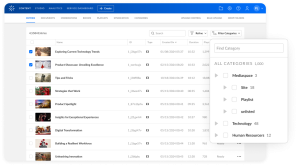
Kaltura offers a robust, end-to-end video content management solution trusted across industries, from tech and finance to education and healthcare. Built with flexibility at its core, Kaltura enables you to upload, manage, edit, secure, and distribute media seamlessly across any device or platform. Its modular, API-driven architecture integrates seamlessly with your existing systems, while on-the-fly video packaging delivers consistently high-quality playback. With intuitive tools for trimming, enriching, and publishing content, Kaltura helps you streamline your workflows and scale effortlessly without compromising on customization or control.
Key features include:
- All-in-one media management from ingest to distribution
- API-first and platform-agnostic for seamless integration
- Strong editing, enrichment, and access control features
- Optimized video delivery with adaptive bitrate
- Kaltura’s video CMS may scale better for larger businesses and organizations.
Source: Kaltura
2. Brightcove

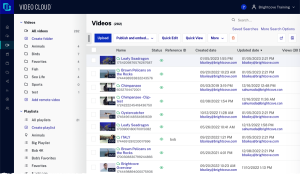
Brightcove is a video content management platform that enables organizations to host, manage, and distribute video across websites, applications, and other digital channels. The platform provides tools for organizing video libraries, streaming live and on-demand content, and integrating video workflows with enterprise systems. It also supports analytics, monetization models, and interactive features that help organizations analyze viewer engagement.
Key features include:
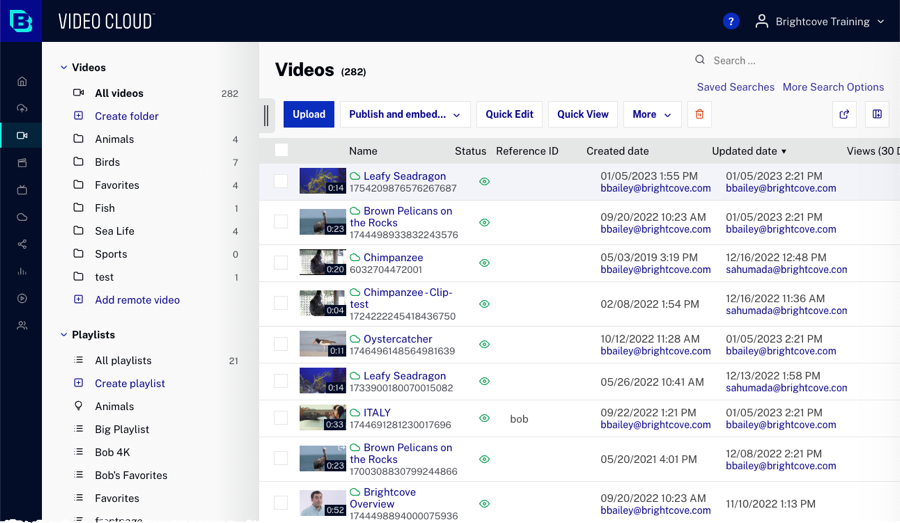
- Centralized video management: Upload, organize, and track video assets through a unified platform that manages the entire video library.
- Live and on-demand streaming: Broadcast live video and deliver video-on-demand experiences across devices and digital platforms.
- Interactive video experiences: Add engagement features that allow viewers to interact with video content.
- Analytics tools: Analyze viewer behavior and engagement using analytics for both live and on-demand content.
- Developer integration capabilities: Integrate video workflows into applications or systems using APIs and developer tools.
Source: Brightcove
3. Microsoft Stream

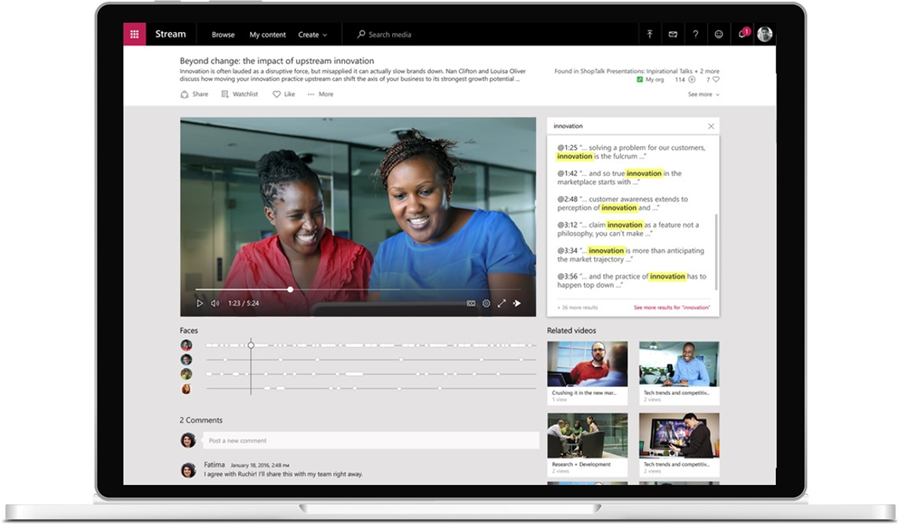
Microsoft Stream is an enterprise video management service that allows organizations to create, store, share, and manage video content securely within the Microsoft 365 ecosystem. The platform integrates with applications such as Teams, SharePoint, OneDrive, and PowerPoint, enabling video to be embedded into everyday collaboration workflows. It supports recording, sharing, and searching video content while providing enterprise governance.
Key features include:
- Integrated video management: Store and manage video files through SharePoint, OneDrive, and Microsoft 365 applications.
- Recording and capture tools: Record video using screen capture, webcam recording, or both.
- Transcript generation: Automatically generate transcripts for uploaded or recorded videos.
- Searchable video content: Search transcripts to locate specific sections or moments within videos.
- Collaboration and sharing: Embed videos in SharePoint pages, comment on videos, and share recordings across teams.

Source: Microsoft
4. IBM Video Streaming

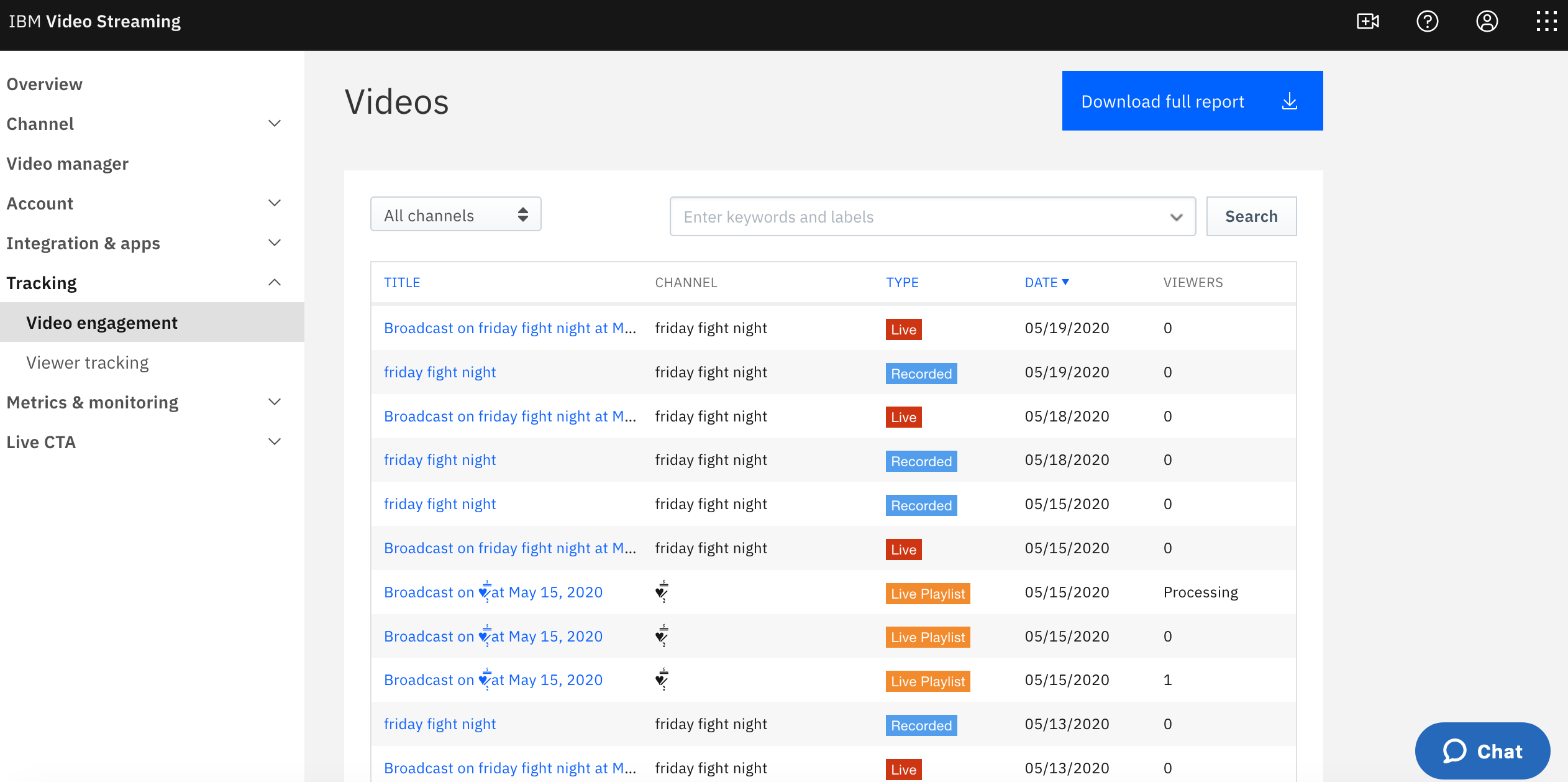
IBM Video Streaming is a video content management and streaming platform to support secure live and on-demand video broadcasting. It is used by organizations to host virtual events, executive communications, and large-scale broadcasts. The platform integrates AI capabilities through IBM Watson to automate tasks such as captioning, video search, and analytics while providing infrastructure for reliable global video delivery.
Key features include:
- AI-powered video search: Use automated transcription to search video libraries and jump to specific moments where keywords appear.
- Enterprise security controls: Protect video content through encryption, access control, and integration with authentication systems.
- Global streaming infrastructure: Deliver video to large audiences worldwide using multi-CDN infrastructure.
- Customizable video portals: Create branded portals or integrate video experiences into external websites through APIs.
- Automated captioning: Generate captions for live broadcasts and recorded videos using speech recognition.
Source: IBM
5. Vimeo

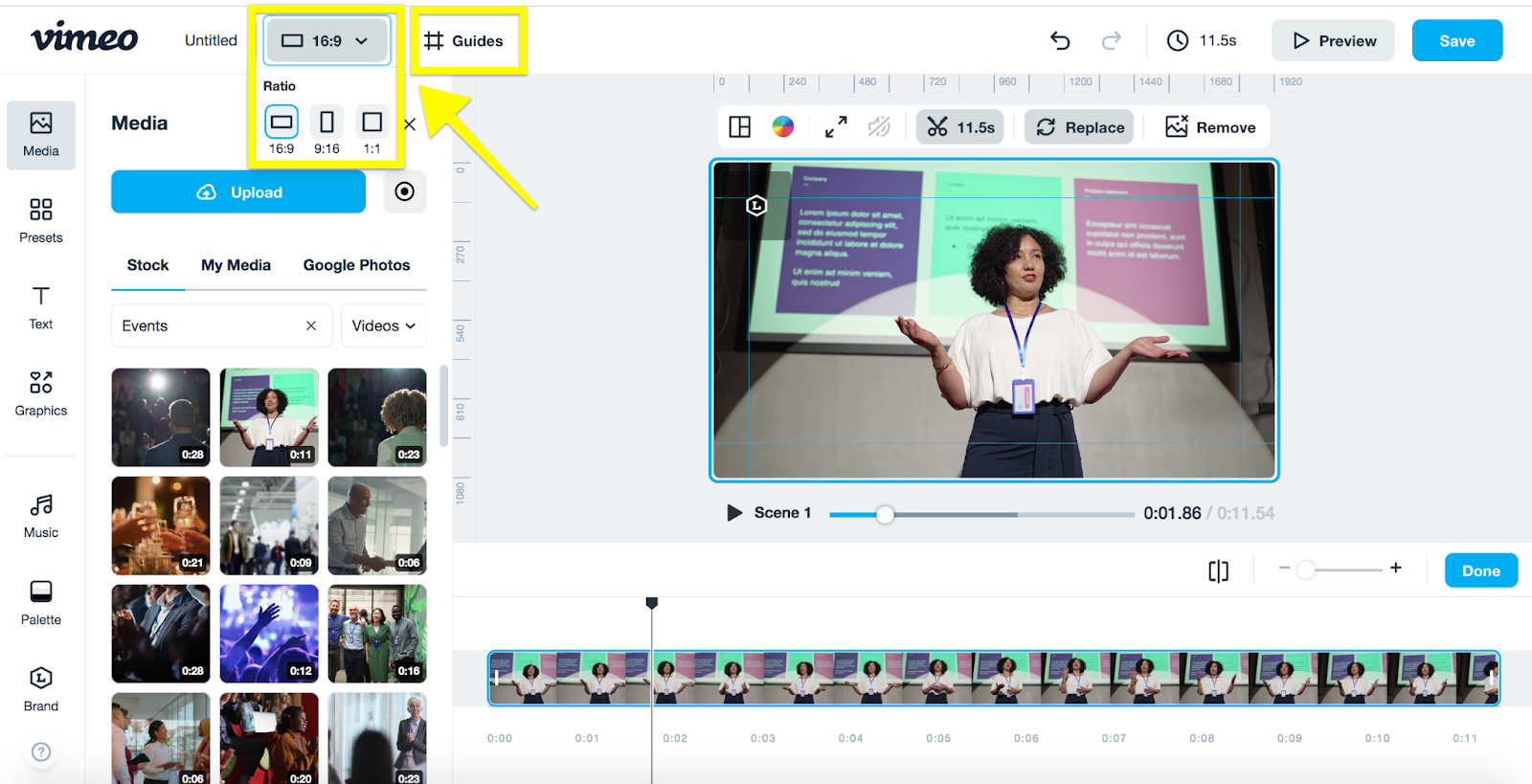
Vimeo provides a video content management platform that allows organizations to host, organize, and distribute video content while maintaining control over playback and access. The platform supports collaboration, video hosting, and secure content management through enterprise features such as permissions, integrations, and administrative controls.
Key features include:
- High-quality video hosting: Stream videos in their highest available resolution without advertising interruptions.
- Collaboration tools: Share video drafts, collect time-coded feedback, and manage version history in a centralized library.
- Embeddable video player: Embed videos on websites and external platforms using a customizable player.
- Access management controls: Protect videos using granular permission settings and privacy features.
- Live streaming capabilities: Host live broadcasts, webinars, and virtual events from the same platform.
Source: Vimeo
6. Wistia

Wistia is a video hosting and management platform that helps organizations manage video libraries, host webinars, and analyze viewer engagement. The platform combines video hosting, recording, editing, and analytics tools within a single system. It also integrates with marketing tools so organizations can connect video performance data with their broader marketing workflows.
Key features include:
- Video hosting and organization: Manage video libraries using folders, filters, and tags for easier content discovery.
- Customizable video player: Embed videos on websites using an ad-free player that supports branding customization.
- Webinar hosting tools: Host webinars with customizable branding and reuse recordings as ongoing content.
- Recording and editing features: Record videos using a computer and edit them with built-in tools.
- Viewer engagement analytics: Analyze how viewers interact with videos and integrate those insights with marketing systems.
7. Panopto

Panopto is an enterprise video content management platform to store, manage, and distribute video libraries at scale. It allows organizations to upload videos in multiple formats, automatically transcode them for playback across devices, and make content searchable through AI-driven indexing. The platform integrates with learning management systems, content management systems, and other enterprise tools to support knowledge sharing and training.
Key features include:
- Automatic video transcoding: Convert uploaded videos into formats optimized for playback across devices and networks.
- AI-powered video search: Search entire video libraries and jump directly to moments where keywords appear.
- Drag-and-drop video uploads: Upload single files or large batches of videos using simple drag-and-drop tools.
- Interactive video features: Add quizzes and other interactive elements to improve engagement and learning outcomes.
-
Viewer analytics: Access reports showing engagement levels and viewer drop-off points.
Considerations for choosing video content management tools
When selecting a video CMS, it’s essential to align the platform’s capabilities with your organization’s use case, infrastructure, and long-term goals. Here are key considerations to evaluate:
- Scalability and performance: Ensure the CMS can scale with your video library and viewer base, especially if expecting growth. Look for features like adaptive bitrate streaming, CDN support, and global content delivery.
- Content organization and search: Prioritize tools with robust metadata management, advanced search functionality, and filtering options. Efficient navigation becomes critical as libraries grow.
- Security and compliance: Assess the level of encryption, access control, and audit capabilities. If you’re handling sensitive or regulated content, verify that the system supports relevant compliance standards (e.g., SOC 2, GDPR, HIPAA).
- User roles and permissions: The CMS should support granular role-based access to accommodate varying levels of user responsibility across departments or teams.
- Integration ecosystem: Consider whether the CMS integrates easily with your existing tools—such as LMSs, CRMs, CMS platforms, or marketing automation systems.
- Customization and branding: Choose a CMS that allows for a branded video experience, including player customization, white-label options, and support for in-video branding.
- Content lifecycle management: Check for features that support archival, version control, automated transcoding, and scheduled publishing to manage content efficiently from creation to retirement.
Was this post useful?
Thank you for your feedback!
