

HeyGen alternatives: 7 enterprise video features to look for

What Is Heygen?
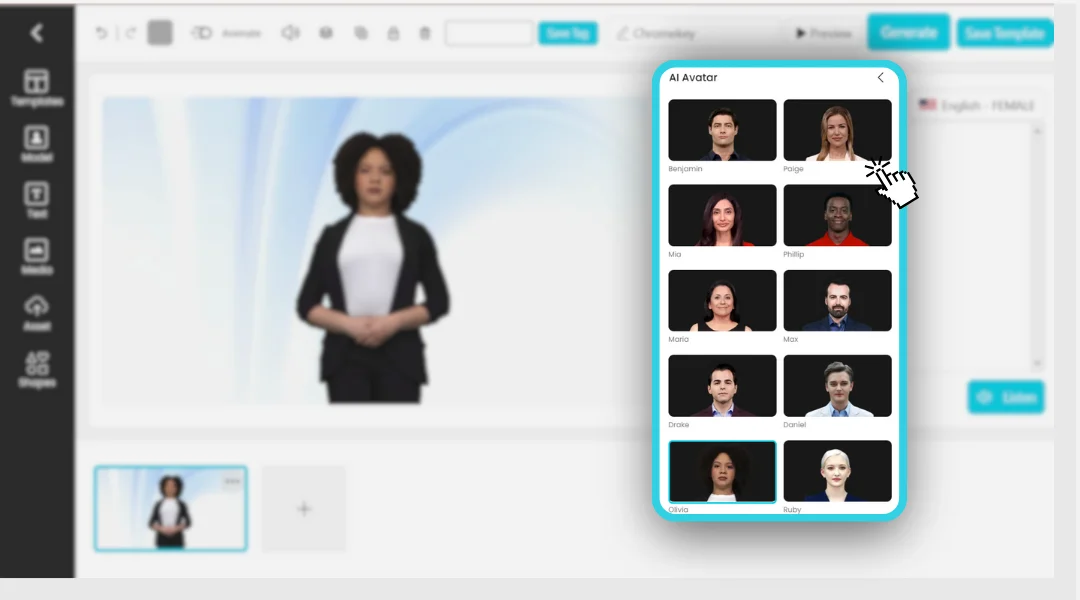
Heygen is an AI-powered video generation platform that simplifies the creation of professional-quality videos. It allows users to generate videos from text prompts, eliminating the need for cameras, microphones, or actors. Heygen combines AI technologies such as natural language processing, text-to-speech, and deep learning-based avatars. Users can input a script, choose an AI avatar, and generate a video presented by a digital person.
The platform is browser-based, so it requires no special hardware or software installations. Traditional video creation requires filming, editing, and post-production, often demanding technical skills and equipment. Heygen reduces the process to a few steps, allowing businesses, educators, and content creators to produce videos quickly.
The platform supports multiple languages, various avatar options, and customization features, enabling users to tailor videos for different audiences and use cases. This makes Heygen a practical option for those seeking scalable video content without the overhead of conventional production methods.
Notable Heygen limitations
While Heygen simplifies video creation, it has limitations. Users report challenges related to editing flexibility, costs, avatar realism, and content quality control, particularly when producing videos at scale. These limitations were taken from user reviews on the G2 platform:
- Credit-based pricing can become expensive: Costs increase as video production volume grows.
- No lip-sync preview before generation: Users cannot review lip-sync performance before rendering a video.
- Limited post-generation caption editing: Captions cannot always be edited after a video is generated.
- Output requires manual review: Generated videos may contain errors, such as missing words in translations.
- Avatar realism can vary: Avatar movements and facial expressions may not always appear natural.
- Editing and customization options can be restrictive: Some users would like more control over avatar behavior, voice synchronization, and scene customization.
- Learning curve for advanced features: Understanding all available features and settings can take time.
- Rendering delays during busy periods: Video generation may take longer when platform demand is high.
- Custom avatar creation requires effort: Building personalized avatars may require multiple attempts.
- Mobile experience could be improved: Some users report that the mobile version lacks functionality available on desktop.
What to look for in a Heygen alternative
1. Enterprise video management, not just AI avatar generation
When evaluating alternatives to Heygen, organizations should prioritize platforms offering enterprise video management. This means looking beyond avatar generation to features such as centralized video storage, metadata tagging, permission controls, and secure sharing options. Enterprise-grade solutions support the organization and retrieval of large video libraries, enable user access management, and support compliance with security or regulatory requirements.
A video management system should also include:
- Version control
- Collaborative editing
- Workflow automation
These features support teams working on multiple projects or across departments. Unlike single-purpose AI avatar tools, an enterprise video platform should cover the entire video lifecycle, from creation and review to publishing and archival, ensuring consistency and control over video assets.
2. AI content repurposing and post-production tools
A Heygen alternative should offer AI-driven content repurposing features. This includes automated tools for trimming, reformatting, and customizing video content for different platforms or audiences. AI can identify key moments, suggest edits, and auto-generate highlight reels or summaries, reducing manual post-production work.
Post-production tools should go beyond basic editing. Look for features such as:
- Background noise reduction
- Color correction
- Branded overlays
- Transitions
Automated workflows for adding intros, outros, or watermarks help maintain brand consistency across content. These capabilities are valuable for organizations that need to produce tailored videos at scale with limited manual work.
3. Accessibility, captions, and translation workflows
Video platforms should offer accessibility features, including:
- Automated captioning
- Audio descriptions
- Support for standards such as WCAG
Automated captioning improves compliance, searchability, and engagement. The ability to edit and export captions in multiple formats is important for organizations distributing content across channels.
Translation workflows are also important for global organizations. Alternatives to Heygen may provide automated translation and localization of captions and on-screen text. They may also allow management of multiple language versions within a single platform, simplifying distribution to international audiences.
4. LMS and learning-platform integrations
For educational institutions and corporate training teams, integration with learning management systems (LMS) is critical. A Heygen alternative should connect with common LMS platforms, enabling:
- Direct embedding of videos
- Tracking of learner progress
- Automated reporting.
This integration ensures that video content is accessible within the learning environment. Support for SCORM, xAPI, or LTI standards is important for interoperability across educational technologies. These integrations allow organizations to centralize analytics, automate course enrollments, and meet internal training requirements.
5. Interactive learning and training capabilities
Modern video platforms may support interactive elements such as quizzes, polls, and branching scenarios within video content. These features turn passive videos into active learning experiences and allow organizations to assess learner comprehension.
In addition to in-video interactivity, platforms may offer analytics on viewer participation and performance. Reporting allows trainers and educators to measure effectiveness and identify areas for improvement, focusing on aspects like:
- Engagement
- Quiz scores
- Completion rates
6. Live, on-demand, and event video support
A Heygen alternative should support pre-recorded content as well as live video streaming and on-demand playback. Live streaming capabilities support events, webinars, and real-time communications. Platforms that integrate live and on-demand video may include features such as:
- Live chat
- Q&A
- Real-time analytics
Support for recording and archiving live sessions allows organizations to repurpose event content for later viewing or training. Some platforms also include tools for trimming, indexing, and organizing event recordings to build a video library.
7. Video portal and content hub capabilities
An enterprise video platform may provide a branded video portal or content hub where users can browse and access video resources. These portals allow organizations to curate content by topic, department, or audience and offer a centralized location for video assets. Search functionality improves discoverability and engagement.
Content hubs also give administrators insight into how videos are used, through features such as:
- User management
- Access controls
- Analytics
Features such as playlists, recommendations, and integrations with other enterprise systems can support content distribution and knowledge sharing.
Notable Heygen alternatives
The right Heygen alternative depends on whether you need a single AI avatar generator or a platform to create, manage, and distribute video across an organization. The platforms below are grouped by purpose: enterprise video platforms, AI avatar and presenter generators, and AI video editing and repurposing tools.
Enterprise video platforms
1. Kaltura

Kaltura is an enterprise video platform built to power the full video lifecycle, from creation and hosting to distribution, governance, and analytics, rather than focusing on avatar generation alone. The platform includes solutions for the creation and management of video portals, virtual events and webinars, a video content management system, education tools, and media and telecom streaming under one account. It adds agentic AI through agentic avatars, which hold real-time, multimodal conversations grounded in an organization’s approved content library.
Key features include:
- Agentic avatars for real-time interaction: Respond to users in real time using approved organizational content in 50+ languages with built-in security and governance.
- Video portal and content hub: Create searchable video hubs with automatic enrichment of uploaded media.
- Events, webinars, and live video: Support live broadcasts with chat and polls, plus recording and repurposing tools.
- Video content management and governance: Control workflows, security, permissions, and analytics across a video library.
- Education and LMS-oriented tools: Provide LMS integration, virtual classrooms, lecture capture, and automated captioning support.
- AI content repurposing: Transform long-form content into shorter clips, quizzes, and summaries.
Limitations (based on publicly available sources):
- Built for organizations rather than individuals: Oriented toward companies and institutions rather than solo creators.
- Initial setup benefits from planning: Broad configuration options may require structured onboarding.
- Breadth can take time to learn: Teams may need time to adopt the full feature set.

Source: Kaltura
2. Vidyard

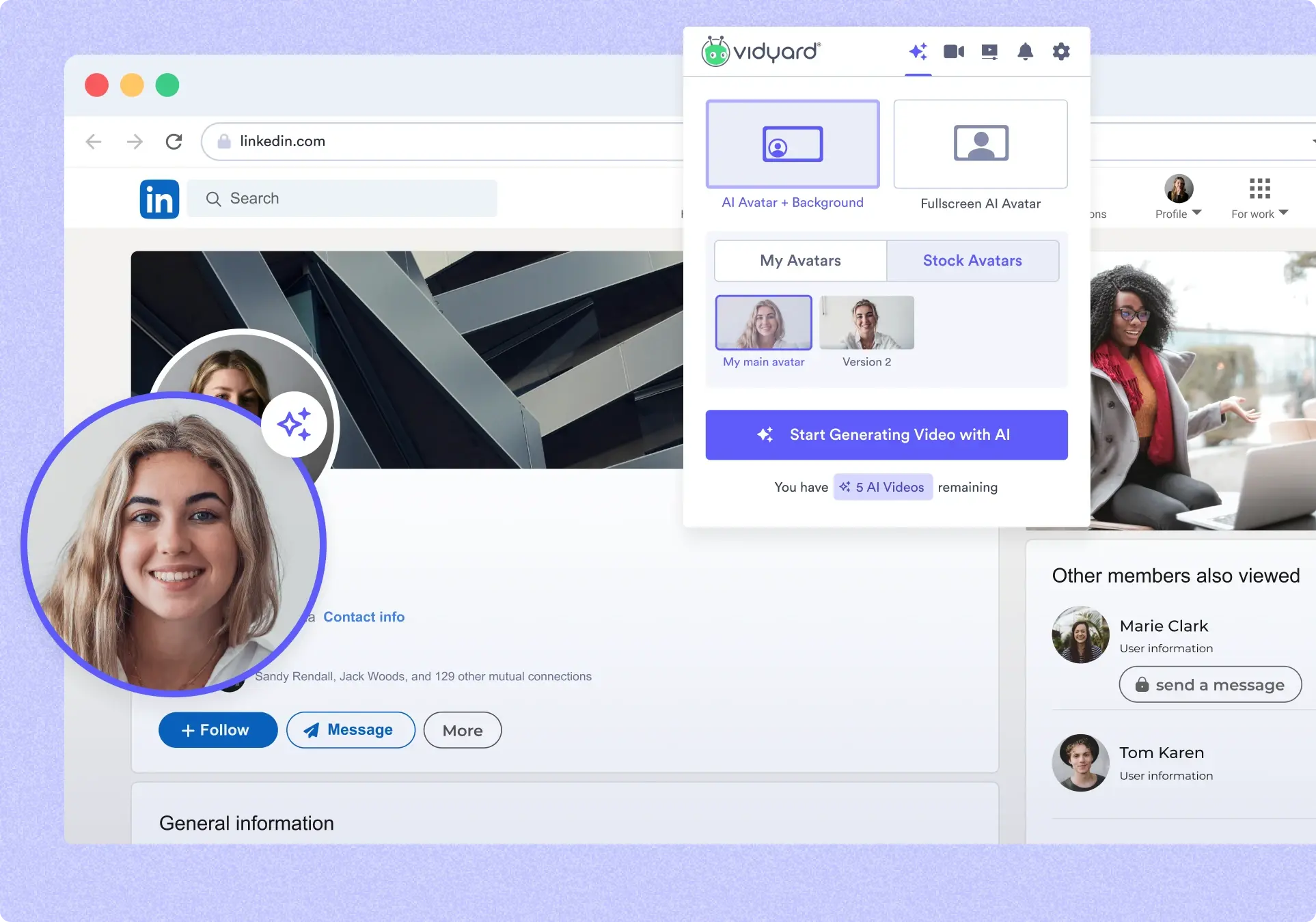
Vidyard is an AI-powered video platform built primarily for sales and marketing teams that want personalized, trackable video across the buyer journey. It combines personal video messaging, business video hosting, and AI-driven automation, and connects into CRM and marketing tools. It also offers AI avatars and a video agent that can generate and send personalized videos at scale.
Key features include:
- Personalized video messaging: Record and send video messages with viewing data.
- Video hosting and library control: Store and manage business video with permissions and analytics tied to leads.
- AI avatars and video agent: Generate personalized AI videos and automate outreach.
- AI script generation: Draft scripts for outreach or explainer content.
- CRM and marketing integrations: Trigger video outreach from CRM and marketing automation tools.
- Screen recording and browser capture: Capture screen and camera for sharing.
Limitations (based on publicly available sources):
- Oriented to sales and marketing use cases: Focused on revenue-team workflows.
- Advanced capabilities tied to higher tiers: Deeper analytics and automation are associated with paid plans.
- Free recording limits: Free usage includes recording limits.

Source: Vidyard
3. Brightcove

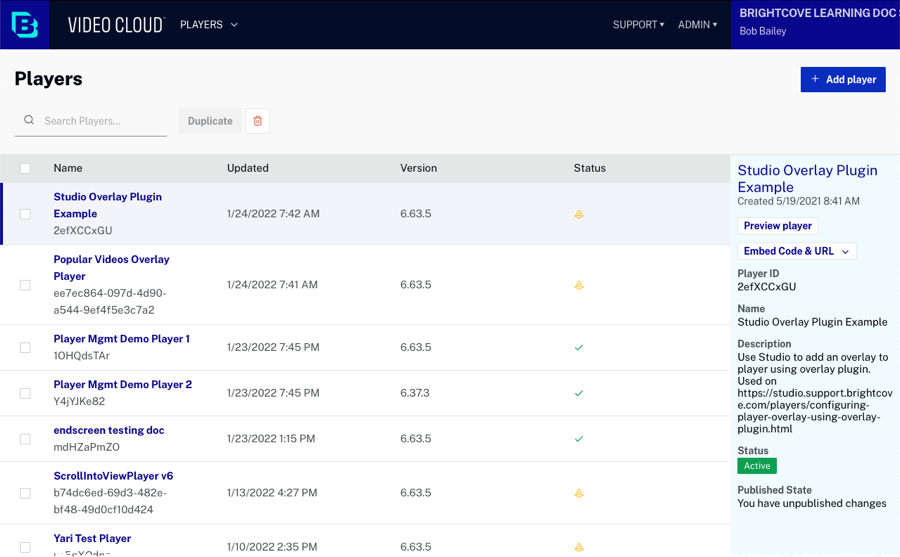
Brightcove is a long-established enterprise video platform focused on hosting, streaming, and monetizing video at scale across web, mobile, and connected devices. It provides end-to-end delivery, from uploading and managing a video library to publishing through a customizable player and analyzing viewer behavior. The platform serves broadcasters, media companies, publishers, and enterprises that need reliable large-scale streaming for both live and on-demand content.
Key features include:
- Hosting and streaming at scale: Brightcove delivers live and on-demand video to large audiences with adaptive streaming and a player that supports custom branding and rich playback controls.
- Video library management: The platform lets teams upload, publish, organize, and track all of their video content in one place, giving structure to large libraries.
- Analytics and interactivity: Brightcove provides live and on-demand analytics to help teams understand viewer behavior, plus interactivity features that turn passive viewers into active participants.
- Live streaming and OTT apps: Live streaming supports secure, high-quality broadcasts with interactive chat, Q&A, and real-time analytics, while the Beacon studio builds OTT app experiences across major platforms and devices.
- AI Suite and content monetization: The AI Suite helps auto-generate captions, find highlights, tag content, and translate video, while monetization tools support advertising, subscription, and transactional video on demand.
- Developer APIs and integrations: Brightcove offers REST APIs, SDKs, and prebuilt connectors so teams can integrate video into web, mobile, OTT, or enterprise stacks, along with security and compliance tools.
Limitations (based on publicly available sources):
- Enterprise pricing and contracts: Brightcove’s packaging is geared toward enterprise and media budgets, which can make it less accessible for small teams or individual creators.
- Administrative depth has a learning curve: The breadth of configuration, publishing, and monetization options means administrators often need time to learn the platform fully.
- Some capabilities are add-ons: Certain advanced features and studios are offered as separate solution packs, so the full feature set may depend on the plan selected.

Source: Brightcove
4. Panopto

Panopto is a video knowledge platform used across higher education and enterprise to capture, organize, and surface recorded audio and video as searchable knowledge. It centers on a video content management system designed for lecture capture, training, onboarding, and corporate communications, with AI features that make content findable through search, summaries, and smart navigation.
Key features include:
- Video CMS for capture and sharing: Panopto lets teams record, organize, and share knowledge across campuses or departments, with flexible workflows simple enough for non-specialist creators.
- AI-powered knowledge discovery: AI capabilities surface relevant content through search inside videos, automatic summaries, and smart navigation, helping people find specific moments rather than scrubbing through recordings.
- Accessibility support: Built-in captioning, transcripts, and screen reader support are designed to help organizations meet accessibility standards while improving searchability.
- LMS and tool integrations: Panopto connects to the LMS and collaboration tools teams already use, so video flows directly into existing learning and work environments.
- Content creation and interactivity: The platform includes content-creation tools for producing clear video without a production background, plus interactivity features for engagement.
- Analytics, security, and branded delivery: Tracking and analytics show how content is viewed, the Knowledge Insights add-on turns viewing data into decisions, and the Connect add-on delivers branded video experiences beyond the LMS.
Limitations (based on publicly available sources):
- Capture and knowledge focus: Panopto centers on lecture capture and knowledge management rather than polished, marketing-style video production, so it is a different fit than creative avatar tools.
- Administrator-oriented depth: Many of its capabilities are aimed at education and enterprise administrators, which can mean a learning curve for casual users.
- Some features delivered as add-ons: Capabilities such as the AI Video Studio, Access AI, and branded delivery are platform add-ons, so availability depends on the configuration purchased.

Source: Panopto
AI Avatar and Presenter Video Generators
5. Synthesia

Synthesia is an AI video platform that turns scripts and documents into studio-style videos presented by AI avatars, with voiceovers in 160+ languages. It is built for business use cases such as learning and development, sales enablement, and internal communications, and includes tools to create, localize, manage, and publish video in one place. Alongside its avatar library, it offers screen recording, dubbing, translation, and collaboration features, plus enterprise security certifications.
Key features include:
- AI avatars and voices: Synthesia provides over 240 AI avatars and personal avatars, along with 1,000 AI voices that speak in 160 languages.
- Video translation and dubbing: One-click translation and AI dubbing localize a video into many languages while syncing the chosen language to the avatar’s lip movements.
- Document-to-video creation: An AI video assistant turns existing documents, links, or ideas into videos that match a brand’s style, reducing the work of building a video from scratch.
- Collaboration and version control: Teams can create, comment on, and review videos together in real time, and version control automatically syncs every updated version to the original video without broken links or duplicate files.
- LMS integration and SCORM export: Synthesia exports videos in SCORM format for integration with learning management systems, and supports embedding videos into courses and training modules.
- Brand kit, analytics, and security: A brand kit applies logos, colors, and styles to every video, analytics track views, drop-offs, and completion rates, and the platform is SOC 2, GDPR, and ISO 42001 compliant with SAML/SSO support.
Limitations (as reported by users on TrustRadius):
- Avatar movement can look artificial: Reviewers note that avatar mouth movements can appear unnatural, making it noticeable that the presenter is AI-generated.
- Watermarked stock media on some tiers: Users report that much of the available stock footage carries a watermark, leading them to import media from elsewhere.
- Voice-to-avatar matching: Some reviewers mention that the AI voice does not always match the avatar convincingly, and that avatar personality can feel limited.
- Cost considerations: Reviewers cite pricing, including translation-related costs, as a factor when scaling usage.
- Content restrictions: Some users report that certain topics or content can be rejected at generation, which is only discovered after time has been spent building the video.

Source: Synthesia
6. Colossyan

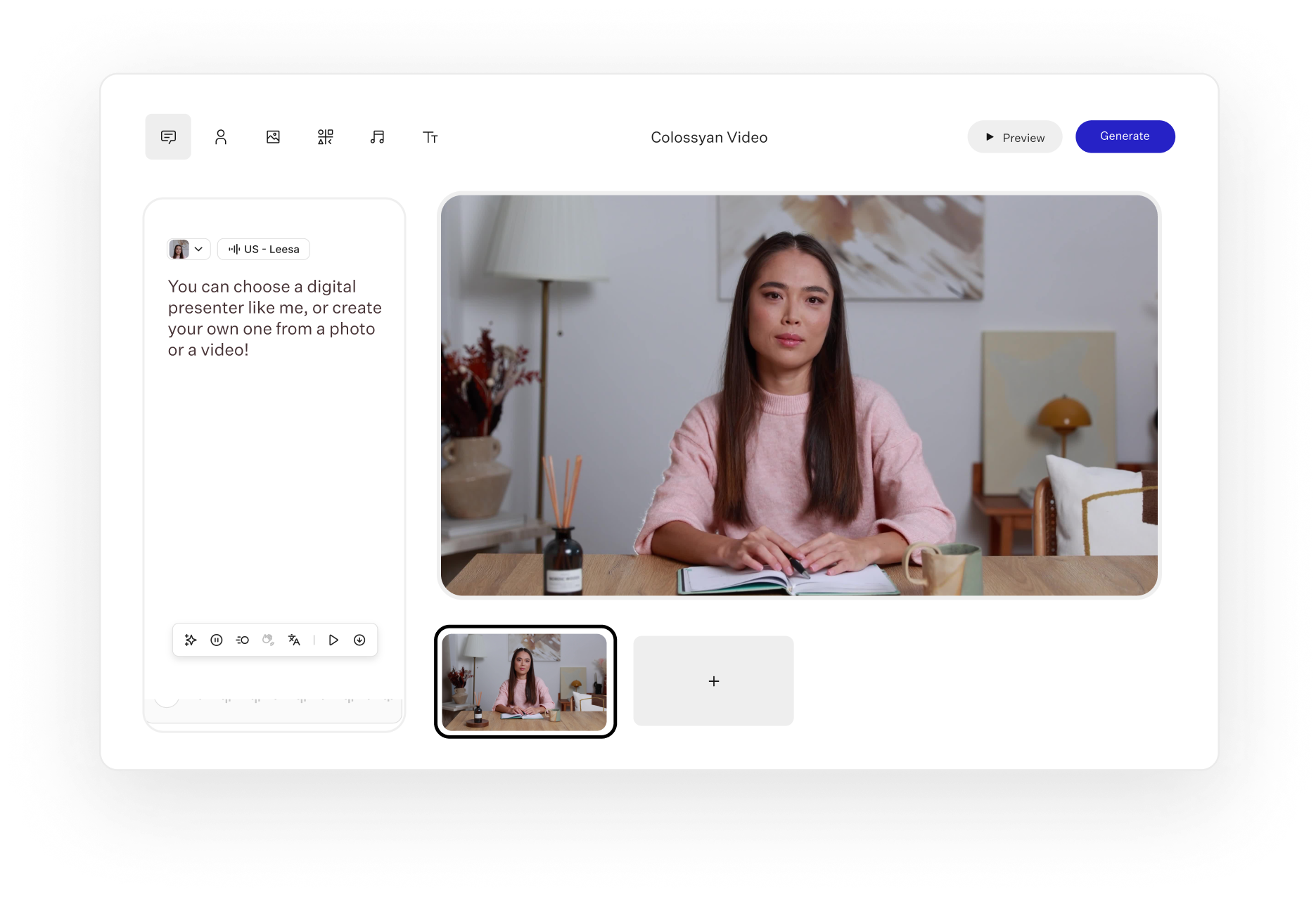
Colossyan is an AI video platform focused on turning organizational knowledge into training and enablement content, going beyond single videos into complete courses. It offers a connected workflow for creating, delivering, and maintaining training, combining AI avatars, interactivity, localization, and a course builder called Colossyan Learn. The platform is aimed at teams handling onboarding, compliance, sales enablement, and internal communications, and emphasizes content that can be updated without re-recording.
Key features include:
- AI avatars and voices: Colossyan provides over 300 AI presenters and 600 AI voiceovers, plus custom avatars and voice cloning, so teams can produce presenter-led videos without filming.
- Document and presentation to video: The platform turns documents, slides, or ideas into presenter-led videos, including PPT import and PDF-to-video, with an AI agent that drafts a video the user then directs.
- Interactive video and course building: Colossyan supports interactive elements such as branching scenarios and quizzes, and Colossyan Learn combines videos, text, and interactions into full training programs.
- Localization at scale: Automated translation adapts videos across over 80 languages in one workflow, helping teams deliver multilingual training without rebuilding content.
- SCORM export and LMS delivery: Videos and courses export in SCORM format for delivery through a learning management system, fitting Colossyan into existing training infrastructure.
- Collaboration and enterprise security: Team collaboration, brand kits, and versioning without re-recording sit alongside SOC 2 Type II, GDPR, and SAML SSO, which are part of the core product.
Limitations (based on publicly available sources):
- Costs scale with usage: Plans are tied to video minutes and seat needs, so heavy production volumes can increase costs over time.
- Avatar realism varies: As with most avatar tools, the naturalness of presenters can vary depending on the scene and script.
- Advanced course features on higher tiers: Full course-building and enterprise governance capabilities are associated with higher-level plans.
- Learning curve for full platform: Using the platform’s complete course and interactivity features can take time for teams new to structured video training.

Source: Colossyan
7. D-ID

D-ID is a digital human platform that creates AI avatar videos and real-time interactive avatars from images, scripts, and documents. It centers on talking-portrait technology, generating videos where a digital presenter speaks a script, and on Visual AI Agents that hold real-time conversations. The platform supports video creation and interactions in over 120 languages, with voice cloning and an API for embedding avatars into other products.
Key features include:
- AI avatar video creation: D-ID’s Video Studio generates multilingual avatar videos from scripts, briefs, decks, or documents, producing a presenter-led video without filming.
- Visual AI agents: The platform deploys conversational avatars that engage users face to face, respond naturally, and operate in multiple languages, and can trigger workflows.
- Avatars from images and video: Users can build realistic digital humans from a photo or video, including voice cloning, for both pre-rendered videos and real-time experiences.
- Multilingual reach: D-ID supports video creation and live interactions in over 120 languages, helping teams localize content and conversations for global audiences.
- API and streaming integration: A documented API and real-time streaming animation let developers integrate D-ID’s avatars into their own apps and platforms.
- Workflow integrations: D-ID connects with tools such as Microsoft PowerPoint, Canva, and Google Slides, fitting avatar creation into common content workflows.
Limitations (based on publicly available sources):
- Focus on talking-head avatars: D-ID centers on portrait and talking-head avatars rather than full-scene video editing or library management.
- Credit-based pricing: Usage is generally credit-based, so costs scale with the volume of video and real-time interactions generated.
- Realism depends on inputs: Output quality can vary depending on the source image or video used to create an avatar.
- Best suited to specific use cases: The platform is strongest for conversational agents and presenter videos, so teams needing broad editing or distribution tools may need additional software.

Source: D-ID
8. DeepBrain AI (AI Studios)

AI Studios by DeepBrain AI is an all-in-one AI video generator that builds full videos with avatars, voiceovers, translations, and visuals from a script, image, or short clip. It offers a large avatar library and multiple ways to create video, including topic-to-video, document-to-video, and product-to-video, alongside generative models for text, image, and video. The platform extends into interactive, conversational avatars and a course builder for training content, with SCORM support for LMS delivery.
Key features include:
- Large avatar library and custom avatars: AI Studios provides ready-to-use avatars and lets users create custom, photo, product, and 3D avatars, including avatars made from a short video.
- Multiple video creation paths: The platform converts topics, text, URLs, documents, articles, and product pages into videos, automatically generating researched content, visuals, and narration.
- AI dubbing and translation: One-click dubbing localizes videos into over 150 languages with voice cloning and automatic lip-sync, and supports multi-speaker dubbing for interviews and panels.
- Interactive avatars and custom LLMs: Real-time conversational avatars handle questions, guidance, and support across channels, and can be trained on company documents and connected to OpenAI, Claude, Gemini, or a custom model.
- Interactive video and course builder: AI Studios creates interactive training videos with embedded quizzes and branching scenarios, and a Course Builder generates and publishes complete courses.
- Generative media and editing: The workspace includes generative video using models such as Veo 3.1 and Kling, plus an AI video editor, screen recording, auto captions, brand kit, and text-to-speech.
Limitations (based on publicly available sources):
- Dense feature set: The breadth of tools and creation paths can mean a learning curve for new users finding the right workflow.
- Costs scale with usage: Subscription and credit-based usage can increase as video volume and avatar minutes grow.
- Avatar naturalness varies: As with comparable tools, avatar realism and expressiveness can vary by scene and script.
- Rendering during heavy use: Generation times can be affected during periods of high demand.

Source: AI Studios
9. Akool

Akool is an AI video suite aimed at marketing and creative content, combining avatars, video translation, face swap, and image generation in one platform. It focuses on producing visual content quickly, with tools for streaming avatars, avatar videos, talking photos, image-to-video, and background changes. The platform offers high-resolution rendering and consistent character identity, and includes an API for integrating its capabilities into other workflows.
Key features include:
- Streaming and avatar video: Akool generates avatar videos from templates, uploaded files, or from scratch, and offers streaming avatars for real-time use.
- Face swap and talking photo: The platform replaces faces in images with realistic results and animates still photos into talking videos.
- Video translation: Akool translates videos into other languages, helping teams adapt content for different audiences.
- Image generation and background change: An AI image generator creates visuals from text, and a background changer removes or replaces backgrounds in images and video.
- Voice tools: Akool includes voice cloning, voice changing, and text-to-speech to pair audio with its visual outputs.
- High-resolution rendering and API: The platform emphasizes 4K, diffusion-based rendering with temporal consistency for character identity, and provides API-driven workflows for integration.
Limitations (based on publicly available sources):
- Creative and marketing orientation: Akool centers on creative effects such as face swap and talking photos rather than structured training, courses, or LMS delivery.
- Credit-based pricing: Usage is generally credit-based, so heavier production increases costs.
- Output can vary by tool: Quality may differ across the suite’s many tools depending on inputs and use case.
- Lighter on enterprise governance: It offers fewer of the centralized governance, library, and LMS features found in full enterprise video platforms.

Source: Akool
AI Video Editing and Repurposing Tools
10. VEED
VEED is an AI video creation and editing platform oriented toward social and marketing content, turning ideas into branded videos in the browser. It combines AI generation with a broad editing toolset, including subtitles, brand controls, dubbing, and a range of AI utilities. The platform helps produce feed-ready videos quickly without specialized editing skills, and includes AI avatars and access to several video models.
Key features include:
- AI video generation: VEED generates videos from a prompt, turning an idea into a finished video without a camera, and provides preset prompts for formats such as explainers, product demos, ads, and testimonials.
- Subtitles and captions: The platform automatically generates subtitles and captions designed to keep viewers engaged, a core part of its social video focus.
- Brand controls: VEED applies a brand’s colors, fonts, logos, and voice to videos so output matches brand guidelines consistently.
- AI editing utilities: Tools include eye contact correction, background noise removal, a video translator, a screen recorder, and a video compressor, covering common cleanup and repurposing needs.
- AI avatars and dubbing: VEED offers AI avatars and dubbing, plus text-to-speech and AI voice generation, for creating presenter-style or localized content.
- Access to multiple models and API: The platform provides access to several AI video models, an AI clip generator, and an API for integrating its capabilities.
Limitations (as reported by users on TrustRadius):
- Stability issues in some browsers: Reviewers report bugs such as the editor not working well in Safari and ProRes files not uploading in Chrome.
- Saving reliability: Some users describe work not always saving even when the interface indicated it had, and audio sync issues during editing.
- Support responsiveness: Reviewers mention that support did not always understand or resolve issues even when they were explained in detail.
- Feature changes: Some users report that features they relied on were removed without notice, disrupting their workflows.
- Caption accuracy and plan requirements: Reviewers note the accuracy of auto-generated captions can be inconsistent, and that certain exports require a higher-priced plan.

Source: VEED
11. Descript

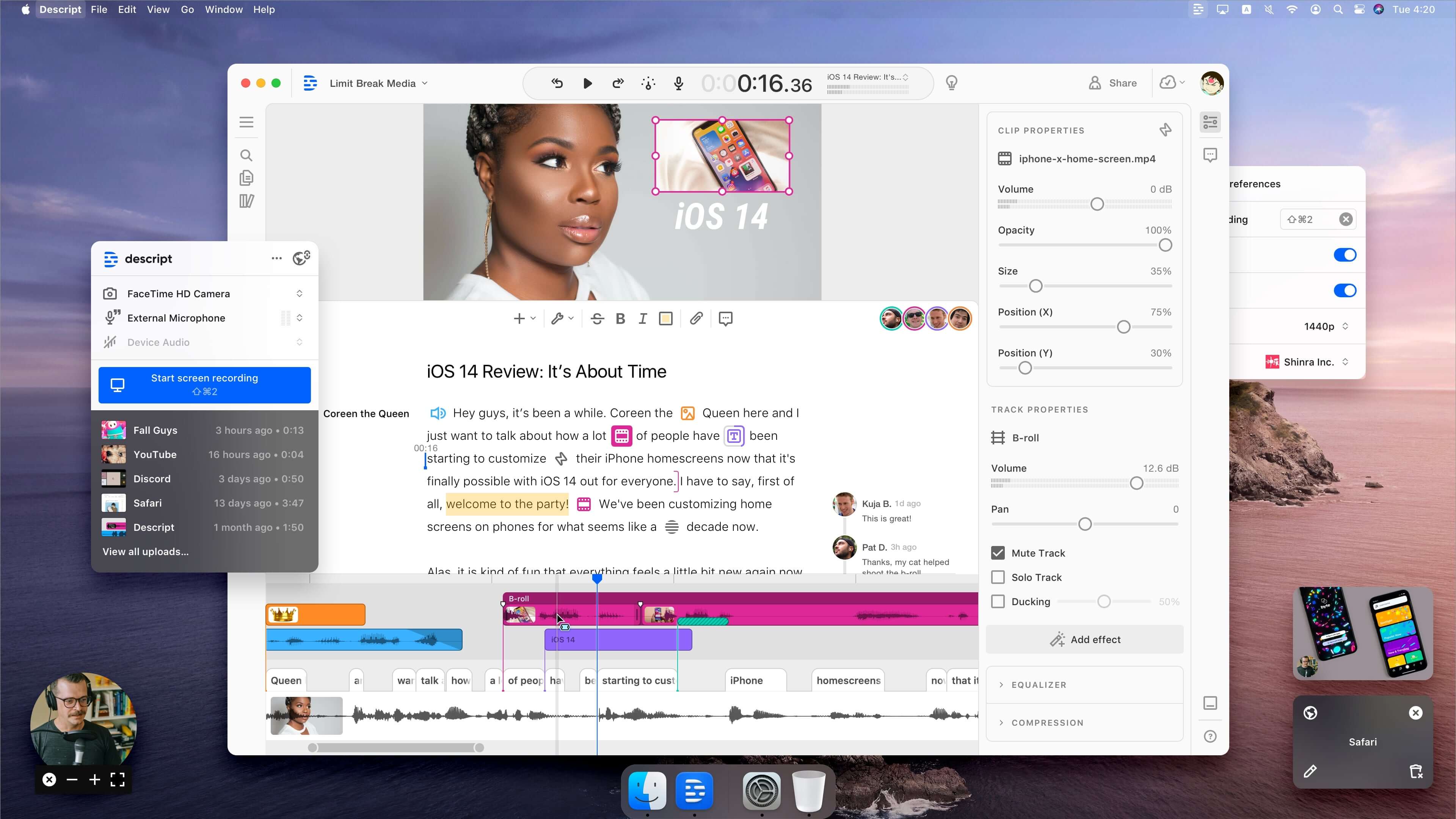
Descript is an AI video and podcast editor built around editing media by editing its transcript, making video editing work like editing a document. It generates an instant transcript from any recording, then lets users change the video by changing the text. The platform includes an AI assistant called Underlord that can edit, design, and generate video, along with AI tools for cleanup and repurposing..
Key features include:
- Text-based editing: Descript transcribes a recording and lets users edit the video by editing the transcript text, so cutting words removes them from the video.
- Underlord AI assistant: The Underlord assistant can write or revise a script, apply professionally designed layouts and transitions, and generate custom video and B-roll from a prompt.
- Audio and video cleanup: Studio Sound removes noise and enhances voices, Remove Filler Words cuts “ums” and “uhs,” and Eye Contact makes a speaker appear to look at the camera while reading a script.
- AI speech, voice clone, and avatars: Descript offers realistic voice cloning and stock AI voices, plus AI avatars created from a gallery or a user’s own photo, so a script can be delivered without being on camera.
- Clips, captions, and translation: The platform creates short clips from longer content, adds captions in a couple of clicks, and translates content for other audiences.
- Recording, podcasts, and API: Descript includes a screen recorder, Rooms for remote multi-person recording, and a full podcast editor, plus an API and MCP support for editing through code or an AI assistant.
Limitations (based on publicly available sources):
- Built around editing existing recordings: Descript centers on editing and repurposing recorded media rather than generating presenter-led avatar videos as its primary purpose.
- Performance on large projects: Working with long or large projects can be resource-intensive.
- AI accuracy varies: Transcription and AI voice quality can vary depending on the source audio.
- Learning the text-based model: The transcript-driven editing approach can take time to get used to for users accustomed to timeline editors.

Source: Descript
12. Pictory

Pictory is a text-to-video platform that turns written content such as scripts, blog posts, and presentations into videos with automatic editing, captions, AI voices, and avatars. It focuses on converting existing material into video using stock footage and AI-generated visuals, with minimal manual editing. The platform offers multiple input paths, including idea-to-video, URL-to-video, and audio-to-video, and tools for editing video by editing text.
Key features include:
- Multiple text-to-video paths: Pictory creates videos from text, scripts, blog posts, URLs, images, PPTs, and audio, automatically building a scene-based video aligned to the input. This gives several ways to turn existing content into video.
- Automatic editing and templates: Smart templates structure text, visuals, and timing into a consistent layout, and the system segments a script into scenes automatically. This reduces the manual editing typically required to assemble a video.
- AI voices and avatars: The platform includes realistic AI voices and AI avatars that present a script, so users can produce narrated or presenter-style videos. These extend its text-to-video output beyond stock footage alone.
- Captions, subtitles, and translation: Pictory adds subtitles and captions and supports translation, helping adapt content for accessibility and different audiences. Caption styling is part of the editing workflow.
- Highlights and clips: Auto highlights and clip tools break longer videos into shorter, shareable pieces for social media. This supports repurposing existing video content.
- Brand kits, collaboration, and API: Brand kits apply fonts, colors, and logos, team collaboration supports group workflows, and an API and integrations extend the platform. These features target teams producing video at volume.
Limitations (based on publicly available sources):
- Stock-footage and script focus: Pictory centers on text-to-video with stock and AI-generated visuals rather than realistic presenter avatars as its main output.
- Limited fine-grained editing: It offers less detailed timeline control than full video editors, reflecting its automated approach.
- Voice and caption accuracy varies: AI voice and auto-caption accuracy can vary depending on the input.
- Customization constraints: Visual customization is more limited than in dedicated editing tools, which suits speed over granular control.

Source: Pictory
Conclusion
The best Heygen alternative depends on whether your organization needs a standalone AI avatar generator or a broader platform for creating, managing, localizing, and distributing video at scale. Businesses should evaluate solutions based on their primary use cases, such as training, marketing, customer support, internal communications, or live events, while also considering enterprise capabilities like content governance, accessibility, integrations, analytics, and security.
Was this post useful?
Thank you for your feedback!