Top 8 Synthesia Alternatives in 2026

What is Synthesia?
Synthesia is an AI-powered video generation platform that allows users to create video content with synthetic presenters, or “avatars,” without needing cameras, actors, or significant video production skills. Users choose an avatar, input a script, and select a language, and the platform generates a video where the avatar delivers the text realistically. This approach simplifies video creation processes and is aimed at businesses, educators, and content creators who need scalable video production for training, marketing, or communication.
The platform offers customization options, including multiple languages and accents, branded templates, and easy script editing. Synthesia has a user-friendly interface that allows anyone, even those without technical video expertise, to produce engaging and consistent visual content for enterprise and educational contexts.
This is part of a series of articles about AI Avatar.
Key features of Synthesia
Synthesia includes a range of tools designed to simplify video creation and make it accessible to users without traditional production skills. Its capabilities focus on scalability, automation, and ease of use for business, training, and educational scenarios.
- AI avatars: Realistic digital presenters that deliver scripts with human-like expressions and gestures.
- Multilingual support: Video generation in 140+ languages and accents with accurate lip-sync.
- Text-to-video automation: Converts written scripts into complete videos quickly using AI-generated narration and visuals.
- Custom avatar creation: Allows users to create personalized or branded digital avatars.
- AI voice and voice cloning: Offers a wide selection of natural voices or the option to clone your own.
- Templates and branding tools: Provides customizable templates and branding elements for a consistent visual identity.
- AI video assistant: Generates draft videos from documents, slides, or webpages to speed up production.
- Collaboration and analytics: Supports team workflows and offers basic performance insights.
- Media and editing resources: Includes stock assets, captions, music, and media upload options for enhanced video design.
Key Synthesia limitations
While Synthesia offers a fast and accessible way to produce AI-generated videos, the platform comes with several limitations that may impact workflows, customization, and user control. These limitations were reported by users on the G2 platform.
- Limited access to features without an enterprise plan: Some key features, such as SCORM file downloads, expanded media upload limits, and integrations, are locked behind the enterprise plan.
- Restricted API access for automation: Automation options are limited, especially for users not on the enterprise plan. For example, API access isn’t available on lower pricing tiers, making it harder to integrate Synthesia into CI/CD pipelines or other automated workflows.
- Pronunciation and voice control issues: Although pronunciation can be tweaked with punctuation or phonetic spelling, many users still find it challenging to produce natural-sounding speech. Injecting tone, emphasis, or emotion is difficult, and AI voices may mispronounce acronyms, jargon, or non-standard names.
- Editing constraints for translations and scripts: The translation feature sometimes produces literal or incorrect translations. In certain cases, users are unable to manually override these errors, even when the corrections are straightforward or necessary for clarity.
- Clunky scene and layer management: Visual editing is limited when it comes to managing complex scenes. Users can’t easily toggle visibility for individual objects within a scene, which adds friction when adjusting layered elements or making design changes.
- Media upload and video length restrictions: There are inconsistencies in upload limits. For instance, users can upload a 3GB video for translation, but only 250MB into the media library for general use. Additionally, adding longer videos to projects may result in automatic trimming (such as reducing a 3-minute clip to just 6 seconds) without clear documentation or support resources.
- Lack of fine-grained editing tools: Synthesia doesn’t offer the same level of control as professional video editors. Motion graphics, layout precision, and stock asset variety are all limited. This makes it harder to create highly customized or visually dynamic content.
- Usability and performance drawbacks: Minor issues include delays in slide previews, an overloaded dashboard UI, and difficulties editing scripts directly alongside the video preview. These affect overall ease of use, especially during content revisions.
- Cost scaling and plan gaps: For teams with high video output, costs can escalate quickly. Additionally, there’s a noticeable gap between the creator and enterprise plans, leaving many users wishing for a more flexible, mid-tier pricing option.
Notable Synthesia alternatives and competitors
1. Kaltura

Rather than generating scripted footage, Kaltura’s Agentic Avatars engage in live, adaptive conversations powered by your organization’s own knowledge base. These agentic AI video chats can listen, see, and respond contextually, offering a more interactive experience for training, support, and marketing use cases.
Key features include:
- Real-time AI avatars: Conduct live, two-way interactions instead of pre-recorded narration, adapting instantly to user questions and context.
- Fast, no-code setup: Choose an avatar’s look, voice, and persona from 30+ languages, define behavior and goals, and connect internal knowledge sources for dynamic guidance.
- Enterprise-grade integration: Deploy across websites, learning platforms, digital events, or support centers via the Kaltura AI Experience Cloud, ensuring scalability, data security, and compliance.
- Mission-driven adaptability: Each avatar operates with purpose—training, onboarding, guiding, or resolving in line with your defined rules and content.
- Proven performance: Trusted by global enterprises in finance, healthcare, education, and media, Kaltura handles over 1M monthly interactions with 95% accuracy and 24/7 availability.
Kaltura’s approach combines presentation, intelligence, and content—delivering avatars that don’t just speak but truly understand. It’s built for organizations seeking interactive, context-aware communication at scale, transforming static video content into intelligent, human-like engagement.
2. HeyGen

HeyGen is an AI video generation platform that allows users to create videos using just text, images, or audio. It automates avatar creation, voiceovers, translations, and editing, eliminating the need for cameras, actors, or manual syncing. Users can generate talking avatars from photos or recordings, create videos in 1080p or 4K resolution, and produce multilingual content with accurate lip-sync and voice cloning.
Key features include:
- AI video generation: Create full videos from text, image, or audio inputs with voiceovers, avatars, and automatic editing
- Lifelike AI avatars: Generate avatars from images or videos, or choose from 1,000+ pre-built avatars with expressive gestures and facial dynamics
- Voice cloning and lip-sync: Preserve original voice and tone across 175+ languages with realistic lip-sync and emotion
- Video translation: Translate and localize videos quickly without re-recording, maintaining pacing and personality
- Studio editor: Text-based video editor designed for ease of use, allowing seamless editing and direction
3. Colossyan

Colossyan is an AI-powered video creation platform designed to turn static training materials, like PDFs, PowerPoints, and plain text, into engaging, avatar-led training videos. Without requiring editing experience, users can upload content, choose an avatar, and generate interactive videos available in over 100 languages.
Key features include:
- Training material conversion: Instantly transform PDFs, PPTs, or scripts into training videos with AI narration
- Interactive AI avatars: Choose avatars that speak and respond to learners, adding a human touch to digital training
- Multilingual support: Create videos in 100+ languages for global accessibility and localization
- Slide-like editing interface: Edit videos with a simple interface similar to presentation software, no video editing skills required
- Role-based personalization: Customize videos based on user role, department, or region for targeted learning
4. Veed

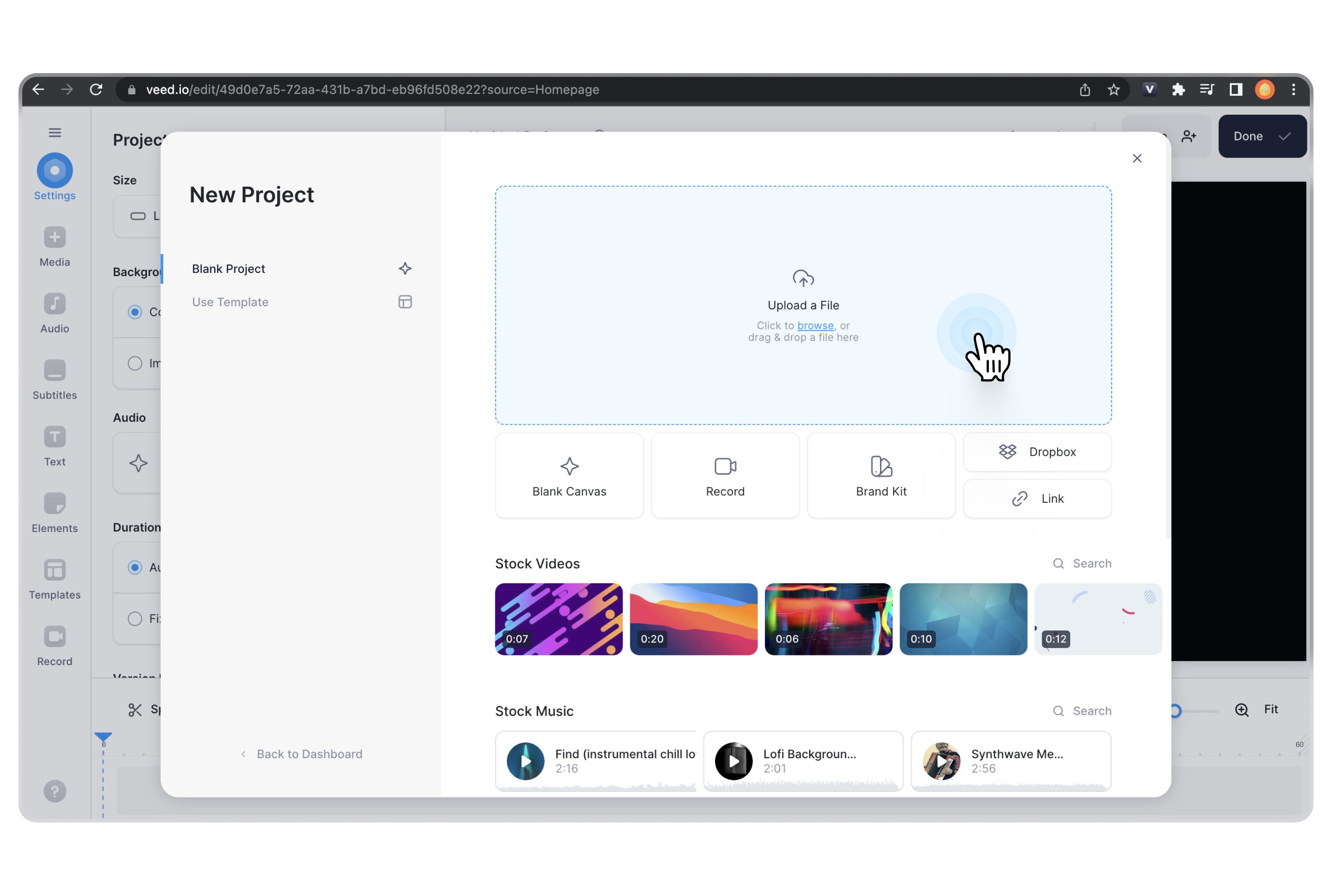
Veed is an AI video generation and editing platform designed to help users quickly create content for platforms like TikTok, Instagram, YouTube, and beyond. With just a prompt or a script, Veed’s AI generates videos complete with narration, visuals, and scenes tailored to the user’s intent.
Key features include:
- Prompt-based video creation: Start with a script or idea; AI generates complete videos with voiceovers, visuals, and scenes
- Multi-model support: Access different AI video models (e.g., Veo 3.1, Kling, LTX) for cinematic, animated, or social content styles
- Image-to-video capability: Turn product photos into animated ads or explainer videos using AI-generated media
- Full editing suite: Built-in editor for adding captions, brand assets, custom avatars, and animations, with no external tools needed
- Social media optimization: Tailor aspect ratios, captions, and visuals for TikTok, YouTube Shorts, and Instagram Reels

Source: Veed
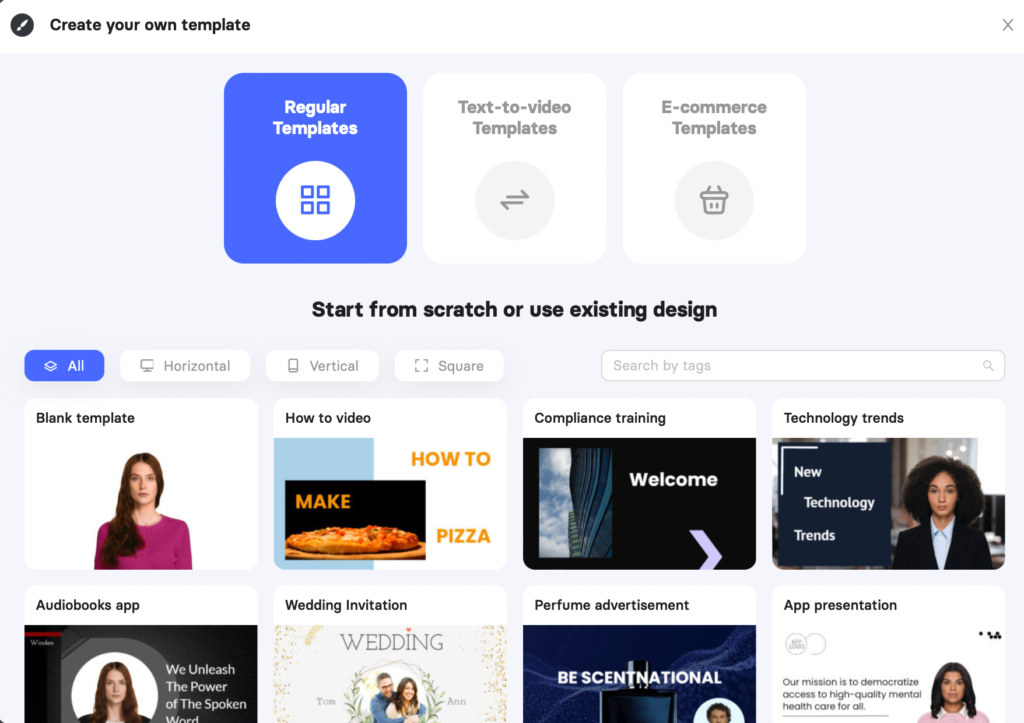
5. Elai

Elai is an AI-powered video creation platform that enables users to generate videos with digital presenters using only text, links, or presentations. It allows teams to create narrated videos with customizable avatars, voices, and templates, without requiring video production skills.
Key features include:
- AI video creation from text: Generate complete videos by turning text prompts into scripted, narrated video slides
- Extensive avatar library: Choose from 80+ AI avatars or create custom avatars (selfie, studio, photo, or animated mascot)
- Multilingual support: Produce videos in 75+ languages with diverse accents and regional variations
- Large voice selection: Access 450+ AI voices with different tones, styles, and languages
- Voice cloning: Clone your own voice and use it to narrate videos with AI avatars

Source: Elai
6. KreadoAI

KreadoAI is an AI video generation platform that lets users transform scripts, images, slides, and even URLs into videos in over 140 languages. With access to more than 1,000 AI avatars and 40,000 voices, KreadoAI enables teams to create video content without cameras, actors, or production experience.
Key features include:
- AI video generation from multiple inputs: Create videos from text, images, audio, PowerPoint files, or web links
- 1,000+ digital avatars: Choose from a large library of AI avatars with natural gestures and accurate lip-sync, or create a custom avatar using your webcam
- 40,000+ AI voices: Generate narration in 140+ languages using voices from Microsoft and ElevenLabs
- Voice cloning: Clone any voice with over 99% accuracy, preserving style, tone, and accent for dubbing or personalization
- Image-to-video conversion: Turn still images into talking AI videos with animated expressions and body movements
7. Vidnoz

Vidnoz is a free AI video generator built to help individuals and teams create videos at scale—without cameras, actors, or editing experience. Users can choose from 1900+ AI avatars, 2000+ voices, and 2800+ templates to produce videos for any purpose, including training, marketing, e-learning, and customer service.
Key features include:
- Massive template library: Start quickly with 2800+ customizable templates for business, education, sales, and support
- 1900+ expressive AI avatars: Choose avatars with natural gestures and lip sync, or create a custom digital twin
- 2000+ AI voices: Generate voiceovers in 140+ languages with pre-prepared voices
- Voice cloning: Create a voice replica that mimics tone, accent, and speech style with realistic detail
- Multi-language video translation: Translate videos into 140+ languages with synchronized lip movements and context-aware AI
8. D-ID

D-ID is a visual AI platform that enables the creation of real-time, interactive digital agents—complete with avatars, voice, and personality. These AI-powered agents go beyond chatbots by combining facial animation, conversational AI, and customizable knowledge bases to deliver human-like interactions across websites, apps, and enterprise platforms.
Key features include:
- Lifelike visual AI agents: Combine voice, facial animation, and real-time response to create agents that feel like real people
- Custom appearance and personality: Choose or design your agent’s face, voice, language, and tone to match your brand or purpose
- Real-time, multilingual conversations: Support for multiple languages with fast, accurate voice interactions and HD facial expressions
- Voice cloning and speech personalization: Use your own voice or create custom voice models for more authentic communication
- Knowledge source integration: Connect agents to internal data, documents, or APIs using retrieval-augmented generation (RAG) for context-aware answers.
Learn more in our detailed guide to AI avatar tools.
How to choose a Synthesia alternative
When evaluating alternatives to Synthesia, it’s important to align platform capabilities with your specific use case—whether it’s training, marketing, customer support, or social content. While many tools appear similar at a glance, each has distinct strengths, limitations, and workflows.
Here are key considerations to help guide your decision:
- Customization needs
If you require highly personalized avatars, advanced branding, or voice cloning, prioritize platforms like Elai, KreadoAI, or HeyGen. These offer broader avatar libraries and more control over voice and visual identity. - Translation and localization accuracy
For multilingual content at scale, choose tools with reliable translation workflows and accurate lip-sync. KreadoAI, Colossyan, and Vidnoz support a wide language range and provide more granular localization tools. - Editing and scene control
Synthesia offers limited scene and layer management. If your workflow needs fine control over visuals, scene composition, or animation timing, look for tools like Veed or HeyGen with built-in editors and layout precision. - Ease of use vs. advanced control
Platforms like Colossyan and Vidnoz simplify content creation with slide-like editors and templates, while others like D-ID or Veed provide more advanced editing at the cost of a steeper learning curve. - Integration and automation capabilities
If you’re planning to automate video generation or integrate with enterprise systems, check for API access and workflow automation. D-ID and KreadoAI offer better integration options for teams working at scale. - Budget and feature access
Some platforms limit key features to enterprise tiers. Review pricing tiers carefully—especially if you need large video volumes, media uploads, or API access. Look for platforms with transparent, flexible plans like Elai or Vidnoz. - Use case alignment
Not all tools are built for the same purpose. Colossyan is best suited for internal training, while Veed targets social media creators. Match the platform’s focus to your intended use to avoid feature gaps.
Selecting the right alternative depends on balancing ease of use, creative flexibility, scalability, and cost—based on your content goals and team size.
Conclusion
While Synthesia remains a popular choice for AI video generation, its limitations—such as feature gating, limited customization, and editing constraints—make it less ideal for users seeking more control, scalability, or flexibility. Alternatives like Kaltura offer richer avatar functionality and cater to enterprise-level interactivity and integration.
Depending on your specific needs, be it training content, marketing videos, or real-time digital agents, there are now several viable tools that can match or exceed Synthesia’s capabilities in both functionality and value.
Was this post useful?
Thank you for your feedback!