





Agentic AI for Customer Onboarding Videos: Process & Top 8 Solutions

TL;DR: Agentic AI onboarding videos adapt content and sequencing per customer in real time. Kaltura suits conversational guided onboarding; SundaySky data-driven personalization; Idomoo high-volume rendering; Synthesia multilingual video.
What is agentic AI for customer onboarding videos?
Implementing Agentic AI for customer onboarding videos means moving from static tutorials to dynamic, AI-generated video experiences. Instead of pre-recording a generic video, an AI agent ingests a client’s specific CRM data and uses an AI avatar or voice engine to instantly generate, personalize, and deliver a tailored onboarding video.
Step-by-step implementation:
- Define onboarding goals and map the customer journey: Set measurable onboarding objectives and identify where personalized AI videos can reduce friction, accelerate time to value, and improve product adoption across each stage of the customer journey.
- Identify high-impact video touchpoints and customer segments: Prioritize onboarding moments that benefit most from AI-generated video and segment customers by role, industry, experience level, or use case to deliver relevant guidance.
- Connect customer, product, and engagement data: Integrate CRM, product usage, and support data so the AI agent can personalize video content, timing, and recommendations using real-time customer context.
- Build modular video content and configure AI agent guardrails: Create reusable video modules that the AI can assemble dynamically while enforcing brand, compliance, and escalation rules through predefined guardrails.
- Integrate personalized video workflows into the onboarding experience: Embed AI-generated videos directly into product onboarding flows, emails, customer portals, and in-app guidance, triggering content based on customer actions and progress.
- Test, measure, and continuously optimize: Validate personalization logic with pilot users, track onboarding metrics such as completion rates and feature adoption, and refine AI decision-making based on customer behaviour and feedback.
This is part of a series of articles about agentic AI tools
How agentic AI changes video-based customer onboarding
Traditional customer onboarding videos are static, one-size-fits-all assets that often fail to address individual customer needs or respond to their questions. Agentic AI transforms this model by introducing adaptability and interactivity. Instead of passively watching a pre-recorded video, users engage with content that evolves in real time based on their inputs, behavior, and preferences. This approach results in more relevant information delivery and a smoother onboarding experience.
With agentic AI, video onboarding becomes more than playback; it becomes a two-way interaction. The AI system can recognize if a customer is confused, bored, or ready to move on and adjust the flow accordingly. It can ask clarifying questions, provide additional resources, or skip ahead when appropriate. This reduces friction for the user and shortens the time it takes for customers to become confident, active users of a product or service.
Related content: Read our article about agentic AI vs generative AI
Key capabilities required for agentic AI onboarding videos
Dynamic video personalization
Dynamic video personalization involves tailoring onboarding videos to each customer using real-time data. Agentic AI systems analyze the following elements to select video segments and messaging that align with the viewer’s role, goals, and preferences:
- User profiles
- Previous interactions
- Contextual information
For example, a new user might see a different introduction than an experienced user upgrading their service. This level of personalization keeps content relevant and avoids generic instructions that may not apply to the individual.
This capability improves engagement and learning outcomes by presenting information in a format suited to each user. The AI can adapt video pacing, language complexity, and visual aids to match user needs. As a result, customers are less likely to disengage or become frustrated, leading to higher satisfaction and faster onboarding completion. Dynamic personalization is foundational for getting the most from AI-driven onboarding videos.
Automated content selection and sequencing
Automated content selection and sequencing allow the AI system to assemble the right video flow for each customer. Instead of following a fixed script, the agentic AI chooses relevant video modules based on user data and ongoing interactions. This ensures that every user receives the information they need, nothing more and nothing less.
By sequencing content in response to user actions, agentic AI can adapt to different learning speeds and knowledge levels:
- If a customer quickly grasps a concept, the AI can skip ahead
- If confusion is detected, it can insert additional explanations or examples.
This flexibility removes redundant information and respects the user’s time.
Interactive questions and responses
Interactive questions and responses turn a passive viewing experience into active learning. The AI system can pose questions to assess comprehension, gather preferences, or clarify user intent throughout the video. Based on user responses, the AI can:
- Provide feedback
- Offer additional resources
- Adjust the next video segment
This interactivity increases engagement and ensures users are following along. By allowing users to ask questions at any point, agentic AI enables a conversational onboarding experience. The AI can understand and respond to natural language queries, addressing concerns or elaborating on topics in real time. This supports better understanding and builds confidence in the onboarding process.
Real-time customer intent detection
Real-time customer intent detection allows agentic AI to infer what users want during the onboarding video. The AI can adjust the experience to match customer goals by analyzing:
- User inputs
- Navigation patterns
- Engagement signals
For example, if a user repeatedly skips certain sections, the AI may infer familiarity with those topics and shift focus to new material. This approach reduces frustration and keeps the onboarding journey relevant. The AI’s ability to detect intent also enables it to offer timely assistance, recommend resources, or escalate to human support when necessary.
Multilingual video localization
Multilingual video localization enables agentic AI systems to deliver onboarding content in the user’s preferred language, automatically translating and localizing not just the words but also:
- Cultural references
- Visuals
- Examples
The AI can switch languages based on user preferences or detected location. Localization goes beyond basic translation by adapting idioms, measurements, and regulatory information to each market. Providing onboarding videos that feel native to every customer reduces barriers to understanding and supports product adoption.
Related content: Read our article about digital customer engagement
Engagement analytics and feedback loops
Engagement analytics and feedback loops support ongoing improvement of agentic AI onboarding videos. To identify what works and what does not, the AI system tracks user engagement metrics, such as:
- Completion rates
- Time spent
- Interaction frequency
- Drop-off points
This data helps teams refine content, adjust sequencing, and address common pain points. Feedback loops can also be automated, allowing the AI to adjust content delivery in real time based on outcomes. For example, if analytics reveal that many users struggle with a concept, the AI can insert additional explanations or simplify the material for future viewers. Continuous measurement and iteration keep onboarding videos aligned with evolving customer needs.
How to implement agentic AI for customer onboarding videos
1. Define onboarding goals and map the customer journey
The first step in implementing agentic AI for onboarding videos is to define your onboarding goals. These may include accelerating time to value, reducing customer churn, or increasing product adoption rates. Establishing measurable objectives ensures the AI system has a clear target.
Next, map the customer journey in detail, identifying all stages and touchpoints from sign-up to activation. Understanding the journey helps pinpoint where video content provides the most value and where AI intervention has the biggest impact.
2. Identify high-impact video touchpoints and customer segments
After mapping the customer journey, identify touchpoints that would benefit most from AI-powered video onboarding. Focus on moments where customers encounter confusion, drop off, or require extra support, such as product setup, feature introductions, or compliance steps.
Segment your customer base to tailor the onboarding experience to different needs and personas. Consider factors such as user roles, industries, technical expertise, and regions. This segmentation increases the effectiveness of agentic AI in onboarding scenarios.
3. Connect customer, product, and engagement data
Integrating customer, product, and engagement data powers personalization. Gather data from CRM systems, product usage analytics, and support interactions to build customer profiles. This data provides the context the AI needs to select relevant video content and adapt the onboarding flow in real time.
Ensure that data connections are secure, compliant with privacy regulations, and updated continuously. Real-time data synchronization allows the AI system to respond to changes in user behavior or profile information.
4. Build modular video content and configure AI agent guardrails
Create a library of modular video components that can be assembled and sequenced dynamically by the agentic AI. Each module should address a specific topic, feature, or onboarding step. Modular content design makes it easier to update or expand the video library as products evolve.
Set clear guardrails for the AI agent to ensure it operates within defined boundaries. These guardrails may include compliance requirements, branding guidelines, and escalation protocols for sensitive topics.
5. Integrate personalized video workflows into the onboarding experience
Integrate the agentic AI video system directly into the customer onboarding workflow rather than treating it as a standalone resource. Embed personalized videos within product onboarding checklists, in-app guidance, customer portals, email sequences, or mobile applications so users receive relevant content when needed. The AI should use real-time customer actions and product events to trigger the appropriate video experience instead of relying on a fixed schedule.
Ensure the onboarding workflow supports smooth transitions between video guidance, product interactions, and human assistance when required. If a customer completes a task successfully, the AI can move to the next topic. If a customer struggles or requests help, the workflow can present supplementary videos, documentation, or connect the user with a support representative.
6. Test, launch, measure, and continuously optimize
Before rolling out the solution broadly, test the onboarding experience with representative customer groups from different segments. Validate that video recommendations, AI responses, personalization logic, and guardrails work as intended. Pilot deployments help identify content gaps and incorrect decision paths.
After deployment, measure onboarding performance using metrics such as completion rates, time to value, feature adoption, customer satisfaction, support ticket volume, and retention. Use these insights to refine AI decision rules, improve video modules, and update personalization strategies as customer behavior changes.
Agentic AI onboarding video platforms at a glance
The table below summarizes the key differences between the platforms covered in this section, including what each one is built around and where its limits sit. Each platform is then examined in more detail below.
| Category | Solution | Best For | Key Strengths | Things to Consider |
| Enterprise video platforms with agentic AI | Kaltura Agentic Avatars | Real-time conversational guidance in product journeys | Goal-driven avatars grounded in approved content | Broad platform with many features and options |
| Enterprise video platforms with agentic AI | SundaySky | Onboarding videos personalized per viewer | Dynamic narration, text, visuals, and CTAs from data | Template layouts limit design variation |
| Enterprise video platforms with agentic AI | Idomoo | High-volume personalized and interactive video | Real-time rendering with dynamic text, audio, media | Setup often depends on vendor involvement |
| Enterprise video platforms with agentic AI | Vidyard Video Agent | Triggered video follow-ups driven by CRM activity | Workflow automation with AI avatars and scripts | Built around revenue rather than product onboarding |
| AI video creation and localization | Synthesia | Scripted onboarding video localized across languages | Text-to-video with avatars, translation, re-editing | Script changes require a full regeneration |
| AI video creation and localization | HeyGen | Batch personalized messages from spreadsheet or CRM | Digital twins, voice cloning, 175+ languages | Credits consumed even on unwanted renders |
| AI video creation and localization | Colossyan | Interactive customer education with branching paths | Branching, quizzes, 100+ language translation | Interactive features sit on enterprise plans |
| AI video creation and localization | Guidde | Turning product workflows into step-by-step guides | Automatic capture with narration, captions, text | Capture depends on an extension or desktop app |
For a wider view of the category, read our guide to AI video tools.
Notable platforms for agentic AI onboarding videos
How we selected these platforms: We shortlisted platforms for agentic AI customer onboarding videos based on real-time personalization, automated content selection and sequencing, interactivity, intent handling, multilingual localization, and engagement analytics.
Enterprise Video Platforms with agentic AI capabilities
1. Kaltura Agentic Avatars

Best for: Real-time conversational video guidance
Strengths: Goal-driven avatars grounded in approved content
Things to consider: Broad platform with many features and options
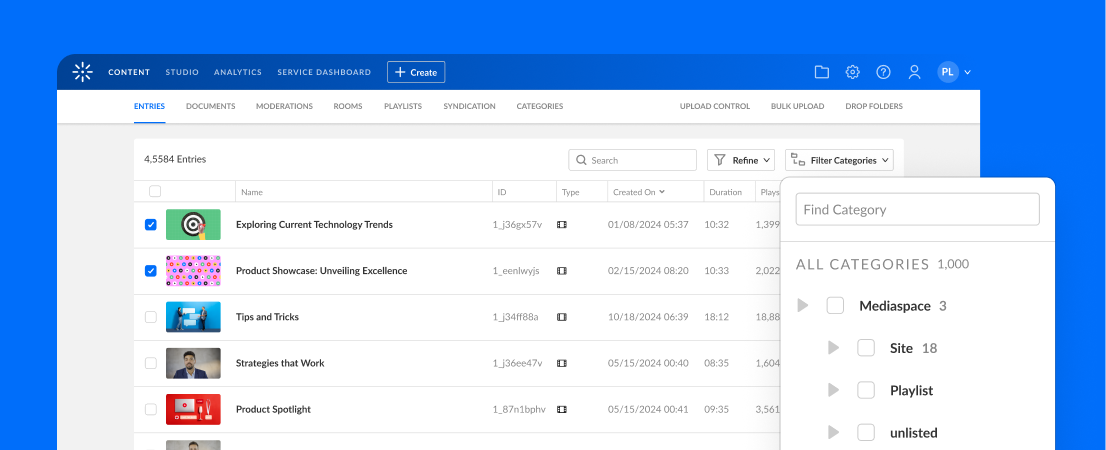
Kaltura Agentic Avatars are conversational AI video agents that operate as live video chat rather than pre-recorded playback. The avatar listens, sees, and adapts during the session, interpreting context and advancing the conversation toward a defined outcome using the organization’s knowledge.
Setup runs end-to-end without technical support. Teams select the avatar look, voice, persona, and one of 30+ languages, define the agent’s purpose and behavior, then connect the videos, documents, FAQs, and datasets it can draw from in real time. The agent is then embedded where needed.
Key features include:
- Avatar and persona configuration: Select the look, voice, persona, and one of more than 30 languages the agent uses.
- Purpose and behavior definition: Teams define what the agent should accomplish and how it interacts within guardrails.
- Knowledge grounding: Videos, documents, FAQs, and datasets are added as sources the agent draws from during a session.
- Real-time context handling: The agent adapts during the conversation instead of following a fixed sequence.
- Embedding across touchpoints: A configured agent can be placed in a website, product, video portal, webinar, digital event, LMS, or help center.
- Platform integration: Agentic Avatars run on Kaltura’s video infrastructure and connect to Genie agents and products, including Video Portals, Virtual Events and Webinars, and Virtual Classroom.
- Documented scenarios: Employee onboarding, customer experience, learning, marketing, and TV experiences.
Limitations (as reported by users on G2, whose reviews cover the wider Kaltura Video Cloud platform):
- Breadth of configuration: Reviewers note that the number of backend settings takes time to learn.
- Built-in editing depth: Users describe the native video editing tools as basic for involved edits.
- Reporting granularity: Some reviewers want deeper analytics exports and note that pulling complete data sets can require API work.

Source: Kaltura
2. SundaySky

Best for: Data-driven onboarding videos personalized for each viewer
Strengths: Dynamic narration, text, visuals, and CTAs from customer data
Things to consider: Template layouts limit design variation across videos
SundaySky is an enterprise video platform used for customer and member onboarding. Videos are built from templates and personalized per viewer using CRM, behavioral, and product data, which changes the narration, on-screen text, visuals, and calls to action based on the viewer.
Content is produced by CX and marketing teams rather than video specialists, with AI drafting through prompt-to-video and document-to-video, plus AI avatars, AI voices, and AI media generation. Videos render in real time and are distributed across email, in-app, web, and SMS, with analytics tracking engagement.
Key features include:
- Dynamic video personalization: Narration, on-screen text, visuals, and CTAs change per viewer from connected data.
- AI drafting tools: Prompt-to-video and document-to-video produce a draft with scenes, script, and media.
- Real-time rendering: Videos are rendered when the viewer presses play.
- Data connectors: Connections to Salesforce, HubSpot, Marketo, Snowflake, and leading CDPs.
- Multichannel distribution: Delivery through email, SMS, in-app placements, web pages, a custom player, or hosted landing pages.
- Engagement analytics and surveys: Views, completion rates, click-throughs, and viewer feedback surveys.
- Governance and compliance: Centralized brand governance, secure data connections, audit-ready reporting, and SOC 2, HIPAA, and GDPR compliance.
Limitations (as reported by users on G2):
- Template flexibility: Reviewers report that scene templates constrain layout changes.
- AI draft quality: Several users found the AI drafting features needed rework.
- Voice control: Reviewers note limited control over inflection and pauses in AI narration.
- Speed and export quality: Uploads and large edits can be slow, and exported files are described as lower quality than playback through the native player.

Source: SundaySky
3. Idomoo

Best for: High-volume personalized and interactive video generation
Strengths: Real-time rendering with dynamic text, audio, images, and video
Things to consider: Campaign setup often depends on vendor involvement
Idomoo’s Next Generation Video Platform generates data-driven videos at scale. Dynamic elements including text, audio, images, and video-in-video are incorporated into layers of the video, and each viewer’s version is generated from CRM, API, CSV, contextual, or user-entered data.
The platform includes a Design Hub where animators build scenes through an After Effects plugin, an Experience Suite where teams define narrative flow and logic with a drag-and-drop interface, and a rendering layer. Distribution, interactivity, and analytics run through the Idomoo player and dashboard.
Key features include:
- Dynamic scene selection: The platform assembles the story for each customer based on available data or viewer input.
- Living video and live data: Videos connect to live feeds such as time, location, or product inventory.
- Interactivity and in-player customization: Chapter markers, clickable elements, and viewer-editable parameters.
- Rendering at scale: A GPU-based engine renders up to 100x real time, with concurrency measured in millions of videos per hour.
- Data ingestion and APIs: Real-time generation API, CSV and SFTP upload, plus Scene, Storyboard, and Metadata APIs.
- Multilingual output: Campaigns produced in over 40 languages, with right-to-left text and multilingual voiceover and captions.
- Analytics and tagging: Campaign funnel dashboard, raw data export, and data-driven tags for filtered reporting.
- AI video creation: AI handles scripting, storyboarding, footage, and voiceover.
Limitations (as reported by users on G2):
- Self-service depth: Reviewers indicate that building video journeys without vendor involvement can be difficult.
- Customization limits: Some users report constraints beyond supported patterns.
- Cost transparency: Reviews mention additional costs beyond the initial scope.
- Analytics and integrations: Reviewers cite gaps in reporting depth and effort required for certain integrations.

Source: Idomoo
4. Vidyard Video Agent

Best for: Triggered personalized video follow-ups driven by CRM activity
Strengths: Workflow automation with AI avatars and script templates
Things to consider: Built around revenue workflows rather than product onboarding
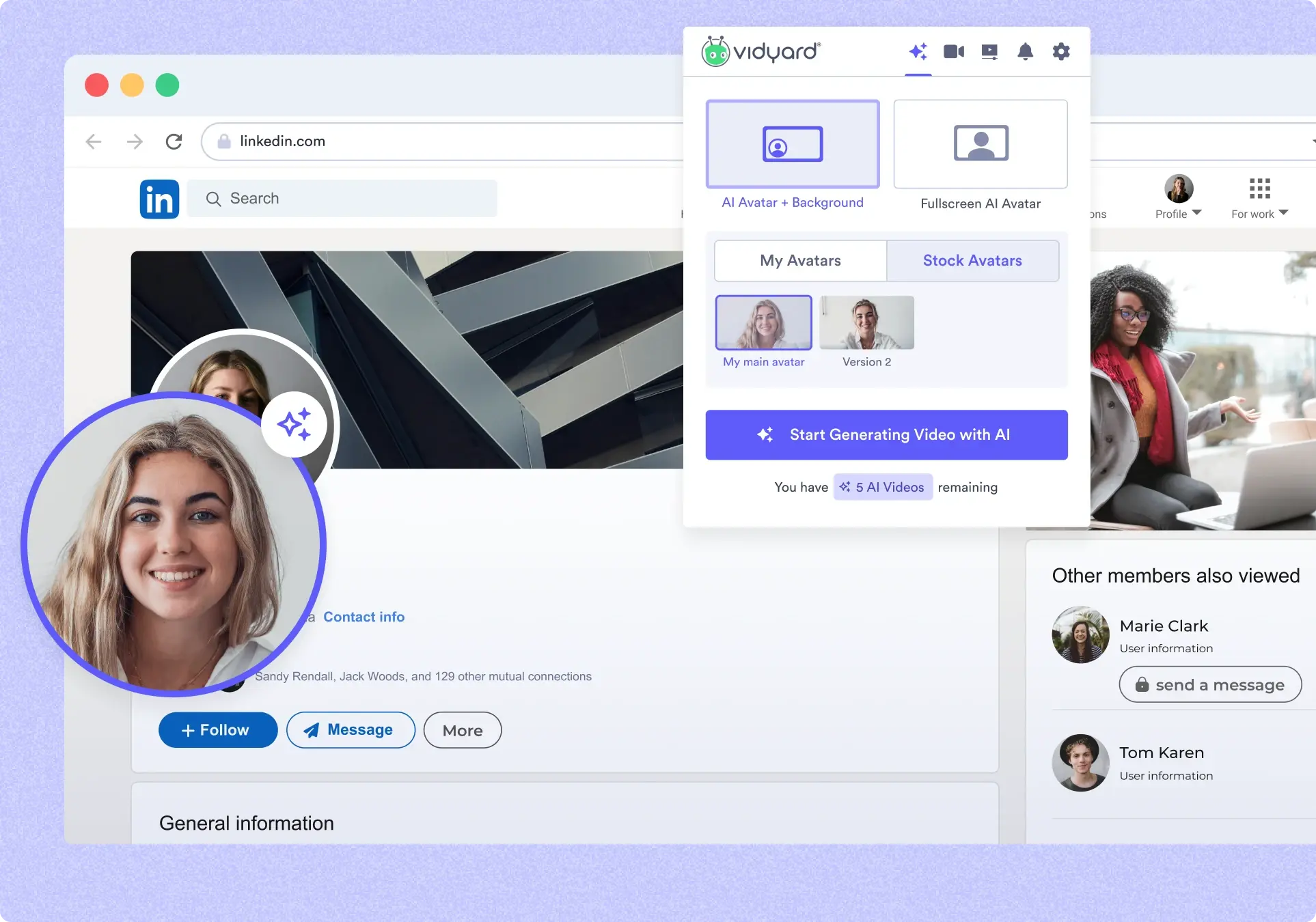
Vidyard Video Agent automates delivery of personalized video messages based on activity logged in a CRM. A workflow is configured once, specifying which buyer actions trigger a video, and the agent creates and sends AI-generated videos without a rep recording each one.
Videos are delivered by AI avatars that use speech patterns, facial expressions, and gestures modeled on the rep they represent. Scripts come from a template library or the AI script generator, with keyword replacement pulling CRM details such as first name or company into each version.
Key features include:
- Trigger-based workflows: A workflow sends a video when specified actions are logged in the CRM.
- AI avatar delivery: Rep-specific avatars deliver the script.
- Script generation and keyword replacement: Templates and an AI script generator produce the wording, and CRM fields populate recipient details.
- One-time setup, continuous sending: Once launched, the workflow keeps generating and sending videos.
- Engagement reporting: Reporting shows which conversations generate engagement.
- Documented use cases: Cold outreach, follow-up after content engagement, and meeting reminders.
Limitations (as reported by users on G2, whose reviews cover the wider Vidyard platform):
- Editing depth: Reviewers describe editing capabilities as limited compared to dedicated video tools.
- Performance with large files: Load times are reported as slow with larger files.
- Viewer access: Some users report friction for external viewers accessing shared links.
- Plan limits: Reviewers note caps on the number of videos on lower tiers.

Source: Vidyard
5. Synthesia

Best for: Scripted onboarding videos localized across many languages
Strengths: Text-to-video with avatars, translation, and easy re-editing
Things to consider: Small script changes require the video to be regenerated
Synthesia turns written material into avatar-narrated onboarding videos. An idea prompt, full script, public URL, or uploaded PowerPoint, PDF, Word, or text file becomes a draft with scenes, an AI avatar, and voiceover, edited in the browser without cameras.
Because the video is generated from text, updates are handled by editing the script and regenerating rather than re-recording. Content is translated into 160+ languages with one click, and onboarding templates can be branded with logos, colors, and fonts.
Key features include:
- Multiple input methods: Create videos from a prompt, script, URL, or uploaded PPTX, PDF, DOCX, or TXT file up to 50MB.
- Avatar and voice library: More than 230 AI avatars and 1,000 AI voices, plus custom avatars.
- Localization: One-click translation into 160+ languages, AI dubbing, multilingual player, and captions.
- Script-based updating: Editing the script updates the video.
- Interactivity: Clickable elements, quizzes, and branching paths.
- Templates and brand controls: Onboarding templates, brand kit, collaboration, and version control.
- Publishing and analytics: MP4 download, shareable links, embed codes, public or SSO pages, and built-in analytics.
- Screen recording and motion graphics: AI screen recorder and motion graphics for product interfaces.
Limitations (as reported by users on G2):
- Avatar realism: Avatars and gestures can appear unnatural, especially in longer scripts.
- Expression customization: Reviewers want more control over expressions, gestures, and outfits.
- Regeneration workflow: Small edits require a full re-render.
- Plans and credits: Users report that minute or credit allowances expire and some capabilities are on higher tiers.

Source: Synthesia
6. HeyGen

Best for: Batch personalized video messages from spreadsheet or CRM data
Strengths: Digital twin avatars, voice cloning, and 175+ language output
Things to consider: Credit-based pricing consumed even on unwanted renders
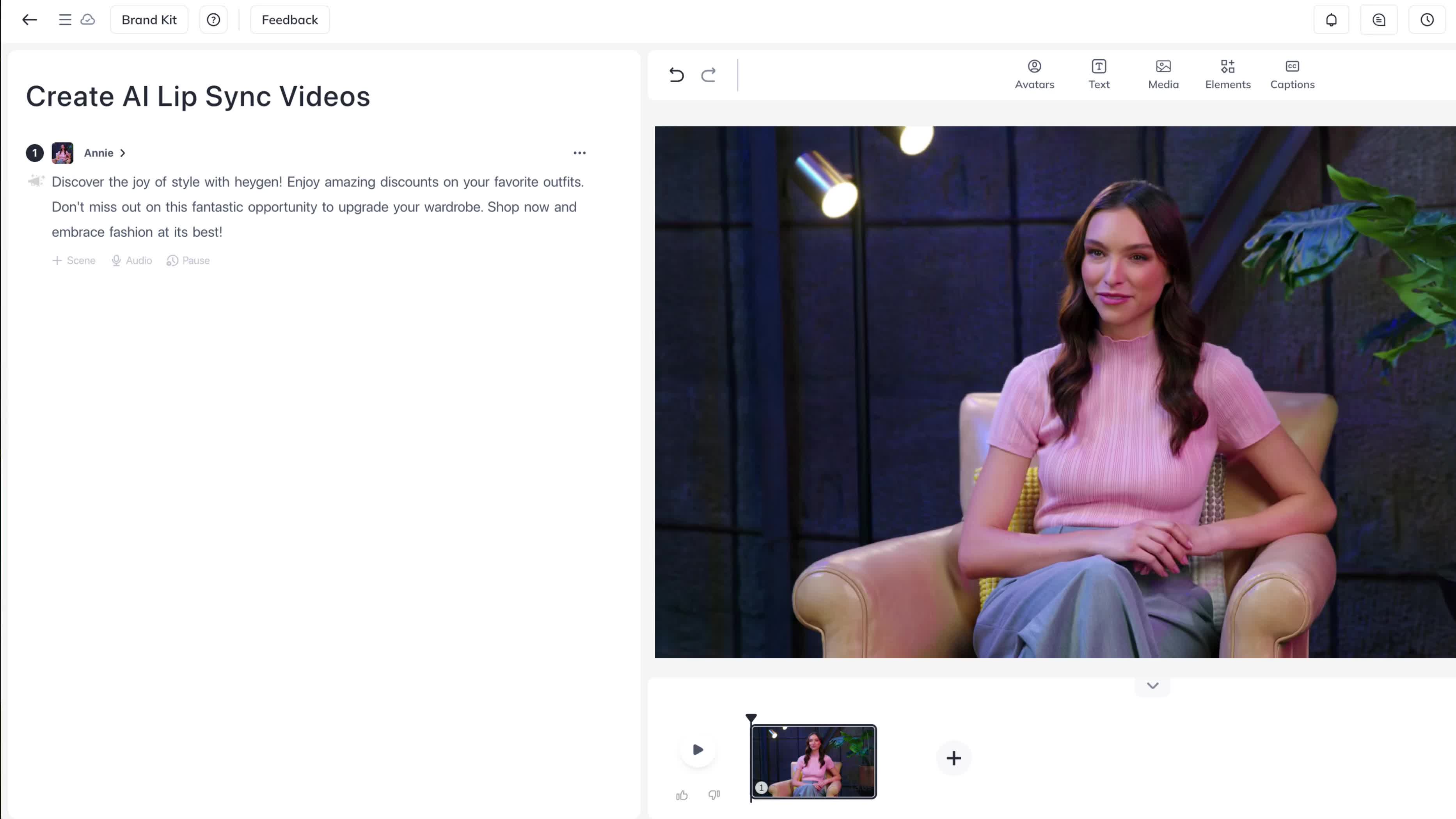
HeyGen produces personalized video messages from a typed script and chosen presenter. A short recording builds a digital twin that holds the same face, voice, and expressions across every video, or a stock avatar can be used.
Personalized elements such as first name, company, or renewal date are inserted into the script, and each row of a spreadsheet or CRM produces its own version in a batch. Voice cloning delivers the script in 175+ languages with matched lip movement.
Key features include:
- Digital twin avatars: A short recording produces an avatar that keeps a consistent identity across videos.
- Variable-driven personalization: Script variables map to spreadsheet or CRM columns.
- Batch rendering: Every version is generated in one run and exported or sent through email or an outreach tool.
- Voice cloning and translation: Clone a voice and speak the script in 175+ languages.
- Templates: Prebuilt templates for onboarding welcomes, follow-ups, and event invites.
- Integrations: Google Sheets, Zapier, HubSpot, and API-based sending.
- Script-based updates: Edit and regenerate rather than re-record.
- Security posture: SOC 2 Type II certification and encryption in transit and at rest.
Limitations (as reported by users on G2):
- Credit consumption: Credits are consumed by test and failed renders and expire at cycle end.
- Preview before generation: Lip sync and delivery can only be assessed after rendering.
- Post-generation editing: Captions and small script details require regeneration.
- Expressiveness control: Limited control over gestures and tone.

Source: HeyGen
7. Colossyan

Best for: Interactive customer education videos with branching paths
Strengths: Branching scenarios, quizzes, and 100+ language translation
Things to consider: Interactive video features limited to enterprise plans
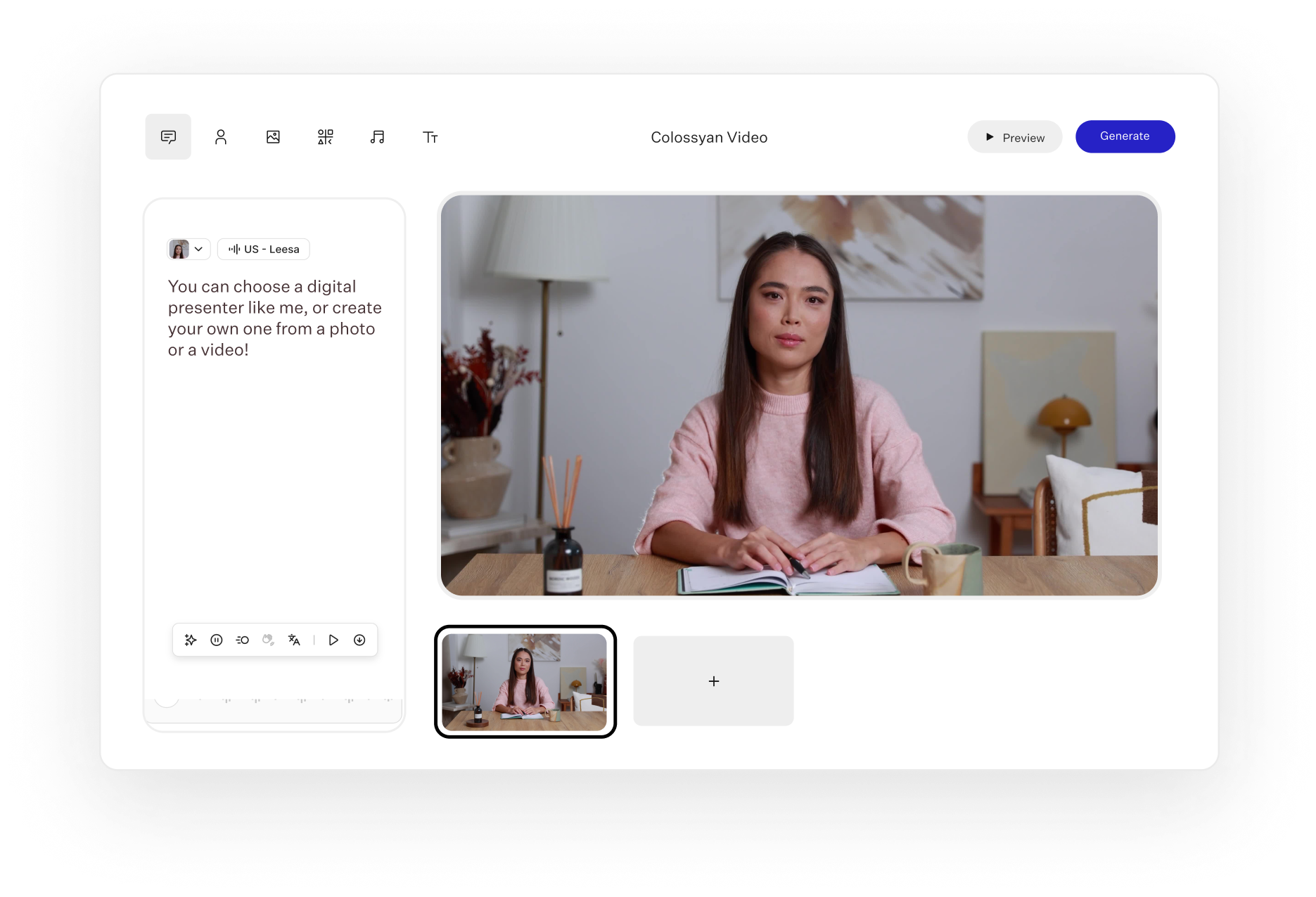
Colossyan creates avatar-led customer education and onboarding videos and extends them into interactive experiences. Branching scenarios send viewers down different paths based on their choices, and quizzes check understanding during playback.
Production starts from source material. An existing PDF, PPT, DOC, or TXT file becomes a draft, a template can be personalized, or a prompt generates the video.
Key features include:
- Branching scenarios: Video paths diverge according to viewer choice.
- Quizzes and action buttons: Multiple-choice questions and clickable buttons.
- Document and prompt to video: Convert PDF, PPT, DOC, and TXT files into drafts.
- Avatars: 200+ AI avatars, plus custom avatars.
- Screen recording: Capture product screens inside the platform.
- Translation: Translate into 100+ languages and dialects with lip sync.
- Content updates: Update videos when features or policies change.
- Delivery and export: Embed, share by link, or export as SCORM to a learning management system.
Limitations (as reported by users on G2):
- Avatar expression: Limited customization and emotional range.
- Avatar library breadth: Requests for wider choice and greater realism.
- AI assistance: Built-in AI help described as confusing at times.
- Language coverage: Some users report accent and voice options that do not match their market.

Source: Colossyan
8. Guidde

Best for: Turning product workflows into step-by-step video guides
Strengths: Automatic capture with generated narration, captions, and text
Things to consider: Capture depends on a browser extension or desktop app
Guidde records a workflow and generates video documentation. A subject matter expert captures steps through the browser extension, mobile, or desktop app, and the platform produces a video with voiceover, captions, highlights, and a written guide.
Guides are embedded into applications, exported into a knowledge base, or shared by link so guidance appears where the question arises.
Key features include:
- Magic capture: Record steps and generate the guide once recording stops.
- Automated script generation: Convert workflows into structured narratives.
- AI voiceover: Narration from a library of more than 200 voices and languages.
- Editor: Adjust scripts, audio, and design, and embed interactive links.
- Multilingual output: Auto-translate into 50+ languages.
- Embedded delivery: Embed video guidance inside apps.
- Knowledge base export: Export guides as searchable resources.
- Dual-format output: Produce both video and written guide.
- Security controls: HIPAA-aligned workflows with access and approval controls.
Limitations (as reported by users on G2):
- Customization depth: Requests for more control over branding and fine-tuning.
- Voiceover naturalness: AI narration can sound robotic.
- Capture behavior: Reports of lag at recording start and weaker handling of full-screen desktop applications.
- Concurrent editing and organization: Saving issues with simultaneous editing and cumbersome folder-based organization.

Source: Guidde
Conclusion
Implementing agentic AI for customer onboarding videos enables organizations to deliver personalized, adaptive onboarding experiences that respond to each customer’s role, goals, and behaviour in real time. By combining customer data, modular video content, autonomous decision-making, and continuous performance analysis, organizations can reduce onboarding friction, accelerate product adoption, and improve customer satisfaction. As the AI learns from engagement data and outcomes, onboarding becomes increasingly effective, allowing teams to scale personalized guidance without relying on static, one-size-fits-all video content.
Was this post useful?
Thank you for your feedback!





.webp)