Webinar Hosting: Comparing the Top 10 Webinar Platforms in 2025

Webinars are an important tool for education, training, marketing, and communication. They also help you engage your audience in unique ways only an online space can offer, like online chat, polls, and breakout rooms. Learn about the top platforms that can take your webinars to the next level.
What Are Webinar Hosting Platforms?
Webinar hosting platforms are software tools that allow you to create, manage, and deliver live or pre-recorded video presentations over the internet. These platforms combine video conferencing, live streaming, and audience interaction features to help you run webinars efficiently, whether for marketing, training, or internal communication.
These tools provide the infrastructure to broadcast to a large audience, collect attendee data, and track engagement. They typically include features like registration pages, email reminders, screen sharing, chat, polls, and analytics. More advanced platforms also offer integrations with CRM systems, automated follow-ups, and content repurposing options like on-demand viewing.
Webinar platforms are used by businesses of all sizes to scale their communications, build brand authority, educate customers, and generate leads. Whether you’re running a product demo, onboarding session, or industry thought leadership event, these platforms help you reach more people without the logistics of physical events.
Related content: Read our guide to webinar best practices.
What are the key features to look for in a webinar platform?
When choosing a webinar platform, you should look for features across a few categories: ease of use, audience experience, and ROI. Here are a few features you should consider when choosing the right webinar platform for your business.
- Simple and quick webinar registration
You want a platform that’s intuitive to use so hosts can set up webinars easily, and attendees can join without technical difficulties.
- Engagement features
Having features like live chat, polls, Q&A, and virtual reactions helps you connect with your viewers, making your webinar more dynamic and inclusive.
- Screen sharing
Since your webinar is based on your content you want to be able to share your screen to show slideshows or other presentations with ease.
- On-demand recordings
Recording your webinar allows you to repurpose your content for lead generation or training materials in the future. That way, more people can watch your content without attending the live event.
- Webinar platform integrations
Your webinar is just one part of your event. Sending out emails and gathering leads before and after is just as important. So, choosing a webinar platform with integrations to your favorite email marketing tools and CRM will help streamline your workflow and keep everything in one place.
- Webinar security & support
Look for secure webinar features like end-to-end encryption, password protection, and waiting rooms to keep your hosts and viewers peace of mind. While responsive customer support will help resolve any issues that may arise along the way.
- Webinar analytics & reporting
Analytics that measure engagement on your live and recorded events will give you a better understanding of attendee participation, demographics, and feedback. With that data, you can continue to improve your events and make smarter decisions in the future.
- Scalability & reliability
As your events grow, you’ll want to host webinars with greater attendee capacity without downtime so everyone watching has a great experience.
Related content: Read our guide to webinar management.
The top 10 webinar platforms in 2025
Kaltura – Best for marketing and training

Kaltura is an interactive video solution for enterprises in any industry. Through Kaltura Webinars, you can create impactful brand experiences and events that drive revenue. With the help of AI, built-in marketing tools, interactive features, and real-time analytics, you’ll create professional webinars that turn into effective lead-generation landing pages and VODs that continue to bring in conversions long after your event goes live.
Key features:
- Fully branded minisite & VOD landing page
- Polls, votes, rating bars, reactions & chats
- Invite participants to the panel
- Real-time analytics

Source: Kaltura
Zoom Webinars – Best for video conferencing
Zoom is an all-in-one platform for teams to connect and collaborate online. Zoom Webinars, built on Zoom’s secure video platform, allows you to send a link to your attendees and stream to third-party platforms in a fairly simple way.
Key features:
- High-quality video webcasting
- Q&A, polling, and reactions
- Post-event reporting
- Support up to 100,000 attendees and 100 panelists

Source: Zoom
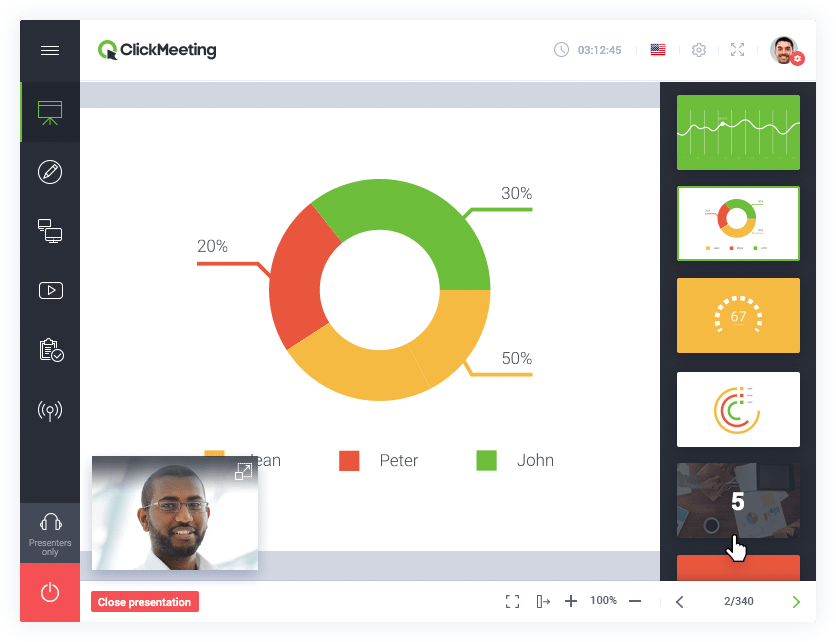
ClickMeeting – Best for small webinars

ClickMeeting allows you to host events and speak to large audiences for less. A simpler webinar platform that offers registration, automated reminders, and follow-up emails, you’ll be able to host any kind of event in one place.
Key features:
- Custom webinar broadcasting room
- Live streaming on YouTube and Facebook
- Chat and Q&A session
- Unlimited landing pages

Source: ClickMeeting
Demio – Best basic webinar experience

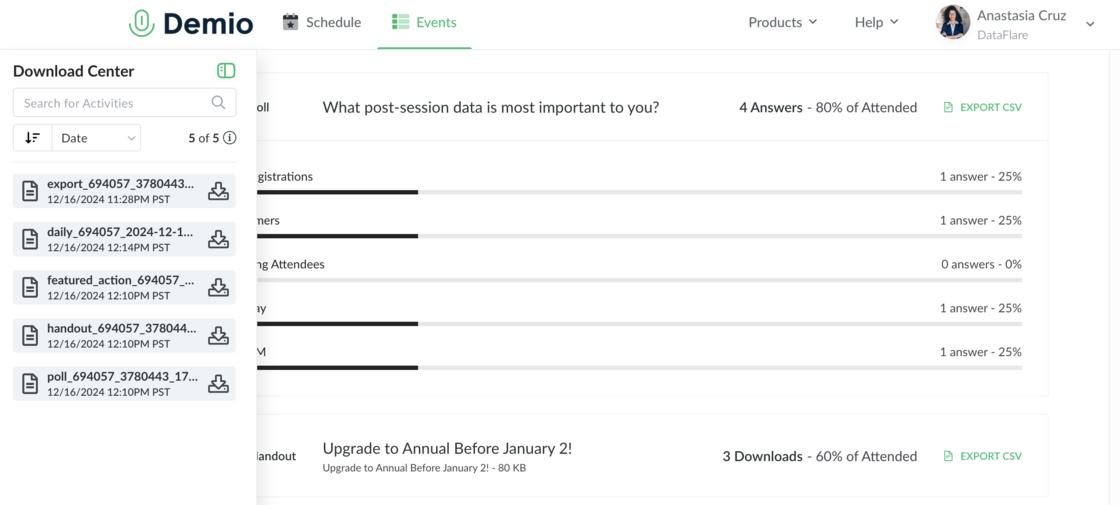
Demio is a browser-based platform built for marketing, sales, and customer support teams. With customizable branding, engagement features, and advanced analytics, you’ll be able to host basic webinars and track the results.
Key features:
- Chats, polls, featured actions, handouts
- Engagement analytics
- Pre-recorded on-demand and automated webinars
- Custom room & email branding

Source: Demio
Crowdcast – Best webinar software for creators

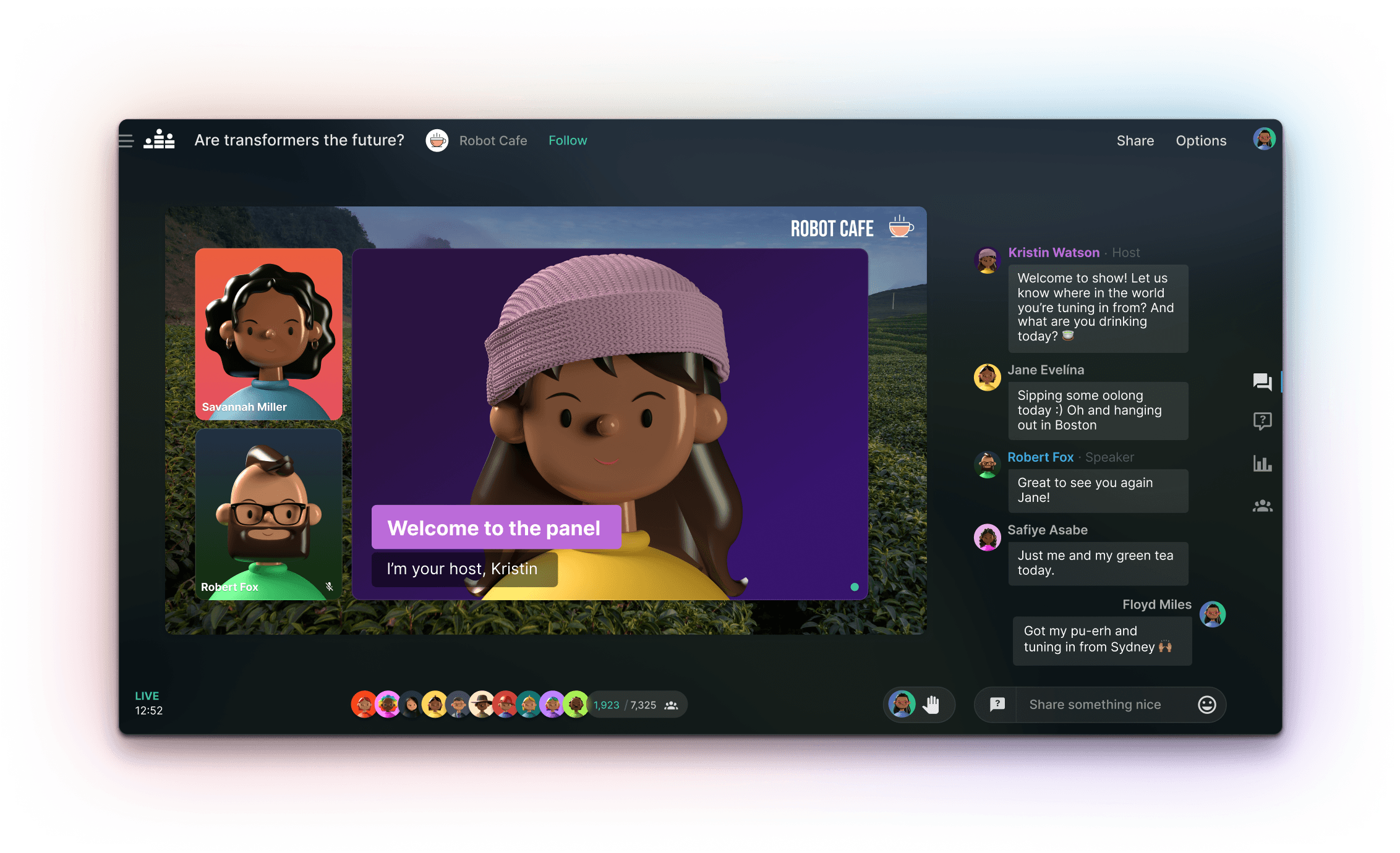
Crowdcast is an all-in-one webinar platform that gives you one URL to manage your registrations, live events, and replays. You can also capture leads, send notifications, and track performance with analytics and integrations.
Key features:
- Browser-based
- HD live video with recording
- Built-in landing page
- Email & push notifications

Source: Crowdcast
eWebinar – Best for automated, interactive webinars

eWebinar is a platform designed to automate webinars by combining pre-recorded video with real-time interactions and chat. It enables businesses to scale onboarding, training, and marketing sessions without sacrificing engagement.
Key features:
- Pre-recorded video with real-time chat and interactive elements
- Automated, recurring, or on-demand webinar scheduling
- Customizable registration pages and email notifications
- Detailed attendee analytics and engagement tracking

Source: eWebinar
Livestorm – Best for browser-based webinars and meetings

Livestorm is a browser-based platform for hosting live, on-demand, or automated webinars and meetings. It offers a range of engagement tools and integrates with various marketing and CRM systems.
Key features:
- No-download, browser-based access
- Live, on-demand, and automated webinar options
- Interactive features: polls, Q&A, chat, and call-to-action buttons
- Integration with CRM and marketing tools

Source: Livestorm
Vimeo – Best for high-quality video webinars

Vimeo offers a webinar solution integrated into its video platform, providing tools for hosting live events with high-quality streaming and audience engagement features.
Key features:
- High-definition streaming with backup and monitoring tools
- Interactive features: Q&A, polls, and chat
- Customizable registration and email communications
- Integration with marketing tools and analytics

Source: Vimeo
GoToWebinar – Best for professional business webinars

GoToWebinar is a platform tailored for businesses to host professional webinars with features supporting large audiences and detailed analytics.
Key features:
- Support for up to 3,000 participants
- Pre-recorded and live webinar options
- Engagement tools: polls, Q&A, and surveys
- Detailed analytics and reporting

Source: GoToWebinar
Webex Webinars – Best for large-scale interactive webinars

Webex Webinars, part of the Cisco Webex suite, is designed for hosting large-scale webinars with interactive features and robust security.
Key features:
- Support for up to 100,000 attendees
- Interactive features: Q&A, polling, and chat
- Integration with Slido for enhanced audience engagement
- Advanced analytics and reporting

Source: Webex
How to Create & Host a Compelling Webinar
Creating a compelling webinar starts with a clear objective and careful planning. Define what success looks like—whether it’s lead generation, customer education, or internal training—and shape your webinar around that goal.
- Choose the right topic and format
Select a topic that resonates with your target audience and aligns with your business goals. Consider formats like panel discussions, product demos, interviews, or Q&A sessions depending on the type of engagement you want. - Plan the content and speakers
Create a detailed outline of your webinar, including the key points you want to cover. Assign roles to your team—such as host, moderator, and panelists—and brief them thoroughly. Make time for interaction by including polls, chat prompts, and audience questions. - Prepare your visuals and tech
Design a professional-looking slide deck or demo that supports your key messages. Test your webinar platform ahead of time to ensure your audio, video, and screen sharing features work flawlessly. Use high-quality microphones and a stable internet connection to avoid technical disruptions. - Promote your webinar effectively
Drive registrations by promoting the webinar through email campaigns, social media, blog posts, and partner channels. Create a landing page with compelling copy, presenter bios, and a simple sign-up form. Send confirmation and reminder emails to boost attendance rates. - Engage the audience live
Start on time and introduce the agenda and speakers briefly. Use interactive tools like live polls, Q&A, and chat to keep the audience engaged. Acknowledge questions and comments in real time to build a connection with attendees. - Follow up and repurpose content
After the webinar, send a follow-up email with the recording and additional resources. Use the webinar analytics to evaluate attendance, engagement, and feedback. Repurpose the content into blog posts, social clips, or email sequences to extend its value.
A well-executed webinar not only educates but also builds trust and drives action. With thoughtful preparation and the right tools, you can turn a single live session into long-term results.
Analytics creates greater webinar success
When choosing the right webinar platform for you, you also want to consider the platform’s analytics and reporting capabilities. Hosting a successful webinar isn’t just about getting butts in seats but about measuring how participants engage with your content. The more you know about your audience, the better your webinars will be, which in turn leads to repeat customers.
Here are some analytics you’ll want to consider:
- Real-time analytics – Measure live events over the last 7 days
- Engagement analytics – Track how users engage with your content so you can optimize
- Geo-location – See where your audience is tuning in from so you can improve targeting
- VOD analytics – Analyze how your VOD is performing so you can generate more leads
Final thoughts
Now that you know what to look for in a webinar platform and the top five solutions, the next step is to see for yourself. Try booking a demo with the platforms that interest you the most and take them for a test drive. Make sure the webinar solution is intuitive for you to use and focus on the features that create the best overall experience, like video quality, engagement tools, marketing integrations, and analytics.
Once you choose the webinar platform that’s right for you, focus on strategizing your next event. At the end of the day, no matter which platform you choose, your content, hosts, and energy will truly bring your webinar to life.
Was this post useful?
Thank you for your feedback!