7 Best Virtual Classroom Software Solutions in 2026

Choosing the best virtual classroom software for your company, school, or organization is a big deal. Of course, the solution needs to work as advertised and the price needs to be right, but there are also other less tangible goals like “What solution is going to enable me to teach my learners most effectively?” or “What platform is the easiest to use?” or even “Which virtual classroom software is going to be the most fun for teaching and learning?”
The good news is that today, like with so many other markets, the virtual classroom software market is a buyer’s market. There are many different virtual classroom software options for online teaching. In this post, we’ll narrow down the list for you.
Editor’s note: Updated the article to include recent market data, updated information about virtual classroom solutions to reflect features and capabilities in 2026, and added screenshots.
What is virtual classroom software?
Virtual classroom software is a digital platform that enables real-time, interactive learning experiences over the internet. It replicates many of the features of a physical classroom, such as live instruction, discussion, group collaboration, and content sharing, but within a virtual environment. These platforms typically include tools like video conferencing, digital whiteboards, screen sharing, breakout rooms, chat, and recording capabilities. The goal is to allow instructors and learners to interact synchronously, regardless of their physical location.
Unlike basic video meeting tools, virtual classroom platforms are designed specifically for educational workflows. They often integrate with learning management systems (LMSs), support structured lesson delivery, track learner participation, and allow for assessments and feedback. Some platforms also provide asynchronous features such as on-demand course content and analytics to help educators monitor progress. Virtual classroom software is used widely in K-12 education, higher education, corporate training, tutoring, and continuing professional development.
Virtual and digital classroom market and trends
According to recent market research, several technologies are shaping the modern digital classroom:
- Software: Learning management systems (LMS), virtual classroom platforms, and AI-powered tools form the core software layer of the ecosystem. Software alone accounted for 42.31% of total market revenue in 2025, highlighting its central role in digital education.
- AI: Artificial intelligence is becoming increasingly important. AI tools analyze learner behavior, personalize learning paths, automate assessments, and provide real-time feedback. These capabilities help instructors tailor instruction to individual needs while reducing administrative work.
- Immersive technologies: Virtual reality (VR) and augmented reality (AR) are gaining traction for hands-on learning scenarios. VR and AR hardware is projected to grow at a 19.56% CAGR through 2030, driven by use cases such as simulated science labs, safety training, and practical skill development.
Deployment models for virtual classroom software are also shifting:
- Cloud deployment is now the dominant model for digital classroom platforms. In 2025, cloud solutions accounted for 66.52% of the market, largely because they reduce IT maintenance, simplify updates, and scale easily for large numbers of users.
- Cloud systems also support integrated learning ecosystems. Many institutions now connect tools such as collaboration platforms, analytics dashboards, advising systems, and assessment tools within a single environment. These integrated systems allow instructors and administrators to manage the entire learning experience through one platform.
- Hybrid deployment models are also emerging. Some organizations store sensitive data locally while using public cloud infrastructure for computing and content delivery during peak usage.
How to choose the best virtual classroom software?
Will you be teaching several students simultaneously or rather one on one lessons? Will you be providing courses for students or training with adults? People in training and development use virtual classroom platforms a lot more nowadays. Instructors in the K-12, higher learning, and tutoring spaces have also stepped up their use of online learning platforms. So how do you choose the best virtual classroom software for your particular purpose?
Well, you’ll need to understand what is important to you, your facilitators or teachers, and your learners and students. The best way to do this is to first brainstorm with key stakeholders on what you really need to deliver an amazing learning experience. I suggest creating a list of features that you absolutely “must-have” along with a list of features that are “nice to have”. You can then start comparing some of the virtual classroom software options you come across to see where they land.
Once you narrow down your list, you can reach out to each company and try out their virtual classroom software for free. It’s incredibly important to test-run your preferred virtual classroom software before making a decision.
The best virtual classroom softwares for online teaching
1. Kaltura Virtual Classroom

Kaltura Virtual Classroom is purpose-built for teaching online – virtual classroom software at its core! You can create online courses and engage your participants in virtual classes all through a completely branded portal. Virtual classes are 100% web-based – no Flash, no downloads, no installations – with collaborative tools like a digital whiteboard, content management system to share presentations and videos, screen sharing, cloud recording, breakout rooms, real-time notes, live quizzes, and more. Kaltura Virtual Classroom easily integrates into all major LMSs. Totally worth a look!

Source: Kaltura

2. Vedamo

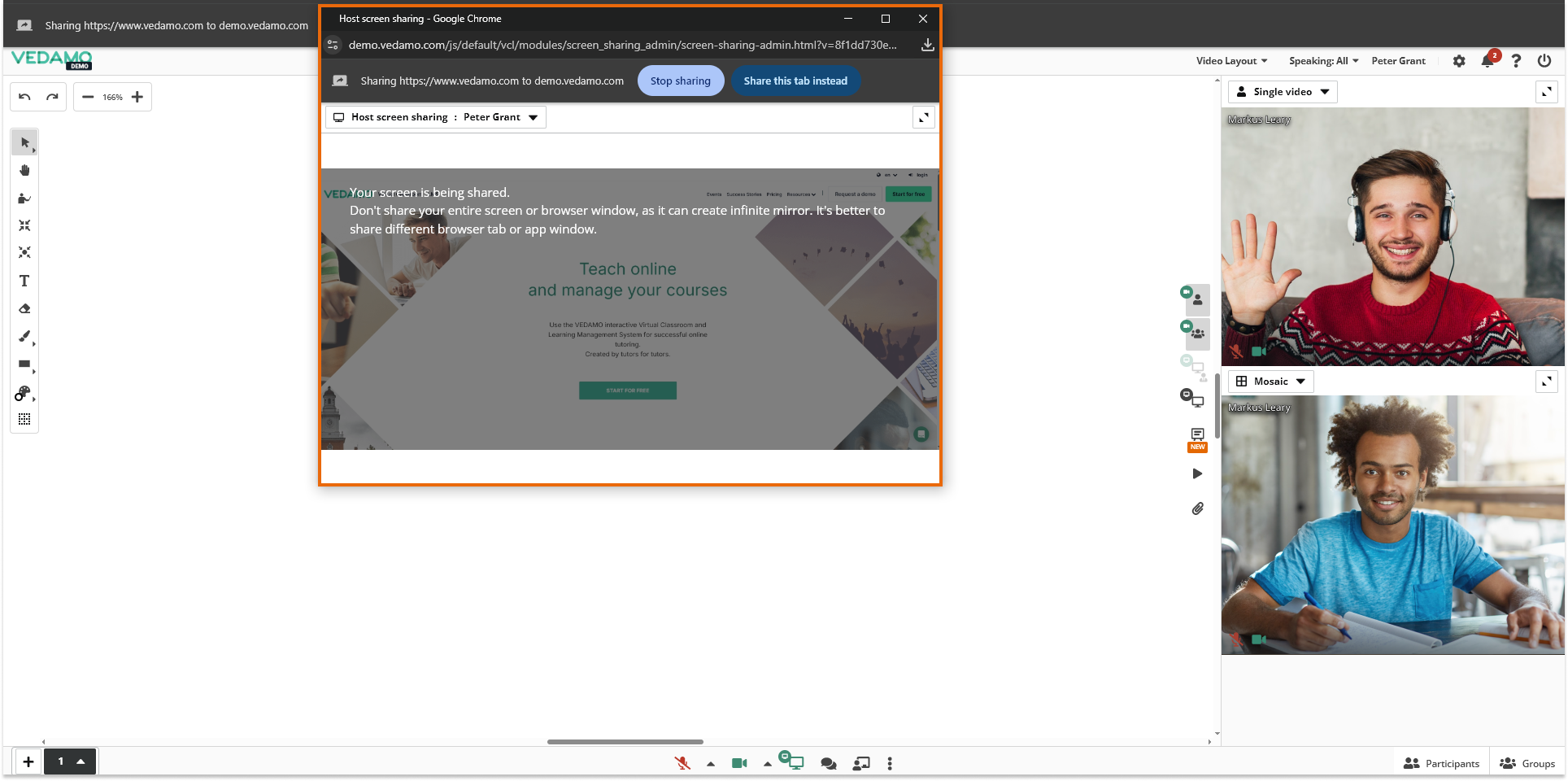
Vedamo is a browser-based virtual classroom and learning management system primarily for tutoring and online teaching environments. The platform enables instructors to conduct live classes, manage courses, and organize learners within a single system. Because it operates entirely in the browser, students can join sessions without installing additional software. Vedamo supports individual tutoring sessions and group classes.
Key features include:
- Browser-based virtual classroom: Conduct live online classes without requiring software downloads or installations.
- Live interactive sessions: Create and run live classes with up to 50 learners participating simultaneously.
- Course and user management: Organize courses, schedules, and learners through the integrated learning management system.
- Flexible teaching formats: Combine traditional in-person tutoring with online learning sessions within the same platform.
- Centralized training records: Maintain records of both online and offline training activities in a single system.

Source: Vedamo
3. BigBlueButton

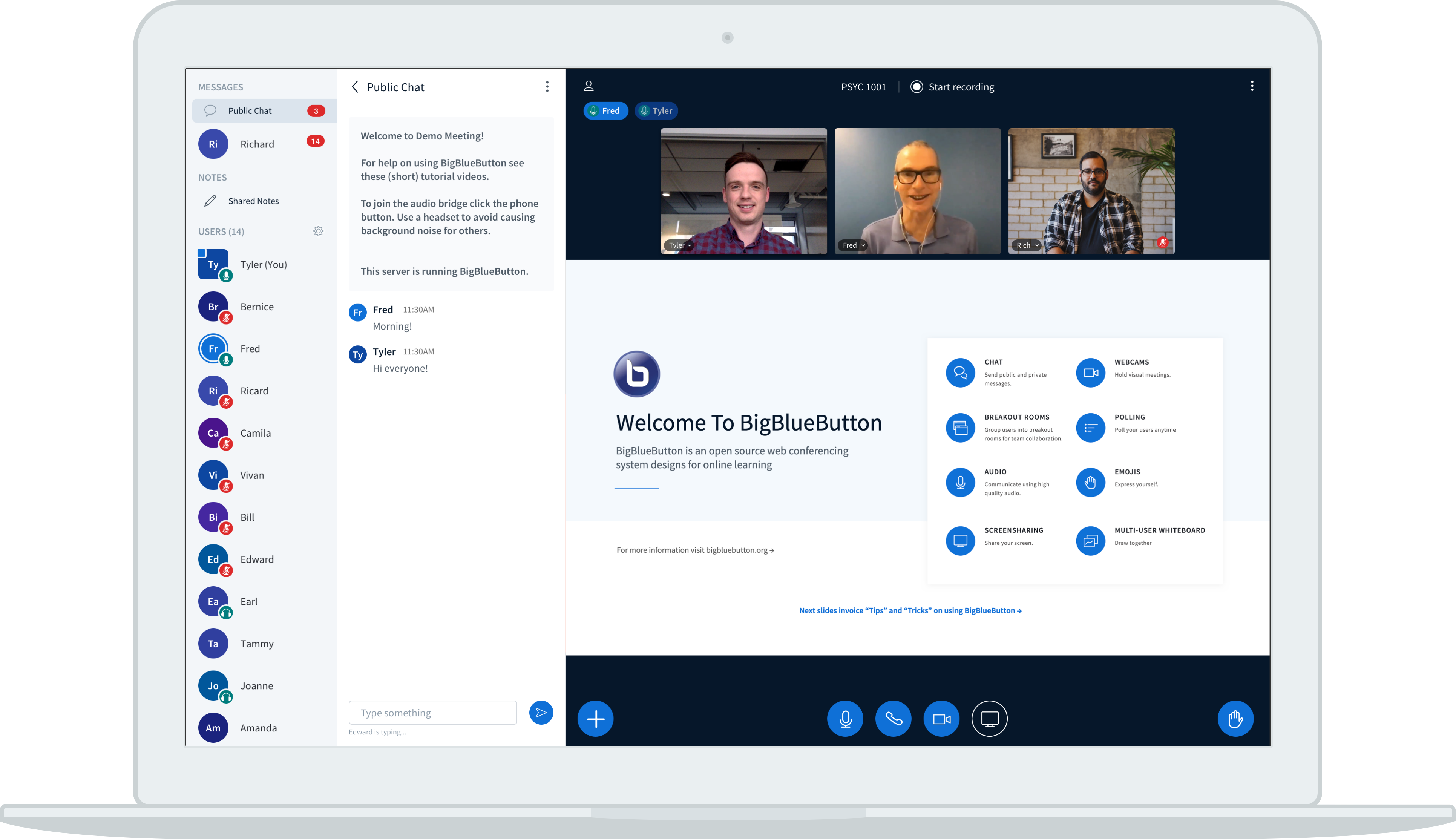
BigBlueButton is an open-source virtual classroom platform specifically for online teaching and learning. The software was designed around classroom workflows and pedagogical practices, providing tools that help instructors manage student interaction and engagement during live sessions. Because it is open source, institutions can deploy and customize the platform on their own servers or through commercial hosting providers.
Key features include:
- Purpose-built virtual classroom environment: Designed specifically to support real-world teaching and learning scenarios.
- Customizable deployment options: Organizations can install and configure the platform on their own infrastructure.
- Learning-focused interaction tools: Built-in features support student participation and collaborative classroom activities.
- Educational resource ecosystem: Tutorials, documentation, and community resources support platform customization and implementation.
- Open-source development model: Institutions and developers can modify and extend the software to meet specific needs.

Source: BigBlueButton
4. LearnCube

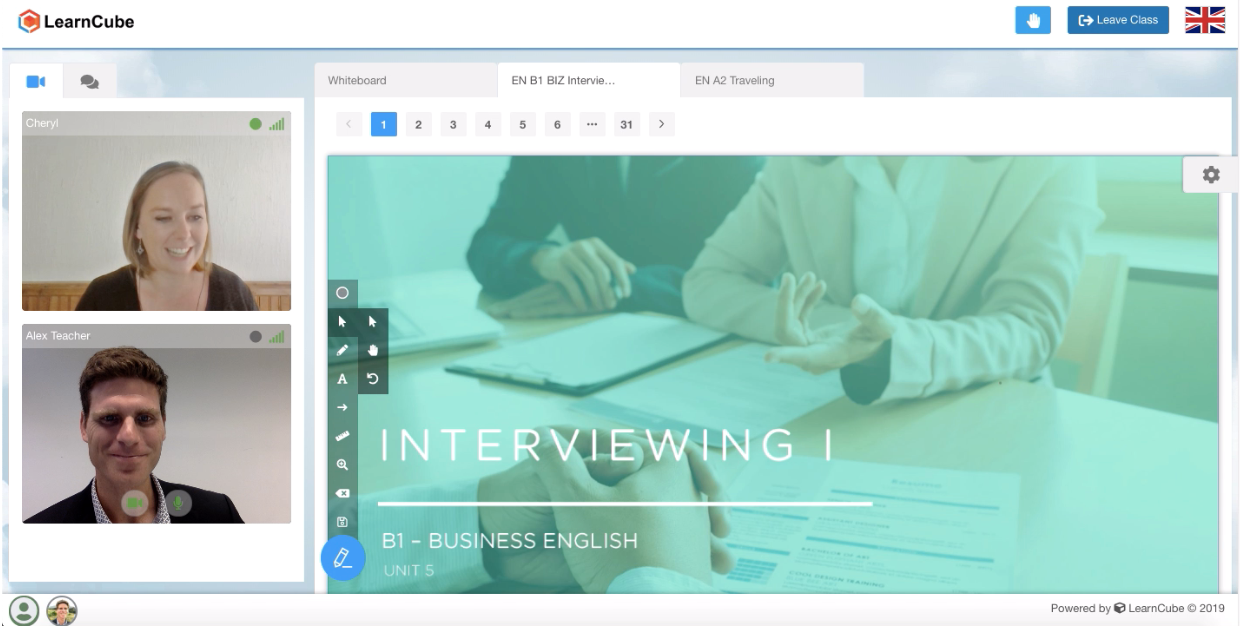
LearnCube is a browser-based virtual classroom platform for online tutoring and language education. The platform focuses on reliability and simplicity, allowing teachers to conduct live classes directly through a web browser without requiring additional downloads. It supports interactive teaching tools such as a digital whiteboard, multimedia content sharing, and class recording, making it suitable for tutoring organizations and language schools.
Key features include:
- Interactive online whiteboard: Teachers and learners can draw, annotate, and collaborate on lesson content during live sessions.
- Browser-based video and audio: Classes run through WebRTC technology, eliminating the need for software downloads.
- Custom branding capabilities: Organizations can white-label the classroom with their own logos, colors, and domain.
- Lesson content management: Upload and access multimedia teaching materials directly within the platform.
- Class recording: Record live sessions so students can review lessons later.

Source: LearnCube
5. Electa Live

Electa Live is a virtual classroom platform integrated within the Electa learning management system. It provides tools for hosting live online classes, managing course content, and tracking student progress. The system supports synchronous and asynchronous learning, allowing educators to combine live instruction with course materials, assignments, and assessments within the same platform.
Key features include:
- Integrated learning management system: Manage courses, assignments, and student progress alongside live virtual classes.
- Live online classroom tools: Conduct real-time sessions using video, audio, whiteboards, and screen sharing.
- Course creation tools: Build structured courses with multimedia lessons and learning resources.
- Student management features: Organize learners into groups and manage permissions for accessing course materials.
- Recorded sessions and assessments: Record classes and use quizzes, assignments, and grade books to evaluate learners.

Source: E-Lecta

6. Adobe Connect

Adobe Connect is a virtual learning and webinar platform for interactive online training and large-scale digital events. The platform enables instructors and presenters to create customizable virtual rooms with structured layouts and embedded tools for collaboration and engagement. Adobe Connect is commonly used in enterprise training, higher education, and professional development programs.
Key features include:
- Customizable virtual rooms: Design interactive training environments using modular layouts and content pods.
- Engagement and collaboration tools: Enable participant interaction through polls, surveys, and shared resources.
- Persistent learning content: Provide access to recordings, downloadable materials, and learning resources after sessions.
- Integrated training analytics: Monitor engagement levels and training outcomes through built-in reporting features.
- Integration with learning ecosystems: Connect with systems such as Adobe Learning Manager to support blended learning programs.

Source: AdobeConnect

7. WizIQ

WizIQ is a cloud-based virtual classroom and learning management platform for online teaching, tutoring, and corporate training. It provides tools for delivering live classes, creating self-paced courses, and managing online learning environments. The platform supports institutions, training providers, and businesses that need to deliver education or professional training to remote learners.
Key features include:
- Virtual classroom environment: Conduct live classes and training sessions through an online teaching interface.
- Online course creation: Build and deliver both live and self-paced courses through the platform.
- Mobile learning support: Provide access to learning content through mobile applications for Android and iOS.
- Learning management tools: Manage assessments, track learner progress, and analyze course performance.
- Branded learning portals: Create customized training portals for students, employees, or external partners.
The best virtual classroom software for you
From anywhere across the globe, you are one click away from your learners learning with their fellow peers. Virtual classroom platforms will provide an opportunity to keep everyone focused and engaged with high-quality, real-time audio and video, and suites of collaborative tools to help you transport distracted viewers into more active learners.
When you have a clear idea of what you need and what you want, then it makes it easier for you to explore these platforms as well as others with a consistent perspective. We have to remember that the best virtual classroom software for online teaching is going to provide you not only a consistent, reliable experience 24/7/365, but it’s going to delight your facilitators and learners. Learning is supposed to be engaging and fun, collaborative and interactive. Choosing the right virtual classroom software for your organization is going to enable your organization to transfer knowledge to your learners more effectively and create more successful outcomes.
Was this post useful?
Thank you for your feedback!