Video Accessibility at Kaltura

Setting the Standard for a Video Accessibility Mindset

Video accessibility goes beyond tools; it’s a mindset. We work to promote this same mindset across the industry with the goal of delivering video that is accessible to all, that better serves the needs of your users, meets today’s increasingly stringent accessibility requirements, and ensures that all viewers will be able to engage with your content.

Accessibility at Kaltura

Kaltura is committed to continuously improving our accessibility capabilities. Accessibility is not a single goal to be achieved; it’s an ever-evolving process as technology changes and understanding grows. Kaltura works with industry partners, clients, and members of the community to keep at the forefront of accessibility for video. This includes striving to fulfill accessibility guidelines such as 508, CVAA, and WCAG 2.1 AA.

Blue boxes labeled "508," "CVAA," and "WCAG 2.1 AA," each with a green checkmark in the top right corner.

Accessibility and inclusivity

We are committed to Diversity, Equity, and Inclusion (DEI) with live and VOD captioning, dual screens for sign language, dubbing, and support for multiple platform languages. 

A woman with long gray hair speaks to the camera while a man provides sign language interpretation in an inset, using the Kaltura Virtual Events platform. The subtitle reads, "Now it's a challenge for organizers".

Accessible Players by Default

Kaltura player features can include:

  • HTML5 support (even when video is served on Flash)
  • Screen reader support
  • Captions
  • Accessible controls
  • Colorblind compliant
  • High contrast
  • Supporting keyboard shortcuts
  • Allowing HTML role markups and aria-labels
  • Including sliders for play head and volume control
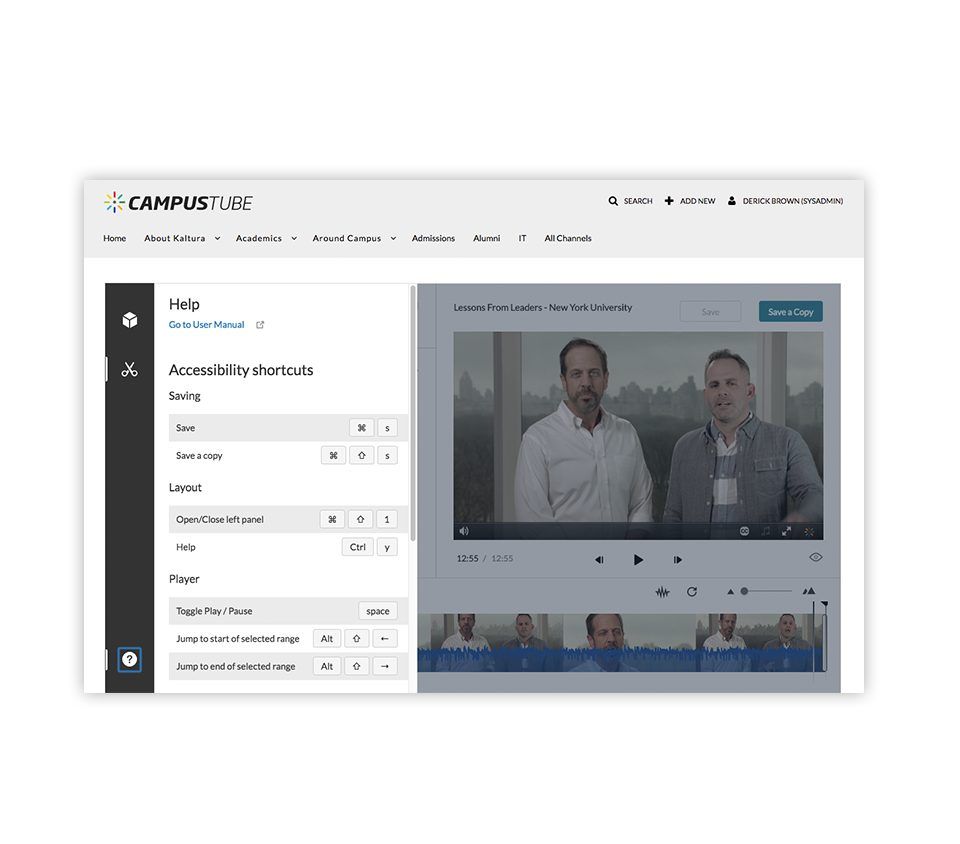
A screenshot of the CAMPUS TUBE website showing an interface with a "Help" section on accessibility shortcuts and a video panel with two individuals speaking.

Automated Captioning

With REACH, take the stress out of captioning. Set your own rules to ensure videos you designate are automatically captioned to meet accessibility standards.

automated captioning

Kaltura’s VPAT

A Voluntary Product Accessibility Template (VPAT) is a self-disclosing document evaluating how accessible products are according to accessibility standards and regulations.

Kaltura’s VPAT v2.4, released December 2021, was created to evaluate Kaltura MediaSpace and Applications (KAF integrations), Kaltura Video Editing Tools, and Kaltura Media Player, including Interactive Video Quizzes under the WCAG 2.1 AA regulations, and under Section 508 standards.

We continue to be committed to inclusive and accessible design and this update builds on the work done with notable accessibility firm Level Access. Additional information can be found in the Kaltura Knowledge Center.