





Video streaming server: what it is and how to build one yourself
In this article, we delve deeper into what video streaming servers are and how to set one up for your business or organization.
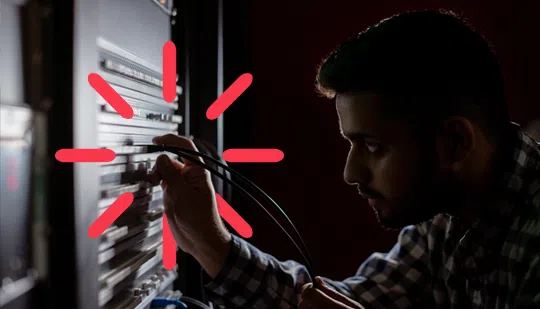
If video streaming is a major activity for you, chances are you considered setting up an in-house video streaming server. When your business depends on it, it only makes sense to keep ownership over the streaming process end-to-end, right? In this article, we’ll look into whether this is indeed a desirable strategy.
What is a video streaming server?
In short, a video streaming server is a web server with RTMP capability built into it that is dedicated to delivering live or on-demand video content to the user’s computer, smart tv, or mobile device. The difference with regular servers is that video streaming servers employ added technology such as codecs and broadcast-quality features to index, store, and distribute high-quality video assets.
Let’s break it down:
Video streaming refers to the process of video being transformed or encoded into a data format and then sent over the internet as a stream of data, traveling from a server to a viewer’s computer. As opposed to downloading, streaming doesn’t require users to save the whole file on their drive before being able to view the content. Instead, they can start viewing the video pretty much instantly, while the file transfer is ongoing. The disadvantage of streaming is that it requires a good connection to ensure smooth, high-quality playback with minimal latency, buffering, and stalling.
To solve this and facilitate the file transfer of large video files over a data connection, the video file first needs to be encoded into transmittable file packages. It is then sent to the client and decoded again into a viewable video on the user’s video player. This coding and decoding are done by so-called codec software.
A server is a computer or rackmount system that delivers data or resources to other computers over a network, following a client-server model. This can technically be a computer in your office or large server rooms in a data center.
Together, the data stream, the coded software, and the server enable viewers to watch live or on-demand video content.
Who needs a video streaming server?
Anyone who wants to deliver live or on-demand video to their audience over the internet basically has to go through a video streaming server.
Here are some possible scenarios where a video streaming server can come in handy:
-
-
- You are a content creator looking for alternative ways to publish and monetize your content
-
-
-
- You are a service provider specializing in offering your clients live-streaming or video-streaming services
-
-
-
- You run an educational institution and need an online service to stream your course videos
-
-
-
- You are an event organizer looking for ways to livestream your events, concerts, and celebrations
-
-
-
- You are a sports manager looking for ways to live stream your games to a selected audience
-
-
-
- You are a religious organization trying to deliver your content and sermons to a remote audience.
-
Especially now that more users are watching high-quality video on their mobile devices, the technology that delivers the content from the provider to the consumer is more important than ever before.
That leaves streamers with three options:
- To deliver their stream through free platforms such as Twitch, YouTube, and Facebook
- To harness the added power, reliability, and features of paid online video platforms, like Kaltura
- To build their own video streaming server and DIY the stream, from ingestion to last-mile delivery
The above three options come with their own set of pros and cons. While free platforms like Twitch, YouTube, and Facebook allow you to reach a wider audience, they give you little control over the privacy and access management of your own videos. They also have censorship and strict guidelines on what can and cannot be streamed. The customization options can also be very limited on these platforms.
Building your video streaming server can be a good alternative to overcome such restrictions. However, it requires you to go through the hassle of gaining the technical expertise, hardware, and software resources required to build, run, and maintain a video streaming server from scratch. It can also be an expensive effort.
Using video platforms like Kaltura allows you to have a good balance between these two options, providing complete control over your content without going through all the manual labor involved with running a video streaming service.
How to build a video streaming server?
Setting up your own video streaming server will require a lot of technical know-how so make sure you partner up with a competent developer. We’ll break down the general process into 5 steps:
Step by Step Guide to setting up your own Video Streaming Server
Set up your server
There’s no reason to reinvent the wheel. Thanks to open-source ideology, good-natured geeks around the world publish code that you can use as your base. If you work with Linux or BSD operating systems, you can take a look at this article that uses the popular Nginx web server. Otherwise, you can browse these open-source video streaming projects.
Install and configure your streaming software
Your server is ready to roll. Now let’s set up your streaming software. To stay within the open-source realm, you can use the popular OBS (Open Broadcast Studio). Choose your operating system to download the correct version and run the wizard to configure the platform to your needs. When you’re done configuring, click ‘Start Streaming’ to send your stream to your server.
Build your Content Delivery Network (CDN)
A CDN will improve the viewer’s experience by harnessing a network of proxy servers that will reduce the physical distance between the source and the user and ensure faster loading times for your content. To set up your CDN, you will need an origin server, points of presence (PoP), ISP, routing, and caching software.
Set up your media player
Watch and monitor your stream with an open-source media player that supports RTMP, like VLC. Connect to your stream by clicking ‘Open Network Stream’ under ‘Media’ and entering the stream key.
Additional configurations
Your basic streaming solution is set up. But you might want to build it out with proper security features, monetization, and Adaptive Bitrate technology (ABR), etc.
There you go. This is, in a nutshell, how to set up your own video streaming server, from your organization’s connection. However, this will require a lot of bandwidth with high upload speeds. You’ll also need transcoding, ABR technology, low-failure equipment, high-end security, uninterruptible power supplies, etc. Honestly, with simpler streaming solutions out there, the juice just isn’t worth the squeeze.
You could potentially set up a cloud-based server via services like Amazon AWS, but depending on the number of views/downloads, this can quickly become expensive.
That’s why you’re better off using video streaming platforms like Kaltura, which already have the technology and bandwidth capability in place to do the heavy lifting for you.
Why choose Kaltura’s video streaming server solution?
Wouldn’t it be great if you could set up your own corporate YouTube, streaming live or on-demand videos to your internal and external audiences at any scale, under your branding? Meanwhile, not having to worry about headache-inducing technical issues like encoding, ABR, and bandwidth?
Many businesses have found a robust video streaming server solution in Kaltura’s MediaSpace Video Portal. The Kaltura Video Portal is a cloud-based, white-label video platform with full video API access so you can customize the solution to your needs.
Advantages of using Kaltura’s video streaming server solution:
- Enterprise-grade security and secured streaming services with features like Adaptive bitrate streaming, RTMP encoders, and more
- An easy-to-use Video portal that helps you create, manage, categorize, and publish all your on-demand and live videos
- Full privacy control and access management
- Flexible plans to choose from
- Branded video streaming that helps you serve videos in a way that matches your brand identity and aesthetics
- Strong technical support and uninterrupted service delivery
In other words, it will meet all your video streaming needs without the hassle of setting up your own video streaming server.
Conclusion
To run your own video streaming server might seem like a sound idea, at first. But in reality, it requires a lot of resources and headaches and will yield a lukewarm result, at best. But we understand why you would want to own your video streaming process end-to-end. Kaltura’s open-source nature will give you the best of both worlds. You’ll be able to make the white-label, flexible, and customizable streaming platform your own, without having to worry about what’s under the hood. Kaltura is the leading cloud video solution on the market and has all the expertise and technology ready to fulfill your streaming needs with features that are built to achieve your business objectives.

Are you looking for a powerful video portal for your organization? Kaltura can help!
Was this post useful?
Thank you for your feedback!
