


Top 9 ON24 competitors to know in 2026
ON24 is a digital, virtual events platform recognized for supporting webinars. Top On24 competitors include Kaltura, SpotMe, and Zoom Webinars.

What is ON24?
ON24 is a digital, virtual events platform recognized for supporting webinars well. The platform would likely be relevant to mid-to-large-sized businesses or organizations that have small event teams and tend to produce a lot of webinar content. It is specifically geared towards smaller, more intimate online gatherings. Top On24 competitors include Kaltura, SpotMe, and Zoom Webinars.
ON24 features
ON24 includes a range of tools designed to help teams create, manage, and measure webinar-based events while keeping audience engagement high:
- Customizable webinar environments: Branded webinar consoles that allow organizations to design layouts, add logos, and tailor the attendee experience.
- Audience engagement tools: Interactive elements such as live polls, surveys, Q&A, chat, and downloadable resources to keep participants involved.
- On-demand content hosting: Ability to automatically record webinars and make them available for replay or evergreen content hubs.
- Registration and landing pages: Built-in registration forms and landing pages for capturing attendee information and managing sign-ups.
- Analytics and reporting: Detailed attendee analytics, engagement scoring, and performance metrics to help measure webinar success.
- Marketing automation integrations: Integrations with CRM and marketing platforms (such as Salesforce, HubSpot, and Marketo) for lead tracking and nurturing.
- Simulated live and automated webinars: Options to pre-record sessions and present them as live events to scale content delivery.
- Content hubs and resource centers: Tools for organizing multiple webinars and related assets into a central library for ongoing audience engagement.
ON24 reviews
ON24 has received some positive evaluations. However, taking a look at aggregated reviews also points out some shortcomings. One common criticism is that ON24 is subject to its limitations, and while it works well for small webinars, it will quickly show poor performance when scaled to larger events. Secondly, users sometimes find the ON24 user experience to be awkward and unintuitive, leading to difficulties with navigation and usability. A third common complaint is that while ON24 is known to be well documented, when event hosts and users need to solve issues that are beyond the documentation, it has been reported to lack comprehensive and responsive technical support services.
All of this considered, some webinar and virtual events creators might be looking for ON24 alternatives.
ON24 Pros & Cons
Here are some pros and cons that ON24 users have mentioned:
| Pros | Cons |
|
|
Enterprise event marketing and virtual event platforms
1. Kaltura Events

Kaltura Events’ combination of features and scalability is best in class, and we’d love for you to join us at the front of the event and webinar pack. We can offer you a higher-value alternative to other services for any type of event at any scale, from webinars all the way to multi-day flagship events, with virtually none of the downsides.
Kaltura Events is a highly customizable and brandable video-based tool for creating anything from interactive presentations to workshops for a large audience. We also make it easy to create cloud recordings to share with attendees of live events and webinars, as well as repurpose for on-demand content.
Kaltura’s platform is an A-to-Z solution that supports all your event and webinar needs from setup, promotion, and live streaming to post-event follow up and performance analysis, and offers a seamless video viewing experience integrated into your session flow.
Kaltura Events’ extensive feature suite includes template-based event setup, automatically generated landing pages and event website, extensive branding options, seamless third-party integrations, engagement tools, personalized agendas, content recommendations, full chat functionality, and so much more.
Additionally, we offer one-click set-up interactive polls, as well as detailed analytics that can evaluate the performance of your sessions and allow you to measure participant engagement. Finally, we keep all of our tools web-based and accessible, so they’re easy to set up and even easier to attend.
Cherry on top of the Kaltura Events pie is the brand-new AI capabilities, including automated agenda, title, and description generation, an AI assistant that monitors engagement in real time and suggests ways to boost it in real time, AI-powered content repurposing and summarization tools, and an adaptive and conversational event concierge (Agentic Avatar) that guides and answers registrant and attendant questions in real-time.
Kaltura Events offer multiple payment plan options as well as a free trial version, so you can get started with all of the standard features and decide if we’re the right fit for you!
2. SpotMe

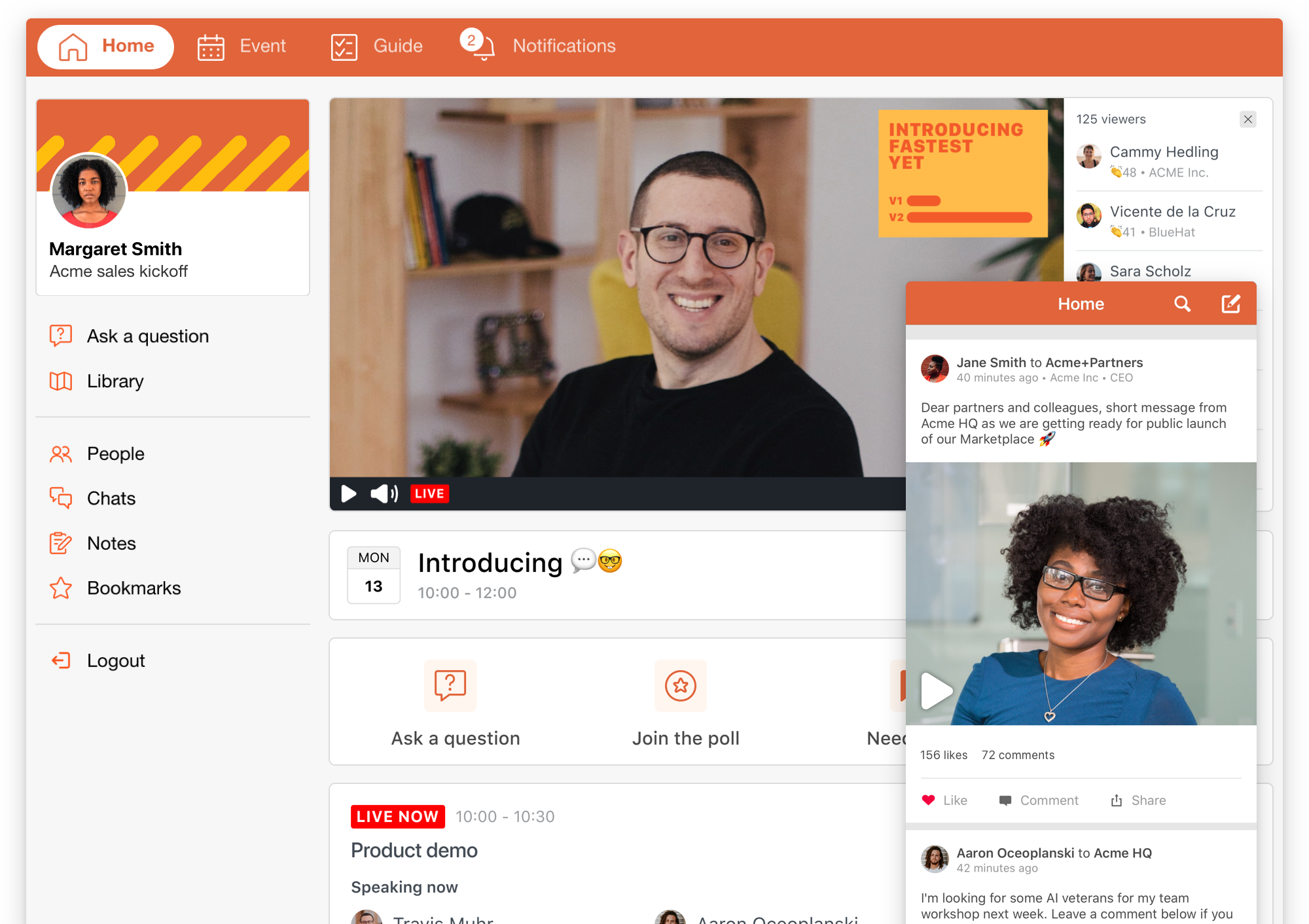
SpotMe is an event engagement platform that supports virtual, hybrid, and in-person events with a focus on capturing attendee interactions and turning them into actionable data. It combines event management capabilities with CRM integration and personalized attendee experiences, making it suitable for organizations that prioritize engagement tracking and post-event follow-ups.
Key features include:
- Attendee management: Handles registration, check-in, and attendee data across event formats.
- Personalized attendee experiences: Delivers role-based agendas and tailored event journeys.
- Engagement tracking and analytics: Captures interaction data and syncs it with CRM systems for follow-up.
- Event registration and communication: Supports customized registration flows and pre- and post-event messaging.
- Hybrid and virtual event support: Enables consistent experiences across virtual, in-person, and hybrid formats.
- On-site capabilities: Includes tools for badge printing, check-in, and live event operations.
- Security and compliance: Provides enterprise-grade compliance and data protection controls.

Source: SpotMe
3. BigMarker

BigMarker is a digital experience platform that supports webinars, virtual events, and hybrid experiences with a focus on audience engagement and data capture. It provides end-to-end tools for creating, hosting, and analyzing events, along with AI-driven capabilities for personalization and content reuse.
Key features include:
- Interactive webinar tools: Supports chat, polls, Q&A, reactions, and breakout rooms to engage audiences.
- Simulated live and automation: Enables pre-recorded webinars to run as live sessions.
- Customizable event experiences: Allows branded and tailored environments for different audiences.
- CRM integration and data capture: Collects engagement data and syncs it with CRM systems.
- On-demand content hubs: Provides media, learning, and resource hubs for extending content lifecycle.
- AI-powered features: Includes tools for personalization, insights, and content generation.
- Email and marketing tools: Supports event promotion and follow-up communication workflows.

Source: BigMarker

4. Bizzabo

Bizzabo is an event management platform that supports large-scale event programs across virtual, hybrid, and in-person formats. It focuses on unifying event data, simplifying event operations, and enabling teams to manage high volumes of events through reusable templates and integrations.
Key features include:
- Event lifecycle management: Covers planning, execution, and post-event analysis in one platform.
- Scalable event programs: Supports high-volume and multi-format event portfolios.
- Data and analytics: Centralizes event data and connects it to revenue and business metrics.
- Extensive integrations: Integrates with a wide range of marketing and CRM tools.
- Reusable templates: Enables faster event setup through cloning and templating.
- Onsite engagement tracking: Uses tools like smart badges to capture in-person interactions.
- High availability: Maintains consistent uptime for global event delivery.

Source: Bizzabo
.png)
5. Cvent

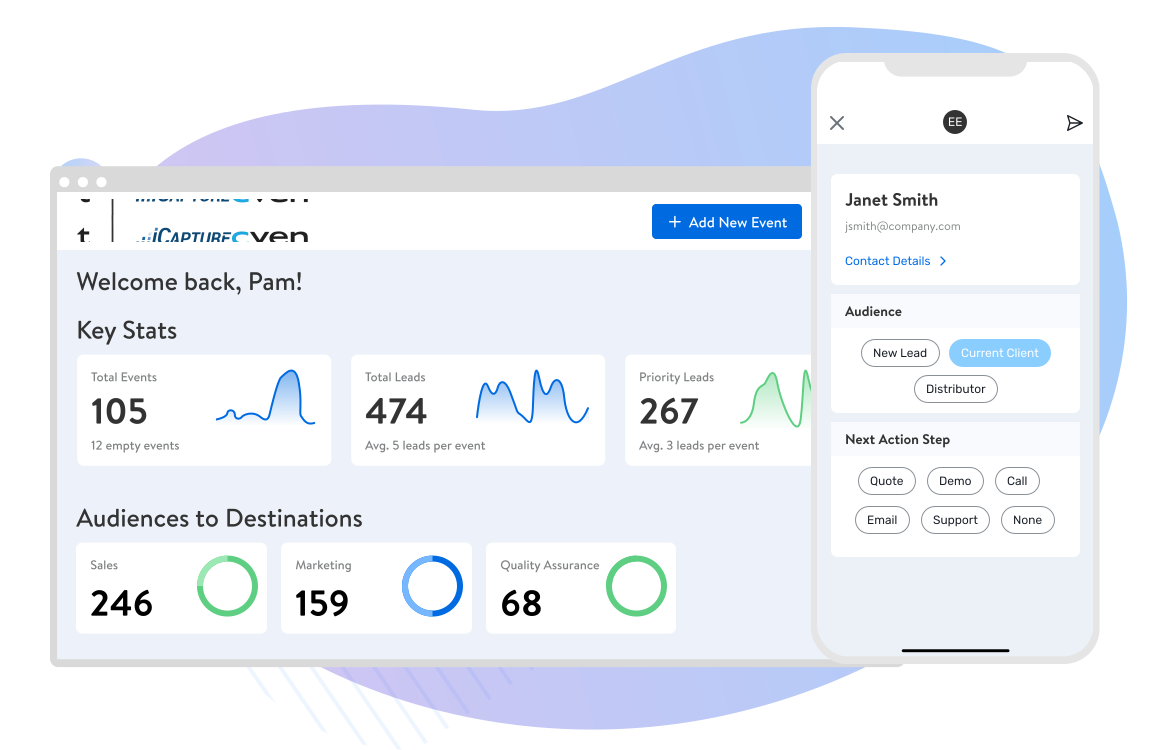
Cvent is a comprehensive event management platform that supports the full event lifecycle, from planning and marketing to execution and analysis. It includes tools for webinars, in-person events, and hybrid formats, along with AI-driven capabilities to improve event planning and audience targeting.
Key features include:
- End-to-end event management: Covers registration, marketing, execution, and reporting.
- Custom registration and event sites: Allows creation of branded registration pages and event experiences.
- Webinar and virtual event tools: Supports interactive online events alongside in-person formats.
- Mobile event apps: Provides personalized attendee experiences via mobile applications.
- On-site management tools: Includes check-in, badging, and attendee tracking features.
- Integrations: Connects with external systems to centralize event data.
- AI-powered capabilities: Uses AI to assist with planning, venue sourcing, and audience targeting.

Source: Cvent
6. RingCentral Events (formerly Hopin)

RingCentral Events is a virtual event platform focused on creating branded, interactive event experiences with video and engagement capabilities. It supports community building and networking through virtual venues and real-time interaction tools.
Key features include:
- Custom branding: Allows organizations to tailor event environments with their own branding.
- Engagement tools: Includes chat, Q&A, and integrations to support audience interaction.
- Virtual event venues: Provides spaces such as stages, networking areas, and receptions.
- Streaming capabilities: Supports high-quality video streaming for live sessions.
- Global accessibility: Enables participation from distributed audiences worldwide.
- Community features: Facilitates networking and ongoing audience interaction.

Source: RingCentral

Webinar and video conferencing tools
7. Zoom Webinars

Zoom Webinars is a widely used webinar and virtual event solution that provides tools for hosting live, hybrid, and on-demand events. It emphasizes ease of use, scalability, and integration with existing workflows, while offering features for engagement, branding, and analytics.
Key features include:
- Multiple event formats: Supports webinars, multi-session events, and hybrid experiences.
- Audience engagement tools: Includes chat, polls, Q&A, and reactions.
- Custom branding: Allows use of branded backgrounds and event pages.
- Simulated live events: Enables pre-recorded sessions to run as live presentations.
- Analytics and reporting: Provides performance reports and engagement insights.
- Content repurposing: Converts recordings into reusable content with AI-assisted tools.
- Production tools: Offers layouts, backstage coordination, and event staging features.

Source: Zoom
8. Webex Events

Webex Events is an event platform that supports virtual, hybrid, and in-person events with a focus on flexibility and end-to-end management. It provides tools for registration, production, engagement, and analytics, allowing teams to manage the full event lifecycle in one system.
Key features include:
- End-to-end event management: Covers planning, execution, and reporting across event types.
- Flexible event formats: Supports virtual, hybrid, and in-person events on a single platform.
- Registration and ticketing: Enables branded registration and flexible ticket options.
- Production and streaming tools: Provides built-in studio tools for live event production.
- Mobile event apps: Offers customizable apps for attendee engagement.
- Networking and engagement: Includes features for interaction, gamification, and networking.
- Data and reporting: Tracks engagement, ticketing, and sponsorship performance.

Source: Webex

9. Adobe Connect

Adobe Connect is a virtual events and webinar platform intended for interactive training, webinars, and learning environments. It focuses on customizable virtual rooms, persistent content, and advanced engagement tools that go beyond standard video conferencing.
Key features include:
- Customizable virtual rooms: Uses layouts and components to design tailored experiences.
- Advanced engagement tools: Supports interactive elements for deeper audience participation.
- On-demand and persistent content: Allows continued access to session materials after events.
- Simulated live webinars: Combines pre-recorded content with live interaction.
- Integrated resource sharing: Centralizes files, links, and materials within sessions.
- Analytics and reporting: Tracks engagement and learning outcomes.
- AI-powered features: Includes tools for content generation and in-session assistance.

Source: Adobe Connect

Factors to consider
When analyzing webinar platforms specifically, in addition to thinking about the way your business or organization employs webinars and the size and scope of your events, some key factors include:
- Scalability and flexibility– can the product be tailored to your needs whether smaller or larger gatherings are called for? Is it capable of supporting more than one type of virtual event or does it have limited capabilities?
- Video quality– this point should be self-explanatory.
- Customization– is a bare-bones, utilitarian setup adequate for you, or are you looking for more ability to customize and brand the experience?
- User-friendliness and user experience– a significant factor in your event success will be whether attendees have a positive experience and can effectively navigate controls, etc. Further, consider your own needs as far as event setup and hosting; no one wants to get slowed down by a clunky, confusing interface.
- Engagement features– a potentially overlooked feature. High engagement is another key to success in virtual events and features that facilitate high engagement, such as interactive activities, live chats, and networking tools can help you get the most out of your online events. Better still if data reporting tools are available to help you post-game.
- Technical support and customer service– also (hopefully) self-explanatory. Will the product come with adequate support?
- Hybrid capabilities– this point may or may not be relevant to your specific content, but consider whether you want to offer hybrid, mobile, or in-person options for your virtual events. If a product is strictly limited to a single web/online format your attendees have less flexibility.
Making informed choices
Whether moving to another platform from ON24 or just “playing the field,” as we noted above, it’s important to take a deep dive into reviews and alternatives to understand whether a platform or product is going to be a good fit for you.
in many cases, it’s also possible to test out a trial version of many virtual events platforms, so whenever it’s possible to get a trial or hands-on demo, we recommend it. It can be difficult to adequately weigh the pros vs cons of any particular software/SaaS until you’ve tried it!
Meet Kaltura — your #1 event and webinar platform
Of course, we also feel confident to recommend our solution: Kaltura Events. Kaltura Events’ combination of features and scalability is best in class, and we’d love for you to join us at the front of the event pack. We can offer you a higher-value alternative to other services for any type of event at any scale, from webinars all the way to multi-day flagship events, with virtually none of the downsides.
Kaltura Events is a highly customizable and brandable video-based tool for creating anything from interactive presentations to workshops for a large audience. We also make it easy to create cloud recordings to share with attendees of live events as well as repurpose for on-demand content.
Kaltura’s platform is an A-to-Z solution that supports all your event needs from setup, promotion, and live streaming to post-event follow up and performance analysis, and offers a seamless video viewing experience integrated into your session flow.
Kaltura Events’ extensive feature suite includes template-based event setup, automatically generated landing pages and event website, extensive branding options, seamless third-party integrations, engagement tools, personalized agendas, content recommendations, full chat functionality, and so much more.
Additionally, we offer one-click set-up interactive polls, as well as detailed analytics that can evaluate the performance of your sessions and allow you to measure participant engagement. Finally, we keep all of our tools web-based and accessible, so they’re easy to set up and even easier to attend.
Cherry on top of the Kaltura Events pie is the brand-new AI assistant that enables you to whip up session descriptions and agendas, and even repurpose content fast. It also monitors attendee engagement and suggests ways to boost it in real time.
Kaltura Events offer multiple payment plan options as well as a free trial version, so you can get started with all of the standard features and decide if we’re the right fit for you!
In conclusion
Whether you’re looking for ON24 alternatives or are taking your first steps into webinars and virtual events, compile a checklist of your needs and success metrics for your events and make sure whatever tool you go with is well suited.
That said, if you’d like to experience first-hand what Kaltura Events can do for you, we kindly encourage you to book a personal demo. Click here.
Was this post useful?
Thank you for your feedback!
