





Best AI Avatar Platforms for Virtual Spokesperson Videos: Top 8 in 2026

TL;DR: AI avatar platforms turn a script or existing content into a virtual spokesperson video without filming. Kaltura is best for enterprise teams converting existing knowledge into avatar-led video with live follow-up, Synthesia suits multilingual training libraries, HeyGen suits fast branded content, and Tavus suits real-time conversational agents.
What Is an AI Avatar Platform?
An AI avatar platform is a software solution that enables users to generate digital avatars powered by artificial intelligence. These platforms use machine learning, computer vision, and natural language processing to create realistic human-like representations that can be customized in appearance, voice, and behavior.
Users can select from a variety of pre-made avatars or upload photos to create custom digital personas. The platform then animates these avatars to deliver scripts, respond to prompts, or perform other communication tasks. Top AI avatar platforms let you create virtual spokesperson videos from a text script using digital presenters.
AI Avatar Platforms at a Glance
The table below summarizes the key differences between the platforms covered in this guide. We explore each one in more detail in the sections that follow.
| Category | Solution | Best For | Key Strengths | Things to Consider |
| Enterprise video platforms with built-in avatar generation | Kaltura Avatar Video Production Studio | Enterprise teams turning existing knowledge into avatar video | Multi-source input, live follow-up conversation, governance | Reporting customization and initial setup take time |
| Enterprise video platforms with built-in avatar generation | Synthesia | Training and comms teams publishing across many languages | 240+ avatars, dubbing in 140+ languages, smart updates | Gestures can feel flat, higher tiers gate branding |
| Enterprise video platforms with built-in avatar generation | Colossyan | Workplace learning teams building interactive training video | Full-body NEO 2 presenters, SCORM export, 100+ languages | Generation can be slow, features tied to plan tier |
| Enterprise video platforms with built-in avatar generation | AI Studios by DeepBrain AI | Teams converting documents and URLs into avatar video at volume | 2,000+ avatars, 150+ dubbing languages, course builder | Rendering delays and subtitle sync issues reported |
| Avatar-first video generation platforms | HeyGen | Marketing and creator teams producing avatar video quickly | Avatar IV from one photo, 175+ languages, voice cloning | Credit system and pricing draw frequent complaints |
| Avatar-first video generation platforms | D-ID | Teams needing both scripted video and live visual agents | Four avatar tiers, 120+ languages, streamable agents | Credits consumed on failed renders, watermarks on low tiers |
| Avatar-first video generation platforms | VEED | Social and short-form teams editing and generating in one place | Avatar presets plus a full browser editing suite | Avatar depth is limited, browser lags on long files |
| Avatar-first video generation platforms | Tavus | Developer teams embedding real-time video agents in products | Sub-second turn-taking, perception model, single API | Developer setup required, minute-based costs vary |
What Are Virtual Spokesperson Videos?
Virtual spokesperson videos are digital presentations featuring AI-generated avatars acting as the on-screen representative for a brand, organization, or message. Unlike traditional spokesperson videos, these are created entirely with software, allowing for rapid production and easy customization. The virtual avatar delivers a pre-written script, often with synchronized lip movements, natural gestures, and expressive facial animations to simulate a real human presenter.
These videos are commonly used for marketing, training, onboarding, and customer support. Because they are generated by AI, organizations can quickly update messaging, switch languages, or change the avatar’s appearance without the need for reshoots or hiring actors. Virtual spokesperson videos offer consistent branding and messaging, scalable production for large audiences, and the ability to personalize content at scale.
How Organizations Use AI Avatars for Video
1. Employee Training and Learning
Organizations are adopting AI avatars to deliver training and learning content to employees. With AI-generated presenters, companies can standardize training modules, ensuring all employees receive the same information regardless of location or time zone. This approach is particularly valuable for use cases where consistency and clarity are critical, such as:
- Onboarding
- Compliance training
- Skills development
AI avatar videos also allow for rapid content updates, enabling organizations to quickly adapt training materials as policies or procedures change. Interactive features, such as quizzes or scenario-based learning, can be integrated with avatar presentations to increase engagement and retention.
Related content: See our guide to producing effective employee training videos.
2. Customer Education
Businesses use AI avatars to educate customers about products, services, or processes. By presenting information in a clear and engaging manner, these videos help reduce customer confusion and support requests. Virtual spokesperson videos can:
- Guide users through onboarding
- Explain complex features
- Demonstrate step-by-step instructions
AI-powered videos can be tailored to customer segments, offering personalized guidance based on user behavior or preferences. This targeted approach improves customer satisfaction and increases product adoption rates. Because updates can be made quickly, organizations can keep educational materials current as offerings evolve.
3. Multilingual and Localized Video
AI avatar platforms make it easy to create multilingual and localized videos for global audiences. By leveraging text-to-speech and translation capabilities, organizations can generate avatar videos in multiple languages without the need for separate voiceover or acting talent. This ensures that messaging is consistent and accessible across regions.
Localization features often extend to cultural nuances to resonate with different markets, such as adapting:
- Gestures
- Attire
- Backgrounds
This level of customization helps organizations connect with diverse audiences and comply with regional standards. The result is more effective communication and a stronger international presence.
4. Internal Communications
AI avatars are increasingly used for internal communications, such as:
- Company updates
- Executive messages
- Policy announcements
These videos provide a more engaging alternative to text-based emails or memos, helping capture employee attention and improve message retention. Avatars can be branded to reflect company identity and deliver messages in a consistent tone.
The on-demand nature of AI-generated videos allows organizations to quickly produce and distribute communications as needed. This agility is especially useful during times of rapid change or crisis, when timely and clear messaging is crucial. By leveraging AI avatars, companies can enhance transparency and foster a sense of connection among distributed teams.
Key Features and Capabilities of AI Avatar Platforms for Virtual Spokesperson Videos
Realistic AI Avatars and Digital Presenters
AI avatar platforms provide digital presenters that mimic human speech, facial expressions, eye movements, and gestures. Users can select presenters with different appearances, ages, clothing styles, and presentation styles to match a specific audience or use case. More advanced platforms use generative AI to create natural movements instead of relying only on a limited set of predefined animations.
These avatars can serve as consistent presenters across large video libraries, reducing the need to coordinate actors, studios, and repeated recording sessions. Organizations can also choose different presenters for different departments, regions, or audience segments while keeping the underlying script and visual format consistent.
Text-to-Video Generation
Text-to-video tools turn a written script into a presenter-led video without cameras, microphones, or recording sessions. Users enter or upload a script, select an avatar and voice, and configure visual elements such as backgrounds, images, captions, and on-screen text. The platform then generates the video automatically.
This workflow makes revisions much easier than traditional video production. If a policy, product feature, or training requirement changes, teams can edit the script and regenerate the affected section instead of arranging a new shoot. Some platforms also support scene-based editors, allowing users to combine multiple avatars, layouts, and media elements within one video.
Custom Avatar Creation
Custom avatar features let organizations create digital presenters based on specific people or brand requirements. Depending on the platform, an avatar may be generated from recorded footage, photographs, or a guided capture process. Organizations can use custom avatars to maintain a recognizable presenter across training, marketing, and internal communication videos.
Some tools also support branded or synthetic characters that are not based on a real person. This gives organizations more control over appearance, clothing, and presentation style. When avatars are based on real individuals, platforms typically need consent and identity verification controls to reduce the risk of unauthorized impersonation.
AI Voice Generation and Voice Cloning
AI voice generation converts scripts into spoken audio using synthetic voices with configurable languages, accents, tones, and speaking styles. Users can often adjust pronunciation, pauses, emphasis, and speaking speed to improve clarity or match the purpose of the video.
Some platforms also support voice cloning, which creates a synthetic version of a specific person’s voice from recorded samples. This can help organizations preserve a consistent voice across multiple languages or frequently updated videos. Because cloned voices can closely resemble real people, organizations should use consent procedures, access controls, and clear governance around how these voices are created and used.
Multilingual Video and Automatic Translation
Multilingual features allow one video to be adapted for audiences that speak different languages. Platforms can translate the original script and generate corresponding speech without requiring separate recording sessions for every language. Some tools also support regional accents, pronunciation controls, and localized text elements.
More advanced workflows can translate captions, on-screen labels, and other visual content along with the spoken script. This makes it possible to maintain a single source video while producing localized versions for different markets. Teams should still review translations for technical terminology, cultural context, and brand-specific wording before publishing.
Lip-Sync and Speech Synchronization
Lip-sync technology aligns an avatar’s mouth movements with generated or recorded speech. The system maps speech sounds to corresponding facial and mouth movements so the presenter appears to speak the selected language naturally. Accurate synchronization is particularly important when translating videos because different languages have different sounds, timing, and sentence lengths.
Some platforms also synchronize facial expressions, head movement, and gestures with the rhythm of the speech. This can make delivery feel less mechanical and improve viewer attention. Poor synchronization, by contrast, can make an avatar appear unnatural even when the voice itself sounds realistic.
Video Templates and Brand Customization
Templates provide reusable layouts for common formats such as training lessons, product explainers, announcements, and onboarding videos. Brand customization typically includes logos, colors, fonts, backgrounds, lower thirds, and other visual elements. Reusable templates help teams maintain a consistent identity while reducing the time required to create each video.
Organizations can also use templates to standardize structure, such as opening slides, presenter placement, chapter screens, and calls to action. This is useful when many employees create videos independently, because brand and design rules can be built into the production process instead of applied manually each time.
Collaboration and Team Workspaces
Team workspaces allow multiple users to create, review, and manage avatar videos within the same environment. Common capabilities include shared templates, asset libraries, comments, permissions, version history, and approval workflows. These controls are useful when subject matter experts, designers, and communications teams contribute to the same production process.
Role-based permissions can also help organizations control who can create avatars, use cloned voices, edit brand assets, or publish final videos. Centralized workspaces make it easier to manage large video libraries and reduce duplication when several teams are producing similar content.
Video Analytics and Engagement Tracking
Analytics features help organizations measure how audiences interact with virtual spokesperson videos. Platforms may track metrics such as views, unique viewers, watch time, completion rates, replay activity, and points where viewers stop watching. These insights can identify sections that lose attention and help teams refine scripts, video length, structure, and presentation style.
When integrated with learning, marketing, or customer platforms, analytics can also connect viewing behavior with outcomes such as course completion, product adoption, or conversions. This makes it easier to evaluate whether a video is only being watched or is also helping users complete the intended task.
Notable AI Avatar Platforms for Virtual Spokesperson Videos
How we selected these platforms: We shortlisted AI avatar platforms based on the capabilities that matter for virtual spokesperson video, including stock and custom avatar creation, script-to-video generation, voice and language coverage, branding controls, distribution options, and enterprise security and governance.
Enterprise Video Platforms with Built-In Avatar Generation
1. Kaltura Avatar Video Production Studio

Best for: Enterprise teams turning existing knowledge into avatar-led video
Strengths: Multi-source input, live follow-up conversation, enterprise governance
Things to consider: Reporting customization and initial setup can take time
Kaltura’s Avatar Video Production Studio generates videos presented by an avatar from material an organization already has. Users start by uploading a session recording, presentation, PDF, document, URL, or script, then choose whether to work from an existing format or build from scratch, guiding the output with prompts such as speaker, audience, and goal.
Before rendering, the platform shows the generated script, avatar narration, scene structure, background clips, and supporting visuals so users can edit them. Finished videos publish to email, a website, an LMS, or an internal portal. The studio sits inside Kaltura’s Agentic Digital Experience Platform, so creation, management, distribution, and extension of video happen in one environment.
Key features include:
- Multi-source video creation: Builds a single video from recordings, slides, PDFs, and other source materials in one workflow, rather than requiring a separate project per input type.
- Session highlights: Converts long lectures, town halls, webinars, and training sessions into shorter avatar-narrated videos drawn from the original recording.
- Live avatar follow-up: After playback, the avatar continues as a real-time conversation, answering questions about what was presented, expanding on related topics, quizzing viewers, and pointing them to next steps.
- Flexible scene layouts: Mixes full-screen avatar segments with layouts that combine narration, slides, and source visuals in the same video.
- Localization at scale: Adapts videos for global audiences using AI dubbing while holding branding consistent across versions.
- Enterprise controls: Provides governance and access control, brand consistency across teams and regions, connection to the existing video and content ecosystem, and compliance with global security standards.
Limitations (as reported by users of the wider Kaltura platform on G2):
- Reporting flexibility: Reviewers ask for a more intuitive reporting system with additional customization options.
- Initial implementation: Some reviewers describe the setup and configuration stage as effortful compared with lighter-weight tools.
- Breadth of the platform: New users report a learning period before they use the full range of capabilities available to them.

Source: Kaltura

2. Synthesia

Best for: Training and comms teams publishing video across many languages
Strengths: Large avatar library, dubbing in 140+ languages, smart updates
Things to consider: Branding controls and some features sit on higher tiers
Synthesia converts a script, prompt, PowerPoint deck, PDF, Word document, link, or template into a video presented by an AI avatar. The platform offers four avatar types: stock avatars from a library of more than 240, customizable avatars that can be prompted into different outfits and AI-generated scenes, personal avatars created from a single photo, and studio avatars captured in a dedicated session with the Synthesia team.
Alongside generation, the platform handles localization, publishing, and measurement. Videos can be translated and dubbed into 140+ languages with matching lip-sync, and content published across 160+ languages. Embedded and link-shared videos update automatically when the source is edited. The platform holds SOC 2 Type II, ISO 42001, ISO 27001, and GDPR certifications.
Key features include:
- Stock avatar library: Provides 240+ full-body avatars with gestures and expressions, lip-sync, and voices that carry tone and intent without configuration.
- Prompt-based avatar scenes: Changes avatar outfits and backgrounds, including brand assets, and prompts avatars to move and act in AI-generated scenes powered by Veo 3.
- Personal and studio avatars: Creates an avatar from a single uploaded photo with optional voice cloning, or captures a studio-grade likeness through a dedicated recording session.
- Interactive avatars: Runs avatars that listen and respond live inside a product or internal tool, with the customer connecting their own LLM or agent while Synthesia handles the avatar layer.
- Dubbing and translation: Translates and dubs existing video into 140+ languages with lip-sync matched to the new audio, plus a translation glossary that locks key terminology.
- Publishing and analytics: Includes version control, brand kit, live collaboration, public and SSO video pages, and analytics showing viewership, drop-off, and engagement.
Limitations (as reported by users on G2):
- Avatar naturalness: A large share of reviewers report that gestures and facial expressions do not always align with the tone of the script, and that delivery can feel flat across longer modules.
- Customization limits: Reviewers describe restricted control over avatar expressions and gestures, and note that outfit and background changes for personal avatars are unavailable on lower plans.
- Pronunciation handling: Users report inconsistent pronunciation of the same word within a video, particularly with brand names, acronyms, and jargon, requiring a manual correction pass.
- Rendering and editing workflow: Small script edits trigger a full re-render, and some reviewers report waits of up to several hours for short videos.
- Pricing structure: Reviewers cite restrictive minute caps on entry tiers, credits that do not roll over between billing cycles, and a steep step up to enterprise pricing.

Source: Synthesia

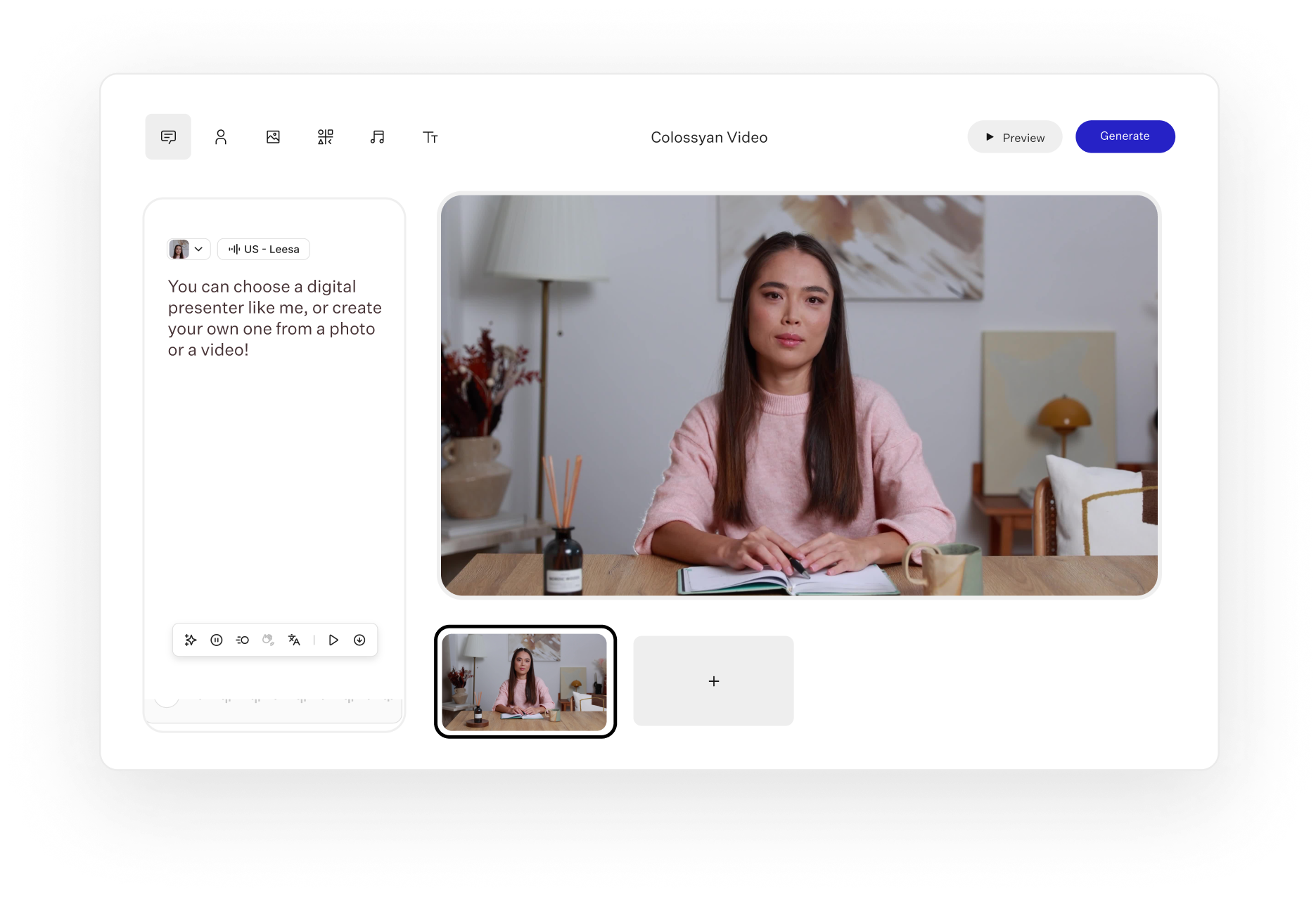
3. Colossyan

Best for: Workplace learning teams building interactive training video
Strengths: Full-body presenters, SCORM export, localization in 100+ languages
Things to consider: Generation can be slow and features vary by plan tier
Colossyan turns a written script into a video delivered by an AI spokesperson. Users pick a presenter from a library of more than 300, add a script by typing, pasting, or generating one from existing documents and slides with the AI Script Assistant, then generate the video. Its NEO 2 technology drives lip sync alongside hand gestures timed to speech, head turns, weight shifts, and eye contact.
The platform offers four presenter types: stock, custom presenters built from a short recording session with consent verification, branded presenters with custom outfits and company-specific settings, and scenario presenters placed in environments such as office floors, factories, retail spaces, and healthcare facilities. SOC 2 Type II, GDPR, and SAML SSO are part of the core product.
Key features include:
- Full-body presenter movement: NEO 2 avatars use hand gestures, head turns, weight shifts, and eye contact rather than only animating the mouth.
- Four presenter types: Covers 300+ stock presenters, custom presenters from a recording session, branded presenters with company outfits and backgrounds, and scenario presenters in workplace settings.
- Localization workflow: Delivers 100+ languages where lip sync adapts to each language rather than layering a dubbed audio track, and localizes on-screen text and interactive elements alongside the video.
- Script generation from source material: The AI Script Assistant produces a script from existing documents and slides, so an author can start from material already in use.
- Interactive learning components: Adds branching, assessments, conversational avatars, and multi-avatar conversation scenes to videos.
- LMS-ready delivery: Exports as MP4, publishes to an LMS through SCORM, or shares by direct link, with an API for programmatic use.
Limitations (as reported by users on G2):
- Feature gating by plan: Reviewers report that several advanced capabilities, including expanded NEO 2 generation, require a higher tier.
- Generation speed: Users describe video and preview generation as slow, which becomes noticeable when iterating on several adjustments.
- Creative control: Some reviewers find the platform restrictive when they want deeper customization or a result that falls outside the standard workflow.
- Screen recorder quality: Reviewers describe the built-in screen recorder as weak enough that they keep a separate tool for that task.
- Release stability: Users report bugs appearing when new enhancements ship.

Source: Colossyan
4. AI Studios by DeepBrain AI

Best for: Teams converting documents and URLs into avatar video at volume
Strengths: 2,000+ avatars, dubbing in 150+ languages, SCORM course builder
Things to consider: Rendering delays and subtitle sync issues are reported
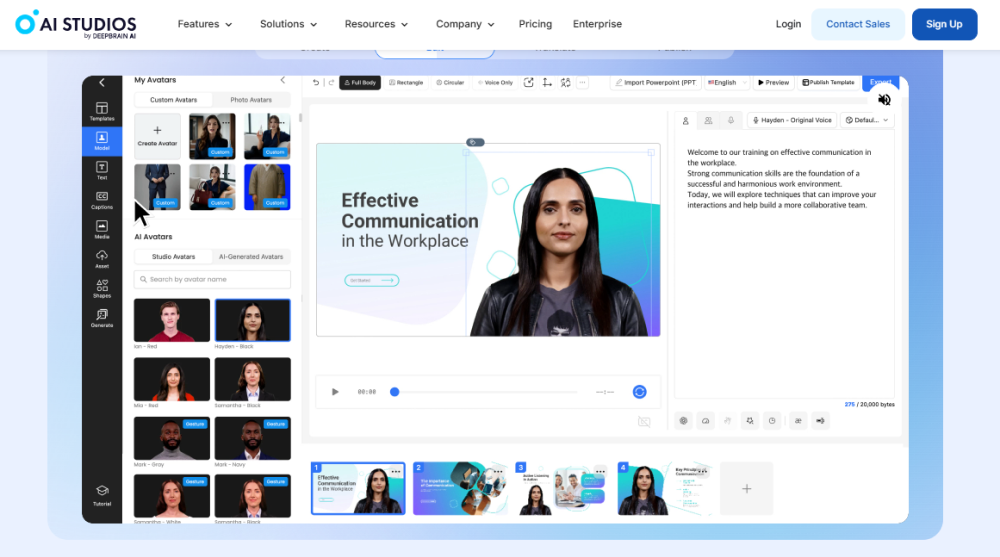
AI Studios generates video from a script, image, short clip, topic prompt, uploaded document, or web link. Users choose from more than 2,000 ready-to-use avatars or create custom ones from photos, videos, and products, then the platform assembles voiceover, translation, avatar, and supporting visuals into a finished video.
The platform covers several avatar types beyond the standard talking presenter. Custom avatars are built from short video recordings, photo avatars from still images, product avatars that hold and interact with uploaded products, and interactive avatars that hold real-time conversations. Enterprise tiers add security, collaboration, automation, and dedicated support.
Key features include:
- Avatar range: Provides 2,000+ stock avatars plus custom, photo, product, 3D, and interactive avatar types, with gesture control, multi-avatar scenes, and a custom dictionary for pronunciation.
- Source-to-video conversion: Builds videos from text, a topic prompt, a URL, PowerPoint, PDF, Word documents, or articles, extracting content and generating narration and visuals.
- Dubbing and voice: Handles one-click dubbing into 150+ languages, multi-speaker dubbing with cloned voices and lip-sync, and an editable script for adjusting timing, tone, and accuracy.
- Interactive avatars with custom knowledge: Trains an avatar on uploaded company documents and connects OpenAI, Claude, Gemini, or a customer’s own LLM, then embeds it on a website, app, or kiosk with a single line of code.
- Course builder and SCORM export: Adds quizzes, polls, and branching decision points to videos and exports in SCORM 1.2, SCORM 2004, and xAPI for any LMS.
- Editing and branding tools: Includes an AI video editor, screen recording, auto captions, brand assets, and 7,000+ templates.
Limitations (as reported by users on Capterra):
- Rendering speed: Reviewers describe slow video rendering and occasional delays when working with uploaded PowerPoint files.
- Subtitle synchronization: Users report subtitles lagging behind the avatar’s speech, an issue reproduced across different machines.
- Voice consistency: Some reviewers note that model accents shift pitch during delivery.
- Mobile experience: Reviewers describe lag and bugs when working in the mobile view.
- Customer support: Several reviewers report long response times and difficulty resolving billing questions.

Source: AI Studios
Avatar-First Video Generation Platforms
5. HeyGen

Best for: Marketing and creator teams producing avatar video quickly
Strengths: Avatar IV from one photo, 175+ languages, voice cloning options
Things to consider: Credit consumption and pricing draw frequent complaints
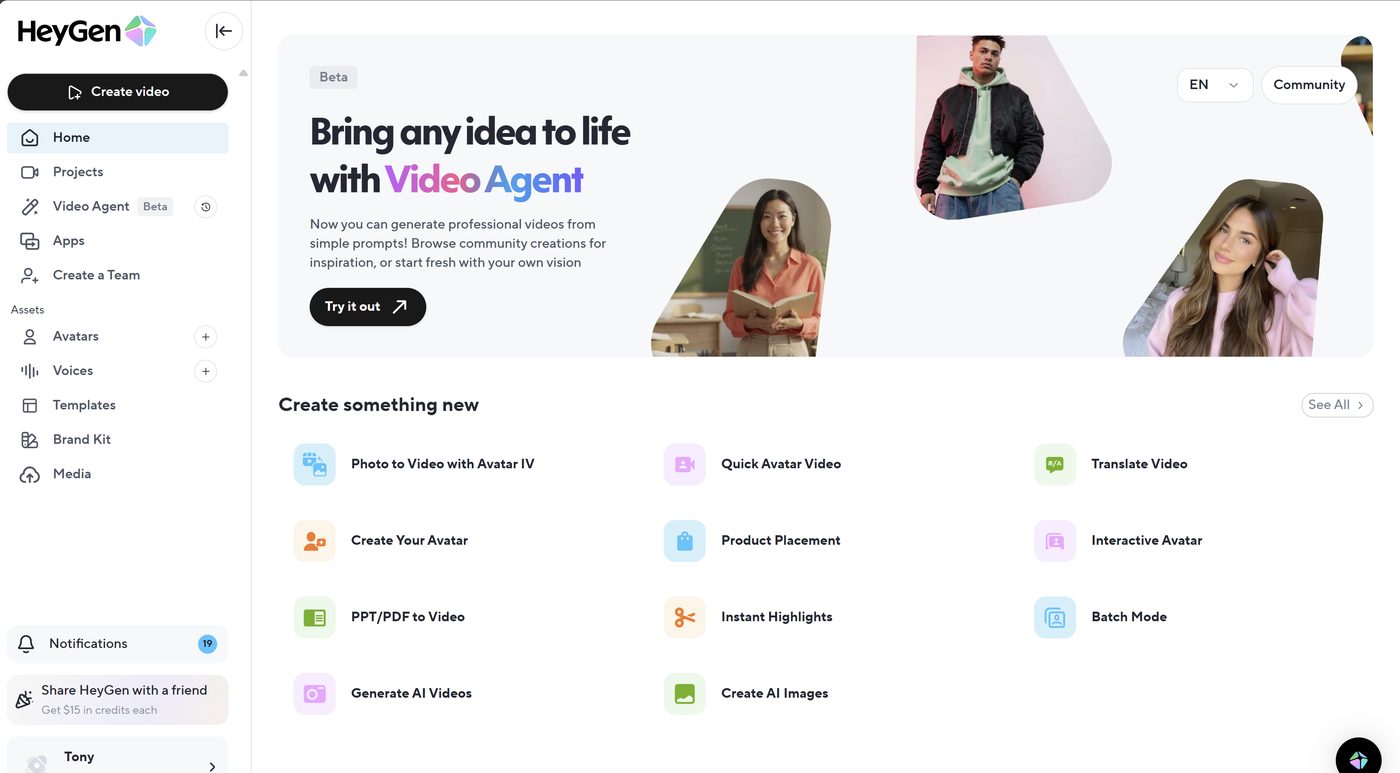
HeyGen generates avatar videos from a script, a photo, or an uploaded recording. Users select a stock avatar from a library of more than 1,000, upload a photo, or record video to build a digital twin, then type a script in any supported language and generate. The platform reports over 155 million videos and 131 million avatars generated to date.
Custom avatars can be styled with different looks, outfits, and backgrounds and reused across projects. HeyGen states that its avatars are built with consented data from real actors, and that actors are compensated for each video generated with their likeness. A text-based editor drives the workflow from first draft to final video.
Key features include:
- Avatar IV model: Converts a single image into a full video with voice sync, facial dynamics, and hand gestures, without a separate recording session.
- Digital twin creation: Builds a lifelike avatar from a user-recorded video or generates unlimited photo avatars from one image using text-based instructions.
- UGC-style avatars: Produces creator-style videos formatted for TikTok, Reels, and YouTube without contracting talent.
- Stock avatar library: Offers 1,000+ models spanning professional presenters, influencer-style avatars, and multicultural options, plus industry-specific avatars for healthcare, sales, and corporate training.
- Voice and language coverage: Provides 100+ stock voices across 175+ languages and accents, voice cloning, custom tone design, and integration with third-party text-to-speech providers.
- Styling controls: Look Packs switch avatars between visual styles, with adjustable outfits, tones, and voices to match a brand.
Limitations (as reported by users on G2):
- Pricing and credits: The most frequently raised issue across reviews is cost, particularly credit consumption, API pricing, and credits that expire at the end of a billing cycle.
- Re-render costs: A small script or caption edit requires a full re-render at the same credit cost as a new video, and there is no lip-sync preview before generating.
- Avatar expressiveness: Reviewers describe stiffness in movement, limited emotional nuance, and unnatural mouth and teeth rendering in some outputs.
- Movement instructions: Users report that prompted motion and gesture instructions are frequently ignored in the generated result.
- Feature transparency: Some reviewers say beta features are not clearly labeled and that limitations, such as voice clone incompatibility with certain models, surface only after credits are spent.

Source: HeyGen
6. D-ID

Best for: Teams needing both scripted avatar video and live visual agents
Strengths: Four avatar generations, 120+ languages, streamable agents
Things to consider: Failed generations consume credits, low tiers watermark
D-ID offers four generations of avatars for video creation and real-time interaction, available through a studio interface or an API. V2 avatars are created from a single frontal image and render immediately. V3 Instant avatars come from a one-minute video and preserve the original background and movement while delivering lip-synced narration. V3 Pro avatars are built from a 3.5-minute upload and support optional green-screen recording for background control.
V4 avatars are created from a series of short recordings capturing multiple emotional vocal and facial expressions, producing delivery that shifts with sentiment. V2, V3 Pro, and V4 avatars can be streamed for real-time interaction, while V3 Instant is available for video output only. The platform supports 120+ languages and accents.
Key features include:
- Four avatar tiers: Ranges from image-based V2 avatars for high-volume output to V4 avatars trained on multi-sentiment recordings for delivery that changes with conversational context.
- Digital twin creation: Generates a personal avatar from a photo or short video, clones the user’s voice, and applies it across languages.
- Canvas customization: Adjusts avatar size and position, changes backgrounds, and adds media and text layers around the presenter.
- Interactive visual agents: Turns an avatar into a real-time agent with configurable language, voice, personality, knowledge base, and actions, embedded on a website or inside an app, with engagement volume and score tracking.
- Language coverage: Supports narration and live conversation across 120+ languages and accents.
- Enterprise infrastructure: Includes SOC 2 aligned infrastructure, consent-based avatar creation, secure storage and access controls, high-volume generation, and a production API.
Limitations (as reported by users on G2):
- Credits lost on failures: Reviewers report avatar videos failing to generate after repeated attempts, with credits consumed on each attempt.
- Generation quality issues: Some users describe lip-sync and video generation problems on short clips across more than one pricing tier.
- Support responsiveness: Reviewers who encountered generation faults report that support responses did not resolve the issue.
- Watermarks and tier access: Users note that removing watermarks and reaching the fuller feature set requires moving beyond the entry subscription.
- Editing flexibility: Reviewers ask for more control over visuals and editing after a video is generated, and describe a learning curve on the advanced features.

Source: D-ID

7. VEED

Best for: Social and short-form teams editing and generating in one place
Strengths: Avatar presets sit inside a full browser-based editing suite
Things to consider: Avatar depth is limited and long files strain the browser
VEED provides an AI spokesperson tool inside its browser-based video editor. Users select a digital presenter from more than 50 preset avatars covering a range of genders, attire, personalities, and voices, or record themselves to generate a custom avatar based on their own face and voice profiles.
The script is added through VEED’s text-to-speech tool or narrated with a cloned voice profile, and the avatar delivers it on screen. Because the avatar sits in the wider editor, the resulting talking-head or explainer clip can be cut, trimmed, captioned, and resized for different social platforms without moving to another tool. Everything runs in the browser with no installation.
Key features include:
- Preset avatar library: Offers 50+ digital presenters under the Elements tab, spanning different genders, attire, personalities, and voice options.
- Custom avatar from a recording: Generates an avatar from a user’s own face and voice profile by recording a single clip, which can then be reused across projects.
- Text-to-speech narration: Converts a typed or pasted script into avatar narration, with voice cloning available for narration in the user’s own voice.
- Integrated editing suite: Applies effects, cutting, trimming, animated subtitles, and templates to the avatar clip, and optimizes output for multiple social platforms.
- Dubbing and translation: Translates spoken audio through the voice dubber and generates subtitles and captions for wider distribution.
- Text-to-video generation: Produces a video from a text prompt as an alternative entry point to the avatar workflow.
Limitations (as reported by users on G2):
- AI features gated by tier: Cost and AI limitations are among the most frequently raised complaints, with avatars, voice cloning, and translation sitting above the entry paid plan.
- Browser performance on long files: Users report lag, frozen timelines, and export errors on longer projects, which affects training videos and product walkthroughs more than short social clips.
- Avatar depth: Reviewers describe a small avatar library with limited expression range and lip sync that drifts on longer scripts.
- Quota handling: AI quotas for subtitles, avatars, and translation reset monthly and do not roll over.
- Free plan restrictions: Free exports carry a watermark and cap at 720p, and reviewers note the editing timeline and template range as areas needing improvement.

Source: VEED

8. Tavus

Best for: Developer teams embedding real-time video agents in a product
Strengths: Sub-second turn-taking, visual perception, single unified API
Things to consider: Developer setup required and minute-based costs vary
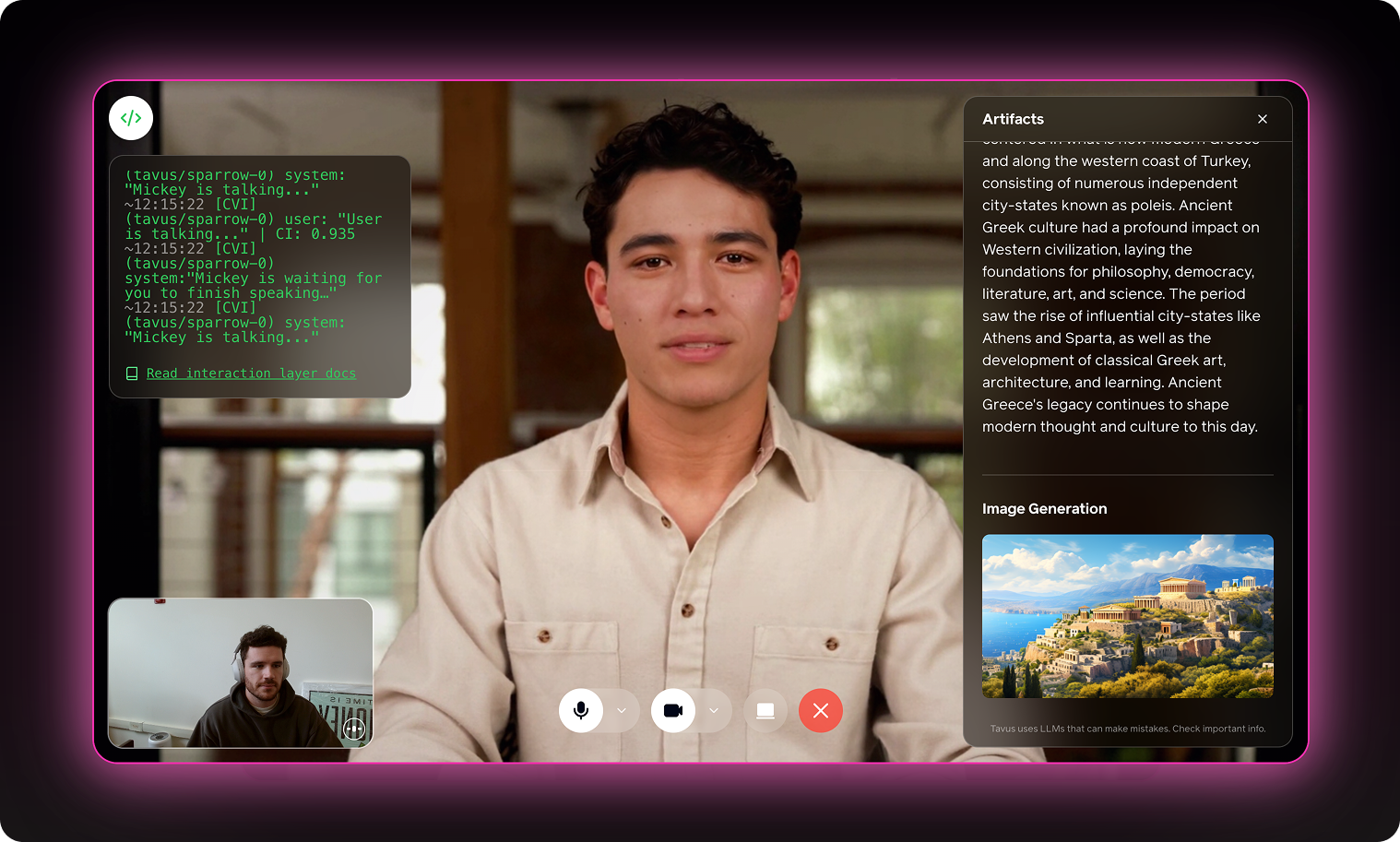
Tavus builds conversational video rather than pre-rendered spokesperson clips. Its Conversational Video Interface unifies speech, perception, rendering, and orchestration behind a single API, producing a video agent that sees, listens, and responds in a live session. The company reports around 487ms response times across two billion agent interactions.
Three proprietary models drive the system. Phoenix-4 handles real-time human rendering with contextual expressions and movement. Raven-1 translates facial expressions, tone, gaze, emotion, and environmental context into conversational signals. Sparrow-1 governs turn-taking using pauses, filler words, intonation, and trailing thoughts. Agents can also render MP4 files as static assets where a scripted video is needed.
Key features include:
- Conversational Video Interface: Delivers an out-of-the-box video agent through one API instead of assembling separate speech recognition, LLM, text-to-speech, and lip-sync vendors.
- Replica library and custom replicas: Provides 100+ stock replicas, with custom 1:1 replicas trained from roughly two minutes of material.
- Persona configuration: Designs agents with specific knowledge, tone, and behavior using RAG, custom LLMs, and function calling, plus memory, knowledge base, and objectives layers.
- Perception layer: Raven-1 interprets faces, gestures, gaze, and emotion in real time so the agent responds to visual context rather than transcript alone.
- No-code and API paths: PAL Maker builds and deploys agents without code, while the developer API covers programmatic integration and white-labeling.
- Enterprise compliance and scale: SOC 2, GDPR, and HIPAA compliant, running one conversation or thousands on globally distributed infrastructure with enterprise SLAs.
Limitations (as reported by users on G2):
- Onboarding difficulty: Reviewers report significant technical issues during onboarding, causing delays and problems with basic functionality.
- Implementation effort: Users describe implementing the technology as a long process rather than a quick integration.
- Time to value: At least one reviewer reports not reaching expected benefits, describing the process as frustrating and expensive.
- Limited review signal: The G2 listing carries a small number of reviews relative to other platforms in this category, which limits the evidence available to buyers.
- Cost predictability: Metering by conversational minutes is harder to forecast than a flat video plan, with pay-as-you-go overage and a minimum charge applied per conversation.

Source: Tavus
Conclusion
AI avatar platforms make it possible to produce virtual spokesperson videos quickly, localize them for different audiences, and update messaging without reshooting footage. The right platform depends on whether the priority is scripted video, interactive learning, real-time conversation, brand customization, or enterprise governance. Organizations should also compare avatar realism, language support, workflow controls, integration options, security, and pricing before choosing a platform for ongoing use.
Was this post useful?
Thank you for your feedback!
