





Best AI Virtual Avatar Tools for Corporate Videos: Top 8 in 2026

TL;DR: AI virtual avatar tools turn scripts and existing content into videos led by a digital presenter, with no filming. Kaltura is best for enterprise teams converting existing knowledge into avatar-led video, Synthesia suits governed L&D programs, Colossyan interactive training, and HeyGen marketing and personalized outreach.
What Are AI Virtual Avatar Tools?
AI virtual avatar tools are software platforms that use artificial intelligence to generate lifelike digital presenters for video content. These avatars can be customized in appearance, voice, and language, allowing organizations to create videos without the need for live actors or traditional filming. The technology behind these tools leverages advancements in computer vision, natural language processing, and deep learning to synchronize avatar speech and facial expressions with script input, resulting in a more engaging and human-like delivery.
These tools are designed for ease of use, often allowing users to generate videos by simply inputting text scripts and selecting their preferred avatar. This eliminates the need for video production skills, expensive equipment, or on-camera talent. Companies can quickly create scalable, consistent, and professional-looking videos for a range of internal and external communications.
AI Virtual Avatar Tools at a Glance
The table below summarizes the key differences between the tools covered in this guide. We explore each one in more detail in the sections that follow.
| Category | Solution | Best For | Key Strengths | Things to Consider |
| Enterprise avatar video platforms | Kaltura | Turning existing enterprise content into avatar-led video | Multi-source creation, live avatar follow-up, governance | Setup and rollout need internal preparation |
| Enterprise avatar video platforms | Synthesia | Governed training and internal comms at scale | 240+ avatars, 160+ languages, SOC 2 and ISO 42001 | Credit caps and features gated by plan tier |
| Enterprise avatar video platforms | Colossyan | Interactive training videos and SCORM courses | NEO 2 gestures, 100+ languages, SCORM export | Custom avatars and advanced tiers cost more |
| Enterprise avatar video platforms | DeepBrain AI Studios | High-volume avatar video plus real-time agents | 2,000+ avatars, dubbing in 150+ languages, SCORM | Rendering speed and support responsiveness |
| Avatar generators for business video | HeyGen | Marketing, sales outreach and personalized video | Avatar IV realism, 175+ languages, open API | Credit pricing and limited gesture control |
| Avatar generators for business video | D-ID | Animating photos of real people into presenters | Photo-to-video, brand automation, 40+ languages | Head-and-shoulders framing, unclear credits |
| Avatar generators for business video | Vyond | Blending avatars with animated training scenes | 1,300+ avatars, 95 languages, enterprise security | Limited character customization and assets |
| Avatar generators for business video | VEED | Adding avatar segments inside a full video editor | 60+ avatars, 120+ languages, editor in one place | Small avatar library, browser performance |
Corporate Use Cases for AI Virtual Avatars
1. Employee Training Videos
AI virtual avatars simplify the production of employee training videos by providing consistent, repeatable presentations that can be updated quickly as procedures or policies change. This is especially valuable in industries with frequent regulatory updates or evolving best practices:
- Videos can be revised by simply updating the script and regenerating the content.
- The avatars can be tailored to represent different demographics or roles within a company.
- AI virtual avatars help increase relatability and engagement for diverse workforces.
In addition, AI avatars can present complex training materials in a clear and standardized format, reducing the risk of miscommunication that might occur in live presentations. Organizations can localize training content for different regions by changing the avatar’s language or accent, ensuring that all employees receive the same information regardless of location. This approach saves time and resources compared to traditional video shoots, while enabling rapid deployment of training materials across global teams.
Related content: Read our article about building an employee training program.
2. New-Hire Onboarding
New-hire onboarding is another area where AI virtual avatars offer significant advantages. Companies can create a library of onboarding videos that introduce new employees to company culture, policies, tools, and workflows:
- Everything is delivered by a consistent digital presenter.
- Every new hire receives the same high-quality information, regardless of when or where they join the organization.
- Onboarding content can be easily updated as company practices evolve.
AI avatars can also guide new hires through interactive modules, quizzes, or scenario-based training, providing instant feedback and support. This helps organizations scale their onboarding process without overburdening HR staff or requiring repeated live sessions. The use of avatars also allows for personalization, such as welcoming employees by name or referencing their roles, which can improve engagement and foster a sense of connection from day one.
Related content: Read our guide to employee onboarding software.
3. Internal Announcements
AI virtual avatars enable organizations to deliver internal announcements in a dynamic and engaging format. Instead of relying solely on email or static memos, companies can use avatars to present:
- Important updates
- Company news
- Executive messages
This visual and auditory approach helps capture employees’ attention and ensures that key information is conveyed clearly and memorably, reducing the risk of important messages being overlooked.
By utilizing avatars, organizations can maintain consistency in messaging and tone, even when communicating across multiple locations or departments. The ability to quickly generate announcement videos allows leadership to respond rapidly to organizational changes or events. Additionally, these videos can be archived for future reference, making it easy for employees to access past announcements and stay informed about company developments.
4. Customer Support and Knowledge Base Videos
AI virtual avatars are increasingly used to create customer support and knowledge base videos, providing clear and accessible explanations of products, services, or troubleshooting steps. Avatars help reduce the workload on live support staff and improve customer satisfaction. They can:
- Deliver step-by-step guides
- Answer frequently asked questions
- Walk users through common issues
These videos can be embedded into websites, apps, or help centers, offering on-demand support at any time. The flexibility of AI avatars allows businesses to quickly update support content as products evolve or new issues arise. Companies can also localize videos for different regions or customer segments by adjusting the avatar’s language or voice, ensuring support materials are accessible to a global audience.
5. Compliance Training
Compliance training often requires organizations to deliver precise, up-to-date information to employees, sometimes across multiple regions with varying regulations:
- AI virtual avatars make it easy to standardize compliance training materials.
- They ensure that every employee receives the same instructions and explanations.
- The ability to quickly update scripts and regenerate videos helps companies stay current with changing laws or internal policies.
Using avatars also makes compliance training more engaging than traditional slide presentations or printed manuals. Interactive elements, such as quizzes or scenario-based learning, can be incorporated to reinforce understanding and track employee progress. The digital nature of AI avatar videos enables easy distribution and tracking, allowing organizations to document completion and demonstrate compliance during audits or inspections.
Related content: Read our guide to choosing a corporate learning management system.
How to Choose an AI Avatar Tool for Corporate Videos
Consider Your Primary Video Use Case
When selecting an AI avatar tool, start by identifying your main use case, whether it’s training, onboarding, announcements, or customer support. Different tools offer unique features tailored to applications, such as interactive modules for training or advanced branding controls for marketing videos. Clarifying your core requirements helps narrow down the options and ensures you choose a platform that aligns with your business objectives.
It’s important to consider the scalability and flexibility of the tool in relation to your anticipated video production volume. If you plan to create a large number of videos or regularly update content, look for platforms that simplify script editing and batch video generation. By matching the tool’s capabilities to your primary use case, you can maximize efficiency and avoid investing in features you won’t use.
Related content: Read our guide to corporate video production.
Check Voice and Language Support
Voice and language support are critical factors, especially for organizations with a global workforce or customer base. Evaluate whether the AI avatar tool offers a wide range of voice options, including different accents, tones, and gender choices. The ability to select voices that reflect your audience’s diversity can improve relatability and comprehension. Additionally, ensure the platform supports all necessary languages for your target regions.
Test the quality of the tool’s text-to-speech (TTS) engine, as natural-sounding speech is essential for effective communication. Some platforms allow you to fine-tune pronunciation, pacing, and intonation, which can be valuable for technical or branded terms. If your organization needs to produce content in multiple languages, prioritize tools that simplify translation workflows and enable quick switching between voice and language options.
Look for Branding Controls
Branding controls are essential for maintaining a consistent corporate identity across all video content. Look for AI avatar tools that offer customization options such as branded backgrounds, logo placement, and the ability to adjust color schemes to match your company’s visual guidelines. Some platforms also allow for the creation of custom avatars that reflect your brand’s persona or key representatives, further strengthening brand recognition.
Evaluate the platform’s flexibility in incorporating brand assets and templates to simplify video creation. The ability to lock certain branding elements can help ensure compliance with corporate standards, especially when multiple teams or departments are producing videos. Consistent branding not only reinforces your organization’s image but also improves professionalism and trust in your communications.
Review Collaboration and Workflow Features
Efficient collaboration and workflow features are vital for teams that produce videos collectively. Assess whether the AI avatar tool supports multi-user access, role-based permissions, and real-time commenting or editing. These capabilities enable marketing, HR, or training teams to work together seamlessly, reducing bottlenecks and improving the speed of content production. Integration with project management or content management systems can further improve workflow efficiency.
Look for features such as version control, approval workflows, and audit trails to manage revisions and ensure quality control. Platforms that offer integrations with cloud storage or video hosting solutions simplify distribution and archiving. By choosing a tool with robust collaboration and workflow capabilities, organizations can scale their video production while maintaining oversight and accountability.
Consider Security and Compliance
Security and compliance are paramount when producing corporate videos, especially when handling sensitive information or personal data. Ensure the AI avatar tool adheres to relevant data protection standards, such as GDPR or SOC 2, and offers features like encryption, secure user authentication, and access controls. This protects both company data and the privacy of individuals featured or referenced in your videos.
Review the platform’s data handling and storage policies, particularly if you operate in regulated industries. Some tools provide audit logs, consent management, and compliance certifications to support your organization’s legal requirements. Prioritizing security and compliance not only reduces risk but also demonstrates a commitment to responsible technology use to stakeholders and customers.
Notable AI Virtual Avatar Tools for Corporate Video
How we selected these tools: We shortlisted AI virtual avatar platforms based on avatar realism and gesture control, voice and language coverage, custom and branded avatar creation, branding and workflow controls for teams, publishing and LMS integration, and enterprise security and compliance capabilities.
Enterprise Avatar Video Platforms for Training and Internal Communications
1. Kaltura

Best for: Enterprise teams turning existing content into avatar-led video
Strengths: Multi-source creation, live avatar follow-up, enterprise governance
Things to consider: Setup and rollout require internal preparation and planning
Kaltura’s Avatar Video turns a session recording, presentation, PDF, document, URL or script into a video presented by an avatar. Users choose an existing format or start from scratch, then guide the output with prompts such as speaker, audience or goal.
Before generating, the platform shows the generated script, avatar narration, scene structure, background clips and supporting visuals for review and editing. Finished videos are published to email, a website, an LMS or an internal portal, and the same avatar can then continue the session as a live conversation.
Key features include:
- Multi-source video creation: Builds a single video from recordings, slides, PDFs and other source materials in one workflow, so existing corporate assets become the input rather than a new script.
- Session highlights: Converts long lectures, town halls, webinars and training sessions into shorter, more digestible avatar-narrated videos.
- Video-to-live handoff: Viewers can move from the recorded video into real-time interaction, where the avatar answers questions, goes deeper into related topics, clarifies key points, quizzes viewers on comprehension and guides them to next steps.
- Flexible scene layouts: Mixes full-screen avatar moments with layouts that combine narration, slides and source visuals in the same video.
- Localization at scale: Adapts videos for global audiences using AI dubbing while keeping branding consistent across versions.
- Enterprise controls: Includes governance and control for enterprise environments, brand consistency across teams and regions, connection to an existing video and content ecosystem, and compliance with global security standards.
Limitations (as reported by users on G2): Avatar Video is a recent addition, so published reviews cover the wider Kaltura Video Cloud platform it runs on.
- Initial configuration effort: Some reviewers note that getting the initial setup configured takes coordination, and recommend having an internal team ready before implementation.
- Pricing for smaller organizations: A reviewer notes that pricing can sit high relative to budgets in some regions.
- Transcript export depth: One reviewer would like downloadable transcripts to offer more advanced formatting options.

Source: Kaltura

2. Synthesia

Best for: Governed training, onboarding and internal communications at scale
Strengths: 240+ stock avatars, 160+ languages, audited security certifications
Things to consider: Credit caps and feature gating tied to plan tier
Synthesia generates avatar videos from a typed script, a prompt, a PowerPoint deck, a PDF, a Word document, a link or a template. Its avatar library covers stock presenters, prompt-generated custom avatars, personal avatars created from a photo, and studio avatars captured in a dedicated session.
The platform pairs avatars with a voice library covering 160+ languages and accents, and layers on translation, dubbing, interactivity and analytics. Personal avatars require a live on-camera consent recording that cannot be uploaded or bypassed, and every generated video passes through content moderation.
Key features include:
- Four avatar types: Stock avatars for immediate use, customizable avatars where outfit, setting and on-screen action are described in natural language, personal avatars built from a single photo, and studio avatars captured with the vendor’s team.
- Voice and language coverage: More than 1,000 AI voices across 160+ languages and accents, with some voices offering multiple emotional styles, plus voice cloning from a short recording.
- Translation and dubbing: Translates and dubs existing video into 140+ languages with lip-sync matched to the new audio, and a translation glossary that locks specific terminology across versions.
- Brand and organization controls: A Brand Kit applies company colors, fonts, logos and preferred avatars automatically, with live collaboration, version control and SSO video pages for distribution.
- Interactivity and roleplay: Quizzes, clickable moments and branching paths can be added to videos, and Interactive Avatars can hold a live conversation using a connected LLM or agent.
- Security and compliance posture: SOC 2 Type II, ISO 27001, ISO 42001 and GDPR compliance, with a dedicated trust and safety team and membership in the Content Authenticity Initiative.
Limitations (as reported by users on G2):
- Avatar naturalness: Reviewers repeatedly describe avatars as looking somewhat unnatural on longer scripts, with gestures and facial expressions that do not always match the emotional tone of the content.
- Pronunciation consistency: Several users report the same word being pronounced differently within one video, and say brand names, acronyms and industry jargon need manual phonetic correction before publishing.
- Credit and minute caps: Users describe entry-tier minute allowances as restrictive, with unused monthly credits expiring, and note a steep jump to the next tier.
- Feature gating by plan: Reviewers report that branding controls, translation and team collaboration sit on higher tiers, with a large gap between individual and enterprise plans.
- Regeneration time: Small script edits require a full re-render, and some users report waiting a long time for longer videos or PowerPoint conversions.
- Content moderation delays: Some users have had videos flagged and had to appeal before release, particularly in regulated subject areas.

Source: Synthesia

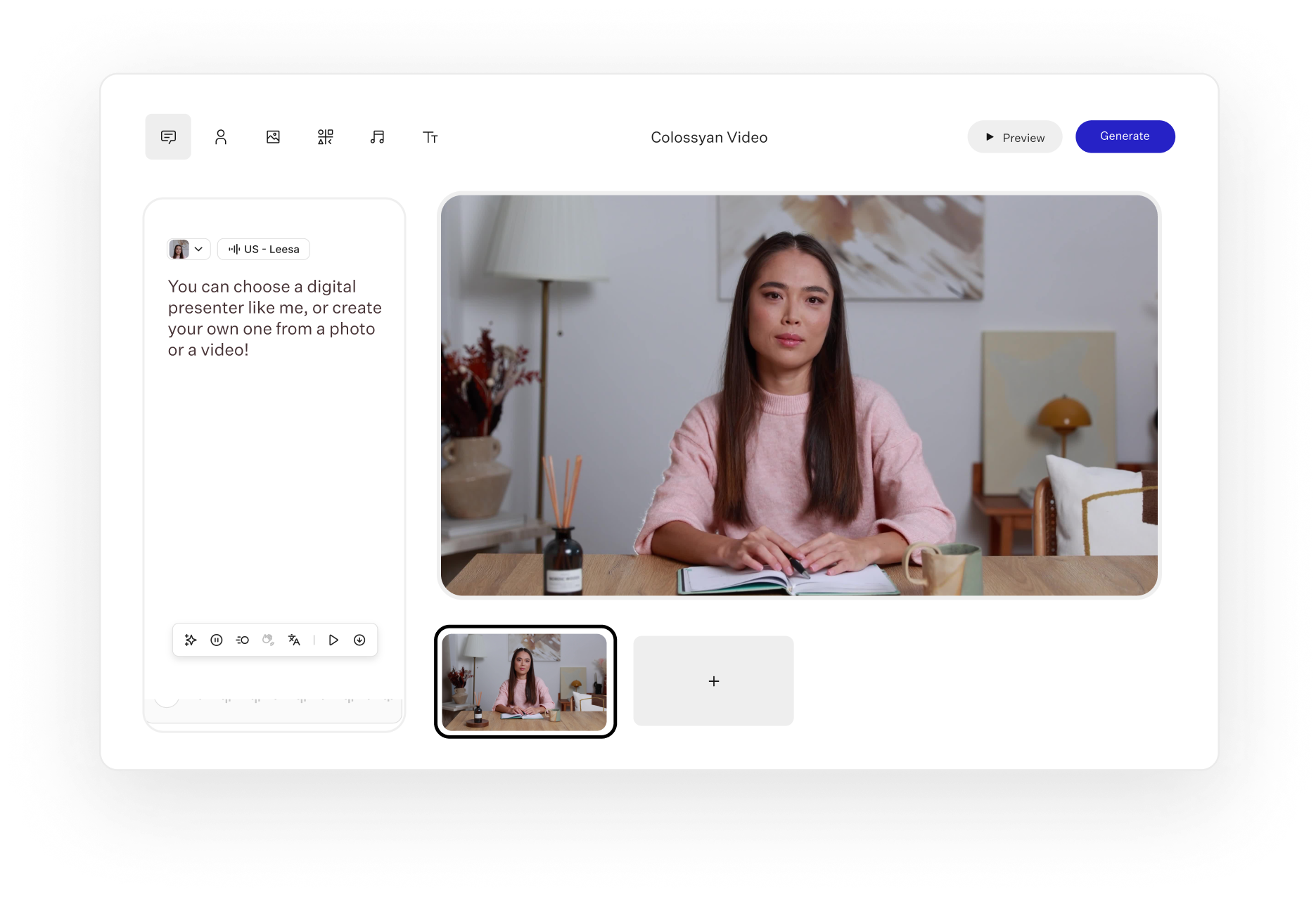
3. Colossyan

Best for: Interactive workplace training videos and SCORM-ready courses
Strengths: Gesture-driven avatars, 100+ languages, native SCORM export
Things to consider: Custom avatars and advanced features sit on higher tiers
Colossyan generates avatar-led videos from a typed script, pasted document text or existing materials. Its stock library holds more than 300 presenters, all running on the NEO 2 avatar engine, which adds full-body movement, weight shifts, head turns and eye contact timed to speech emphasis rather than lip movement alone.
Alongside stock presenters, the platform supports custom avatars built from a short recording, branded avatars wearing company outfits against branded backgrounds, scenario avatars placed in office, factory, retail or healthcare settings, and illustrated cartoon presenters.
Key features include:
- Five avatar types: Stock, custom, branded, scenario and cartoon avatars, all supporting gestures, natural speech and 100+ languages within the same platform.
- NEO 2 avatar engine: A rebuilt rendering pipeline and body mechanics system that produces full-body movement and expressions matched to tone, with no industry restrictions on use in healthcare, financial services or other regulated sectors.
- Single-workflow localization: One avatar speaks 100+ languages with lip-sync adapted per language rather than a dubbed audio track, and video, on-screen text and interactive elements are localized together.
- Interactive and course features: Interactive video, conversational avatars, branching and assessments are built in, with a course studio for turning a topic into a structured outline.
- Publishing and LMS delivery: Videos export as MP4, publish to an LMS via SCORM, or share as a link, with PowerPoint-to-SCORM conversion available.
- Enterprise security in the core product: SOC 2 Type II, GDPR and SAML SSO are included in the base platform rather than sold as enterprise add-ons.
Limitations (as reported by users on G2):
- Avatar expressiveness: The most frequently cited drawback is avatar expressiveness, with users reporting that delivery feels less natural than a real presenter on complex or highly expressive scripts.
- Lip-sync accuracy: Multiple reviewers mention lip movements that do not fully match the spoken words, and note that dialogue formatting requires extra attention.
- Avatar library breadth: Users cite a limited selection of avatars for certain demographics, including African representation and older age groups.
- Cost of custom faces and enterprise plans: Reviewers flag the cost of uploading custom faces and moving to enterprise tiers, and some note the entry plan’s minute allowance is restrictive.
- Scene and animation customization: Users report limited control over scenes and animations, which can make some videos feel templated, and note that avatar setting changes apply per scene rather than across a sequence.
- Render times: Longer or more detailed projects can take more time to render than expected, and previewing consumes credits.

Source: Colossyan
4. DeepBrain AI Studios

Best for: High-volume avatar video plus real-time conversational agents
Strengths: 2,000+ avatars, dubbing in 150+ languages, SCORM course builder
Things to consider: Rendering speed and support responsiveness
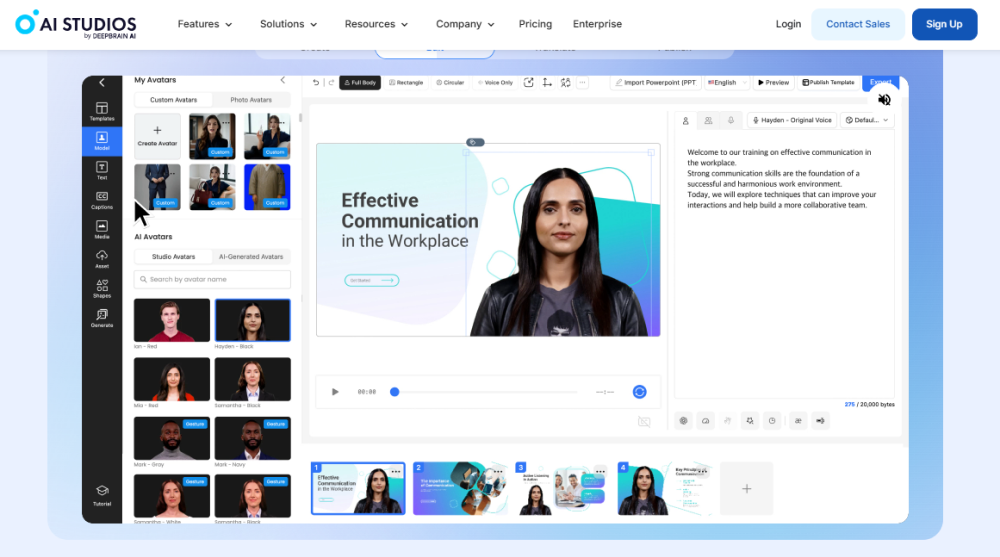
AI Studios by DeepBrain AI generates video from a script, a document, a URL, an image or a short clip, adding voiceover, translation, avatars and visuals in one workspace. The stock avatar library holds more than 2,000 presenters, and custom avatars can be built from a short video recording, a still photo, or as product avatars that hold and interact with items.
The platform also runs real-time conversational avatars that answer questions across a website, app, kiosk or messaging channel, drawing on uploaded company documents or a connected LLM.
Key features include:
- Four custom avatar paths: Custom avatars from short video recordings, photo avatars from still images, product avatars that handle products on camera, and interactive avatars for live conversation.
- Dubbing and voice coverage: One-click dubbing into 150+ languages with automatic lip-sync and voice cloning, multi-speaker detection that dubs each speaker with a distinct cloned voice, and an editable script for proofreading before export.
- Interactive video and course builder: Embedded quizzes, polls and branching decision points inside videos, with export in SCORM 1.2, SCORM 2004 and xAPI formats for any LMS.
- Content-to-video conversion: Product pages, topics, PowerPoint, PDF and Word files, and web URLs can each be converted into a narrated avatar video.
- Conversational agent configuration: Company PDFs and slide decks can be uploaded to train the agent, and OpenAI, Claude, Gemini or a proprietary LLM can be connected, with embedding via a single line of code.
- Enterprise administration: RESTful API, webhook integrations, bulk operations, role-based access control, version history and real-time collaborative editing, alongside ISO 27001, SOC 2 Type II and GDPR compliance.
Limitations (as reported by users on Capterra):
- Avatar behavior variety: A reviewer notes that while the avatars look good, they largely act the same, leaving limited variation in behavior across a video.
- Rendering speed: Users describe the video rendering rate as slow and hope for improvement in future updates.
- Subtitle synchronization: One reviewer reports subtitles consistently lagging behind the avatar’s speech across multiple machines.
- Non-English pronunciation: Reviewers working in Spanish and Portuguese report English pronunciation applied to local words and a shortage of regional voice options.
- Customer service and billing: A reviewer describes long waits for support replies and a billing dispute after attempting to cancel an annual plan.
- Interface stability: Users mention cached project data that requires clearing cookies to refresh, and a mobile view that runs slowly.

Source: AI Studios
Avatar Generators and Video Tools for Broader Business Content
5. HeyGen

Best for: Marketing, sales outreach and personalized customer-facing video
Strengths: Avatar IV realism, 175+ languages, open API for automation
Things to consider: Credit-based pricing and limited control over gestures
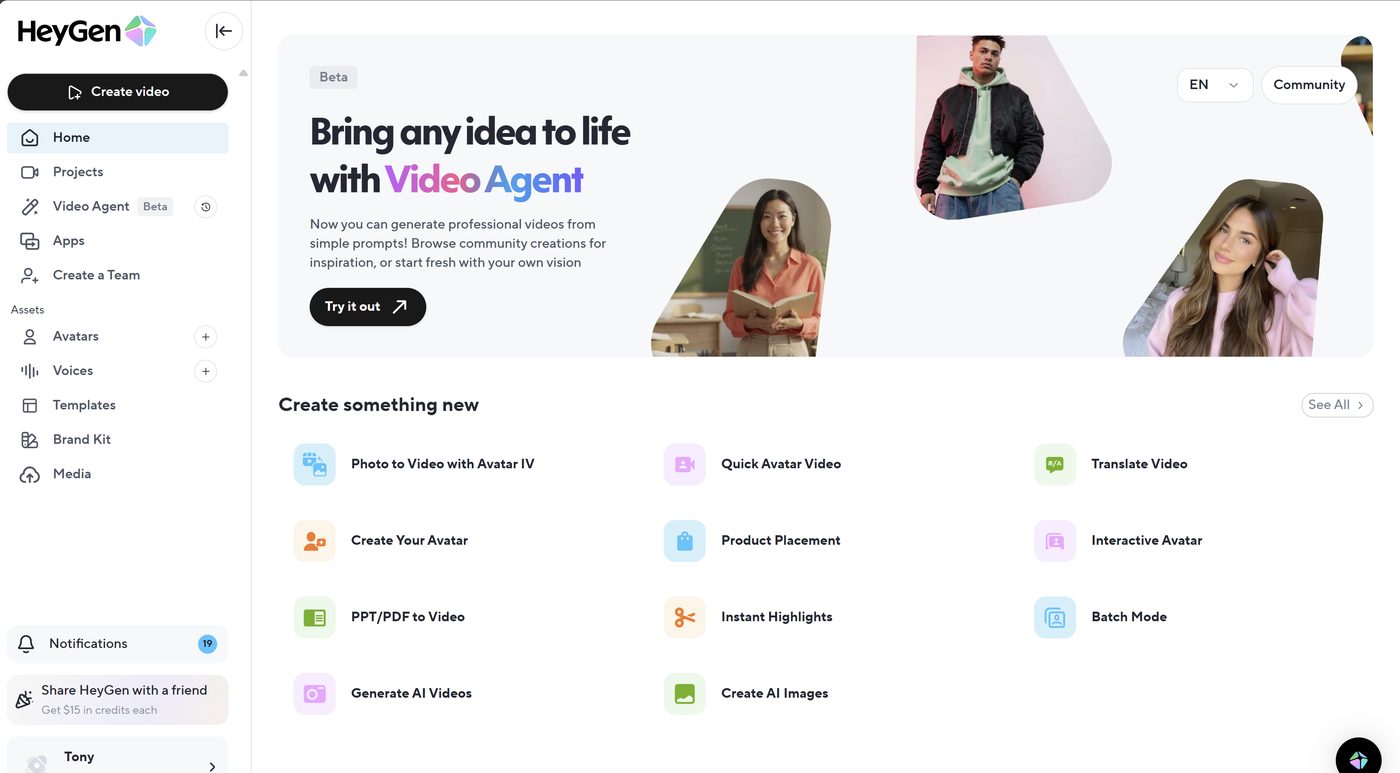
HeyGen generates avatar videos from a typed script, an uploaded photo, a recorded video or an audio file. Its Avatar IV model turns a single image into a full video with voice sync, facial dynamics and hand gestures, while digital twin avatars are built from footage the user films once and reuses.
The stock library holds more than 1,000 avatar models covering professional presenters, influencer-style creators and multicultural models, and each custom avatar can be styled with different looks, outfits and backgrounds.
Key features include:
- Avatar IV image-to-video: Converts a single still image into a speaking video with synchronized voice, expressive facial movement and hand gestures.
- Digital twin and photo avatars: A video avatar is filmed once and reused indefinitely, while photo avatars generate unlimited variations from one image using text-based instructions.
- Voice and language range: More than 100 stock voices across 175+ languages and accents, with voice cloning and support for third-party text-to-speech providers.
- Text-based editor: Video creation and editing run through a document-style text editor rather than a timeline, from first draft through final export.
- UGC-style avatars: Produces creator-style videos formatted for TikTok, Reels and YouTube without engaging on-camera talent.
- API and localization tools: An API supports programmatic generation, alongside a video translator, talking photo tool and LiveAvatar for real-time interaction.
Limitations (as reported by users on G2):
- Cost and credit consumption: Pricing is the most frequently raised concern, with users noting that credits deplete quickly, that unused credits expire at the end of a plan period, and that re-rendering after a small script edit costs the same as a fresh video.
- Plan limitations versus marketing: Reviewers describe “unlimited” positioning as misleading, since the higher-quality avatars draw on a premium credit system that runs down a monthly allowance quickly.
- Gesture and expression control: Users report that movement instructions are often ignored, that avatars can appear stiff or emotionally flat, and that mouth and teeth rendering still looks unnatural in places.
- No preview before spending credits: Several reviewers note there is no lip-sync preview before generation, so problems only surface after credits have been used.
- Feature stability and transparency: Users mention experimental features without clear beta labeling, unpredictable outputs on some models, and incompatibilities between avatar, voice clone and generation tools that are not signposted in advance.
- Rendering and editing constraints: Reviewers cite slow rendering under load, captions that cannot be edited after generation, and inconsistent background removal on green-screen exports.

Source: HeyGen
6. D-ID

Best for: Animating photos of real people into on-screen presenters
Strengths: Photo-to-video, automatic brand application, 40+ language translation
Things to consider: Head-and-shoulders framing and an opaque credit system
D-ID’s Creative Reality Studio converts text, audio or a still image into video with a digital avatar. Faces can be animated three ways: by selecting a pre-made avatar, uploading a facial image, or generating a portrait with the built-in text-to-image tool.
The platform applies company colors, fonts, backgrounds and logos to every video automatically, and supports fully tailored setups using product images, real workplace backgrounds and branded corporate characters. Output is MP4, capped at five minutes per video, with source images limited to 10 MB in JPEG, JPG or PNG format.
Key features include:
- Photo-to-presenter animation: Any uploaded front-facing portrait becomes a speaking presenter, which suits situations where an executive’s likeness is needed but filming is not practical.
- Voice imitation and translation: Videos can be translated into 40+ languages while retaining the speaker’s own voice, with lip movements adapted to match each language.
- Automatic brand application: Company colors, fonts, backgrounds and logos are incorporated into every generated video without manual setup per project.
- Video campaigns: Personalized videos generate in real time from customizable scripts with dynamic fields, delivered on a video landing page customizable with colors, text, logo and call to action.
- Governance and access controls: Role-based permissions, brand guardrails, shared asset libraries and admin controls apply across the organization.
- Security posture and data handling: ISO 27001 and TISAX certified, SOC 2 aligned and GDPR-ready, with customer content excluded from model training and data encrypted in transit and at rest.
Limitations (as reported by users on G2):
- Limited body movement: The most consistent criticism is that avatars are head-and-shoulders talking heads with minimal gestures, which reviewers say makes videos over four or five minutes feel static.
- Credit system opacity: Users report that credit costs per job are not clear upfront, that credits deplete quickly during revision cycles, and that plan eligibility for specific avatars and options is hard to determine.
- Full regeneration for small edits: Without a timeline editor, changing a single sentence requires regenerating the entire video and consuming a full render’s worth of credits.
- Output consistency: Reviewers describe variable results between avatars, occasional lip-sync errors and unnatural pauses on longer scripts, and audio playback issues in some generations.
- Watermarks and pricing tiers: Users cite watermarks on lower tiers and note that more lifelike avatar options require moving up in price.
- Support responsiveness and render times: Some reviewers report slow replies during busy periods, documentation that lags behind newer features, and longer render times at peak hours without a progress indicator.

Source: D-ID

7. Vyond

Best for: Combining avatar presenters with animated training scenes
Strengths: 1,300+ avatar options, 95 languages, enterprise security controls
Things to consider: Character customization and asset library breadth
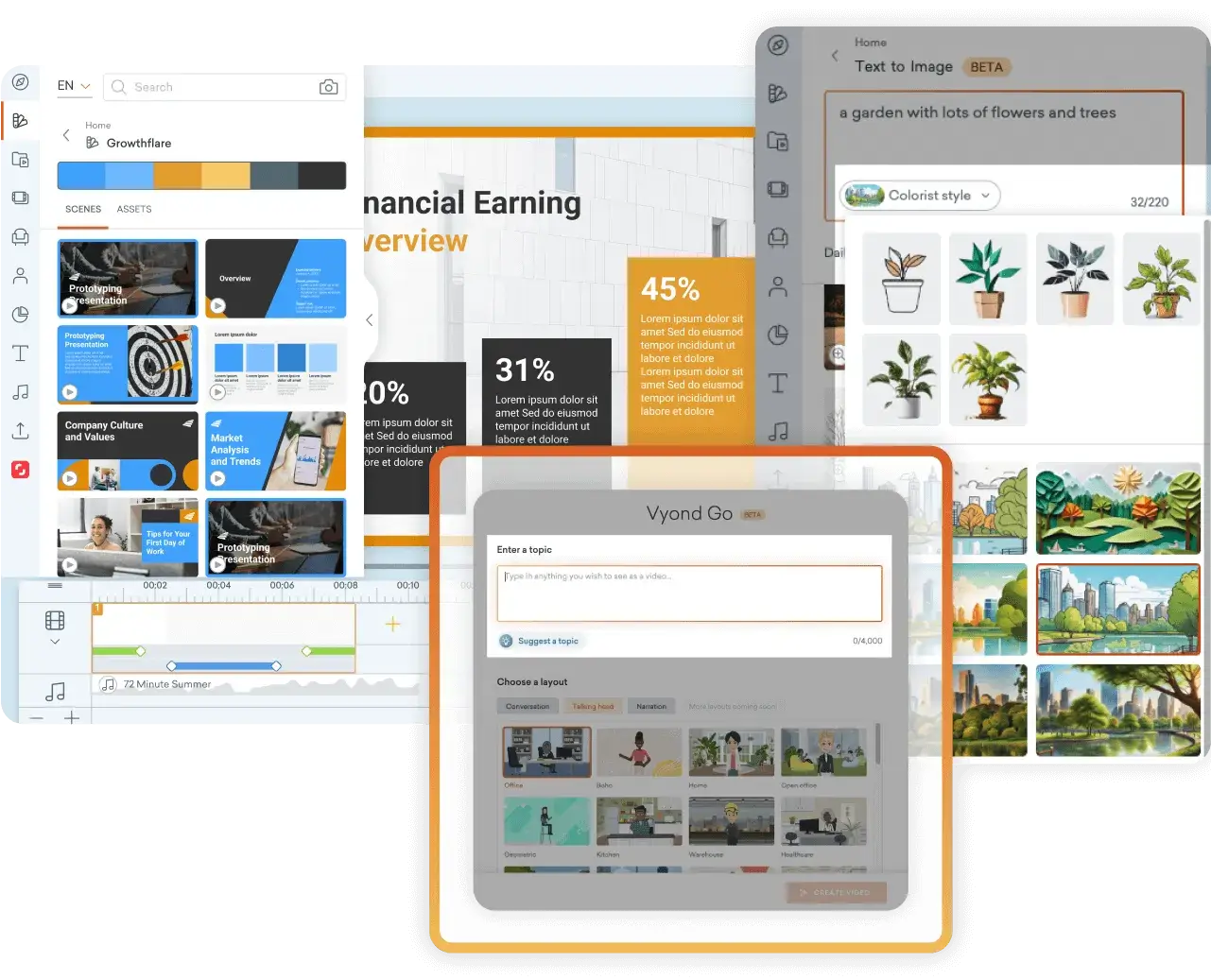
Vyond is a video creation platform where AI avatars sit alongside animated characters, templates and visual styles. Its avatar library holds more than 1,300 options sourced through partnerships with avatar technology vendors, covering different age groups, genders and ethnicities.
Users enter a script and a custom avatar delivers the message, with no filming or video editing required. Avatars can also be layered onto screen recordings, which suits tutorials, product demos and internal communications where a presenter needs to appear alongside software footage.
Key features include:
- Large stock avatar library: More than 1,300 avatar options are available for use as a narrator or company spokesperson across training, product demos and brand videos.
- Custom avatar creation: A custom AI avatar can be built from a short recording of a real person and reused across a video series.
- Multilingual voice pairing: Avatars pair with any voice in the library across 95 languages for delivering the same message to different regions.
- Screen recording with avatars: Avatars can be added to screen recordings so software walkthroughs and product demos include an on-screen presenter.
- Studio editing environment: Vyond Studio provides editing tools, a template library and multiple visual styles including animated, photorealistic, mixed media and live capture.
- Enterprise administration: Brand management, custom assets, enterprise security, secure video hosting and integrations are available for organization-wide deployments.
Limitations (as reported by users on G2):
- Customization ceilings: The most cited issue is limited customization, with reviewers wanting more character movements, poses, angles and clothing options, and noting that modern avatars offer less depth than the classic characters.
- Asset and scene library breadth: Users report the character, scene and prop libraries feel restrictive for recreating workplace scenarios, and that new elements are added infrequently.
- Animation transitions: Reviewers describe abrupt movement between gestures with no in-betweens, and an inability to combine two actions in one motion.
- Learning curve: Reviewers note a steep learning curve before the tool becomes productive, particularly for anything outside the AI templates.
- Credit-based export pricing: Users describe the shift to credit-based downloads as making iteration and draft rendering harder to justify, and note that better AI voices and avatars require higher subscription tiers.
- AI output quality: Reviewers report that script-to-video output usually needs significant manual rework on pacing, character placement and timing, and that generated voices can vary in tone between scenes.

Source: Vyond
8. VEED

Best for: Adding avatar segments inside a broader video editing workflow
Strengths: 60+ avatars, 120+ languages, editor and avatars in one place
Things to consider: Small avatar library and browser-based performance
VEED is a browser-based video creation platform where AI avatars are one component of a wider editing toolset. Users pick a stock avatar or record themselves against a preset script to generate a custom clone, then type a script for the avatar to deliver.
The stock library holds more than 60 avatars representing different demographics and industries, including healthcare professionals, construction workers, corporate executives and casual presenters. Generated avatars can be exported directly or pulled into the editor to add text, a logo, music and supporting footage.
Key features include:
- Industry-specific stock avatars: Over 60 avatars cover distinct professional contexts, which matters when a training video needs a presenter dressed for the environment being described.
- Custom digital clone: Recording against a preset script produces a custom avatar within a few hours for reuse across videos.
- Language and accent coverage: Avatars speak in 120+ languages with accent pronunciation intended to match local audiences.
- Avatar overlays on existing content: A talking avatar can be placed over existing footage, slides or product demos, with size and placement adjusted in the editor.
- Document-to-video conversion: Documents can be converted into videos narrated by a custom avatar or a voice clone, with dubbing available for localization.
- Fabric 1.0 image-to-video: An uploaded image plus a script or audio track produces a talking video with lip sync and motion, for cases where the stock library does not fit.
Limitations (as reported by users on G2):
- Browser performance: The most common complaint is slow performance, with reviewers reporting lag, freezing and playback issues on longer or higher-resolution projects.
- Rendering and export reliability: Users describe slow rendering and occasional export failures that require reloading or redoing parts of the work.
- AI output quality: Reviewers say AI-generated video and overlays can look obviously synthetic, do not always follow the prompt, and often need several attempts before use.
- Editing limitations on AI videos: Users report that editing a script does not resync the generated video, that subtitle styling on AI videos cannot be changed, and that fixing a script means starting over and spending credits.
- Pricing and feature tiers: Reviewers find pricing high for advanced and AI features, and describe confusion over what each tier includes, with at least one user reporting a feature moving to a higher plan.
- Advanced editing depth: Users note limited transitions, effects, color controls and timeline precision compared with dedicated desktop editors, and no batch captioning or batch upload.

Source: VEED

Conclusion
AI virtual avatar tools can reduce the time and cost required to produce corporate video while making it easier to update, localize, and scale content across teams and regions. The best platform depends on the intended use case, required avatar realism, language coverage, collaboration needs, publishing workflows, and security requirements. Organizations should also compare pricing models, rendering limits, customization depth, and governance controls before choosing a platform for long-term use.
Was this post useful?
Thank you for your feedback!
